1. Introduktion
This manual provides instructions for the VIVO 250ft Bulk Cat5e Wire, model CABLE-V013. This product is a 250-foot roll of Category 5e (Cat5e) Unshielded Twisted Pair (UTP) Ethernet cable, featuring 24 AWG Copper Clad Aluminum (CCA) conductors. It is designed for custom network installations, allowing users to create patch cables or run network lines for various indoor applications.
2. Sikkerhedsoplysninger
Vigtig sikkerhedsmeddelelse:
This Ethernet cable is constructed with Copper Clad Aluminum (CCA) conductors. It is important to note that CCA cable is not UL, NEC, ETL, or TIA certified. Furthermore, Copper Clad Aluminum cable is not recommended for Power Over Ethernet (POE) applications due to potential performance and safety concerns. Ensure proper ventilation and avoid exceeding recommended cable lengths for optimal performance and safety.
3. Produktfunktioner
- Kabeltype: Cat5e bulk Ethernet cable, 250ft roll, connector-free.
- Materiale: Solid CCA (Copper Clad Aluminum) 24 AWG conductors.
- Konstruktion: 4-pair unshielded twisted pair (UTP) design.
- Emballage: Easy spool box for convenient installation.
- Tiltænkt brug: Ideal for indoor network installations, custom patch cables, and crossover cables.
- Farve: Gray outer jacket.

Figure 3.1: Internal structure of the Cat5e cable, showing the four color-coded twisted pairs.

Figure 3.2: A technician connecting a custom-terminated Cat5e cable to a network device.
4. Opsætning og installation
This bulk cable requires termination with RJ45 connectors (not included) to create functional Ethernet cables. The following steps outline the general process:
- Kabelforberedelse:
Place the cable spool box in a stable location. The cable is designed to pull smoothly from the center of the box, reducing tangles and kinks during installation. - Mål og klip:
Measure the required length of cable for your network run. Cut the cable using a suitable cable cutter, ensuring a clean, straight cut. - Strip the Outer Jacket:
Carefully strip approximately 1 inch (2.5 cm) of the outer gray jacket from both ends of the cut cable using a cable stripping tool. Be cautious not to nick or damage the internal twisted pairs. - Udsno og ret ledningerne ud:
Untwist the four pairs of wires and straighten them out. Arrange them according to the T568A or T568B wiring standard, depending on your application (e.g., straight-through for connecting devices to a switch, crossover for connecting two similar devices directly). - Trim ledninger:
Trim the straightened wires to an even length, ensuring they are short enough to fit into the RJ45 connector without excessive exposed wire. - Insert into RJ45 Connector:
Carefully insert the arranged wires into an RJ45 connector, ensuring each wire slides into its correct pin slot. Verify that the outer jacket is seated inside the connector for strain relief. - Krymp stikket:
Use an RJ45 crimping tool to firmly crimp the connector onto the cable. This secures the wires and makes electrical contact with the pins. Repeat for the other end of the cable. - Test kablet:
It is recommended to test the newly terminated cable with a cable tester to ensure proper connectivity and wiring before deployment.

Figure 4.1: Cable being pulled from the easy spool box.

Figure 4.2: Stripping the outer jacket of the cable.
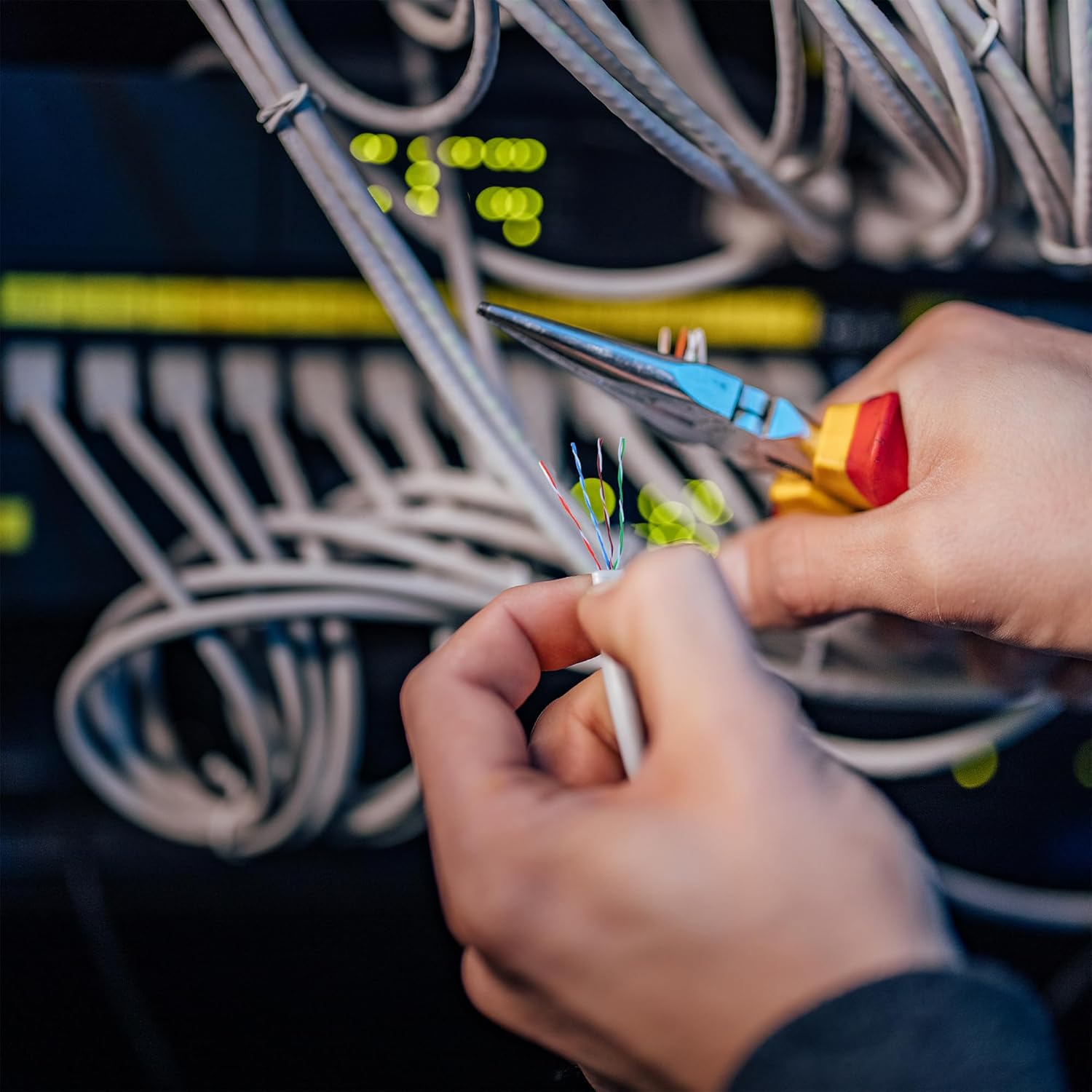
Figure 4.3: Crimping an RJ45 connector onto the cable.
Produkt overview Video
Video 4.1: En overview of the VIVO Cat5e Network Cable, demonstrating its features and potential applications in network setups.
5. Betjeningsvejledning
Once the Cat5e cable is properly terminated with RJ45 connectors, it can be used to establish network connections:
- Tilslut enheder:
Plug one end of the terminated Ethernet cable into an available Ethernet port on your network device (e.g., modem, router, network switch). - Connect to End Device:
Plug the other end of the cable into the Ethernet port of your end device (e.g., computer, gaming console, smart TV, network printer). - Bekræft forbindelsen:
Check the indicator lights on both the network device and the end device. A solid or blinking light typically indicates a successful network connection and data activity.
The Cat5e cable supports data transfer rates up to 1000 Mbps (Gigabit Ethernet) for reliable and fast network performance.
6. Vedligeholdelse
To ensure the longevity and optimal performance of your VIVO Cat5e cable, follow these maintenance guidelines:
- Fysisk beskyttelse: Avoid sharp bends, kinks, or excessive pulling force on the cable, as this can damage the internal conductors and impair performance.
- Miljøforhold: This cable is designed for indoor use. While it may have some UV resistance, prolonged exposure to outdoor elements, extreme temperatures, or moisture is not recommended and can degrade the cable over time.
- Kabelstyring: Use cable ties or other management solutions to keep runs neat and prevent accidental damage or disconnections.
- Regelmæssig inspektion: Periodically inspect exposed sections of the cable for any signs of wear, cuts, or damage. Replace damaged sections if necessary.
7. Fejlfinding
If you experience issues with your network connection using the VIVO Cat5e cable, consider the following troubleshooting steps:
- Ingen netværksforbindelse:
- Verify that both ends of the Ethernet cable are securely plugged into the respective devices.
- Check the network indicator lights on your devices. If they are off, re-seat the cable or try a different port.
- Ensure the RJ45 connectors were properly crimped and that all eight wires are making contact. A cable tester can confirm this.
- Test with a known working Ethernet cable to rule out issues with the network device or end device.
- Langsom netværkshastighed:
- Ensure your network devices (router, switch, computer network card) support Gigabit Ethernet speeds.
- Check for physical damage to the cable, such as kinks or cuts, which can degrade signal quality.
- Confirm that the cable length does not exceed the recommended maximum for Cat5e (100 meters or 328 feet) for optimal performance.
- Minimize electromagnetic interference by routing the cable away from power lines, fluorescent lights, and other sources of electrical noise.
- Intermitterende forbindelse:
- Inspect the RJ45 connectors for loose wires or bent pins.
- Ensure the cable is not being frequently moved or stressed, which can lead to intermittent contact.
8. Specifikationer
| Feature | Detalje |
|---|---|
| Kabeltype | Cat5e Ethernet |
| Længde | 250 fod |
| Ledermateriale | Solid CCA (Copper Clad Aluminum) |
| Wire Gauge | 24 AWG |
| Par | 4-pair UTP (Unshielded Twisted Pair) |
| Jakke farve | Grå |
| Connector Type | RJ45 (user-terminated) |
| Kompatible enheder | Modems, Routers, Switches, Computers, etc. |
| Speciel funktion | UV Resistant (for jacket) |
| Varemodelnummer | CABLE-V013 |
| Produktmål (æske) | 10.5 x 10 x 7.4 tommer |
| Item Weight (Box) | 4.39 pund |
9. Garanti og support
VIVO is committed to providing quality products and customer satisfaction. This product comes with generous product protection. For any questions, technical assistance, or support needs, please contact VIVO's U.S.-based sales and technical support team.
For further information or to explore other VIVO products, please visit the official VIVO Store: VIVO-butik på Amazon.


