Produkt overview
The HID multiCLASS SE RP10 is a contactless smart card reader designed for secure access control systems. It supports both Prox 125kHz and 13.56 MHz (SIOS/SEOS) card technologies, offering versatile compatibility. This mini-mullion mount reader features Wiegand controller communications and an 18-inch pigtail connection for integration into various security infrastructures. Its robust design ensures reliable performance in both indoor and outdoor environments.
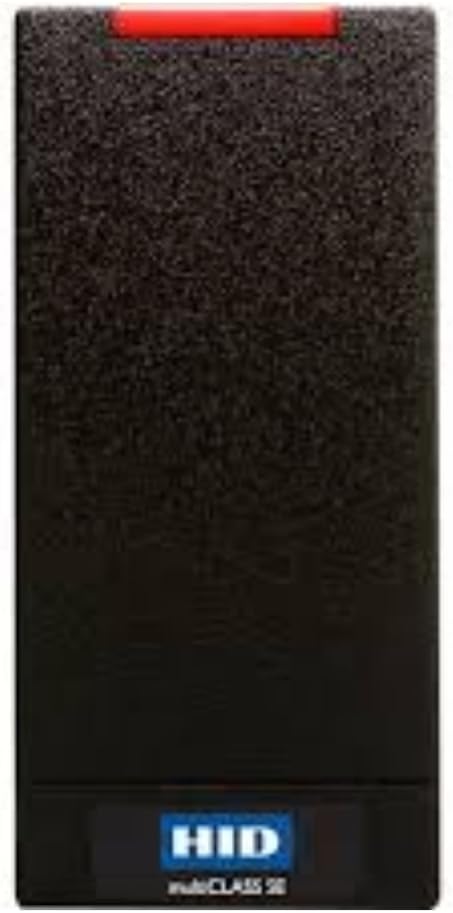
The image displays the HID multiCLASS SE RP10 Smart Card Reader, a black rectangular device designed for secure access control. It features a textured surface, a red indicator light bar at the top, and the 'HID multiCLASS SE' logo prominently displayed at the bottom.
1. Opsætning og installation
Proper installation is crucial for the optimal performance and security of your HID multiCLASS SE RP10 Smart Card Reader. Follow these guidelines for mounting and wiring.
1.1 Montering
- Identify a suitable location for the mini-mullion mount. Ensure the surface is stable and allows for proper wiring access.
- Secure the reader using appropriate fasteners. The design allows for flush mounting to the wall.
1.2 Ledningsføring
- Connect the pigtail connection (18") to your Wiegand controller. Refer to your controller's documentation for specific wiring diagrams.
- Ensure all connections are secure and properly insulated to prevent electrical interference or damage.
2. Betjeningsvejledning
The HID multiCLASS SE RP10 Smart Card Reader is designed for straightforward operation.
2.1 Card Presentation
- Present your compatible smart card (Prox 125kHz or 13.56 MHz SIOS/SEOS) within close proximity to the reader.
- The reader will typically indicate a successful read with a visual (e.g., green light) and/or audible signal.
2.2 Indikatorlys
- Rødt lys: Indicates standby mode or an invalid card read.
- Grønt lys: Indicates a successful card read and access granted.
3. Vedligeholdelse
The HID multiCLASS SE RP10 Smart Card Reader requires minimal maintenance to ensure long-term functionality.
- Regularly clean the reader's surface with a soft, dry cloth to remove dust and debris. Avoid abrasive cleaners or solvents.
- Kontrollér jævnligt ledninger og forbindelser for tegn på slid eller skader.
- Ensure the security screw at the bottom is tightened to maintain physical integrity.
4. Fejlfinding
If you encounter issues with your smart card reader, refer to the following troubleshooting steps.
4.1 Reader Not Responding
- Tjek strøm: Verify that the reader is receiving power.
- Tjek ledninger: Ensure all connections to the Wiegand controller are secure and correct.
- Kortkompatibilitet: Confirm that the smart card being used is compatible with the reader's specifications (Prox 125kHz or 13.56 MHz SIOS/SEOS).
4.2 Incorrect Indicator Light Behavior
- If the light remains red after presenting a valid card, ensure the card is presented correctly and within range.
- If the light does not change, consult your access control system's documentation for potential controller or software issues.
5. Tekniske specifikationer
| Feature | Detalje |
|---|---|
| Mærke | HID |
| Model | multiCLASS SE RP10 |
| Varenummer | 900PTNNEK00000 |
| Montering | Mini-Mullion Mount |
| Frekvens | Prox 125kHz, 13.56 MHz (SIOS/SEOS) |
| Meddelelse | Wiegand Controller Communications |
| Forbindelse | Pigtail (18") |
| Farve | Sort |
| Sikkerhed | Standard Security (V1 Keyset) |
| Varens vægt | 4.8 ounce |
| Pakkedimensioner | 7.01 x 4.76 x 1.85 tommer |
| Operativsystemkompatibilitet | Windows (typically reader is OS agnostic, but listed in product specs) |
6. Garanti og support
6.1 Producentens garanti
The HID multiCLASS SE RP10 Smart Card Reader comes with a full manufacturer's warranty. For specific terms and duration, please refer to the warranty documentation included with your product or contact HID directly.
6.2 Kundesupport
For technical assistance, troubleshooting, or inquiries regarding your HID product, please contact HID customer support. Contact information can typically be found on the official HID webwebsted eller i produktemballagen.


