1. Introduktion
This manual provides detailed instructions for the proper setup, operation, and maintenance of your Grundig 72847 Azerty USB Keyboard. Please read this manual thoroughly before using the product to ensure optimal performance and longevity.
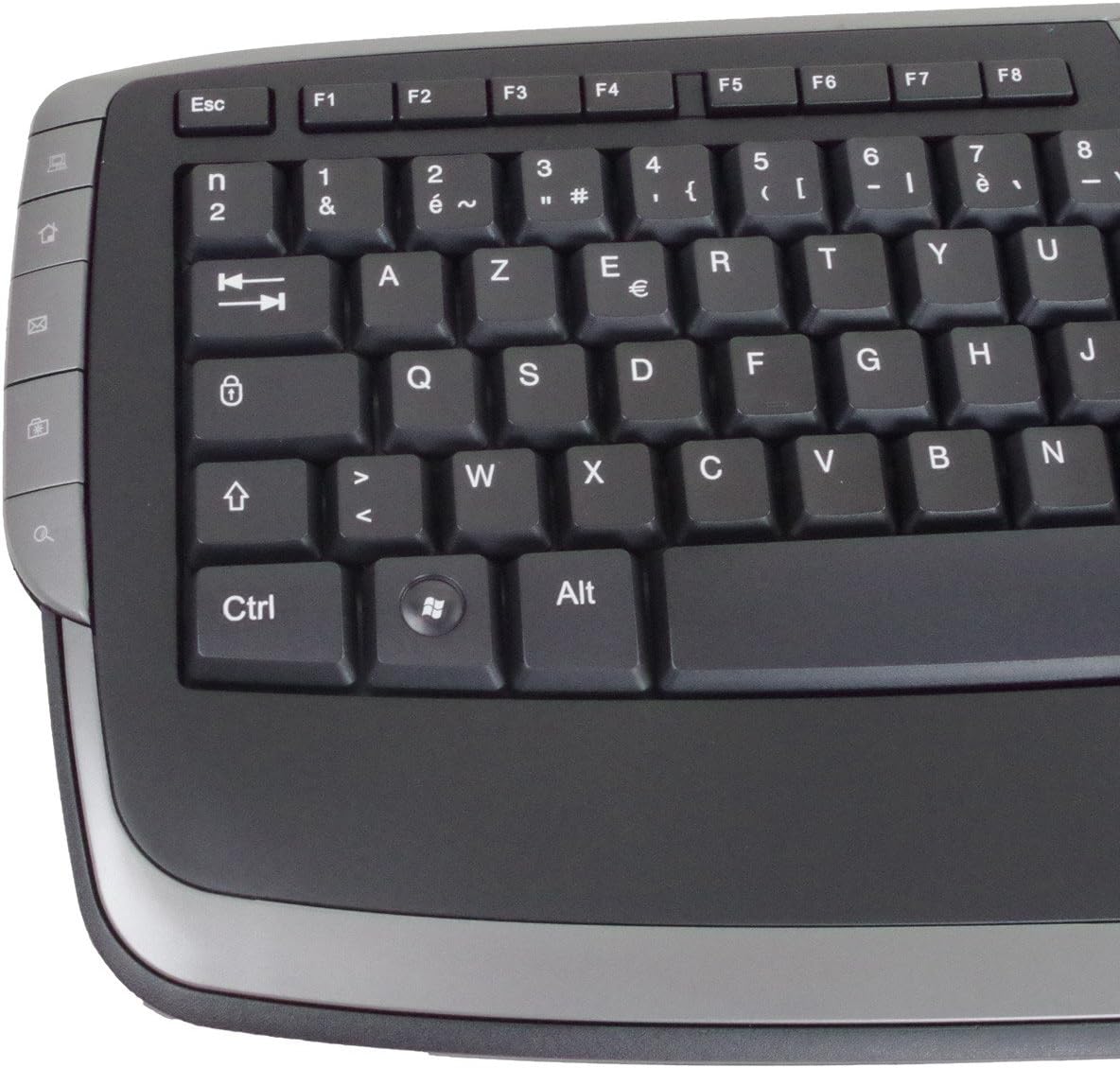
The Grundig 72847 keyboard features an Azerty layout, a wired USB connection, and an ergonomic design. It includes dedicated multimedia and office direct keys for enhanced functionality and supports both Windows and Mac operating systems.
2. Produktet er slutview
The Grundig 72847 keyboard is designed for comfortable and efficient typing. It features a standard Azerty key layout, along with additional function keys.
2.1 Nøglefunktioner
- Azerty Layout: Standard key arrangement primarily used in French-speaking regions.
- Kablet USB-forbindelse: Sikrer stabil og pålidelig forbindelse.
- Ergonomisk design: Contoured shape for comfortable use and reduced strain.
- Multimedienøgler: 8 dedicated keys for quick access to media controls (volume, play/pause, etc.).
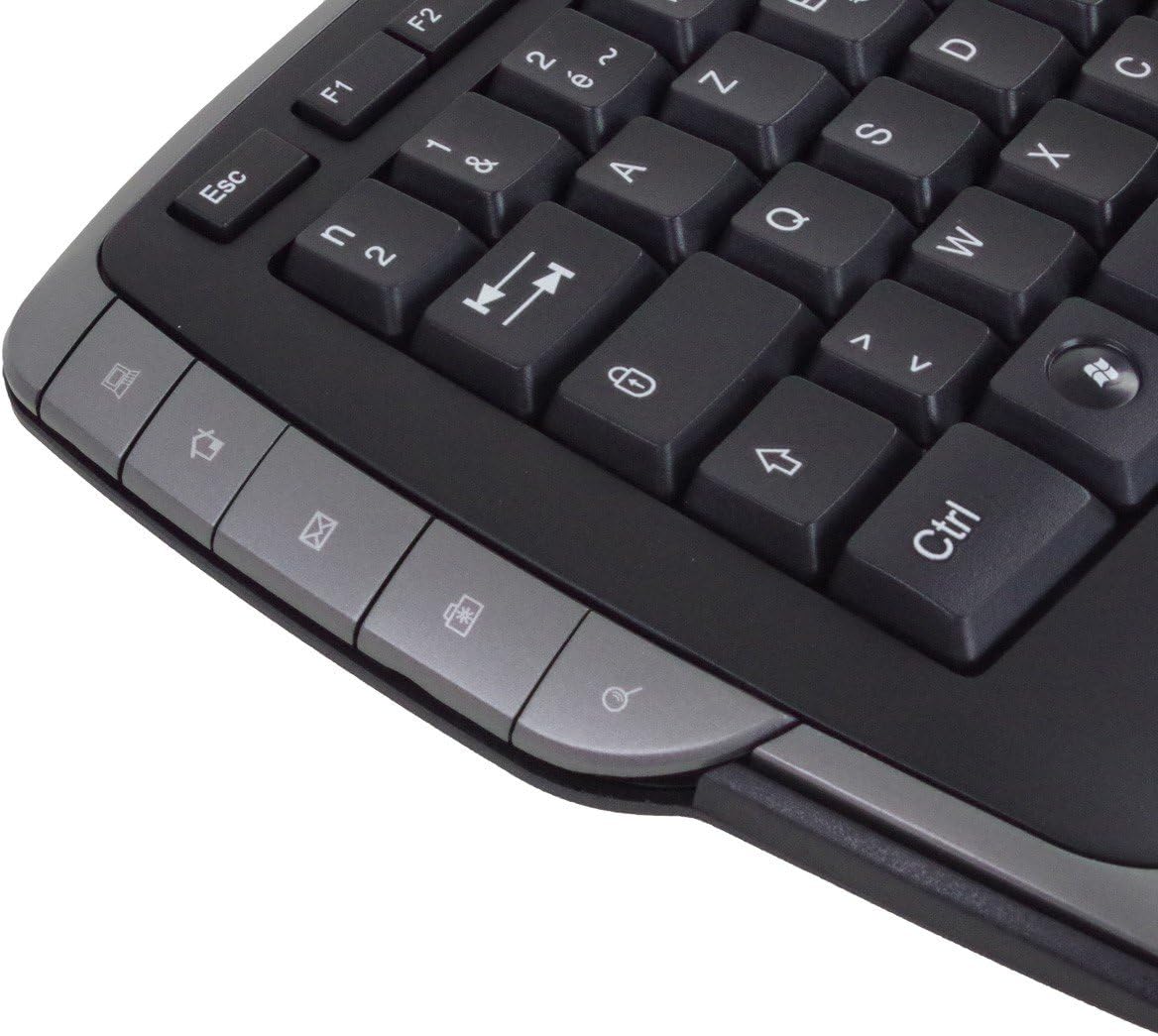
- Office Direct Keys: 17 additional keys for common office functions, enhancing productivity.
- Blå LED-indikatorer: Signal illumination for various functions.
- Bred kompatibilitet: Supports Windows and Mac operating systems.
2.2 Tastaturkomponenter
Familiarize yourself with the main components of your Grundig 72847 keyboard:

- Standard Azerty Keys: Alphanumeric, symbol, and function keys (F1-F12).
- Numerisk tastatur: Located on the right side for data entry.
- Multimedia Control Keys: Located above the function keys and on the left/right sides.
- Office Direct Keys: Additional shortcut keys for common office applications.
- USB-kabel: For connecting the keyboard to your computer.

3. Opsætning
Follow these steps to connect your Grundig 72847 keyboard to your computer.
- Pak tastaturet ud: Tag forsigtigt tastaturet ud af emballagen.
- Find en USB-port: Identify an available USB port on your computer (PC or Mac).
- Tilslut USB-kablet: Insert the USB connector of the keyboard cable into the USB port on your computer.
- Driverinstallation (automatisk): Dit operativsystem (Windows eller Mac) burde automatisk registrere og installere de nødvendige drivere. Denne proces kan tage et par øjeblikke.
- Bekræft funktionalitet: Once installed, test the keyboard by typing in a text editor or browser to ensure all keys are responsive.
No additional software or drivers are typically required for basic functionality.
4. Betjeningsvejledning
The Grundig 72847 keyboard offers standard typing functionality along with convenient multimedia and office shortcut keys.
4.1 Standard Typing
Use the alphanumeric and symbol keys for text input. The Azerty layout is standard for regions like France and Belgium.
4.2 multimedietaster
The keyboard includes 8 dedicated multimedia keys for quick control of media playback and volume. These are typically located above the function keys (F1-F12) or on the side bezels.
- Lydstyrke op/ned/lydløs: Juster lydniveauer.
- Afspil/pause: Styr medieafspilning.
- Forrige/næste nummer: Naviger gennem medier files.
- Stop: Halt media playback.
4.3 Office Direct Keys
The 17 office direct keys provide shortcuts to frequently used functions, improving workflow efficiency. Refer to the key labels for specific functions, which may include:
- E-mail: Åbn din standard e-mailklient.
- Web Browser: Launch your default web browser.
- Min computer: Åben file opdagelsesrejsende.
- Søge: Activate the system search function.
- Lommeregner: Åbn lommeregnerapplikationen.
- Sove: Put the computer into sleep mode.
The exact functionality of these keys may depend on your operating system and installed software.
5. Vedligeholdelse
Proper care and maintenance will help extend the life of your keyboard.
- Rensning:
- Frakobl tastaturet fra computeren, før du rengør det.
- Brug en blød, fnugfri klud lidt dampskylles med vand eller en mild rengøringsopløsning til at tørre overfladen af.
- Undgå at bruge skrappe kemikalier, slibende rengøringsmidler eller opløsningsmidler.
- Brug trykluft til at fjerne støv og snavs mellem tasterne.
- Opbevaring: Opbevar tastaturet et rent, tørt sted, væk fra ekstreme temperaturer og direkte sollys.
- Undgå spild: Hold væsker væk fra tastaturet for at forhindre beskadigelse af interne komponenter.
6. Fejlfinding
If you encounter issues with your Grundig 72847 keyboard, try the following solutions:
- Tastaturet reagerer ikke:
- Sørg for, at USB-kablet er korrekt tilsluttet til både tastaturet og computeren.
- Prøv at tilslutte tastaturet til en anden USB-port på din computer.
- Genstart din computer.
- Test tastaturet på en anden computer for at afgøre, om problemet er med tastaturet eller den originale computer.
- Specifikke taster virker ikke:
- Check for any physical obstructions or debris under the key.
- Rengør tastaturet som beskrevet i afsnittet Vedligeholdelse.
- Multimedia/Office Keys Not Functioning:
- Sørg for, at dit operativsystem og dine applikationer er opdaterede.
- Some functions may require specific software or settings within your operating system.
Hvis problemet fortsætter efter at have prøvet disse trin, bedes du kontakte kundesupport.
7. Specifikationer
| Feature | Detalje |
|---|---|
| Modelnummer | 72847 |
| Design | Azerty |
| Farve | Mat sort |
| Tilslutningstype | USB (kablet) |
| Kabellængde | Ca. 1.4 m |
| Dimensioner (B x D x H) | Approx. 47.5 x 19.5 x 2.7 / 3.8 cm |
| Vægt | Ca. 910 g |
| Nøgleliv | 8,000,000 aktiveringer |
| Skift liv | 8,000,000 aktiveringer |
| Driftstemperatur | -5 til 40 °C |
| Driftsfugtighed | 20 % til 90 % |
| LED-indikatorer | Blå |
| Kompatible systemer | Windows, Mac |
| Antal multimedienøgler | 8 |
| Number of Office Direct Keys | 17 |
8. Garanti og support
For warranty information and customer support, please refer to the documentation provided with your purchase or contact your retailer. You may also visit the official Grundig webwebsted for yderligere hjælp.
Gem venligst dit købsbevis for garantikrav.


