Indledning
This manual provides comprehensive instructions for the operation and maintenance of your new Sharp Aquos LCD TV Remote Control, model RRMCGA535WJSA. This genuine Sharp remote transmitter is designed to provide seamless control over your compatible Sharp Aquos LCD TV models. Please read this manual thoroughly before use to ensure proper functionality and to maximize your viewoplevelse.
Sikkerhedsoplysninger
Overhold venligst følgende sikkerhedsforanstaltninger:
- Do not expose the remote control to direct sunlight, high humidity, or extreme temperatures.
- Undgå at tabe fjernbetjeningen eller udsætte den for kraftige stød.
- Do not attempt to disassemble or modify the remote control. This may void the warranty and cause damage.
- Opbevar batterier utilgængeligt for børn. Søg omgående læge ved indtagelse.
- Bortskaf brugte batterier i henhold til lokale bestemmelser. Må ikke brændes.
Pakkens indhold
Bekræft at alle varer er til stede i pakken:
- Sharp Aquos LCD TV Remote Control (Model: RRMCGA535WJSA)
- Instruktionsmanual (dette dokument)
Bemærk: Batterier er typisk ikke inkluderet og skal købes separat.
Produkt overview
Familiarize yourself with the buttons and features of your remote control.

Figur 1: Forside View af fjernbetjening
This image displays the front of the Sharp Aquos remote control, showing all primary buttons including power, input selection, channel, volume, numeric keypad, and navigation controls. The Sharp and Aquos logos are visible at the bottom.
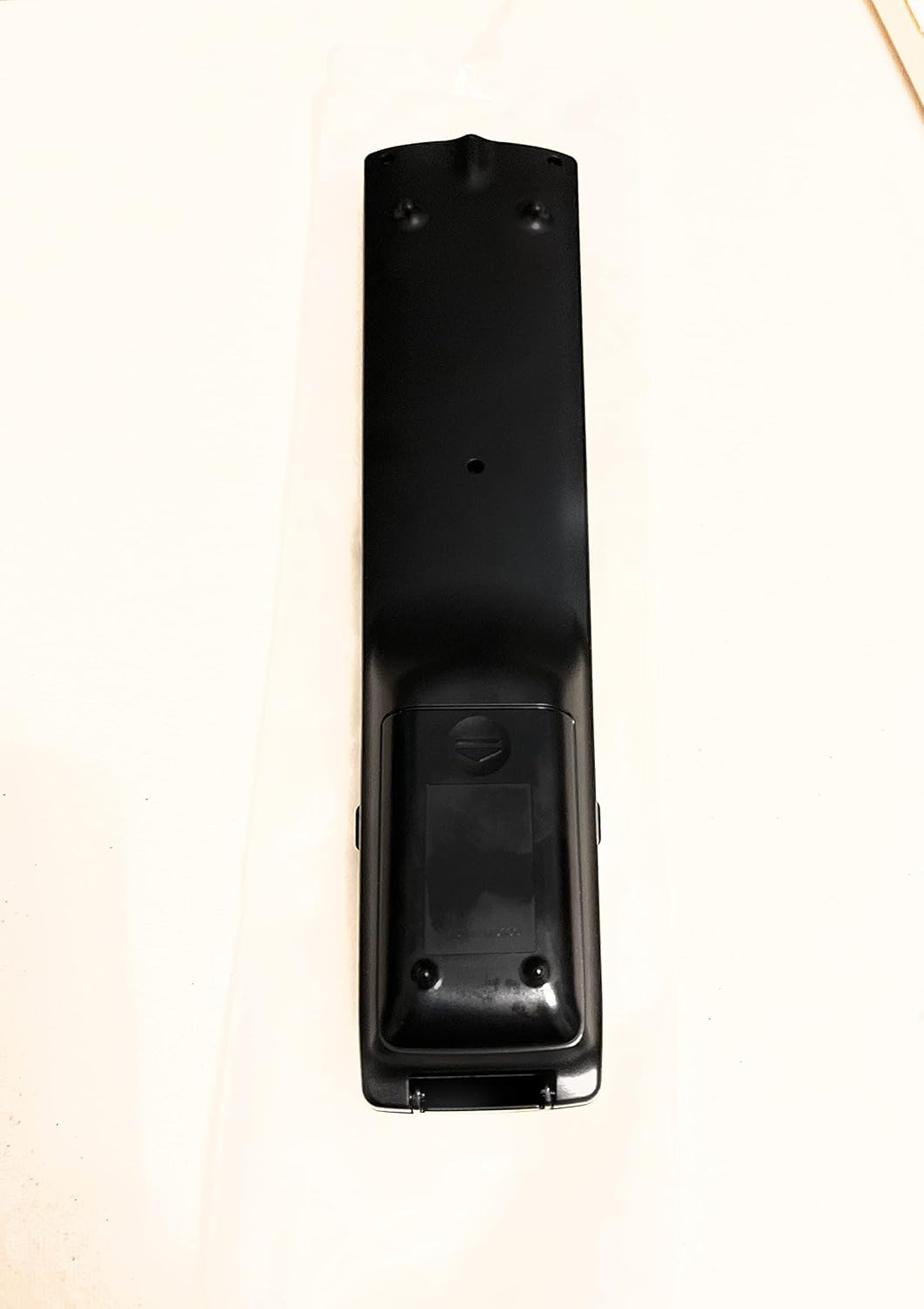
Figur 2: Tilbage View af fjernbetjening
This image shows the rear side of the Sharp Aquos remote control, highlighting the smooth, ergonomic design and the battery compartment cover.

Figure 3: Remote Control with Battery Compartment Open
This image illustrates the Sharp Aquos remote control with its battery compartment cover slid open, revealing the space for battery insertion.

Figure 4: Close-up of Hidden Panel
This close-up image shows the lower section of the Sharp Aquos remote control with its hinged panel opened, revealing additional function buttons such as SLEEP, AUDIO, AV MODE, and CC (Closed Caption).
Knap funktioner:
| Knap | Fungere |
|---|---|
| MAGT | Tænder eller slukker for tv'et. |
| INPUT / SOURCE | Selects the input source (e.g., HDMI, AV, Component). |
| CH +/- | Ændrer TV-kanalen op eller ned. |
| VOL +/- | Justerer lydstyrken. |
| STUM | Slår lyden fra eller til på tv'et. |
| MENU | Opens the TV's on-screen menu. |
| ENTER | Bekræfter valg i menuen. |
| Navigationspile (op/ned/venstre/højre) | Navigerer gennem menupunkter. |
| EXIT / RETURN | Afslutter den aktuelle menu eller vender tilbage til den forrige skærm. |
| Numerisk tastatur (0-9) | Indtaster kanalnumre direkte. |
| SOVE (under hidden panel) | Sets the TV to turn off automatically after a set period. |
| LYD (under hidden panel) | Selects audio modes or tracks. |
| AV-TILSTAND (under hidden panel) | Adjusts picture and sound settings for different content types. |
| CC (undertekster) (under hidden panel) | Turns closed captions on or off. |
Opsætning
Batteri installation:
- Find batterirummet på bagsiden af fjernbetjeningen (se figur 2).
- Slide the battery compartment cover downwards to open it (refer to Figure 3).
- Isæt to (2) AAA-batterier (medfølger ikke), og sørg for, at de positive (+) og negative (-) poler er korrekt justeret med indikatorerne i batterirummet.
- Skub batteridækslet tilbage på plads, indtil det klikker sikkert.
Note: Always use new batteries of the same type. Do not mix old and new batteries, or different types of batteries.
Betjeningsvejledning
Grundlæggende betjening:
- Tænd/sluk: Tryk på MAGT button to turn your Sharp Aquos TV on or off.
- Lydstyrkekontrol: Tryk på VOL+ knap for at øge lydstyrken og VOL - for at sænke lydstyrken.
- Kanalvalg: Brug CH+ or CH- buttons to change channels sequentially. Alternatively, use the numeric keypad to directly enter a channel number.
- Valg af inputkilde: Tryk på INPUT or KILDE button to cycle through available input sources (e.g., HDMI 1, HDMI 2, AV, Component).
- Stum: Tryk på STUM button to temporarily silence the TV audio. Press again to restore sound.
Menu navigation:
- Tryk på MENU button to display the TV's on-screen menu.
- Brug Navigationspile (Up, Down, Left, Right) to move through menu options.
- Tryk på ENTER button to select a highlighted option or confirm a setting.
- Tryk på EXIT or TILBAGE button to close the menu or go back to the previous menu level.
Advanced Functions (Hidden Panel):
Some advanced functions are located under a hinged panel at the bottom of the remote control (refer to Figure 4). Gently open this panel to access buttons such as:
- SOVE: Indstiller en timer, så fjernsynet automatisk slukker.
- LYD: Adjusts audio settings or selects audio tracks.
- AV MODE: Cycles through preset picture and sound modes (e.g., Standard, Movie, Game).
- CC (undertekster): Slår undertekster til eller fra.
Opretholdelse
Rensning:
To clean the remote control, wipe it gently with a soft, dry cloth. Do not use liquid cleaners, abrasive cleaners, or chemical solvents, as these may damage the surface or internal components.
Udskiftning af batteri:
Replace batteries when the remote control's response becomes sluggish or stops working. Follow the battery installation steps outlined in the "Setup" section. Always replace both batteries at the same time.
Fejlfinding
| Problem | Mulig årsag | Løsning |
|---|---|---|
| Fjernbetjening virker ikke. | Døde eller forkert isatte batterier. | Udskift batterierne med nye, og sørg for at polariteten (+/-) vender korrekt. |
| Remote control range is poor. | Weak batteries; obstruction between remote and TV; infrared sensor on TV is blocked. | Replace batteries. Ensure no objects are blocking the line of sight between the remote and the TV's IR sensor. |
| Specific buttons not responding. | Snavs eller affald under knappen; intern fejlfunktion. | Clean the remote control. If the issue persists, the remote may require replacement. |
| TV'et reagerer ikke på nogen fjernbetjeningskommandoer. | TV is unplugged or turned off; TV's IR sensor is faulty. | Ensure the TV is powered on and plugged in. Test with another remote if available. Consult TV's manual for IR sensor location. |
Specifikationer
| Feature | Detalje |
|---|---|
| Modelnummer | RRMCGA535WJSA |
| Mærke | Skarp |
| Kompatible enheder | Sharp Aquos LCD Televisions (various models, see product title for list) |
| Forbindelsesteknologi | Infrarød (IR) |
| Strømkilde | 2 x AAA batterier (medfølger ikke) |
| Dimensioner (ca.) | 8.8 x 2.4 x 0.9 tommer (pakkemål) |
| Vægt (ca.) | 4 ounce |
| Speciel funktion | Ergonomic design, Hidden function panel |
Garanti og support
Juridisk ansvarsfraskrivelse:
This item is provided in new condition. Please note that this item is offered "as is" as it is past its original manufacturer's warranty period. Any implied warranties are disclaimed to the fullest extent permitted by law.
Kundesupport:
For further assistance or inquiries regarding your Sharp Aquos LCD TV, please refer to your television's original instruction manual or visit the official Sharp support website. For issues specifically with this replacement remote control, please contact the seller from whom it was purchased.


