1. Introduktion
This manual provides detailed instructions for the installation, operation, and maintenance of the RF Ideas pcProx Plus USB 2.0 Smart Card Reader (Model RDR-80581AKU). Please read this manual thoroughly before using the device to ensure proper functionality and to prevent damage.
2. Produktet er slutview
The RF Ideas pcProx Plus is a dual-frequency programmable smart card reader designed for various applications requiring secure identification and access control. It connects to a host system via a standard USB 2.0 interface.

Figur 1: Forside view of the RF Ideas pcProx Plus USB 2.0 Smart Card Reader, showing the device connected to its USB cable.
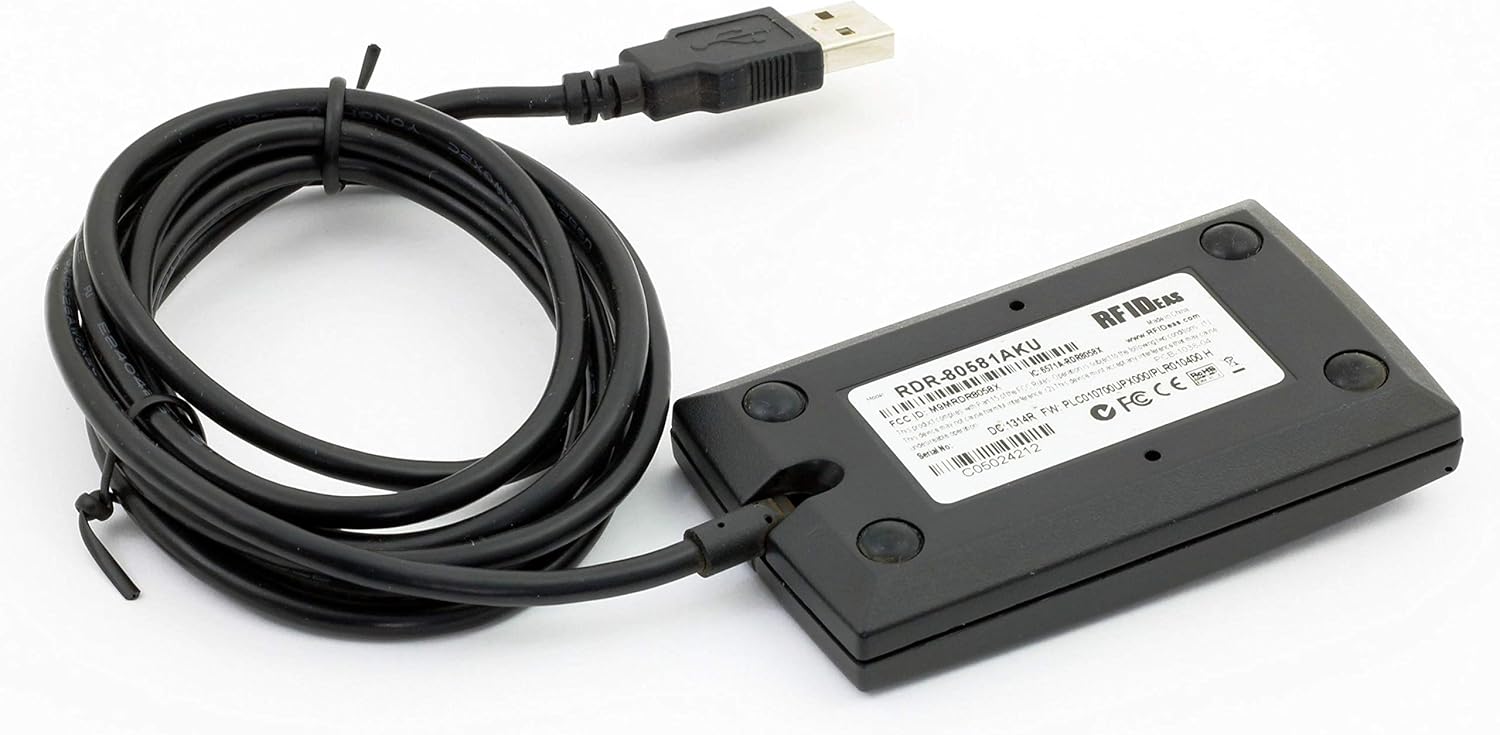
Figur 2: Nederst view of the RF Ideas pcProx Plus USB 2.0 Smart Card Reader, displaying the model number RDR-80581AKU and regulatory certifications.
3. Opsætning
3.1 Systemkrav
- Ledig USB 2.0-port eller højere.
- Compatible operating system (e.g., Windows, macOS, Linux).
3.2 Installation
- Unpack the RF Ideas pcProx Plus reader from its packaging.
- Connect the USB cable of the reader to an available USB port on your computer.
- The operating system should automatically detect the device and install the necessary drivers. This process may take a few moments.
- Once the drivers are installed, the device will be ready for use. You may verify its status in your operating system's Device Manager.
4. Betjeningsvejledning
4.1 Grundlæggende betjening
To use the RF Ideas pcProx Plus reader:
- Ensure the reader is connected to your computer and recognized by the system.
- Open the application or software that requires card input.
- Present a compatible smart card directly onto the surface of the reader.
- The reader will scan the card and transmit the card's data to the host application. A successful read is often indicated by an audible beep or an LED indicator on the device.
4.2 Avancerede funktioner
The pcProx Plus reader is programmable, allowing for customization of output formats and other settings. For advanced configuration, refer to the specific software tools provided by RF Ideas, typically available on their official website. These tools enable users to tailor the reader's behavior to specific application requirements.
5. Vedligeholdelse
To ensure the longevity and optimal performance of your RF Ideas pcProx Plus reader, follow these maintenance guidelines:
- Rensning: Use a soft, dry, lint-free cloth to clean the exterior of the device. Avoid using abrasive cleaners, solvents, or harsh chemicals, as these can damage the surface.
- Opbevaring: When not in use, store the reader in a cool, dry place away from direct sunlight and extreme temperatures.
- Håndtering: Handle the device with care. Avoid dropping it or exposing it to excessive force, which could damage internal components.
- Kabelpleje: Bøj eller klem ikke USB-kablet for meget. Sørg for, at kablet ikke er under spænding eller placeret et sted, hvor man kan snuble over det.
6. Fejlfinding
If you encounter issues with your RF Ideas pcProx Plus reader, consult the table below for common problems and their solutions.
| Problem | Mulig årsag | Løsning |
|---|---|---|
| Læseren genkendes ikke af computeren | Løs USB-forbindelse, defekt USB-port, driverproblem. | Ensure USB cable is securely connected. Try a different USB port. Restart the computer. Check Device Manager for driver status. |
| No card read or intermittent reads | Incorrect card type, card not presented correctly, interference, faulty card. | Ensure you are using a compatible smart card. Present the card flat against the reader's surface. Remove potential sources of electromagnetic interference. Try a different card. |
| Reader LED not illuminating | No power, device not recognized. | Verify USB connection and power supply from the computer. Check if the device is recognized in Device Manager. |
7. Specifikationer
Key technical specifications for the RF Ideas pcProx Plus USB 2.0 Smart Card Reader (Model RDR-80581AKU):
- Modelnummer: RDR-80581AKU
- Mærke: RF-IDEER
- Forbindelse: USB 2.0
- Farve: Sort
- Dimensioner (produkt): Cirka 6.1 x 12.19 x 10.67 cm (2.4 x 4.8 x 4.2 tommer)
- Vægt (vare): Cirka 90.7 gram (0.2 lbs)
- Driftstemperatur: -30 to 65 °C (as per product title)
- Certificeringer: FCC, CE, C-Tick, UL, IC (as per product title)
8. Garanti og support
For information regarding product warranty, technical support, or service, please refer to the official RF Ideas webwebstedet eller kontakt din autoriserede forhandler. Gem din købskvittering som købsbevis i tilfælde af garantikrav.
RF IDEAS Official Webwebsted: www.rfideas.com


