1. Introduktion
The PAC RP4-VW11 Radiopro4 is a stereo replacement interface designed to integrate an aftermarket radio into select Volkswagen vehicles equipped with a CANbus system. This interface retains essential factory features, including steering wheel controls (SWC) and provides data-controlled accessory and navigation outputs. It also supports the retention of the factory amplifier in premium amplified systems, though fading capability may be limited to two input channels from the aftermarket radio.
The interface is pre-programmed for most vehicle factory SWC functions. Custom programming is available for re-assigning SWC functions or utilizing short press/long press dual command functionality.
2. Sikkerhedsoplysninger
Always disconnect the vehicle's negative battery terminal before beginning any installation to prevent electrical shorts and potential damage to the vehicle's electrical system or the interface. Ensure all connections are secure and insulated to avoid short circuits. Consult a professional installer if you are unsure about any steps.
Advarsel i henhold til Proposition 65: Dette produkt indeholder kemikalier, der af staten Californien er kendt for at forårsage kræft og fødselsdefekter eller andre reproduktionsskader.
3. Pakkens indhold
- All-in-One Radio Replacement & Steering Wheel Control Interface (PAC RP4-VW11 Module)
4. Opsætning og installation
4.1. Trin før installation
- Afbryd batteriet: Before starting, disconnect the negative battery terminal of your vehicle.
- Fjern fabriksradio: Carefully remove the factory radio from the dashboard to access the wiring harness.
4.2. Ledningsforbindelser
The PAC RP4-VW11 interface connects between your aftermarket radio's harness and the vehicle's factory harness. Match the wire colors between the aftermarket radio harness and the PAC interface harness. Some wires may not connect directly to the vehicle harness, such as an amplifier turn-on wire, parking sense wire, and Steering Wheel Control connections. Refer to the wiring diagram provided with your aftermarket radio and the PAC interface for specific connections.
Below is a general visual guide for wiring connections:
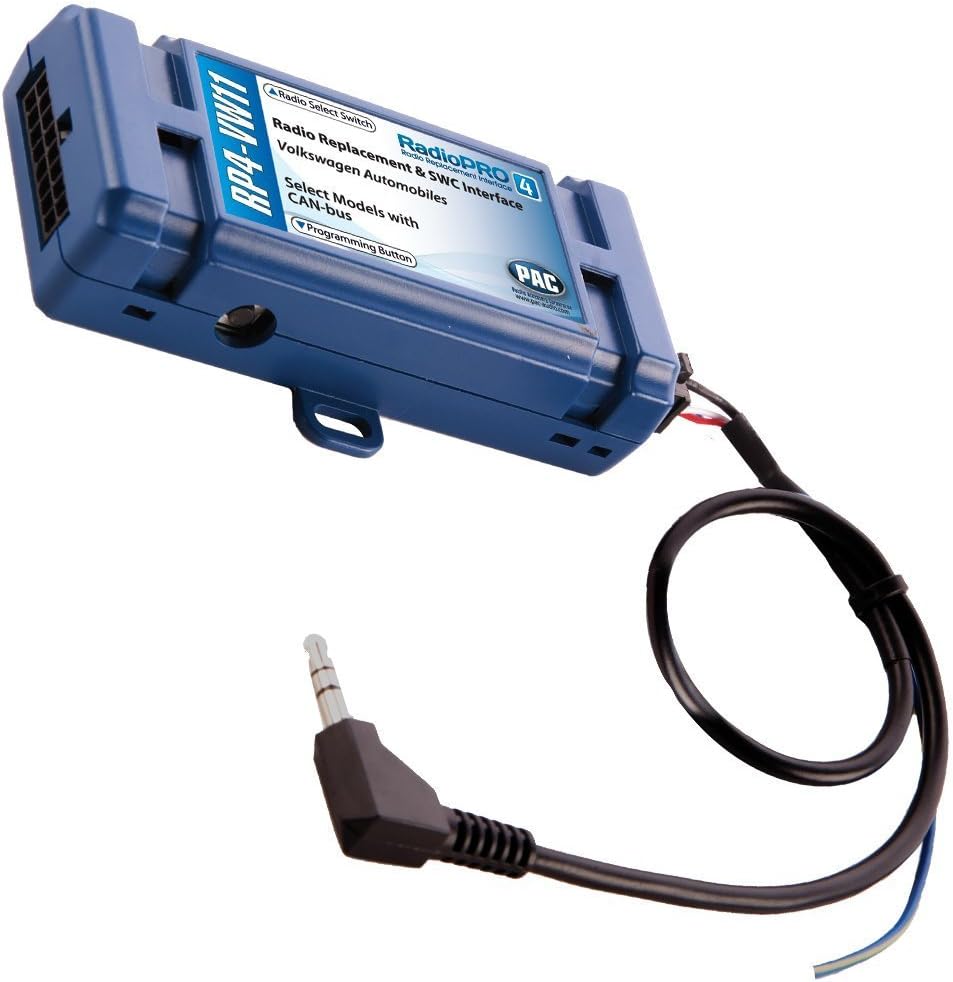
The main PAC RP4-VW11 module is a blue box with various wire connections and a rotary switch for radio selection. The module facilitates the integration of your new stereo with the vehicle's existing systems.
For a visual demonstration of general interface wiring, refer to the video below:
Another video demonstrating a generic wire harness connection is provided below for additional visual reference:
4.3. Setting the Radio Select Switch
Locate the rotary switch on the side of the PAC RP4-VW11 interface. This switch must be adjusted to the proper radio setting before plugging the interface into the vehicle. Refer to the chart below to determine the correct setting for your aftermarket radio brand:
| Indstilling | Radio Mærke |
|---|---|
| 1 | Alpine |
| 2 | JVC |
| 3 | Kenwood |
| 4 | Clarion |
| 7 | Pioneer/Other (Advent, BOYO, Dual, Lightning Audio, Rockford Fosgate, Visteon) |
| 8 | Sony |
| 9 | Fusion |
4.4. Programming Steering Wheel Controls
The interface comes pre-programmed for all factory SWC functions. If you wish to re-assign SWC functions or utilize short press/long press dual command functionality, follow these programming instructions:
- Drej nøglen til tændingspositionen.
- Tryk og slip programmeringsknappen på siden af interfacet.
- Within 7 seconds, press the button on the steering wheel that is to be learned. The LED on the interface will turn off when the button is pressed.
- At this point, you have two options:
- For kort tryk funktionalitet: Slip knappen inden for 1.5 sekunder. LED'en tændes igen.
- For langt tryk funktionalitet: Hold knappen nede, indtil LED'en begynder at blinke. Slip knappen og LED'en vil gå tilbage til konstant.
- If you need to program more buttons, repeat step 3 for each additional audio function on the steering wheel. If you come across a function in the chart that your steering wheel does not have, or you do not want to program, press and release the program button on the side of the interface to skip that function.
- Once programming is completed, wait seven seconds. The LED will flash three times, indicating the end of programming.
- Test grænsefladen for korrekt funktionalitet. Når der trykkes på en SWC, bør LED'en på interfacet blinke. Hvis en funktion ikke virker, gentag programmeringstrinene.
4.5. Efterinstallation
- Gentilslut batteri: Tilslut den negative batteripol igen.
- Test funktionalitet: Turn on the radio and test all functions, including steering wheel controls, audio output, and any other integrated features.
5. Betjeningsvejledning
Once installed and programmed, the PAC RP4-VW11 allows your factory steering wheel controls to operate your aftermarket radio. The specific functions (e.g., Volume Up/Down, Track Up/Down, Source, Mute, Phone) will correspond to how they were programmed during the setup phase. Refer to your aftermarket radio's manual for any specific settings related to external controls.
6. Vedligeholdelse
The PAC RP4-VW11 interface is designed for long-term reliability and typically requires no regular maintenance. Ensure all wiring connections remain secure. If you experience any issues, refer to the troubleshooting section or contact customer support.
7. Fejlfinding
- Ingen strøm til radioen: Check all power connections, including the constant 12V and accessory 12V wires. Ensure the vehicle's battery is properly connected.
- Ratbetjening virker ikke: Verify the rotary switch setting on the PAC module matches your aftermarket radio. Re-attempt the programming steps for the steering wheel controls, ensuring each button press is registered correctly.
- No Fading Capability with Factory Amplivligere: In premium amplified systems, only two input channels from the aftermarket radio can be used, which may limit fading functionality. This is a characteristic of the system and not a defect.
- Intermitterende funktionalitet: Check all wire splices and connections for looseness or corrosion. Ensure the programming button on the interface is not stuck.
8. Specifikationer
| Feature | Detalje |
|---|---|
| Varens vægt | 3.52 ounce |
| Produktdimensioner | 9 x 9 x 2 tommer |
| Varemodelnummer | RP4-VW11 |
| Fabrikant | AAMP af Amerika |
| Kompatible enheder | Eftermarkedsradio |
| Connector Type | Radiofrekvens |
| Farve | Blå |
9. Garanti og support
For warranty information and technical support, please refer to the documentation included with your product or visit the official PAC website. Contacting customer service directly can provide the most accurate and up-to-date assistance for your specific product model and vehicle.


