Indledning
This instruction manual provides comprehensive guidance for the installation, operation, and maintenance of the Panduit Mini-Com Cat 6 UTP RJ45 TG Jack Module, model CJ688TGBL. This module is designed for reliable Cat 6 Ethernet connectivity, featuring a tool-less termination design for efficient setup. Please read this manual thoroughly before proceeding with installation or use to ensure proper functionality and safety.
Produkt overview
The Panduit Mini-Com Cat 6 UTP RJ45 TG Jack Module is an 8-position, black jack module engineered to terminate 4-pair, 22-26 AWG twisted pair cable. It is 100% factory tested to surpass industry performance standards. The TG (Tool-less Giga-TX) termination style eliminates the requirement for a specialized termination tool, simplifying installation. Each jack is individually serialized for traceability and is compatible with Panduit Mini-Com Modular Patch Panels and Faceplates.
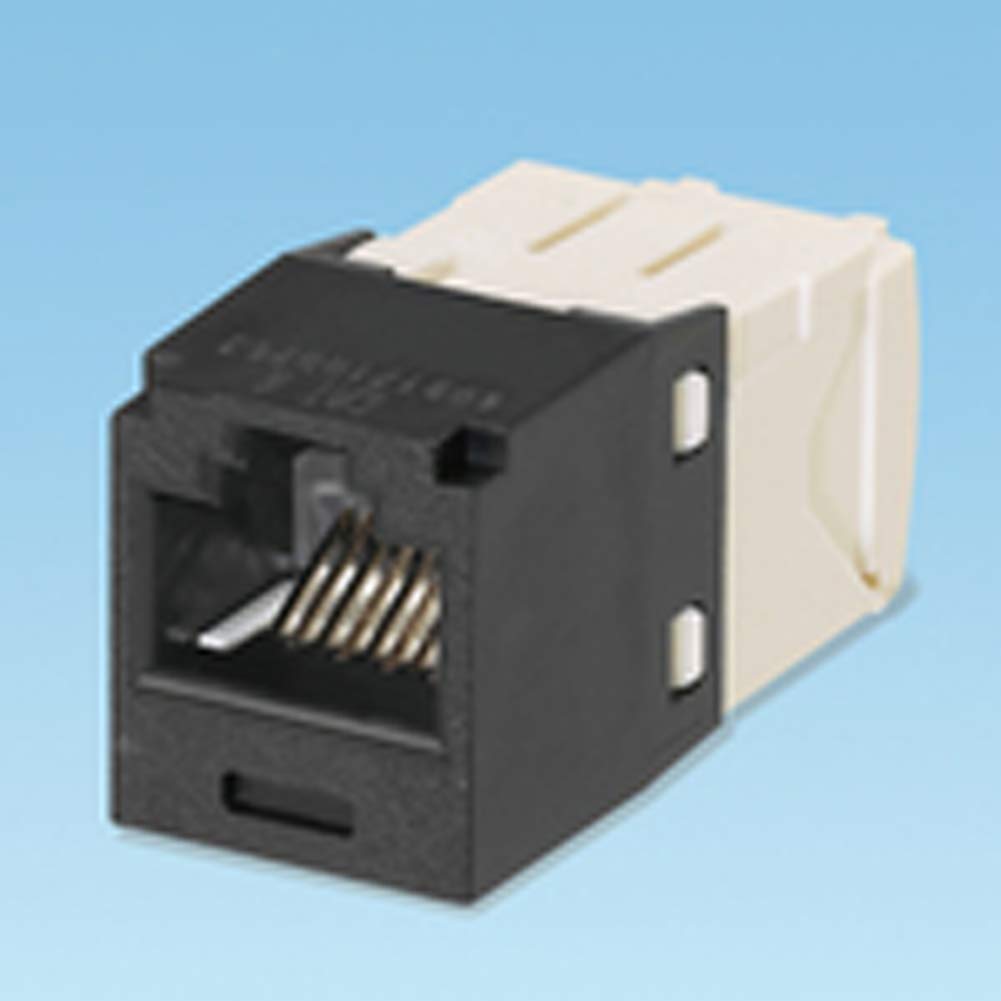
This image displays the Panduit Cat 6 UTP RJ45 TG Jack Module. The front portion, which houses the RJ45 port, is black, while the rear housing is beige. The jack features gold-plated contacts visible within the RJ45 port, designed for reliable data transmission.
Sikkerhedsoplysninger
Observe the following safety guidelines during installation and handling of the jack module:
- Ensure all power to connected devices is disconnected before installation or maintenance.
- Avoid exposing the module to moisture or extreme temperatures.
- Handle the module with care to prevent damage to internal components or contacts.
- Installation should be performed by qualified personnel familiar with network cabling practices.
Opsætning og installation
The Panduit TG Jack Module features a tool-less termination design. Follow these steps for proper installation:
- Kabelforberedelse: Carefully strip approximately 1.5 inches (3.8 cm) of the cable jacket from the 4-pair, 22-26 AWG twisted pair cable. Ensure not to damage the wire insulation.
- Untwist Pairs: Untwist the wire pairs as minimally as possible, maintaining the twists close to the jacket.
- Ledningsplacering: Refer to the color-coding diagram on the jack module (T568A or T568B) and carefully insert each individual wire into its corresponding slot in the termination cap. Ensure wires are fully seated.
- Close the Jack: Close the termination cap firmly until it snaps securely into place. This action simultaneously seats and trims the wires, completing the termination.
- Verify Termination: Visually inspect the termination to ensure all wires are correctly seated and trimmed.
- Montering: Snap the terminated jack module into any compatible Panduit Mini-Com faceplate, modular patch panel, or surface mount box.
Operation
Once properly installed and terminated, the Panduit Cat 6 UTP RJ45 TG Jack Module functions as a standard RJ45 port for Cat 6 Ethernet connections. It provides a reliable interface for connecting various network devices.
Kompatible enheder omfatter:
- Computere
- IP telefoner
- Netværksafbrydere
- Other Networked Devices
The jack module supports high-speed data transmission as per Cat 6 specifications, ensuring optimal network performance when used with compliant Cat 6 patch cords and infrastructure.
Opretholdelse
The Panduit Cat 6 UTP RJ45 TG Jack Module requires minimal maintenance. Regular inspection and cleaning can help ensure long-term performance.
- Rensning: If necessary, gently clean the exterior of the jack module with a dry, lint-free cloth. Avoid using harsh chemicals, solvents, or abrasive materials.
- Inspektion: Periodically inspect the jack for any signs of physical damage, loose connections, or debris in the RJ45 port. Ensure the module remains securely seated in its faceplate or panel.
Fejlfinding
If you experience issues with your network connection after installing the jack module, consider the following troubleshooting steps:
- Ingen netværksforbindelse:
- Verify that the network cable is securely plugged into both the jack module and the network device.
- Check the status lights on your network device (e.g., computer, switch) to confirm link activity.
- Ensure the cable termination within the jack module is correct according to the T568A or T568B standard. Re-terminate if necessary.
- Test the connection with a known working patch cord and network device.
- Langsom netværkshastighed:
- Confirm that all components in your network path (cables, switches, routers) are rated for Cat 6 or higher.
- Check for excessive cable untwisting during termination, which can degrade performance.
- Ensure the total cable length does not exceed Cat 6 specifications for optimal performance.
Specifikationer
| Feature | Værdi |
|---|---|
| Modelnummer | CJ688TGBL |
| Mærke | Panduit |
| Connector Type | RJ45 |
| Kabeltypekompatibilitet | Cat 6 Ethernet (UTP) |
| Kompatibilitet med trådmåler | 22-26 AWG Twisted Pair |
| Antal stillinger | 8-position |
| Opsigelsesstil | TG (Tool-less Giga-TX) |
| Farve | Sort |
| Produktdimensioner | 0.71 x 0.62 x 0.71 tommer |
| Varens vægt | 0.32 ounce |
| Speciel funktion | Høj hastighed |
Garanti og support
Panduit products are manufactured to high-quality standards and are typically backed by a manufacturer's warranty. For specific warranty details pertaining to the CJ688TGBL jack module, please refer to the official Panduit website or contact Panduit customer support directly.
For technical assistance, product inquiries, or support, please visit the official Panduit-butik eller deres virksomhed webwebsted.


