Indledning
The Audison bit Ten is a sophisticated multi-function digital processor designed to enhance the audio performance of both OEM (Original Equipment Manufacturer) and aftermarket car audio systems. It transforms standard audio signals into a high-performance output, allowing for precise sound customization within the vehicle's acoustic environment.
Equipped with a powerful 32-bit, 147 MHz clock speed DSP (Digital Signal Processor) and high-quality 24-bit A/D and D/A converters, the bit Ten ensures accurate and detailed sound reproduction. Its operation is managed via dedicated software, enabling users to fine-tune various audio parameters for optimal listening.
Nøglefunktioner
- Advanced DSP Technology: Features a 32-bit Cirrus Logic DSP chip with a 147 MHz clock speed and 24-bit A/D D/A converters, operating at 48 kHz PCM for real-time tuning adjustments.
- Alsidige lydindgange: Includes 4 independent high-level channels with automatic summing capability and USS (Universal Speakers Simulator) technology, ensuring compatibility with head units featuring "speaker load detection" circuits. Also features 1 analog low-level stereo auxiliary input and 1 high-level momentary audio interrupt input (for phone mute).
- Flere lydudgange: Provides 5 independent analog PRE channels with adjustable output levels.
- Comprehensive Equalization: Each output channel features a 31-band graphic equalizer (1/3 Octave; ±12dB) for precise frequency response adjustments.
- Flexible Crossover Filters: Supports Full, Hi-Pass, Low Pass, and Band Pass crossover filter types with Linkwitz @ 12 / 24 dB/Octave slopes.
- Signal Reconstruction: Automatically reconstructs a digital full-bandwidth stereo signal, de-equalizes frequency response, and reconstructs central and subwoofer channels during installation.
Produkt overview


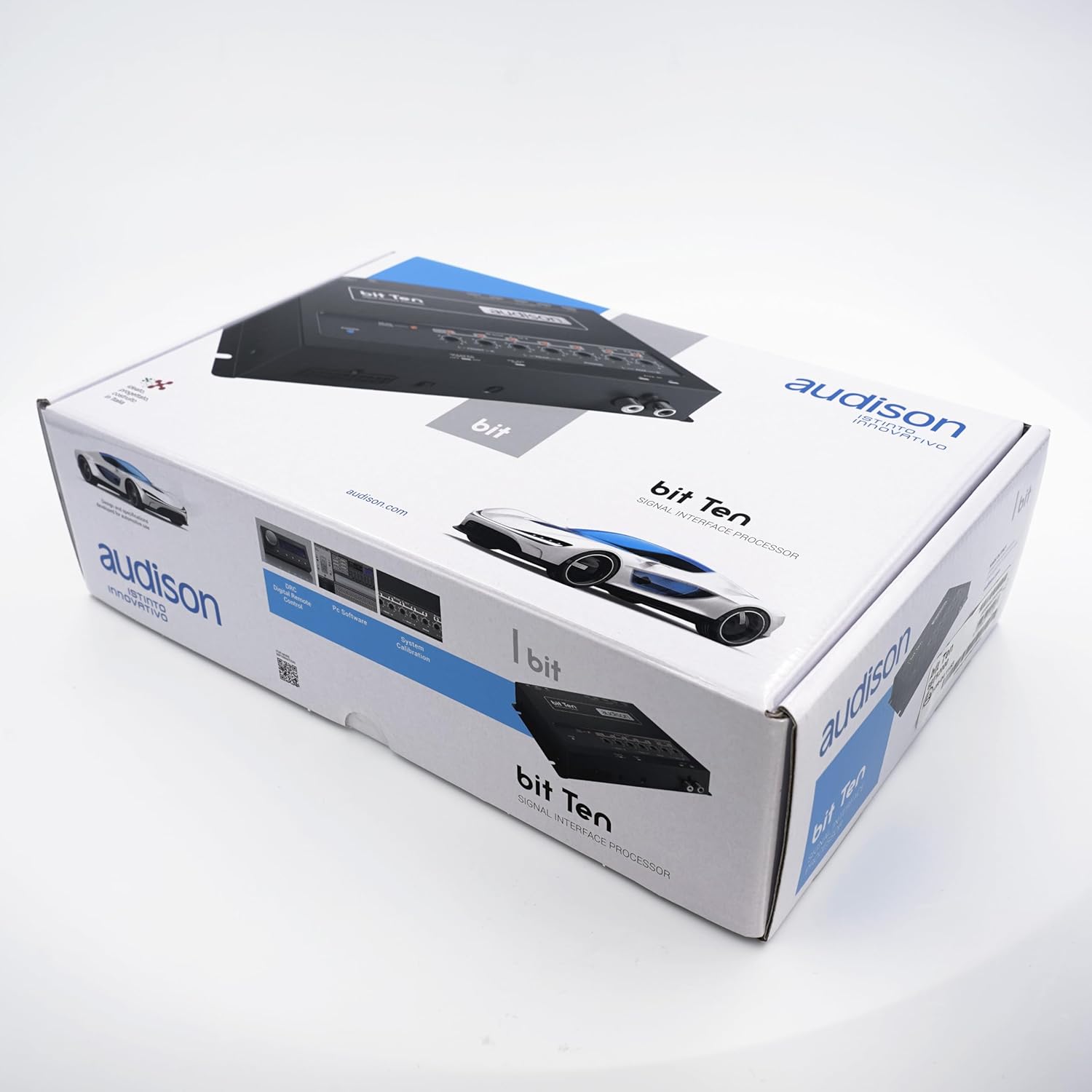
Opsætning
1. Forbindelser
Proper connection is crucial for optimal performance. It is highly recommended that installation be performed by a qualified professional.
- Strømtilslutning: Connect the unit to a stable 12V DC power source (constant 12V, ground, and remote turn-on). Ensure proper grounding to avoid noise.
- Input på højt niveau: Connect the speaker outputs from your OEM or aftermarket head unit to the bit Ten's high-level inputs. The bit Ten features USS (Universal Speakers Simulator) technology to ensure compatibility with head units that have speaker load detection circuits.
- Low-Level Auxiliary Input: For external audio sources, connect via the analog low-level stereo auxiliary input (RCA jacks).
- Output-kanaler: Connect the 5 independent analog PRE channels (RCA outputs) to your amplifiers. Ensure correct channel assignment (e.g., Front Left, Front Right, Rear Left, Rear Right, Subwoofer).
- PC-forbindelse: Use the provided USB cable to connect the bit Ten to a personal computer for software configuration and tuning.
2. Software Installation and Initial Configuration
The bit Ten requires dedicated software for full control and tuning. This software is typically provided by Audison or available for download from their official webwebsted.
- Install the Audison bit Ten software on your Windows-based PC.
- Connect the bit Ten to your PC using the USB cable.
- Launch the software. The software will guide you through the initial setup, including input signal analysis and de-equalization.
- Utilize the "DE-EQ Check" function on the unit and within the software to flatten the frequency response of the input signal from your head unit, if necessary.
- Set the input levels using the potentiometers on the unit, ensuring no clipping occurs (indicated by the "CLIP" LED).
Betjeningsvejledning
Once installed and initially configured, the Audison bit Ten allows for extensive audio system optimization through its PC software interface.
1. DSP Control and Tuning
The software provides a graphical interface for adjusting all DSP parameters in real-time:
- Time Alignment (Delays): Set precise time delays for each output channel to ensure that sound from all speakers reaches the listening position simultaneously, creating an accurate soundstage.
- Crossovers: Define crossover points and slopes for each channel (e.g., high-pass for tweeters, band-pass for mid-range, low-pass for subwoofers) to direct specific frequency ranges to the appropriate speakers.
- Udligning: Utilize the 31-band graphic equalizer for each of the 5 output channels to fine-tune the frequency response, compensating for vehicle acoustics and speaker characteristics.
- Udgangsniveaujustering: Independently adjust the output level for each of the 5 channels to balance the overall system volume.
- Kanalkonfiguration: Configure the output mode of each channel to match your installed system (e.g., 2-way front + rear + sub, or 3-way front + sub).
2. USS Technology
The Universal Speakers Simulator (USS) technology integrated into the bit Ten ensures seamless integration with modern OEM head units. Many factory radios employ a "speaker load detection" circuit that can mute the audio output if it doesn't detect a speaker load. USS technology simulates this load, preventing the head unit from muting and allowing the bit Ten to receive a continuous audio signal.
Opretholdelse
The Audison bit Ten is designed for durability and requires minimal maintenance. Follow these guidelines to ensure its longevity:
- Rensning: Use a soft, dry cloth to wipe the unit. Avoid abrasive cleaners, solvents, or harsh chemicals, as they can damage the finish and internal components.
- Miljø: Ensure the unit is installed in a location that is dry, well-ventilated, and protected from extreme temperatures, direct sunlight, and moisture.
- Forbindelser: Periodically check all wiring connections to ensure they are secure and free from corrosion. Loose connections can lead to signal loss or noise.
Fejlfinding
If you encounter issues with your Audison bit Ten, consider the following common troubleshooting steps. For complex issues, professional assistance is recommended.
- Ingen lydoutput:
- Verify all power connections (constant 12V, ground, remote turn-on) are secure and receiving power.
- Check input signal levels from the head unit. Ensure the "CLIP" indicator on the bit Ten is not constantly lit, indicating an overloaded input.
- Confirm that the USS technology is correctly engaged if using an OEM head unit with speaker load detection.
- Ensure output channels are correctly connected to ampløftere og ampLifiers er tændt.
- Check software settings for muted channels or incorrect routing.
- Forvrænget lyd:
- Reduce input gain levels on the bit Ten if the "CLIP" indicator is frequently active.
- Check for proper grounding of the bit Ten and connected components to eliminate noise.
- Review equalization settings in the software; excessive boosting of certain frequencies can cause distortion.
- Ensure speakers are not overdriven by checking ampindstillinger for forstærkning.
- Problemer med softwareforbindelse:
- Ensure the USB cable is securely connected to both the bit Ten and the PC.
- Prøv en anden USB-port på din pc.
- Restart the bit Ten unit and the PC.
- Verify that the correct drivers for the bit Ten are installed on your PC.
- Unit Screams/Square Wave Output in Cold Temperatures:
- The bit Ten is designed to operate within a specified temperature range (up to 140°F / 60°C). Extreme cold (below -15°F) can affect electronic components. If operating in very cold climates, ensure the unit is installed in a location that can maintain a more stable temperature, or allow the vehicle interior to warm up before extensive use. Resetting the unit via software may temporarily resolve the issue.
Tekniske specifikationer
| Feature | Specifikation |
|---|---|
| Mærke | Audison |
| Modelnummer | AUD-90-6752000 |
| Global Trade Identification Number (GTIN) | 08018823104937 |
| Audio DSP and Converters | 32 bit Cirrus Logic (Clock speed: 147 MHz), 24 bit A/D D/A converters (PCM at 48 kHz) |
| Lydindgange | 4 independent high-level channels with USS, 1 analog low-level stereo auxiliary input, 1 high-level momentary audio interrupt input |
| Analoge udgange | 5 independent PRE channels |
| Equalizers for Each Output | 31-band graphic equalizer (1/3 Oct.; ±12dB) |
| Crossover Filter Type | Full / Hi-Pass / Low Pass / Band Pass |
| Filter Mode and Slope | Linkwitz @ 12 / 24 dB/Octave |
| Minimumsforsyning Voltage | 11 volt |
| Øverste temperaturvurdering | 140°F (60°C) |
| Interface Type | USB |
| Produktmål (L x B x H) | 11.81 x 11.81 x 11.81 tommer |
| Varens vægt | 1.32 pund |


