1. Introduktion
This manual provides detailed instructions for the setup, operation, and maintenance of your Denon AVC-S511HD-K AV Surround Amplifier. Please read this manual thoroughly before using the product to ensure correct and safe operation.
The Denon AVC-S511HD-K is a compact AV Surround Amplifier featuring HDMI Ver1.4a compatibility, including 3D and Audio Return Channel (ARC) support. It offers three HDMI inputs and one HDMI output. The unit includes an automatic sound selection feature for TV programs and an iPod dock control terminal. It supports high-quality playback of compressed audio and can be expanded to a 5.1 channel surround sound system with additional speakers.
2. Sikkerhedsoplysninger
For at forhindre elektrisk stød, brand eller skade på enheden skal du overholde følgende sikkerhedsforanstaltninger:
- Udsæt ikke dette apparat for regn eller fugt.
- Do not remove the cover or back panel. There are no user-serviceable parts inside. Refer all servicing to qualified service personnel.
- Sørg for tilstrækkelig ventilation. Bloker ikke ventilationsåbningerne.
- Placer ikke enheden i nærheden af varmekilder såsom radiatorer, varmeapparater, komfurer eller andre apparater (herunder ampløftere), der producerer varme.
- Brug kun tilbehør/tilbehør specificeret af producenten.
- Træk stikket ud af dette apparat under tordenvejr, eller når det ikke skal bruges i længere perioder.
3. Pakkens indhold
Verify that all items listed below are included in your package. If any items are missing or damaged, please contact your dealer immediately.
- Denon AVC-S511HD-K AV Surround Amplifier enhed
- Fjernbetjening
- Strømledning
- Setup Microphone (for automatic calibration)
- FM/AM-antenner
- Lynstartguide / Brugsanvisning (dette dokument)
- Speaker Cables (if included in bundle)
- Small Satellite Speakers (if included in bundle)

Image 3.1: Contents of the Denon AVC-S511HD-K package, including the main amplifier unit, remote control, speakers, and various cables.
4. Opsætning
4.1 Placering
Placer amplifier on a stable, level surface with adequate ventilation. Avoid placing it in direct sunlight or near heat sources. Ensure there is sufficient space around the unit for airflow.
4.2 Tilslutning af dine enheder
Follow these steps to connect your audio and video sources to the AVC-S511HD-K amplivligere.
- HDMI-forbindelser: Connect your HDMI-compatible devices (e.g., Blu-ray player, game console, cable box) to the HDMI INPUT ports on the rear panel. Connect your TV or projector to the HDMI MONITOR OUT port.
- Front HDMI Input: For temporary connections, use the HDMI input located on the front panel.
- Højttalerforbindelser: Connect your speakers to the corresponding speaker terminals on the rear panel. Ensure correct polarity (+ to + and - to -) for each speaker. For a 5.1 channel setup, connect front left, front right, center, surround left, surround right, and a subwoofer.
- Strømtilslutning: After all other connections are made, connect the power cord to the ampog derefter til en stikkontakt.
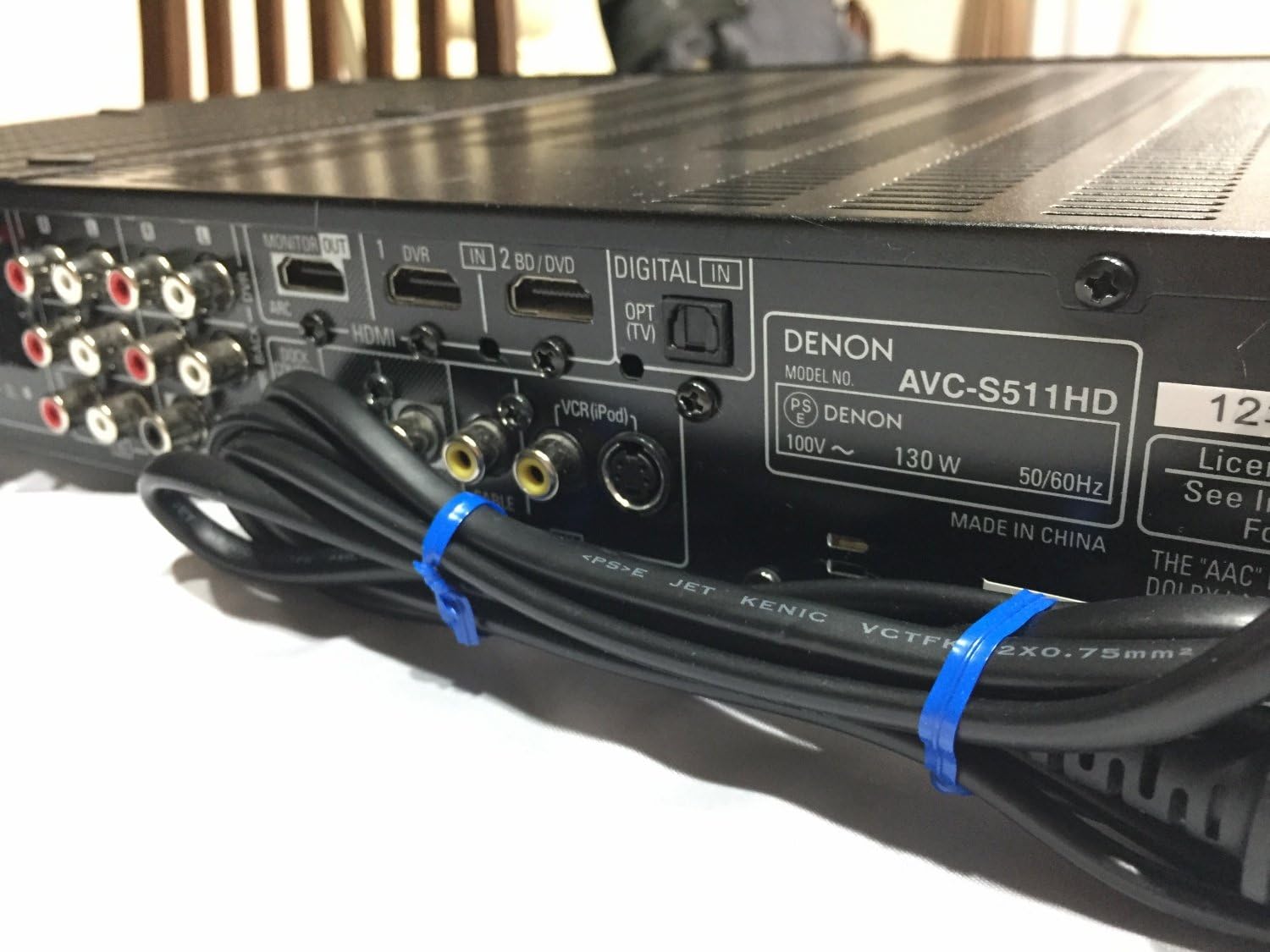
Image 4.1: Rear panel of the Denon AVC-S511HD-K, showing HDMI input/output ports, digital audio inputs, and analog audio/video connections.
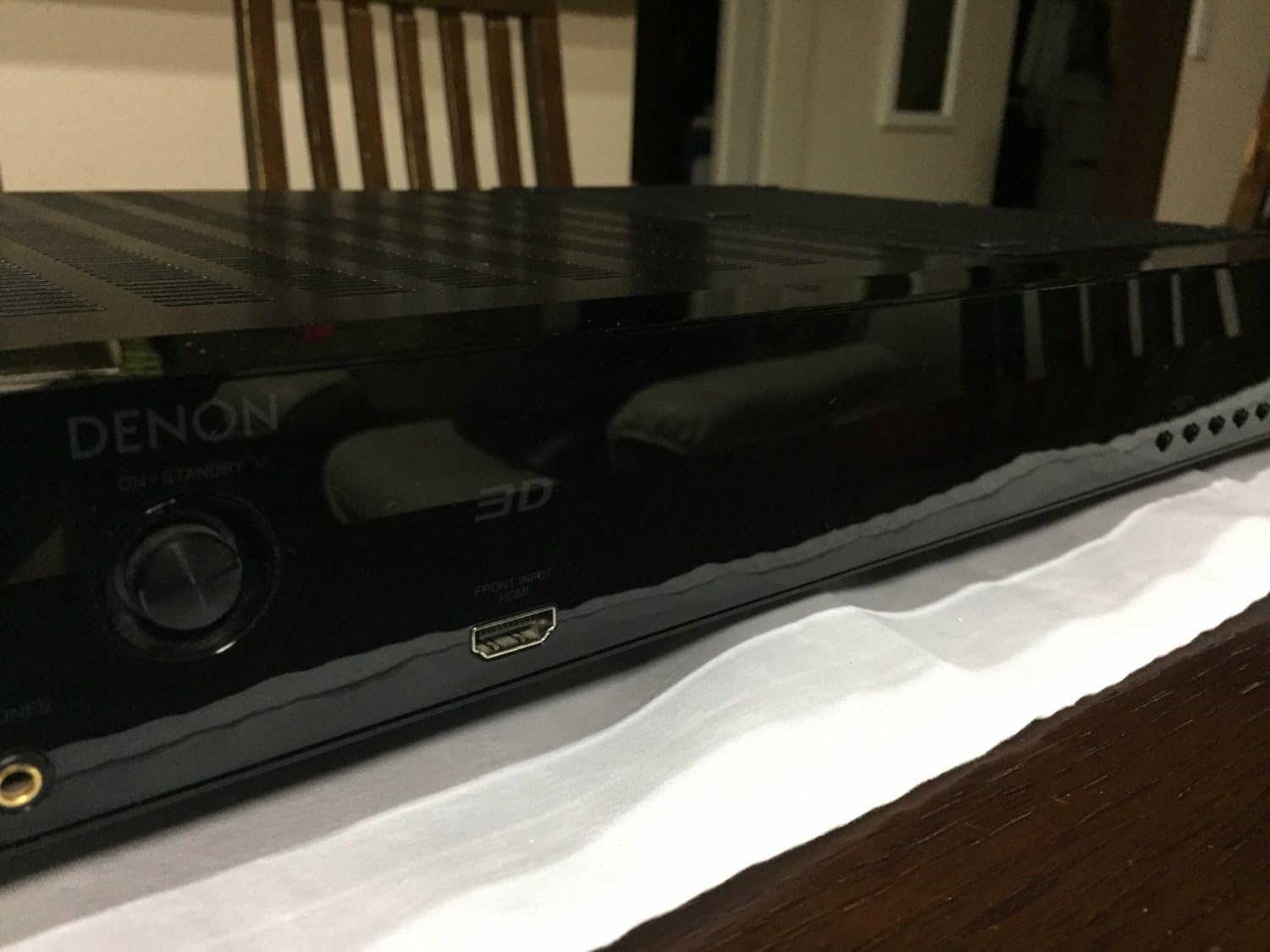
Image 4.2: Front panel of the Denon AVC-S511HD-K, highlighting the front HDMI input port and the '3D' indicator.

Billede 4.3: Top view of two compact satellite speakers, typically used as part of a 5.1 channel system with the AVC-S511HD-K.

Billede 4.4: Side view of a Denon satellite speaker, showing its compact design and speaker grille.
4.3 Indledende opsætning og kalibrering
Upon first power-on, the amplifier will guide you through an initial setup process. This typically includes:
- Højttaleropsætning: Use the included setup microphone to automatically calibrate speaker levels and distances for optimal sound.
- Inputtildeling: Assign names to your HDMI and other inputs for easy selection.
- Netværksopsætning (hvis relevant): Configure network settings if your model supports internet connectivity.
5. Betjeningsvejledning
5.1 Grundlæggende betjening
- Tænd/sluk: Tryk på POWER-knappen på frontpanelet eller fjernbetjeningen.
- Valg af input: Use the INPUT SELECTOR knob on the front panel or the dedicated input buttons on the remote control to switch between connected devices.
- Lydstyrkekontrol: Adjust the master volume using the VOLUME knob on the front panel or the VOL +/- buttons on the remote control.
5.2 Avancerede funktioner
- HDMI ARC (Audio Return Channel): If your TV supports ARC, audio from your TV can be sent back to the amplifier via the HDMI cable connected to the MONITOR OUT port, eliminating the need for a separate optical cable. Ensure ARC is enabled on both your TV and the amplivligere.
- 3D Video Pass-through: De amplifier supports 3D video signals from compatible sources to a 3D-compatible TV.
- iPod Control: Connect your iPod to the dedicated iPod dock control terminal (if available) to play audio and control playback via the amplifier's remote.
- Lydtilstande: Explore various sound modes (e.g., Stereo, Surround, Movie, Music) to optimize your listening experience for different content.
6. Vedligeholdelse
- Rensning: Tør enheden af med en blød, tør klud. Brug ikke slibende rengøringsmidler eller opløsningsmidler.
- Ventilation: Ensure that the ventilation openings are not blocked by dust or debris. Periodically clean the vents if necessary.
- Opbevaring: Hvis enheden opbevares i længere tid, skal du frakoble netledningen og opbevare den et køligt og tørt sted.
7. Fejlfinding
If you encounter issues with your AVC-S511HD-K, refer to the following common problems and solutions:
| Problem | Mulig årsag | Løsning |
|---|---|---|
| Ingen strøm | Power cord not connected; power outlet malfunction | Kontrollér netledningens forbindelse; prøv en anden stikkontakt |
| Ingen lyd | Incorrect input selected; speaker cables loose; volume too low; mute activated | Select correct input; check speaker connections; increase volume; deactivate mute |
| Ingen video | Incorrect input selected; HDMI cable loose or faulty; TV input not set correctly | Select correct input; check HDMI cables; ensure TV is on correct HDMI input |
| Fjernbetjening virker ikke | Batteries depleted; obstruction between remote and unit | Replace batteries; remove obstructions; ensure remote is pointed at the unit |
Hvis problemet fortsætter efter at have prøvet disse løsninger, bedes du kontakte Denons kundesupport eller en kvalificeret servicetekniker.
8. Specifikationer
| Feature | Detalje |
|---|---|
| Modelnummer | AVC-S511HD-K |
| Mærke | Denon |
| Farve | Sort |
| Forbindelsesteknologi | HDMI |
| Total HDMI-porte | 4 (3 ind / 1 ud) |
| Særlige funktioner | ARC (Audio Return Channel), 3D Pass-through |
| Lydudgangstilstand | Omgive |
| Surround Sound Kanalkonfiguration | 5.1 |
| Antal kanaler | 5 |
| Kompatible enheder | Højttalere |
| Første ledige dato | 2. november 2010 |
9. Garanti og support
For warranty information and customer support, please refer to the warranty card included with your product or visit the official Denon webwebsted. Gem din købsbevis til garantikrav.
Denon Officiel Webwebsted: www.denon.com


