Produkt overview
The Plus FL-082IF 87-298 Individual Folder Economy is designed for efficient document organization. This practical folder utilizes a thin, durable file card paper, offering a resource-saving and cost-effective solution for your filing needs. Its design allows for easy classification and retrieval of documents, making it an ideal choice for various office and personal uses.
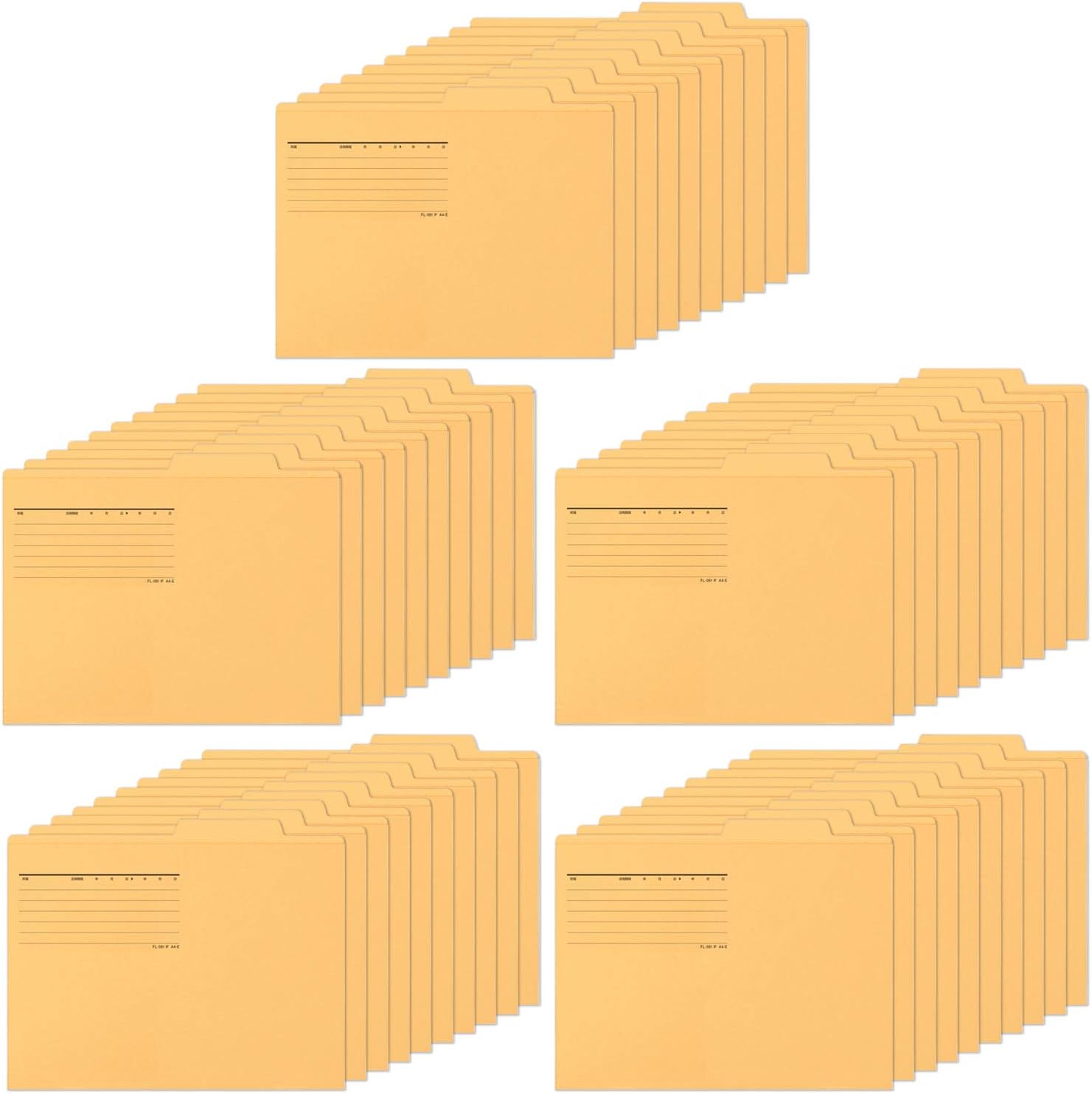
Image: A large stack of 50 yellow individual folders, demonstrating the bulk packaging and uniform appearance of the product.
Nøglefunktioner
- Praktisk design: Made from hard, thin card stock paper, ensuring durability for everyday use.
- A4-E Standard: Designed to accommodate A4-E sized documents, with external dimensions of Height (mountain height) 9.4 (+0.6 inches) x Width 12.2 inches (240 (+15 mm).
- Storpakke: Available in a convenient pack of 50 pieces, suitable for extensive filing requirements.
- Miljøvenligt materiale: Konstrueret af file card paper that incorporates recycled pulp, aligning with Green Purchasing Law compliance.
- Fastgørelseskompatibilitet: Features 16 "zipper" holes on the cover, allowing for the attachment of optional fasteners to secure punched documents.
- Labeling Area: Includes a dedicated column on the cover for writing details such as contents, duration of use, and item descriptions, facilitating easy identification.

Billede: Et nærbillede view of the top section of a yellow individual folder, highlighting the designated lines and columns for writing labels and content information.

Billede: En detaljeret view showing the pre-cut slots on the folder designed for attaching document fasteners, with a metal fastener being demonstrated.
Opsætning og forberedelse
- Pakker ud: Remove the folders from their packaging.
- Mærkning: Utilize the designated writing area on the front of each folder to clearly label its contents. Include information such as the subject, date range, or any other relevant identifiers to ensure efficient organization.
- Optional Fastener Installation: If you intend to secure punched documents within the folder, align a compatible fastener (sold separately) with the 16 pre-cut "zipper" holes on the folder's cover and secure it according to the fastener's instructions.

Image: An open yellow individual folder displaying a document with English text, illustrating how documents are placed inside for filing and organization.
Retningslinjer for brug
- Document Insertion: Place your A4-E sized documents neatly inside the folder. Ensure documents are aligned to prevent creasing eller skade.
- Categorization: Use the folder's color (Yellow) and the labeling area to categorize documents effectively. This aids in quick identification and retrieval.
- Opbevaring: Store the folders upright in file cabinets, desk organizers, or storage boxes. The design with the slightly extended tab allows for easy visibility and access when stored vertically.

Image: Several yellow individual folders neatly arranged and stored upright within a file box, demonstrating an organized storage solution.
Pleje og vedligeholdelse
These individual folders require minimal maintenance. To ensure their longevity and maintain their integrity:
- Hold tør: Store folders in a dry environment to prevent moisture damage, warping, or mold growth.
- Undgå overfyldning: Do not overfill folders beyond their capacity to prevent tearing or damage to the paper and contents.
- Håndter forsigtigt: While durable, avoid excessive bending or rough handling to maintain the folder's shape and appearance.
Fejlfinding
Most issues with individual folders are related to improper handling or storage. Here are some common concerns and simple solutions:
- Folder Tearing: If the folder tears, especially near the edges or fastener holes, it may be due to overfilling or rough handling. Reduce the number of documents or handle with more care.
- Documents Slipping Out: Ensure documents are properly aligned and fully inserted. If using fasteners, verify they are securely attached.
- Difficulty Locating Documents: Re-evaluate your labeling system. Ensure labels are clear, concise, and consistently applied. Consider using color-coding for different categories.
Specifikationer
| Attribut | Detalje |
|---|---|
| Mærke | PLUS |
| Modelnummer | FL-082IF 87-298 |
| Farve | Gul |
| Materiale Type | Paper (Recycled pulp used) |
| Ark størrelse | A4-E |
| Udvendige mål (H x B) | 9.4 (+0.6 inches) x 12.2 inches (240 (+15 mm) |
| Mængde | 50 Pieces per pack |
| Fastgørelseskapacitet | Up to 1000 sheets (with compatible fastener) |
| Tab Position | Top |
| Varens vægt | 4.97 pund (for 50 stykker) |
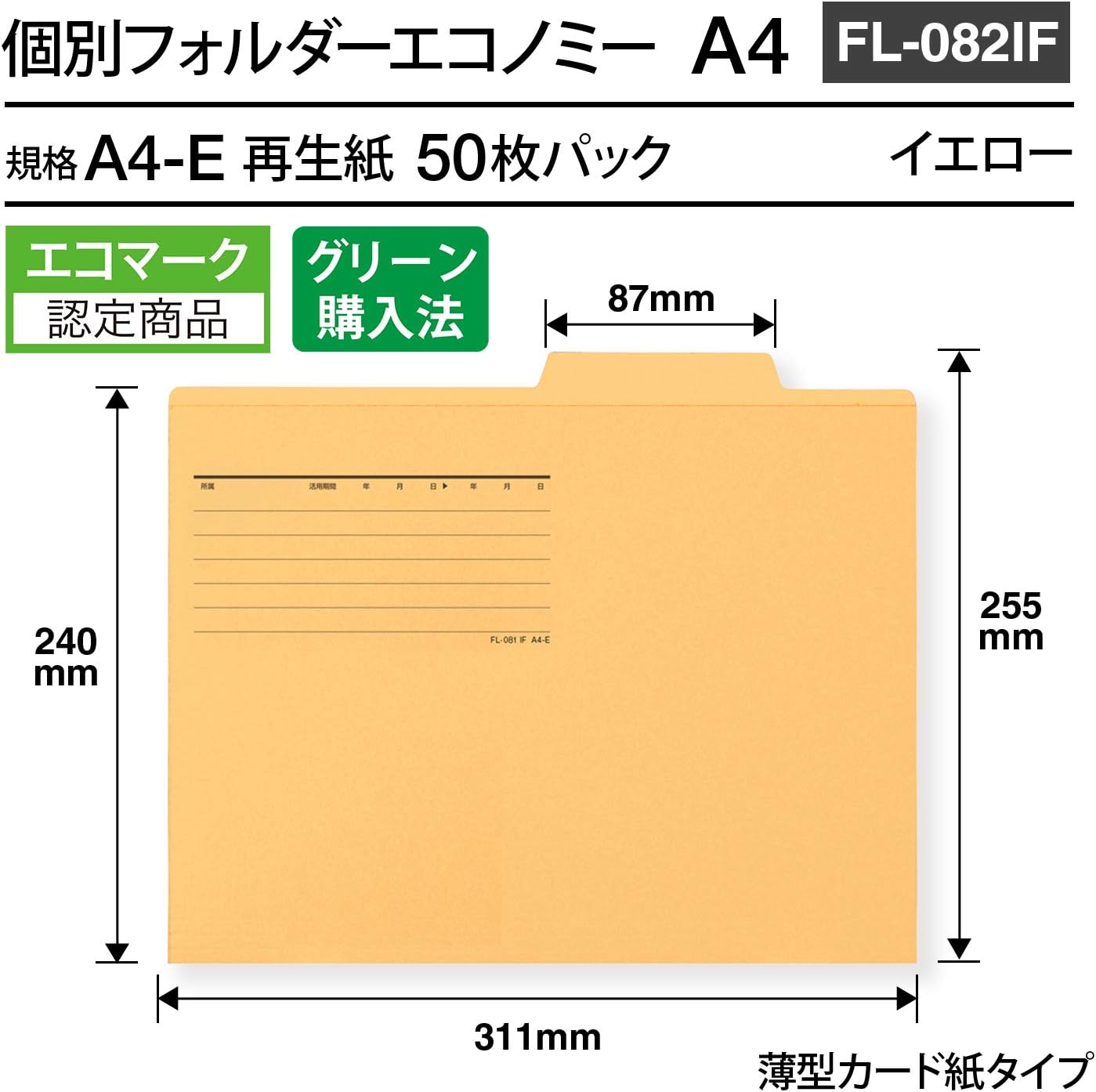
Image: A technical diagram illustrating the precise dimensions of the A4-E individual folder, including height, width, and tab extension.

Image: A visual chart comparing various standard paper sizes (e.g., A4, B5, A3), providing context for the A4-E size of the folder.
Garanti- og supportoplysninger
Specific warranty details for the Plus FL-082IF 87-298 Individual Folder Economy are not provided in the product data. As a consumable office supply, these folders typically do not come with an extended manufacturer's warranty.
For any product-related inquiries, concerns, or support, please contact the manufacturer, PLUS, directly through their official website or customer service channels. Retain your purchase receipt for any potential claims or inquiries.
You can visit the official PLUS store for more information: PLUS Store on Amazon


