1. Introduktion
The iHome iP46 is a portable speaker system designed for iPod and iPhone models with a 30-pin connector. It features a retracting universal dock for charging and playing audio, a rechargeable internal battery for portability, and enhanced audio technologies like SRS TruBass and Reson8 speaker chambers. This manual provides instructions for setting up, operating, maintaining, and troubleshooting your iP46 speaker dock.
Kompatible enheder: iPod nano (1G, 2G, 3G, 4G, 5G, 6G), iPod classic (4G, 5G, 5.5G, 6G), iPod touch (1G, 2G, 3G), iPhone (1G, 3G, 3GS, 4).

Figure 1: iHome iP46 Portable Speaker Dock with an iPhone docked. This image shows the speaker dock from a slightly elevated angle, highlighting the docked iPhone and the speaker grilles on either side.
2. Pakkens indhold
Bekræft at alle varer er til stede i pakken:
- iHome iP46 Portable Speaker System
- AC Adapter
- Brugermanual (dette dokument)
3. Opsætning
- Strømtilslutning: Connect the supplied AC adapter to the DC input jack on the back of the iP46 unit. Plug the other end of the AC adapter into a standard wall outlet. The unit will begin charging its internal rechargeable battery.
- Opladning af det interne batteri: The iP46 features a rechargeable lithium-ion battery. When connected to AC power, the battery will charge automatically. A charge indicator on the top of the speakers will illuminate when charging and indicate charge status.
- Docking Your Device: Gently press the retracting universal dock to extend it. Carefully place your compatible iPod or iPhone onto the 30-pin connector in the dock. No inserts are required.
- Placering af enheden: The iP46 includes a folding support and stand for stability. Extend these components as needed to ensure the unit is stable on a flat surface.

Figur 2: Side view of the iHome iP46. This image illustrates the unit's profile with its folding stand extended, demonstrating its portable design.
4. Betjeningsvejledning
- Tænd/sluk: Tryk på Magt button located on the top of the unit to turn the iP46 on or off.
- Playing Audio from Docked Device: Once your iPod or iPhone is docked and the unit is powered on, audio will play through the iP46 speakers. Use your device's controls to select and play music.
- Charging Docked Device: When the iP46 is connected to AC power, your docked iPod or iPhone will charge automatically, regardless of whether the speaker unit is powered on.
- Lydstyrkekontrol: Brug Lydstyrke op (+) og Skrue ned (-) buttons on the top of the iP46 to adjust the playback volume.
- SRS TruBass: Tryk på SRS button to activate or deactivate the SRS TruBass feature. This digital sound processing technology enhances bass response and clarity.
- Hjælpeindgang: To play audio from external sources (e.g., CD player, MP3 player, computer), connect a 3.5mm audio cable (not included) from the audio output of your external device to the Hjælpeindgang jack on the back of the iP46. The unit will automatically switch to auxiliary input mode when a connection is detected.
- Portabilitet: For transport, ensure the iPod/iPhone is removed, retract the universal dock, and fold the support stand under the unit.
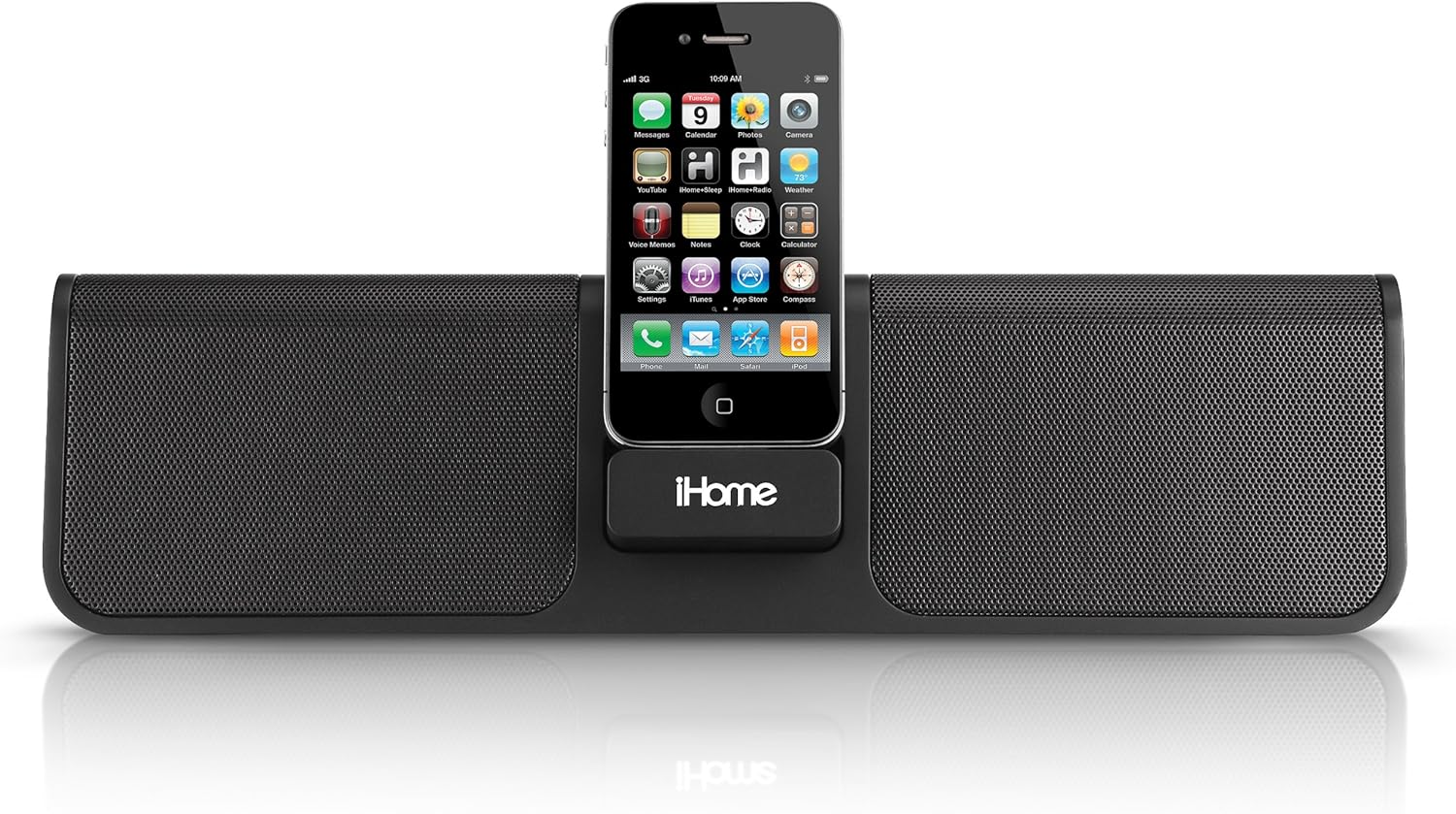
Figur 3: Forside view of the iHome iP46. This image provides a direct view of the speaker dock with an iPhone securely placed in its central docking station.
5. Vedligeholdelse
- Rensning: Brug en blød, tør klud til at rengøre enhedens yderside. Brug ikke flydende rengøringsmidler eller slibende materialer.
- Batteripleje: The internal rechargeable battery is not user-replaceable. To maximize battery life, avoid fully discharging the unit frequently. Recharge the unit regularly, especially if it will be stored for an extended period.
- Opbevaring: Når enheden ikke er i brug, skal den opbevares køligt og tørt, væk fra direkte sollys og ekstreme temperaturer.
6. Fejlfinding
| Problem | Mulig årsag | Løsning |
|---|---|---|
| Enheden tænder ikke. | No AC power; internal battery discharged. | Ensure AC adapter is securely connected to both the unit and a working wall outlet. Allow time for the internal battery to charge. |
| Ingen lyd fra højttalere. | Volume too low; device not properly docked; auxiliary cable not fully inserted; device not playing audio. | Increase volume on both the iP46 and your docked device. Re-dock the device. Ensure auxiliary cable is fully inserted. Verify audio is playing on your device. |
| Docked device is not charging. | AC adapter not connected; device not properly docked. | Ensure the iP46 is connected to AC power. Re-dock the device firmly. |
| Dårlig lydkvalitet. | SRS TruBass setting; audio source quality; device volume too high/low. | Toggle SRS TruBass on/off to see if it improves. Ensure your audio source is of good quality. Adjust volume levels on both the iP46 and your device to avoid distortion. |
7. Specifikationer
- Model: IP46BVC
- Produktdimensioner: 3.6 x 1.9 x 13 tommer (9.14 x 4.83 x 33.02 cm)
- Varens vægt: 3.05 pund (1.38 kg)
- Strømkilde: AC Adapter, Internal Rechargeable Lithium-ion Battery
- Kompatible enheder: iPod Nano, iPod Touch, iPhone (30-pin connector models)
- Hardwaregrænseflade: USB Docking Station, 3.5mm Auxiliary Input
- Farve: Sort
- Fabrikant: Lyddesign, Inc.
- ASIN: B003ARSO08
- GTIN (UPC): 00047532893694
8. Garanti og support
For garantioplysninger og teknisk support henvises til garantikortet, der følger med dit produkt, eller besøg den officielle iHome webwebsted. Behold din købskvittering som købsbevis i tilfælde af garantikrav.
Note: The internal battery is not user-replaceable. Attempting to replace the battery may void your warranty.


