1. Introduktion
Tak for købetasing the Hasbro Transformers Generations Legacy Deluxe Red Cog action figure. This manual provides essential information for the safe handling, assembly, transformation, and maintenance of your new figure. Please read these instructions carefully before use.
Sikkerhedsoplysninger
- Anbefales fra 6 år og op.
- Contains small parts. Not suitable for children under 3 years due to choking hazard.
- Avoid excessive force during transformation to prevent damage to joints or plastic components.
Hvad er inkluderet
Your package contains one (1) Transformers Generations Legacy Deluxe Red Cog figure and its associated weapon accessories.

The product packaging for the Transformers Generations Legacy Deluxe Red Cog figure, displaying the robot mode and an action shot of the figure in its weaponized form.
2. Opsætning og montering
Upon unboxing, your Red Cog figure may be in either robot or vehicle mode. Some weapon accessories might be detached. Follow these steps to prepare your figure for play or display.
Montering af tilbehør
- Identify all included weapon accessories.
- Locate the 5mm ports on the Red Cog figure in both robot and vehicle modes. These ports are designed for attaching accessories.
- Gently insert the pegs of the weapon accessories into the desired ports until they are secure. Do not force them.

The Red Cog figure in its robot mode, equipped with multiple blaster and cannon accessories attached to various ports on its body.
3. Operating: Transformation and Modularity
Red Cog transforms between a robot mode and an armored vehicle mode. Additionally, its unique design allows it to disassemble into multiple weapon and armor components for other Transformers figures.
Transformation to Armored Vehicle Mode
- Ensure all weapon accessories are detached from the figure.
- Fold the robot's legs and arms into their designated positions to form the chassis and body of the vehicle.
- Rotate and align panels to secure the vehicle form, ensuring all tabs and slots are engaged.
- Reattach weapon accessories to the vehicle mode's ports as desired.
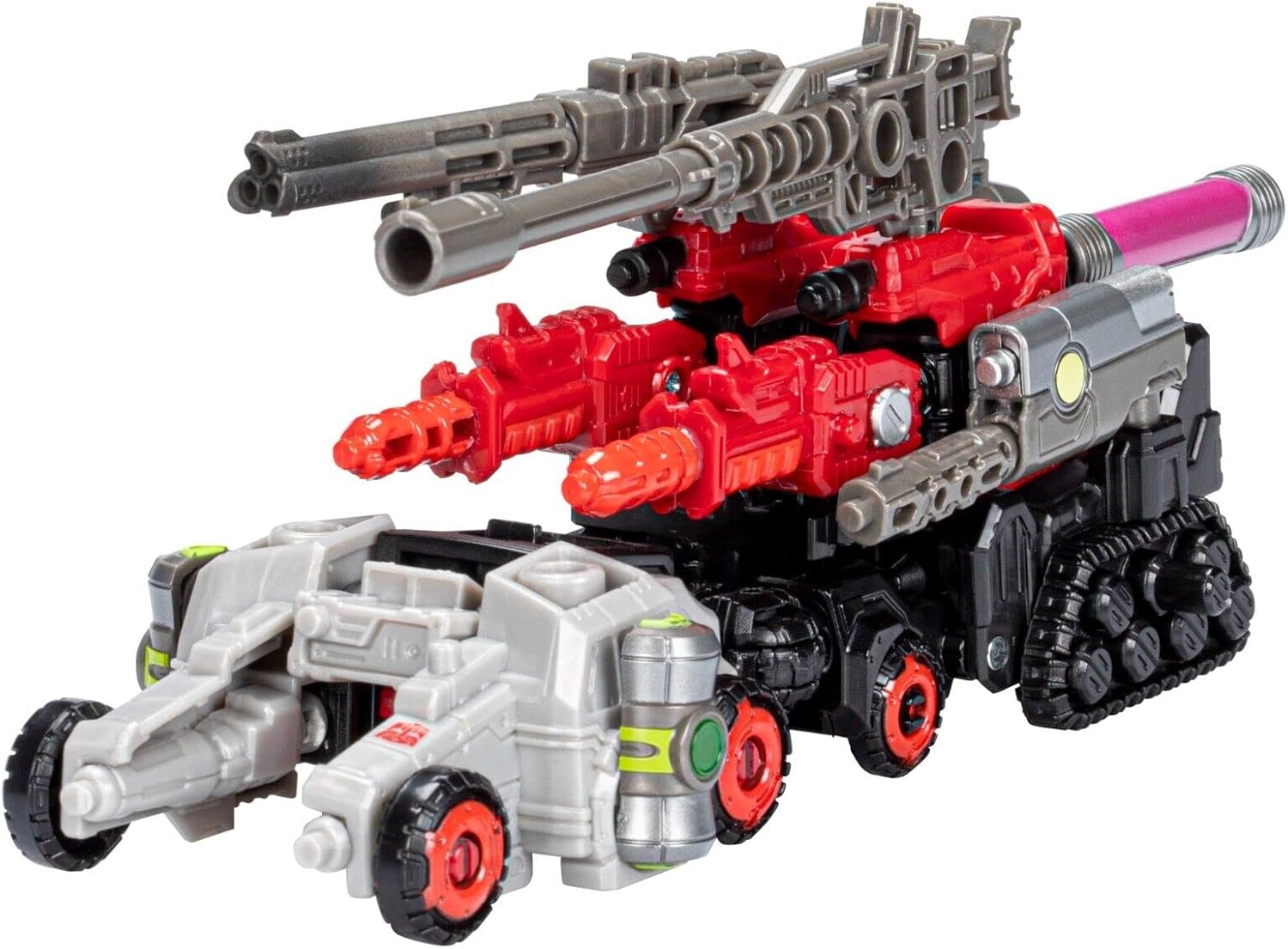
The Red Cog figure transformed into its armored vehicle mode, featuring several large weapon attachments mounted on top.
Transformation to Robot Mode
- Detach all weapon accessories from the vehicle mode.
- Carefully unclip and unfold the vehicle panels to reveal the robot's limbs and torso.
- Extend the arms and legs, position the head, and articulate the joints to achieve the desired robot stance.
- Attach weapon accessories to the robot mode's ports as desired.
Modularity (Weaponizer Function)
Red Cog is designed to disassemble into multiple components that can be used as weapons or armor for other Transformers figures with compatible 5mm ports. To utilize this feature:
- Gently pull apart the figure at its various connection points (e.g., arms from torso, legs from hips, weapon components from main body).
- Each detached piece can then be attached to other compatible Transformers figures to enhance their weaponry or defenses.
- Refer to the specific instructions of other figures for optimal attachment points.
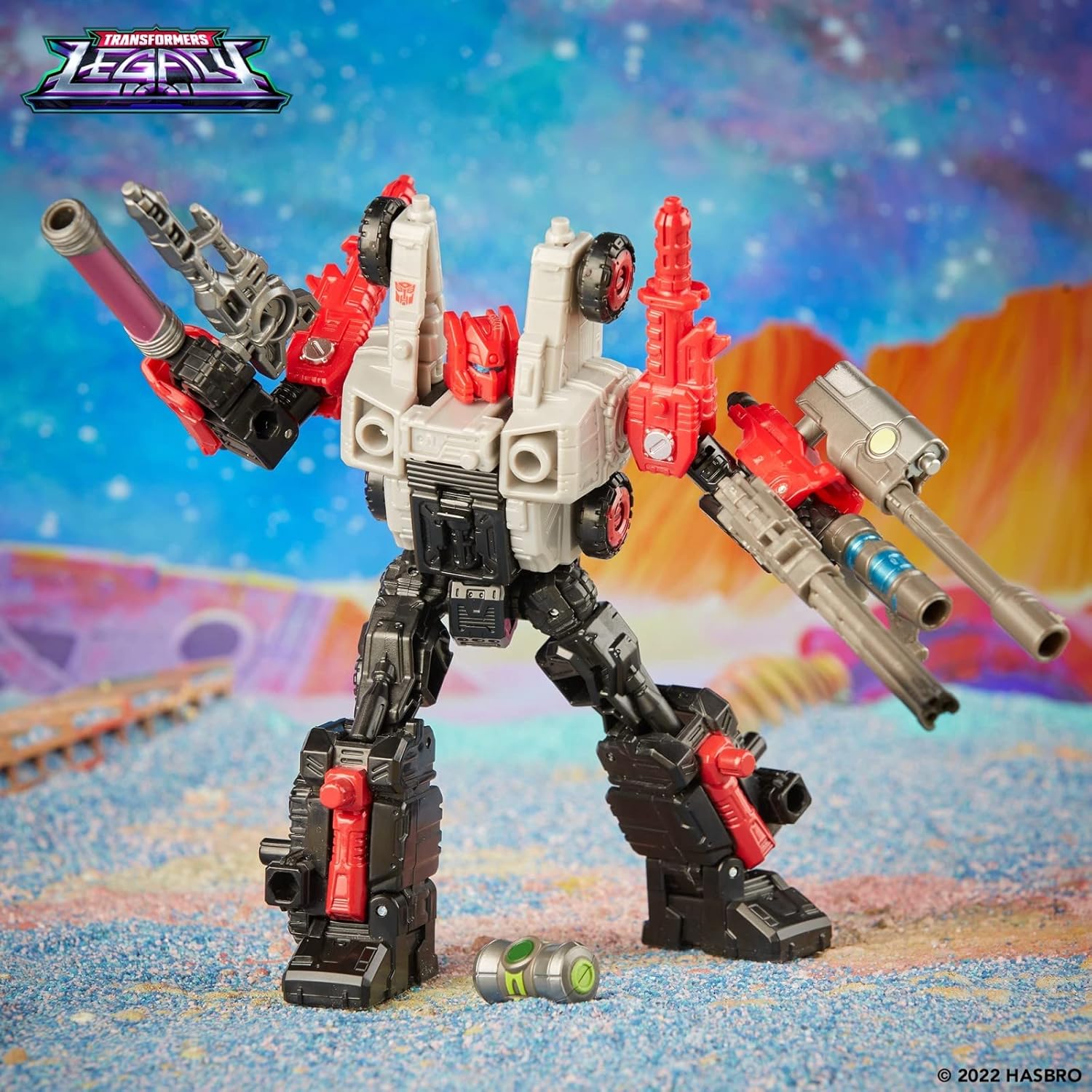
The Red Cog figure in robot mode, showcasing its modular design with various weapon components attached, highlighting its ability to reconfigure.
4. Vedligeholdelse
Rensning
- To clean the figure, wipe it gently with a soft, dry cloth.
- Til genstridigt snavs, en let damp cloth with mild soap can be used, followed by a dry wipe.
- Do not use harsh chemicals, abrasive cleaners, or immerse the figure in water.
Opbevaring
- Opbevar figuren et køligt, tørt sted væk fra direkte sollys og ekstreme temperaturer.
- Keep all accessories together with the figure to prevent loss.
5. Fejlfinding
Fælles problemer
- Parts not connecting securely: Ensure all tabs are aligned with their corresponding slots. Apply gentle, even pressure. Do not force connections.
- Stiff joints: Some joints may be stiff initially. Gently articulate them back and forth to loosen them. Avoid excessive force.
- Loose joints: If a joint becomes too loose, it may be due to wear. There are various hobbyist methods to tighten joints, but these are not officially supported and may void any warranty.
6. Specifikationer
| Feature | Detalje |
|---|---|
| Mærke | Hasbro |
| Modelnummer | HASF4241 |
| Varens vægt | 6.7 ounce (190 gram) |
| Produktdimensioner | 8.39 x 5.87 x 2.56 tommer (21.3 x 14.9 x 6.5 cm) |
| Anbefalet alder | 6 år og opefter |
7. Garanti og support
This product is covered by Hasbro's standard manufacturer warranty. For specific warranty details, please refer to the information provided on the product packaging or visit the official Hasbro webwebsted.
For further assistance, product support, or to report any issues, please contact Hasbro customer service. Contact information can typically be found on the product packaging or on the official Hasbro webwebsted.
You can visit the Hasbro Store for more information: Hasbro Toyland


