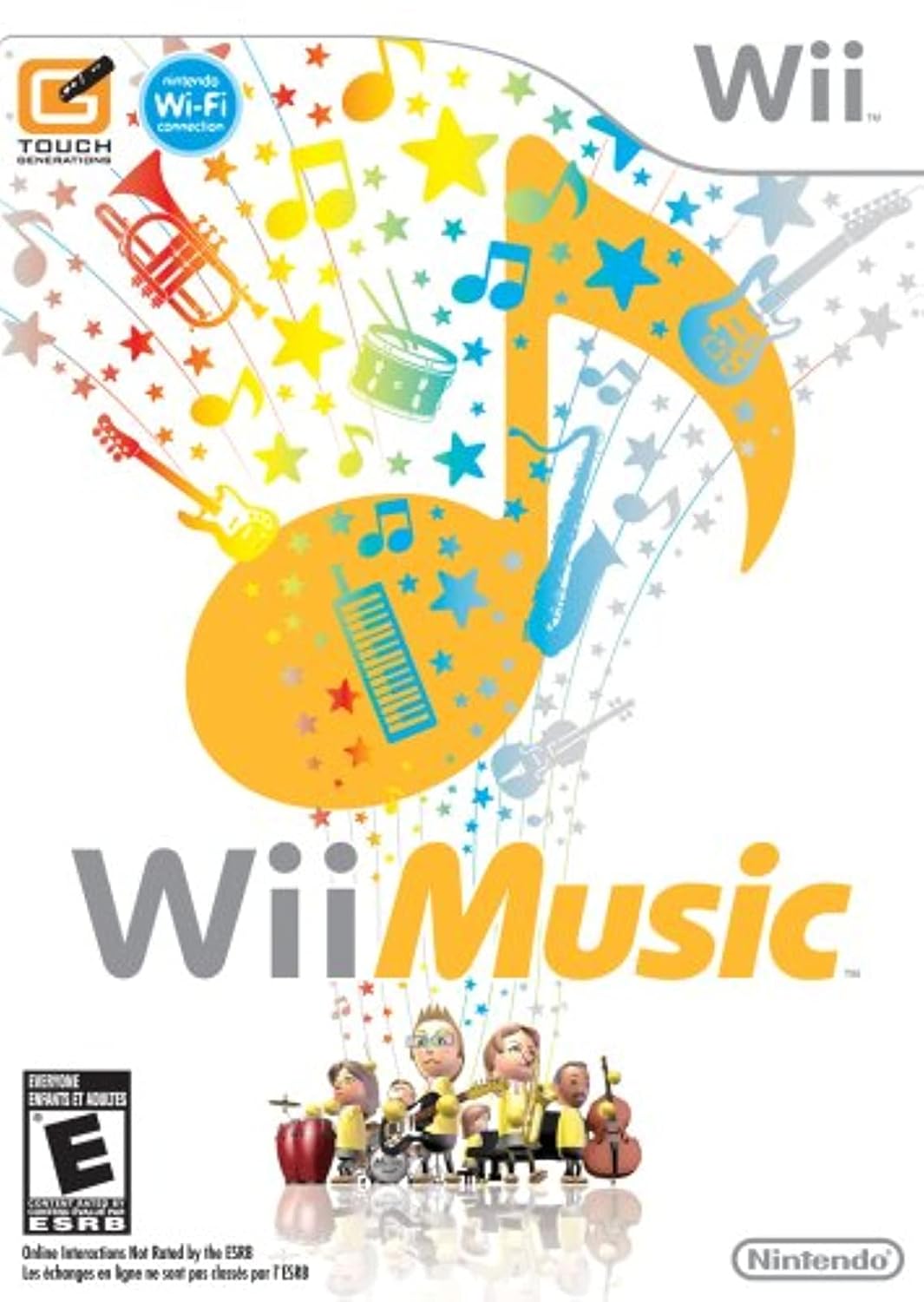
1. Introduction to Wii Music
Wii Music offers a unique musical experience, allowing players to simulate playing a wide array of musical instruments using the Wii Remote and Nunchuk controllers. This game is designed for all ages, encouraging creative expression and collaborative music-making without the pressure of traditional musical performance. It transforms your movements into musical notes, enabling improvisation and personalized interpretations of various songs.
Video: En overview of the Wii Music game, highlighting its unique approach to music creation and improvisation.
2. Opsætning
2.1. Indledende spilopsætning
- Indsæt spildisken: Place the Wii Music game disc into your Nintendo Wii console.
- Tilslut controllere: Ensure your Wii Remote(s) and Nunchuk(s) are properly synced and connected to your Wii console. Refer to your Wii console's manual for controller synchronization instructions if needed.
- Start spillet: Select the Wii Music channel from the Wii Menu to start the game.
3. Betjening af spillet
3.1. Basic Gameplay and Instrument Control
Wii Music allows you to play over 60 different instruments by mimicking their real-life motions using the Wii Remote and Nunchuk. There are no complex button sequences; simply perform the natural movements associated with playing an instrument.
- Klimprer: For instruments like guitar, banjo, and sitar, perform strumming motions with the Wii Remote.
- Trommespil: For drums (jazz, congas, snare), use the Wii Remote and Nunchuk as drumsticks.
- Hammering: For piano, vibraphone, and marimba, make hammering motions.
Video: En kort videovisningasing the wide variety of over 60 instruments available to play in Wii Music.
3.2. Forming Your Band
Each band in Wii Music consists of six members, each playing a specific part: two for the main melody, two for percussion, one for bass, and one for chords. You can play solo, layering parts, or with up to four players simultaneously.
- Solo Play: Record each instrument part individually to arrange a complete song.
- Multiplayer: Up to four players can join a band, each controlling an instrument.
- Tutes: When playing solo, you can invite "Tutes" (in-game jam masters) to fill in other band parts and offer tips.
3.3. Song Customization and Improvisation
Wii Music encourages improvisation. You can adjust the tempo, phrasing, and even the style of a song. Experiment with different instrument combinations to create unique versions of familiar tunes, from rock classical to Latin-flavored Nintendo classics.
Video: Demonstration of Wii Music gameplay featuring 'The Reverend', showcasing interactive musical experiences.
3.4. Saving and Sharing Performances
You can save your band's performances as "jam videos." These videos capture your Mii band members, their improvisation styles, and instrument selections. Saved videos can be shared with Wii Friends who also own Wii Music via WiiConnect24, allowing them to watch, modify, and send back their own versions.
Note: WiiConnect24 service has been discontinued. Sharing features may no longer be available.
4. Game Modes and Additional Features
Beyond the main band jams, Wii Music includes several other modes and mini-games:
- Videos Mode: Watch your recorded jam videos with enhanced playback, featuring fun environmental effects and dramatic camera angles.
- Mii Maestro: Conduct a Mii orchestra by waving your Wii Remote like a baton. Control the speed, strength, and gentleness of the performance for orchestrated songs like The Legend of Zelda theme.
- Handbell Harmony: Participate in a handbell ensemble by swinging your Wii Remote and Nunchuk. Each player is responsible for specific notes, requiring teamwork to play the tune correctly.
- Pitch Perfect: Test your musical ear in this quiz by solving challenges such as ordering note-playing Miis from lowest to highest pitch.
- Trommetilstand: Utilize the Wii Balance Board accessory (sold separately with Wii Fit) to simulate a real drum set. The Wii Remote and Nunchuk act as drumsticks, while your feet on the Balance Board control the bass drum and hi-hat cymbal.
5. Vedligeholdelse
5.1. Game Disc Care
- Keep the game disc clean and free from scratches. Hold the disc by its edges.
- Opbevar disken i dens originale æske, når den ikke er i brug.
- To clean, gently wipe the disc from the center outwards with a soft, lint-free cloth. Do not use abrasive cleaners.
5.2. Controller Care
- Keep Wii Remotes and Nunchuks dry and clean.
- Replace batteries as needed. Remove batteries if controllers will not be used for an extended period.
- Ensure wrist straps are securely attached and used during gameplay to prevent accidental damage.
6. Fejlfinding
- Spillet indlæses ikke: Ensure the disc is clean and inserted correctly. Check for any visible damage to the disc.
- Controller reagerer ikke: Verify that your Wii Remote and Nunchuk are properly synced with the console and have fresh batteries.
- Lydproblemer: Check your TV's volume and audio settings. Ensure all cables connecting the Wii to your TV are secure.
- Gameplay Lag: Ensure there are no obstructions between the Wii Remote and the Sensor Bar. Check for strong light sources interfering with the Sensor Bar.
For further assistance, please refer to the official Nintendo Wii support resources.
7. Specifikationer
| Feature | Detalje |
|---|---|
| Produktnavn | Wii Music |
| Mærke | Nintendo |
| Modelnummer | RVLPR64E |
| Platform | Nintendo Wii |
| Antal spillere | 1-4 (depending on mode) |
| Udgivelsesdato | 20. oktober 2008 |
| Sprog | engelsk |
| ESRB-vurdering | Alle sammen |
| Varens vægt | 4.8 ounce |
| Produktdimensioner | 7.52 x 5.39 x 0.59 tommer |
| UPC | 045496901301 |
8. Garanti og support
For information regarding product warranty, please refer to the documentation included with your Nintendo Wii console or visit the official Nintendo support website. Nintendo provides comprehensive support for its products, including FAQs, troubleshooting guides, and contact information for customer service.
Official Nintendo Support: www.nintendo.com/support/


