1. Introduktion
This manual provides instructions for the Insignia 7" Widescreen LCD Digital Photo Frame, model NS-DPF7WA-09. This device allows you to display digital photos from memory cards or its internal memory, offering various slideshow options and display settings. It features a 7-inch TFT-LCD screen with a 16:9 widescreen aspect ratio, 800 x 480 resolution, and 500:1 contrast ratio for clear image presentation.
Please read this manual thoroughly before operating your digital photo frame to ensure proper use and to maximize its features.
2. Pakkens indhold
Bekræft at alle varer er til stede i pakken:
- Insignia 7" Widescreen LCD Digital Photo Frame
- Fjernbetjening
- Strømadapter
- Brugermanual (dette dokument)
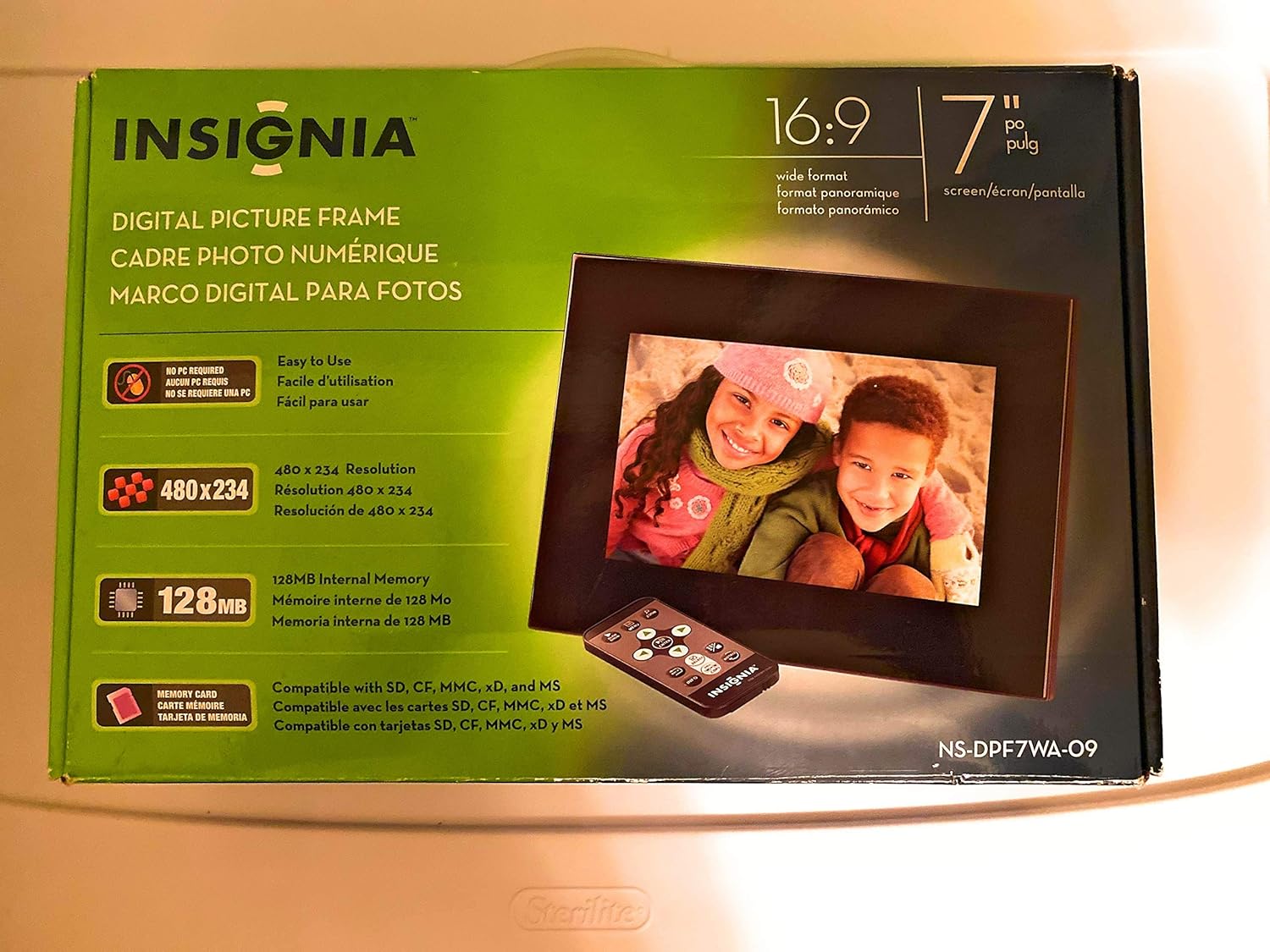
Image 1: Retail packaging of the Insignia 7" Widescreen LCD Digital Photo Frame, highlighting key features like screen size, resolution, internal memory, and supported memory card types.
3. Opsætning
3.1 Positioning the Frame
The digital photo frame includes a multiple-position adjustable stand. Adjust the stand to achieve an optimal viewing angle for your desired location.
3.2 Strømtilslutning
- Connect the power adapter to the DC IN port on the back of the digital photo frame.
- Sæt den anden ende af strømadapteren i en almindelig stikkontakt.
- The frame will typically power on automatically or enter standby mode.
3.3 Isætning af hukommelseskort
The frame supports various memory card formats. Locate the memory card slot(s) on the side or back of the frame.
- Supported formats include: Secure Digital (SD), Secure Digital High Capacity (SDHC), microSD, Memory Stick (MS), Memory Stick PRO Duo, MultiMediaCard (MMC), and xD-Picture Card.
- Insert the memory card gently into the appropriate slot until it clicks into place. Ensure the card is inserted in the correct orientation.

Image 2: The Insignia 7" Widescreen LCD Digital Photo Frame unboxed, showing the frame, remote control, and a portion of the manual. This view helps identify the physical components.
4. Betjeningsvejledning
4.1 Fjernbetjening overview
The included remote control provides full functionality for navigating menus and controlling playback. Ensure the remote's battery is functional. A small tray on the back of the digital photo frame is provided for remote storage.
4.2 Playing a Slideshow
The digital photo frame can play slideshows from either an inserted memory card or its 128MB internal memory.
- Vælg kilde: Use the remote control to navigate to the main menu and select your desired photo source (e.g., "Memory Card" or "Internal Memory").
- Start Slideshow: Once the source is selected, the frame will typically begin a slideshow automatically.
- Indstillinger for slideshow: Access the settings menu to customize slideshow options, including:
- Transitional Styles: Choose from multiple visual effects between photos.
- Variabel hastighed: Juster visningsvarigheden for hvert billede.
4.3 Adjusting Photo View
Within the slideshow or photo browsing mode, you can often adjust how individual photos are displayed. Options may include zoom, rotate, or fit-to-screen. Refer to the on-screen menu for specific controls.
4.4 Changing Display Settings
The frame's settings menu allows you to modify various display parameters:
- Lysstyrke/kontrast: Adjust screen brightness and contrast for optimal viewunder forskellige lysforhold.
- Aspektforhold: Configure how images are scaled to fit the 16:9 widescreen display.
- Automatisk sluk: Enable or disable the auto power off feature, which conserves energy by turning off the frame after a period of inactivity.
- Dato/tid: Indstil den aktuelle dato og tid.
5. Vedligeholdelse
- Rengøring af skærmen: Brug en blød, fnugfri klud til forsigtigt at tørre LCD-skærmen af. Ved genstridige pletter, tør let afampRengør kluden med vand eller en skærmrengøringsopløsning beregnet til elektronik. Undgå skrappe kemikalier eller slibende materialer.
- Rengøring af rammen: Wipe the exterior of the frame with a soft, dry cloth.
- Opbevaring: Når stellet ikke er i brug i længere perioder, skal det opbevares køligt og tørt, væk fra direkte sollys og ekstreme temperaturer.
- Strømadapter: Ensure the power adapter cable is not bent or damaged.
6. Fejlfinding
If you encounter issues with your Insignia digital photo frame, refer to the following common solutions:
| Problem | Løsning |
|---|---|
| Rammen tændes ikke. |
|
| Fjernbetjeningen reagerer ikke. |
|
| Photos are not displaying or appear distorted. |
|
| Slideshow transitions are slow or clumpy. |
|
7. Specifikationer
| Feature | Detalje |
|---|---|
| Modelnummer | NS-DPF7WA-09 |
| Skærmstørrelse | 7 tommer |
| Display Type | TFT-LCD |
| Aspektforhold | 16: 9 widescreen |
| Opløsning | 800 x 480 (SVGA) |
| Kontrastforhold | 500:1 |
| Intern hukommelse | 128 MB |
| Understøttede hukommelseskort | Secure Digital (SD), Secure Digital High Capacity (SDHC), microSD, Memory Stick (MS), Memory Stick PRO Duo, MultiMediaCard (MMC), xD-Picture Card |
| Produktdimensioner | 2.2 x 9.2 x 6.5 tommer |
| Varens vægt | 1.2 pund |
| Strømkilde | Strømadapter (medfølger) |
| Fjernbetjenings batteri | 1 litiummetalbatteri (påkrævet) |
8. Garanti og support
For garantioplysninger eller teknisk support henvises til garantikortet, der følger med dit produkt, eller besøg den officielle Insignia-supportside. webwebsted. Gem din købskvittering for garantikrav.
Online support: www.insigniaproducts.com/support


