Indledning
The CAD Audio USB U7 Boundary Omnidirectional Condenser Microphone is designed for clear audio capture in various settings, including home and office use. Its omnidirectional pickup pattern ensures 360-degree coverage, making it ideal for dictation, online meetings, and recording. This plug-and-play device offers high sensitivity and is compatible with both PC and Mac systems.

Figur 1: Forside view of the CAD Audio USB U7 microphone with its USB cable connected, showcasing its compact, triangular design.
Sikkerhedsoplysninger
- Udsæt ikke mikrofonen for ekstreme temperaturer eller fugt.
- Undgå at tabe mikrofonen eller udsætte den for kraftige stød.
- Keep the device away from liquids to prevent electrical shock or damage.
- Use only the provided USB cable or a compatible replacement.
- Do not attempt to disassemble or modify the microphone. Refer all servicing to qualified personnel.
Pakkens indhold
Bekræft at alle varer er til stede i din pakke:
- CAD Audio USB U7 Boundary Omnidirectional Condenser Microphone
- 10-foot USB Cable
Opsætning
The CAD Audio USB U7 microphone is designed for simple plug-and-play operation. No additional drivers are typically required for most operating systems.
- Placering: Place the microphone on a flat, stable surface, such as a desk or conference table. Its low-profile design allows for unobtrusive placement.
- Tilslut USB-kabel: Insert the small end of the included 10-foot USB cable into the USB port on the microphone.
- Tilslut til computer: Insert the standard USB-A end of the cable into an available USB port on your PC or Mac computer.
- Systemgenkendelse: Your computer's operating system should automatically detect and install the necessary drivers for the microphone. A blue LED indicator on the microphone will illuminate when it is powered and ready for use.
- Vælg som inputenhed:
- Windows: Gå til Lydindstillinger > Input and select "CAD Audio USB U7" or similar as your input device.
- MacOS: Gå til Systempræferencer > Sund > Input and select "CAD Audio USB U7" or similar.

Figur 2: Top-down view of the CAD Audio USB U7 microphone, highlighting its triangular shape and the USB connection point.
Betjeningsvejledning
The U7 microphone is designed for optimal performance in various audio capture scenarios.
- Omnidirektionel afhentning: The microphone features an omnidirectional pickup pattern, meaning it captures sound equally from all directions (360 degrees). This makes it suitable for recording multiple speakers around a table or capturing ambient sound.
- Speech Tailored Frequency Response: The U7's frequency response is specifically tailored for speech, ensuring clear and intelligible voice capture for dictation, online meetings, and voiceovers.
- Anvendelse af applikation: Once connected and selected as your input device, the microphone will work with any audio recording or communication software (e.g., Skype, Zoom, Microsoft Teams, voice recorders, dictation software).
- Overvågning af lyd: Most software applications allow you to monitor the microphone's input level. Adjust the input gain within your software settings to prevent clipping (distortion) or ensure adequate volume.
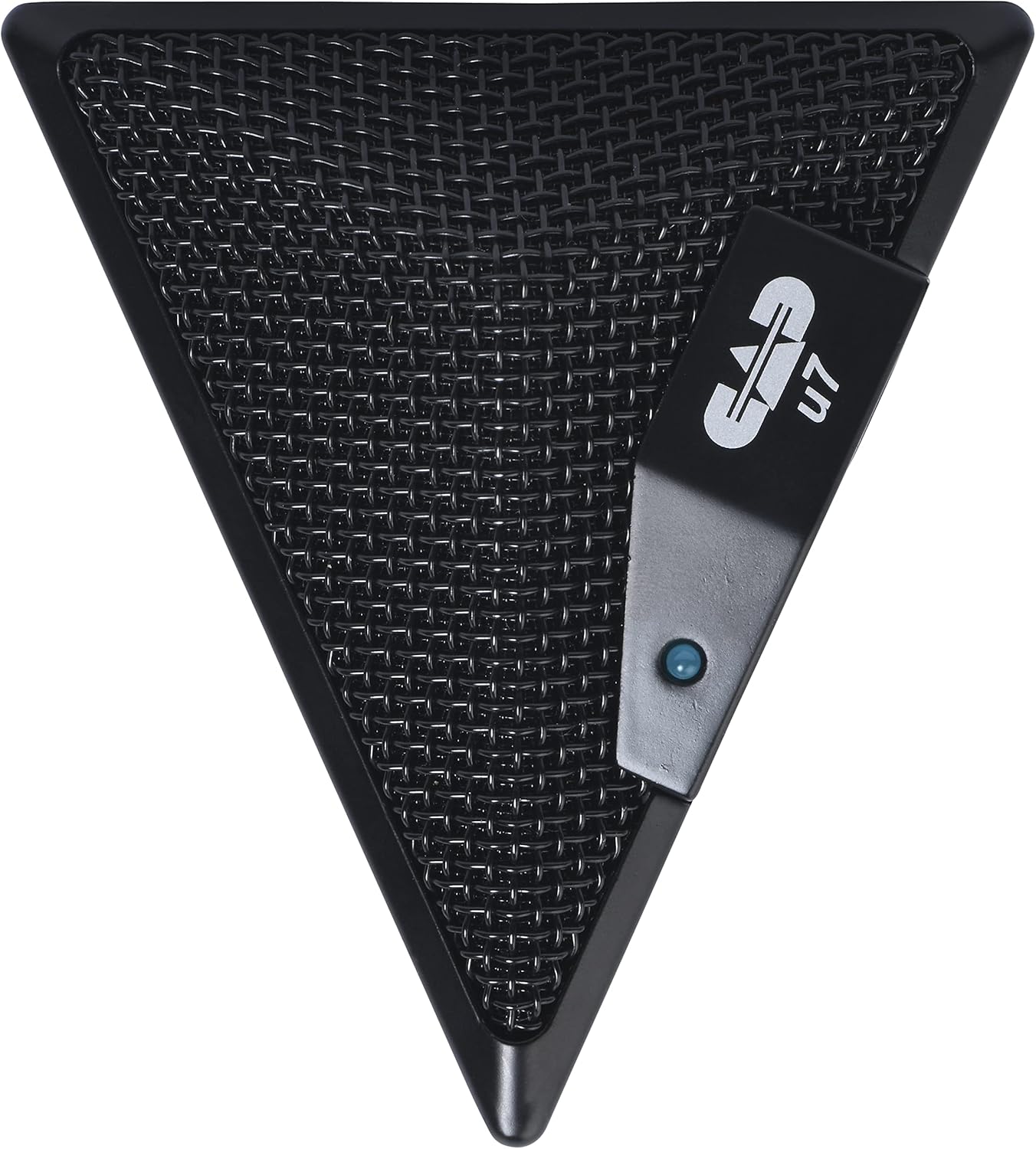
Figure 3: An overhead perspective of the CAD Audio USB U7 microphone, showing its mesh grille and the CAD U7 logo.
Opretholdelse
- Rensning: Use a soft, dry cloth to clean the exterior of the microphone. Do not use abrasive cleaners, solvents, or chemical sprays.
- Opbevaring: When not in use, store the microphone in a clean, dry environment, away from dust and extreme temperatures.
- Kabelpleje: Undgå skarpe bøjninger eller knæk på USB-kablet for at forhindre indvendig skade.
Fejlfinding
| Problem | Mulig årsag | Løsning |
|---|---|---|
| Microphone not detected / No sound input |
|
|
| Lav lydstyrke eller dårlig lydkvalitet |
|
|
| Forvrænget lyd |
|
|
Specifikationer
| Modelnavn | CAD Audio U7 |
| Varemodelnummer | AMS-U7 |
| Forbindelsesteknologi | USB |
| Connector Type | USB |
| Polar mønster | Omnidirektionel |
| Mikrofon formfaktor | Kun mikrofon |
| Hardware platform | PC, Mac compatible |
| Varens vægt | 9.6 ounce (ca. 272 gram) |
| Produktmål (L x B x H) | 6.2 x 8.5 x 3 tommer (ca. 15.7 x 21.6 x 7.6 cm) |
| Materiale | Plast, Metal |
| Signal-støjforhold | 78 dB |
| Strømkilde | Ledningsdrevet elektrisk (USB-drevet) |
| Inkluderede komponenter | Microphone, USB Cable |

Figur 4: Nederst view of the CAD Audio USB U7 microphone, showing its textured base and mounting points.
Garanti og support
For warranty information and technical support, please refer to the official CAD Audio webwebstedet eller kontakt deres kundeservice direkte. Gem din købskvittering som købsbevis i tilfælde af garantikrav.
CAD Audio Official Webwebsted: www.cadaudio.com
For yderligere hjælp kan du også henvise til produktside på Amazon for additional resources and customer reviews.


