Indledning
This manual provides essential information for the proper use and care of your Hama CD/DVD/Blu-ray Wallet 120. Designed for convenient and secure storage of your optical media, this wallet helps organize and protect your discs. Please read these instructions carefully to ensure optimal performance and longevity of your product.

The Hama CD/DVD/Blu-ray Wallet 120 in its closed, compact form, showcasing its black nylon exterior and portable design.
Produktegenskaber
The Hama CD/DVD/Blu-ray Wallet 120 is engineered with the following key features:
- Holdbar konstruktion: Made from robust nylon material for long-lasting use and protection.
- Praktisk organisering: Capable of holding up to 120 CDs, DVDs, or Blu-ray discs in a single, compact wallet.
- Nem adgang: Features removable disc trays that allow for quick and efficient access to your stored media.
- Bærbart design: Slim and lightweight construction ensures easy carrying and transport.
- Simple Preparation: No tools are required for preparing the wallet for use.

En åben view of the Hama CD/DVD/Blu-ray Wallet 120, illustrating the internal disc sleeves designed to hold up to 120 CDs, DVDs, or Blu-ray discs.
Opsætning
The Hama CD/DVD/Blu-ray Wallet 120 requires minimal setup. Follow these steps to begin organizing your media:
- Pakker ud: Remove the wallet from its packaging.
- Open Zipper: Unzip the wallet completely to access the internal disc sleeves.
- Insert Discs: Carefully slide your CDs, DVDs, or Blu-ray discs into the individual transparent sleeves. Ensure the disc's data side is protected and facing away from any abrasive surfaces.
- Luk lynlås: Once all desired discs are inserted, carefully close the zipper to secure the contents.
Betjeningsvejledning
Using your Hama CD/DVD/Blu-ray Wallet 120 is straightforward:
- Disc Insertion/Removal: To insert a disc, gently slide it into an empty sleeve. To remove, carefully pull the disc out from the sleeve. Avoid forcing discs to prevent damage to both the disc and the sleeve.
- Transporterer: Utilize the integrated carrying strap for easy transport. Ensure the zipper is fully closed before carrying to prevent discs from falling out.
- Opbevaring: Store the wallet in a cool, dry place away from direct sunlight and extreme temperatures to protect your media. Its compact design allows it to fit into various storage spaces, such as shelves or media consoles.
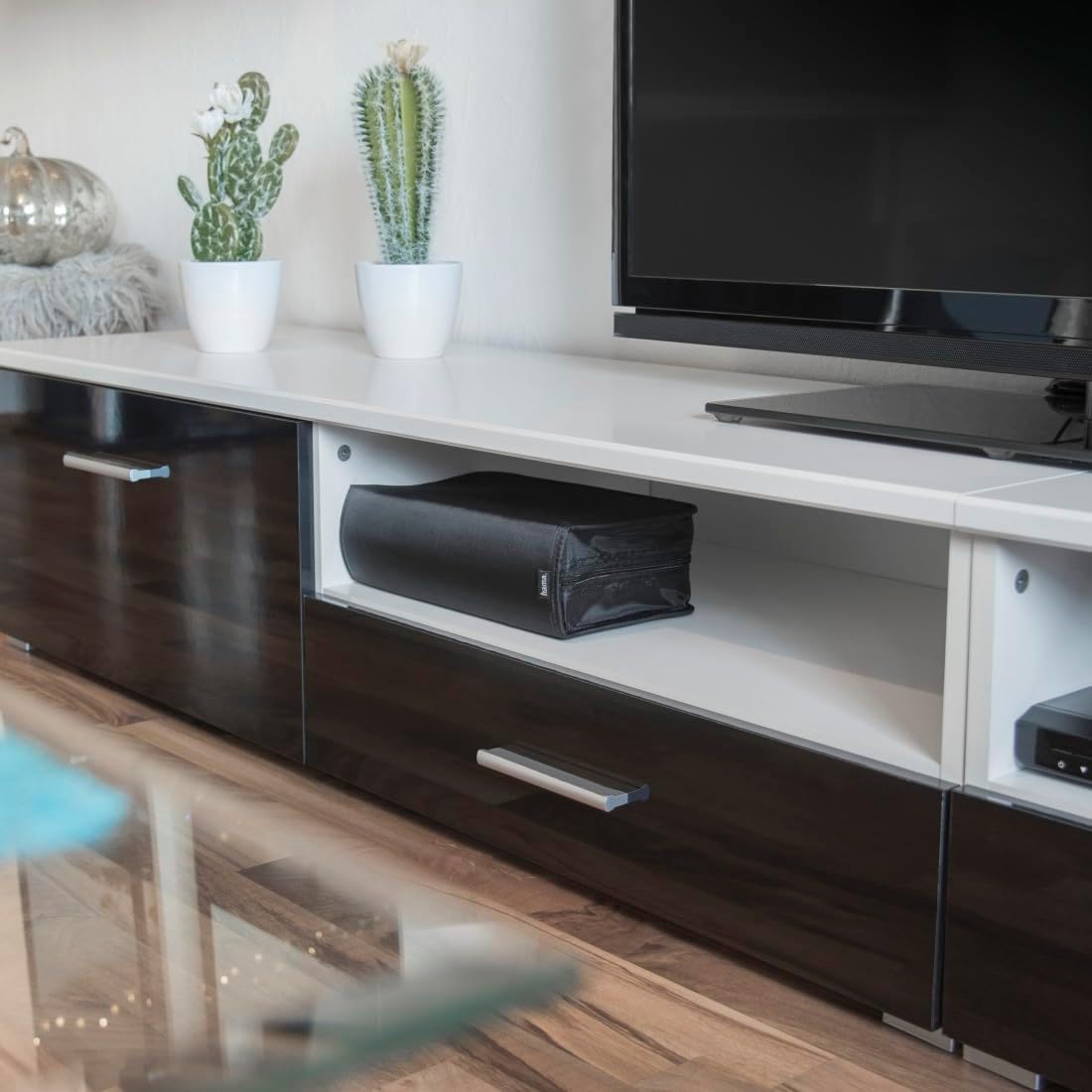
The Hama CD/DVD/Blu-ray Wallet 120 neatly stored within a media console, demonstrating its compact size and suitability for various storage environments.
Opretholdelse
To maintain the condition and functionality of your Hama CD/DVD/Blu-ray Wallet 120:
- Rengøring af ydersiden: Wipe the nylon exterior with a soft, damp klud. Undgå at bruge skrappe kemikalier eller slibende rengøringsmidler, da disse kan beskadige materialet.
- Rengøring af ærmer: If the transparent disc sleeves become dusty, gently wipe them with a dry, lint-free cloth. Do not use liquids directly on the sleeves while discs are inside.
- Lynlåspleje: Keep the zipper clean and free of debris. If the zipper becomes stiff, a small amount of zipper lubricant can be applied, ensuring it does not come into contact with your discs.
- Undgå overfyldning: Do not attempt to store more than 120 discs, as overfilling can strain the zipper and seams, potentially causing damage.

Et nærbillede view of the Hama CD/DVD/Blu-ray Wallet 120's durable zipper and integrated carrying strap, highlighting its portability features.
Fejlfinding
If you encounter any issues with your Hama CD/DVD/Blu-ray Wallet 120, consider the following:
- Zipper Difficulty: If the zipper is difficult to close, ensure the wallet is not overfilled. Gently align the zipper teeth and try closing it slowly. Avoid forcing the zipper, as this can cause damage.
- Disc Scratches: Ensure discs are inserted and removed carefully. Avoid abrasive contact with the sleeves or other discs. Always store discs with the data side protected.
- Ærmeskade: If a sleeve is torn or damaged, it is recommended to move the disc to an intact sleeve to prevent further damage to the disc.
Specifikationer
| Feature | Detalje |
|---|---|
| Produktdimensioner | 6.54 x 11.57 x 3.7 tommer (16.6 x 29.4 x 9.4 cm) |
| Varens vægt | 7 ounce (198 gram) |
| Modelnummer | 00033833 |
| Kapacitet | 120 CDs/DVDs/Blu-ray Discs |
| Materiale | Nylon |
| Fabrikant | Hama |

A visual representation of the Hama CD/DVD/Blu-ray Wallet 120's dimensions, showing its length, width, and height for easy reference.
Garanti- og supportoplysninger
Specific warranty details and direct support contact information are not provided within this manual. For warranty claims, technical support, or further inquiries regarding your Hama CD/DVD/Blu-ray Wallet 120, please refer to the official Hama webwebsted eller kontakt din forhandler.
You may find additional resources and contact options by visiting the Hama official webwebsted.


