Indledning
This manual provides instructions for the I-Tec Electronics AC Charger with Cable, Model T1001. This device is designed to charge compatible iPod models using a standard 110V AC power outlet. It features a compact design, retractable prongs for portability, and includes a 6-foot USB to iPod adapter cable. The T1001 is compatible with iPod Touch, Classic, Video, and Nano models.
Sikkerhedsoplysninger
- Læs alle instruktioner: Before using the charger, read and understand all safety and operating instructions.
- Kun indendørs brug: This charger is intended for indoor use in dry locations. Do not expose to rain, moisture, or extreme temperatures.
- Korrekt bindtage: Sørg for, at stikkontaktens lydstyrketage matches the charger's specifications (110V AC).
- Undgå skader: Do not use the charger if the casing or cable is damaged. Do not attempt to open or repair the unit.
- Tag stikket ud, når det ikke er i brug: Disconnect the charger from the power outlet when not in use or during electrical storms.
- Holdes væk fra børn: Dette produkt er ikke et legetøj. Opbevares utilgængeligt for børn.
Pakkens indhold
- I-Tec AC Charger Unit (Model T1001)
- 6-foot USB to iPod Adapter Cable
Produkt overview
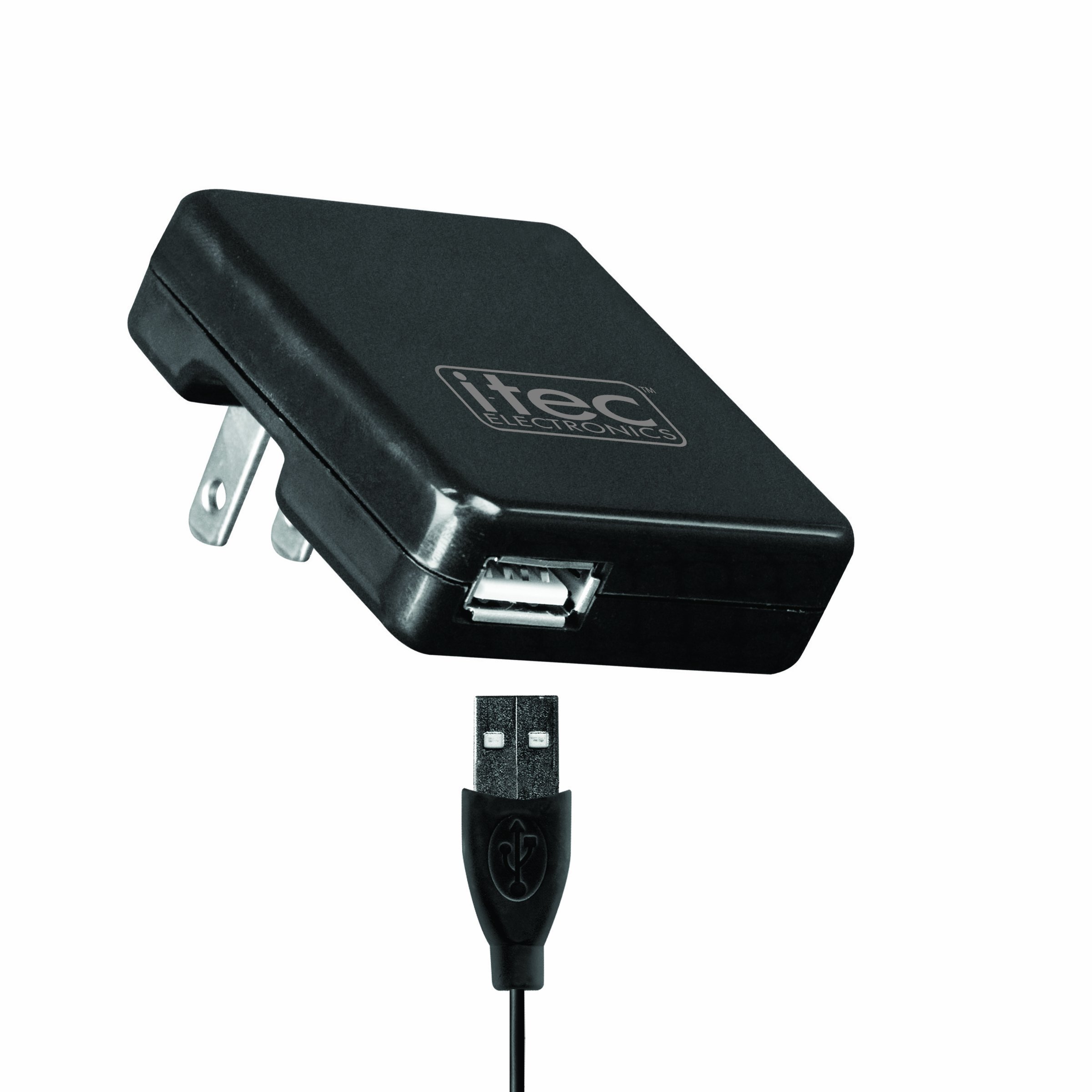
Image shows the black I-Tec AC charger with retractable prongs and a USB port, alongside its accompanying 6-foot USB to iPod adapter cable.
The I-Tec T1001 AC Charger consists of two main components: the wall adapter and the USB to iPod adapter cable. The wall adapter features a standard 2-pin plug with retractable prongs for compact storage and a single USB-A output port. The included 6-foot cable connects to this USB port and has a proprietary iPod connector on the other end, designed for compatible iPod models.
Opsætning
- Extend Prongs: If the prongs on the AC charger unit are retracted, gently pull them out until they lock into place.
- Tilslut til stikkontakten: Plug the AC charger unit into a standard 110V wall outlet.
- Tilslut USB-kabel: Insert the USB-A end of the 6-foot adapter cable into the USB port on the AC charger unit.
Betjeningsvejledning
- Connect to iPod: Connect the iPod adapter end of the cable to the charging port on your compatible iPod device.
- Bekræft opladning: Your iPod should indicate that it is charging. Charging time may vary depending on the iPod model and its current battery level.
- Afbryde: Once charging is complete, disconnect the cable from your iPod, then unplug the AC charger unit from the wall outlet. Retract the prongs for storage if desired.
Opretholdelse
- Rensning: Frakobl opladeren fra strømkilden før rengøring. Tør opladerens yderside af med en blød, tør klud. Brug ikke flydende rengøringsmidler eller opløsningsmidler.
- Opbevaring: Store the charger and cable in a cool, dry place away from direct sunlight and extreme temperatures. Retract the prongs on the AC unit for compact storage.
- Kabelpleje: Avoid bending or kinking the cable excessively, as this can damage the internal wires.
Fejlfinding
- Problem: iPod is not charging.
- Løsning 1: Ensure the AC charger unit is securely plugged into a working 110V wall outlet.
- Løsning 2: Verify that the USB cable is firmly connected to both the AC charger unit and your iPod.
- Løsning 3: Check the cable for any visible damage. If damaged, replace the cable.
- Løsning 4: Test the charger with a different compatible iPod, or test your iPod with a known working charger to isolate the issue.
- Problem: Charger unit feels warm during use.
It is normal for the charger to become slightly warm during operation. If it becomes excessively hot, disconnect it immediately and discontinue use. Ensure adequate ventilation around the charger.
Specifikationer
| Feature | Detalje |
|---|---|
| Modelnummer | T1001 |
| Mærke | i-tec |
| Produktdimensioner | 5.75 x 1.75 x 10 tommer |
| Varens vægt | 2.4 ounce |
| Input bindtage | 110 volt |
| Wattage | 10 watt |
| Samlet USB-porte | 1 |
| Forbindelse | USB |
| Strømkilde | Elektrisk med ledning |
| Speciel funktion | Travel (Retractable Prongs) |
| Kompatible enheder | iPod: touch, classic, video, and nano |
Garantioplysninger
Specific warranty details for the I-Tec T1001 AC Charger are not provided in this manual. Please refer to the product packaging or contact I-Tec customer support for information regarding warranty coverage and terms.
Støtte
For technical assistance or further inquiries regarding your I-Tec T1001 AC Charger, please visit the official I-Tec website or contact their customer service department. Contact information may be available on the product packaging or the manufacturer's webwebsted.


