1. Introduktion
Thank you for choosing the Salter 3-in-1 Digital Baby, Toddler, and Pet Scale. This versatile scale is designed to accurately measure the weight of infants, toddlers, and small pets, supporting growth monitoring and health management. Its multifunctional design allows for use with a comfortable tray for babies and small animals, which can be removed to convert into a standing scale for toddlers and larger pets. This manual provides essential information for proper setup, operation, and maintenance to ensure reliable performance.
2. Vigtige sikkerhedsoplysninger
- ADVARSEL: Do not leave a baby or pet unattended on the scale. Always maintain supervision.
- Ensure the scale is placed on a firm, flat, and stable surface to ensure accurate readings.
- Hold vægten væk fra vand og ekstreme temperaturer.
- This product is intended for household use only and is not a substitute for professional medical advice or veterinary care.
- Always consult a healthcare professional or veterinarian for concerns regarding weight or health.
- Forslag 65 Advarsel: Dette produkt kan indeholde kemikalier, som staten Californien kender til at forårsage kræft og fosterskader eller anden reproduktionsskade.
3. Pakkens indhold
- Salter Digital Scale Base
- Removable Weighing Tray (21.5" x 10.0" plastic scoop platform)
- 1 x 9V batteri (inkluderet)
4. Opsætning
4.1. Batteriinstallation
- Locate the battery compartment on the underside of the scale base.
- Åbn batterirummets dæksel.
- Insert the included 9V battery, ensuring correct polarity (+/-).
- Luk batterirummets dæksel forsvarligt.
4.2. Attaching the Weighing Tray
- Align the posts on the underside of the weighing tray with the corresponding slots on the scale base.
- Gently press down until the tray clicks securely into place. Ensure it is stable and does not wobble.

Figure 1: Salter Digital Scale with the weighing tray attached, ready for use with infants or small pets.
5. Betjeningsvejledning
5.1. Grundlæggende betjening
- Placer vægten på en hård, flad og stabil overflade.
- Tryk på ON/OFF button to turn on the scale. The display will show '8888' and then '0:0' (or '0.00' depending on unit) when ready.
- To switch between pounds (LB) and kilograms (KG), press the LB/KG knap.
5.2. Zero (Tare) Function
The Zero function allows you to subtract the weight of items like blankets or diapers, ensuring only the baby's or pet's weight is measured.
- Place any blanket or soft padding onto the weighing tray.
- Wait for the weight of the item to stabilize on the display.
- Tryk på ZERO OUT button. The display will reset to '0:0'.
- Now, place the baby or pet onto the padded tray to get their accurate weight.
5.3. Hold-funktion
The Hold function is useful for weighing active babies or pets. It captures and stabilizes the weight reading even if there is movement.
- Place the baby or pet on the scale.
- If the reading is fluctuating due to movement, press the HOLDE knap.
- The scale will capture and display a stable weight reading, indicated by a 'HOLD' icon or a steady number.

Figur 2: Overview of scale features including control buttons and tray design.
5.4. Weighing an Infant or Small Pet (with tray)
- Ensure the weighing tray is securely attached.
- Turn on the scale and perform the Zero function if using a blanket.
- Gently place the infant or small pet in the center of the tray.
- Wait for the weight to stabilize. Use the Hold function if necessary.
- Record the weight displayed on the 1.2-inch LCD screen.

Figure 3: An infant being weighed on the scale with the tray attached.

Figure 4: A small dog being weighed on the scale with the tray attached.
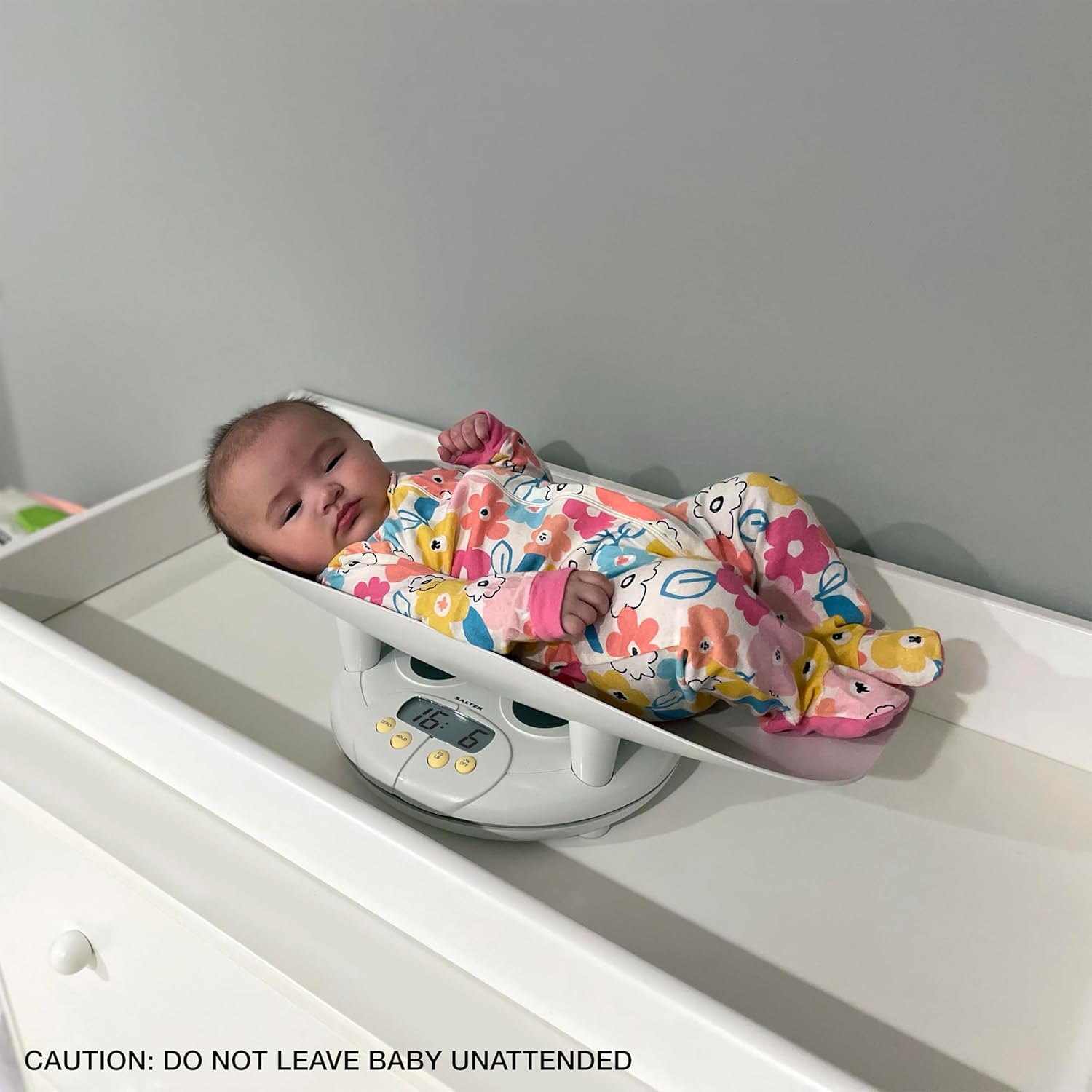
Figure 5: A cat being weighed on the scale with the tray attached.
5.5. Weighing a Toddler or Larger Pet (without tray)
- To remove the tray, locate the locking mechanism (often a screw or latch) on the underside or side of the tray. Unlock it and lift the tray off the base.
- Tænd for vægten.
- Have the toddler or pet stand directly on the scale base. Ensure they are centered and stable.
- Wait for the weight to stabilize. Use the Hold function if necessary.
- Record the weight displayed.

Figure 6: A toddler standing on the scale base after the tray has been removed.
6. Vedligeholdelse
6.1. Rensning
- Tør vægtens overflade af med en blød kludamp klæde.
- Brug ikke slibende rengøringsmidler, og nedsænk ikke vægten i vand.
- The plastic tray is removable for easy cleaning.
6.2. Opbevaring
- Opbevar vægten på et køligt, tørt sted.
- If storing for an extended period, remove the 9V battery to prevent leakage.
7. Fejlfinding
| Problem | Mulig årsag | Løsning |
|---|---|---|
| Unøjagtige aflæsninger | Scale not on a flat surface; movement during weighing; battery low. | Ensure stable surface; use HOLD function; replace battery. |
| Displayet viser 'Lo' | Lavt batteri. | Udskift 9V batteriet. |
| Displayet viser 'Err' | Overbelastning eller intern fejl. | Remove weight immediately; restart scale. If error persists, contact support. |
| Skalaen tænder ikke | Battery incorrectly installed or dead. | Kontroller batteriets polaritet; udskift batteriet. |
8. Specifikationer
- Mærke: Salter
- Modelnummer: 914WHLKR
- Vægt kapacitet: Op til 44 lbs (20 kg)
- Vægtstigninger: 0.5 ounce (10 gram)
- Skærmtype: LCD
- Strømkilde: 1 x 9V batteri
- Produktdimensioner: 23.7 x 13.8 x 10 tommer
- Platform Size (Tray): 21.5 x 10.0 cm
- Særlige funktioner: Zero (Tare) function, Hold function, LB/KG conversion, Removable tray for 3-in-1 use.
9. Garanti og support
9.1. Garantioplysninger
The Salter 3-in-1 Digital Baby, Toddler, and Pet Scale is backed by a 5-year limited warranty. This warranty covers defects in materials and workmanship under normal use. Please retain your proof of purchase for warranty claims.
9.2. Kundesupport
For technical assistance, warranty claims, or general inquiries, please contact Salter customer support. Refer to the product packaging or the official Salter webhjemmeside for de seneste kontaktoplysninger.


