1. Introduktion
This manual provides essential instructions for the proper setup, operation, and maintenance of your Canon Sure Shot Tele 80 35mm camera. Please read this manual thoroughly before using your camera to ensure optimal performance and longevity.
2. Produktet er slutview
The Canon Sure Shot Tele 80 is a fully automatic compact 35mm camera featuring a dual focal length lens (38/80mm). It is designed for ease of use, offering automatic focus, exposure, and a built-in flash with red-eye reduction. The camera's intuitive design makes it suitable for capturing a variety of scenes, from wide landscapes to close-up portraits.

Figur 2.1: Forside view of the Canon Sure Shot Tele 80 camera, showing the lens, flash, and controls.

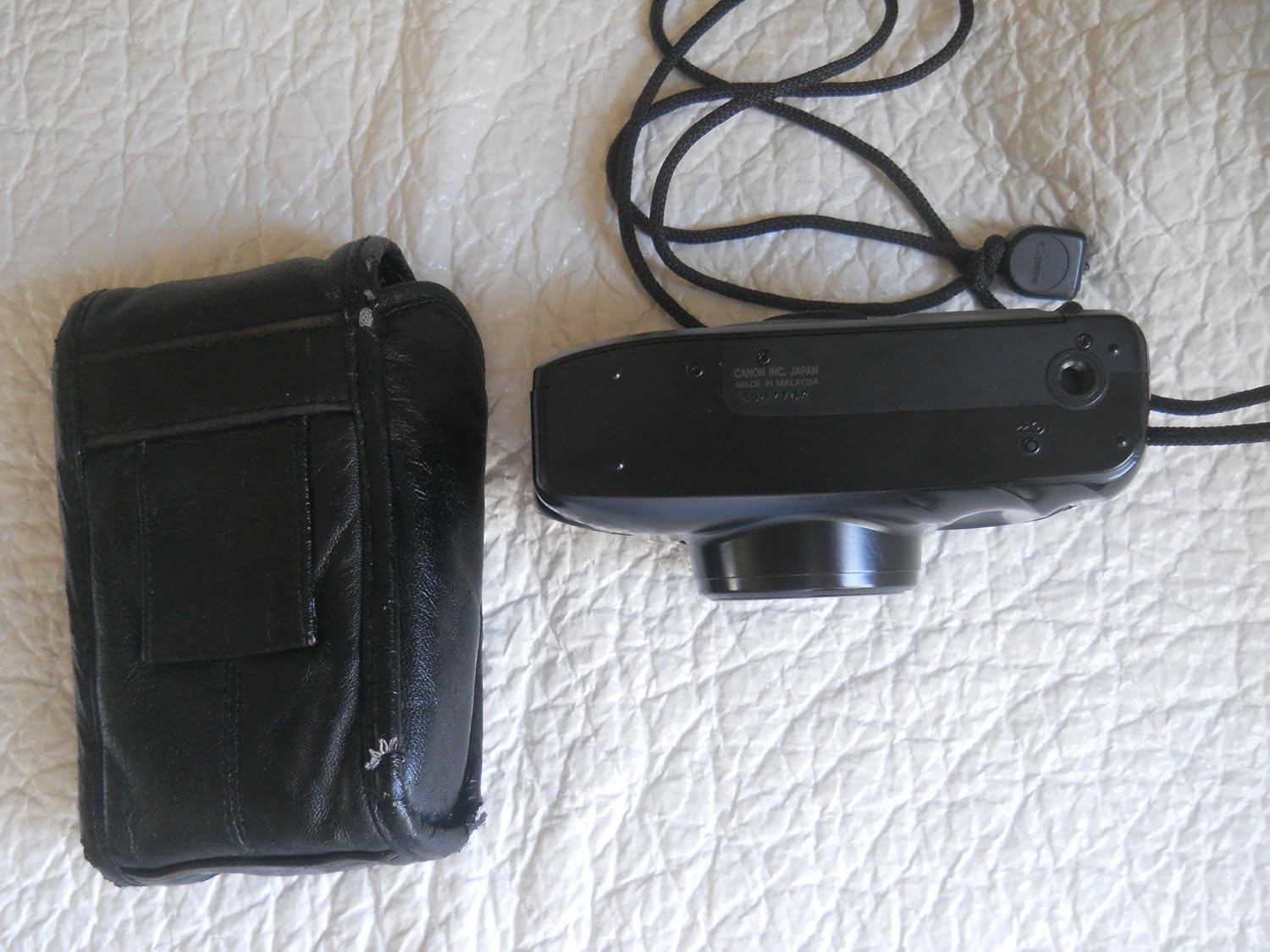
Figure 2.2: The Canon Sure Shot Tele 80 camera accompanied by its carrying case and neck strap.
3. Opsætning
3.1. Batteriinstallation
The Canon Sure Shot Tele 80 requires one 3V CR123A lithium battery. Ensure the battery is inserted with the correct polarity as indicated inside the battery compartment.
- Locate the battery compartment cover on the side of the camera.
- Skub dækslet åbent.
- Insert the CR123A battery, matching the positive (+) and negative (-) terminals with the markings inside the compartment.
- Luk batteridækslet ordentligt, indtil det klikker på plads.
3.2. Filmindlæsning
This camera uses standard 35mm film. Always load film in subdued light to prevent accidental exposure.
- Open the camera back cover by sliding the latch located on the side of the camera.
- Place a new 35mm film cartridge into the film chamber on the left side.
- Pull the film leader across to the film take-up spool on the right, ensuring it aligns with the red mark.
- Close the camera back cover firmly until it latches. The camera will automatically advance the film to the first frame.
4. Betjeningsvejledning
4.1. Tænd/sluk
To power on the camera, slide the lens cover open. The lens will extend, and the camera will be ready for use. To power off, slide the lens cover closed. The lens will retract.
4.2. Tage billeder
The camera features a 3-point Smart Autofocus system for sharp images. Look through the viewfinderen til at komponere dit billede.
- Gently press the shutter button halfway down to activate the autofocus and exposure systems. A green light in the viewfinder indicates focus lock.
- Tryk udløserknappen helt ned for at tage billedet. Kameraet vil automatisk føre filmen frem til det næste billede.
4.3. Blitztilstande
The built-in flash has multiple modes, including red-eye reduction. Use the flash mode switch on the back of the camera to select your desired setting.
Figur 4.1: Tilbage view of the camera, highlighting the flash mode selector and viewfinderen.
- Auto Flash: The camera automatically fires the flash when lighting conditions require it.
- Blitz tændt: The flash fires with every shot, regardless of lighting.
- Sluk for blitz: The flash is suppressed.
- Rødøjereduktion: The flash fires a pre-flash to reduce red-eye before the main flash.
4.4. Zoomfunktion
The camera features a dual focal length lens (38mm wide-angle and 80mm telephoto). Use the zoom switch to toggle between these two focal lengths.

Figur 4.2: Side view of the camera, showing the zoom control for switching between wide and telephoto.
- Slide the switch to 'W' for wide-angle (38mm) shots, ideal for landscapes or group photos.
- Slide the switch to 'T' for telephoto (80mm) shots, suitable for portraits or bringing distant subjects closer.
4.5. Selvudløser
The 10-second self-timer allows you to include yourself in photos. Activate the self-timer mode, press the shutter button, and the camera will take a picture after approximately 10 seconds.
4.6. Film Rewind
Once all exposures on the film roll have been used, the camera will automatically rewind the film. If you need to manually rewind the film before it's finished, locate the manual rewind button (often a small recessed button) and press it. The film counter will reset to 'S' (Start) once rewinding is complete.
5. Vedligeholdelse
5.1. Rensning
- Brug en blød, fnugfri klud til at rengøre kamerahuset.
- For the lens and viewfinder, use a specialized lens cleaning cloth and solution. Avoid touching the lens surface with your fingers.
- Do not use organic solvents or strong chemical cleaners.
5.2. Opbevaring
- When not in use, store the camera in a cool, dry place, away from direct sunlight and extreme temperatures.
- Fjern batteriet, hvis kameraet ikke skal bruges i længere tid, for at forhindre lækage.
6. Fejlfinding
- Kameraet tænder ikke: Kontroller, om batteriet er korrekt isat og har tilstrækkelig opladning. Udskift det om nødvendigt.
- Filmen går ikke videre: Ensure the film is loaded correctly and the camera back is securely closed.
- Blitzen går ikke af: Check the flash mode setting. Ensure the flash is not set to 'Flash Off'. Allow time for the flash to charge.
- Blurred photos: Ensure the subject is within the camera's focusing range. Hold the camera steady when pressing the shutter button.
7. Specifikationer
| Feature | Specifikation |
|---|---|
| Mærke | Canon |
| Modelnavn | Sure Shot Tele 80 |
| Linse | 38/80mm Dual Focal Length |
| Autofokus system | 3-point Smart Autofocus |
| Blitz | Built-in, Automatic, On, Off, Red-eye Reduction, Slow Synch |
| Filmtype | 35 mm |
| Selvudløser | 10 sekunder |
| Strømkilde | One 3V CR123A Lithium Battery (not included) |
| Dimensioner (ca.) | 2.24"D x 1.1"W (specific height not provided) |
| Vægt (ca.) | 0.53 pund |
8. Garanti og support
Canon offers a one-year warranty on parts and labor for the Sure Shot Tele 80. For warranty claims or technical support, please refer to the official Canon support channels or contact your retailer.


