1. Introduktion
Velkommen til Jurassic Park, Part 2: The Chaos Continues for the Super Nintendo Entertainment System. This game, developed by Ocean Inc., places you in the role of Dr. Alan Grant as you navigate Isla Nublar following the events of the first Jurassic Park. Your mission is to contain the dinosaur threat and neutralize human poachers who have infiltrated the island. This manual provides essential information to help you set up, play, and maintain your game cartridge.
2. Opsætningsvejledning
To begin playing Jurassic Park, Part 2: The Chaos Continues, følg disse trin:
- Prepare Your Super Nintendo Console: Ensure your Super Nintendo Entertainment System (SNES) console is connected to your television and powered off.
- Isæt spillekassetten: Hold the game cartridge with the label facing upwards. Gently but firmly insert the cartridge into the cartridge slot on your SNES console. Ensure it is fully seated.

Image 2.1: Front of the Jurassic Park, Part 2: The Chaos Continues SNES cartridge. This image displays the game's label, featuring the title, Jurassic Park logo, and Super Nintendo Entertainment System branding.
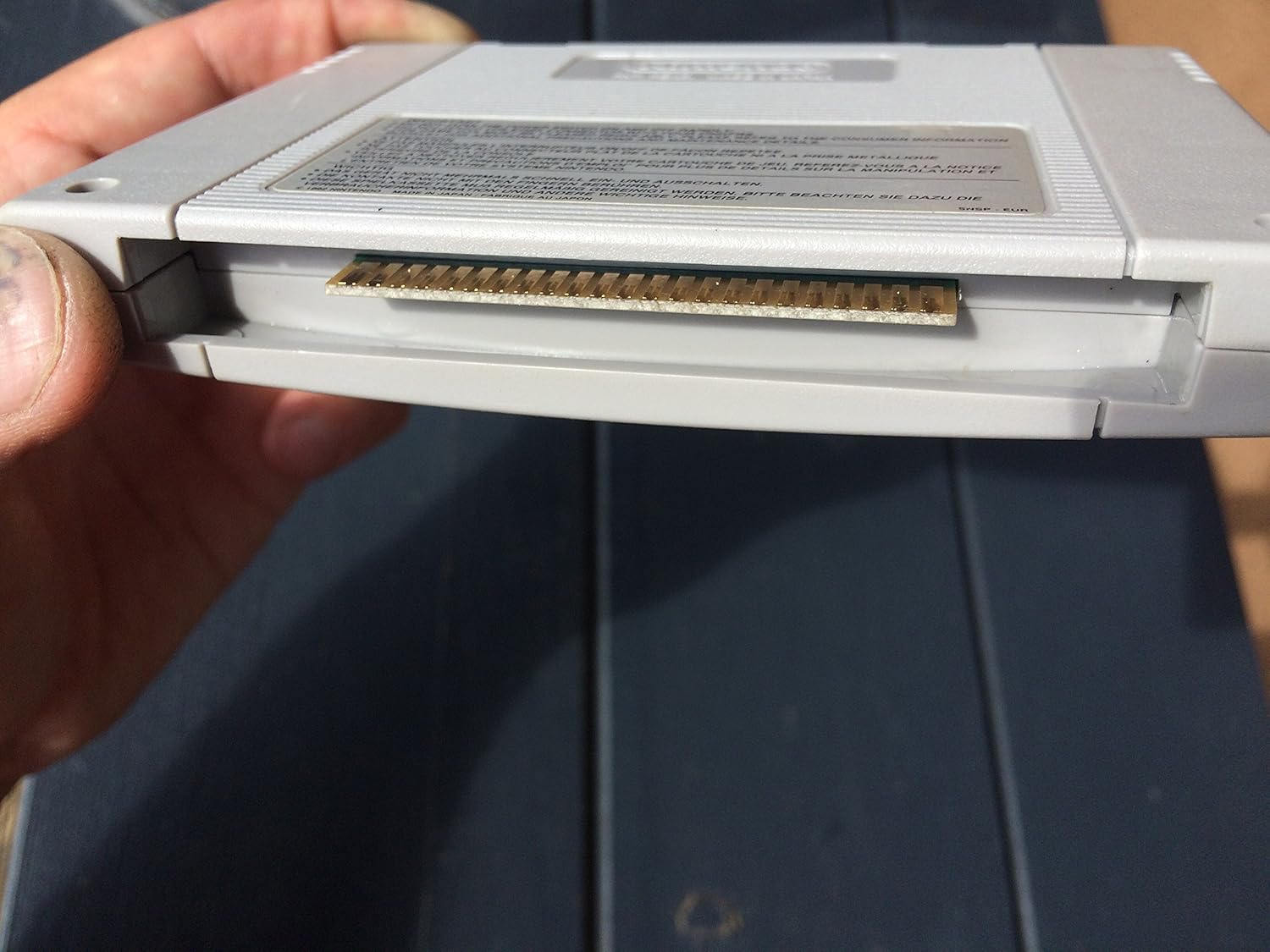
Image 2.2: Cartridge connector pins. This image shows the metallic connector pins at the base of the game cartridge, which interface with the console's slot.
- Tilslut controller: Plug your Super Nintendo controller into Controller Port 1 on the console.
- Tænd: Turn on your television and select the correct input channel. Then, press the POWER switch on your SNES console to turn it on. The game should now load.
Vigtig: Do not insert or remove the game cartridge while the SNES console is powered on. This can damage the cartridge or the console.
3. Operating Instructions and Gameplay
3.1 Grundlæggende kontroller
The game utilizes the standard Super Nintendo controller. Familiarize yourself with the button layout:
- Retningstastatur (D-pad): Move Dr. Grant (left, right, up, down).
- En knap: Action / Confirm.
- B knap: Jump / Cancel.
- X knap: Use special item / Secondary action.
- Y-knap: Fire weapon.
- V/H-knapper: Cycle through weapons or items.
- START-knap: Pause game / Access menu.
- SELECT -knap: Map / Inventory (functionality may vary).
3.2 Gameplay Overview
In Jurassic Park, Part 2: The Chaos Continues, you control Dr. Alan Grant through various environments on Isla Nublar. The game features a mix of platforming, exploration, and combat.
- Mål: Each level presents specific objectives, often involving securing areas, rescuing personnel, or eliminating threats.
- Enemies: You will encounter various dinosaurs, including raptors, T-Rex, and other species, as well as human poachers.
- Våben: A diverse arsenal is available, including both lethal weapons (e.g., machine gun, shotgun) for human enemies and non-lethal weapons (e.g., stun gun, tranquilizer darts) for dinosaurs. Using lethal weapons on dinosaurs will deplete a "dinosaur kill" counter, and exceeding a certain limit will result in a game over. Strategic weapon selection is crucial.
- Health and Lives: Monitor Dr. Grant's health bar. Collect health packs to restore health. The game is known for its challenging difficulty and limited continues.
- Udforskning: Explore environments to find hidden items, power-ups, and alternative paths.
4. Vedligeholdelse og pleje
Proper care of your game cartridge will ensure its longevity and reliable performance.
- Opbevaring: Store the cartridge in its original case or a protective sleeve when not in use. Keep it away from direct sunlight, extreme temperatures, dust, and moisture.
- Rensning: If the game does not start or freezes, the connector pins may be dirty.
- Power off and unplug your SNES console.
- Remove the game cartridge.
- Gently wipe the gold-plated connector pins at the bottom of the cartridge with a soft, lint-free cloth slightly dampmed isopropylalkohol. Lad det tørre helt, før det sættes i igen.
- Håndtering: Avoid touching the connector pins directly with your fingers, as oils and dirt can transfer and cause connection issues.

Image 4.1: Back of the SNES cartridge. This image shows the reverse side of the game cartridge, including the Nintendo logo and important safety and care instructions printed on the label.
5. Fejlfinding
If you encounter issues while playing, refer to the following common problems and solutions:
| Problem | Mulig årsag | Løsning |
|---|---|---|
| Game does not start or screen is black. | Cartridge not properly seated or dirty connector pins. |
|
| Game freezes during play. | Loose cartridge connection or console overheating. |
|
| Graphics or sound are distorted. | Poor connection or damaged cartridge. |
|
6. Specifikationer
| Feature | Detalje |
|---|---|
| Produkttitel | Jurassic Park, Part 2: The Chaos Continues |
| Platform | Super Nintendo Entertainment System (SNES) |
| Mærke | Nintendo |
| Fabrikant | Ocean Inc. |
| ASIN | B000035Y4S |
| Varens vægt | 2.4 ounce |
| Pakkedimensioner | 5.3 x 3.4 x 0.8 tommer |
| Dato først tilgængelig | 1. januar 2000 |
| Udgået | Ja |
7. Garanti og support
As Jurassic Park, Part 2: The Chaos Continues er en vintage game for a discontinued console, direct manufacturer warranty and technical support from Ocean Inc. or Nintendo are generally no longer available.
For issues beyond the troubleshooting steps provided, consider consulting online communities or retro gaming forums for assistance. Ensure any repairs or modifications are performed by qualified individuals to avoid further damage.


