
1. Introduktion
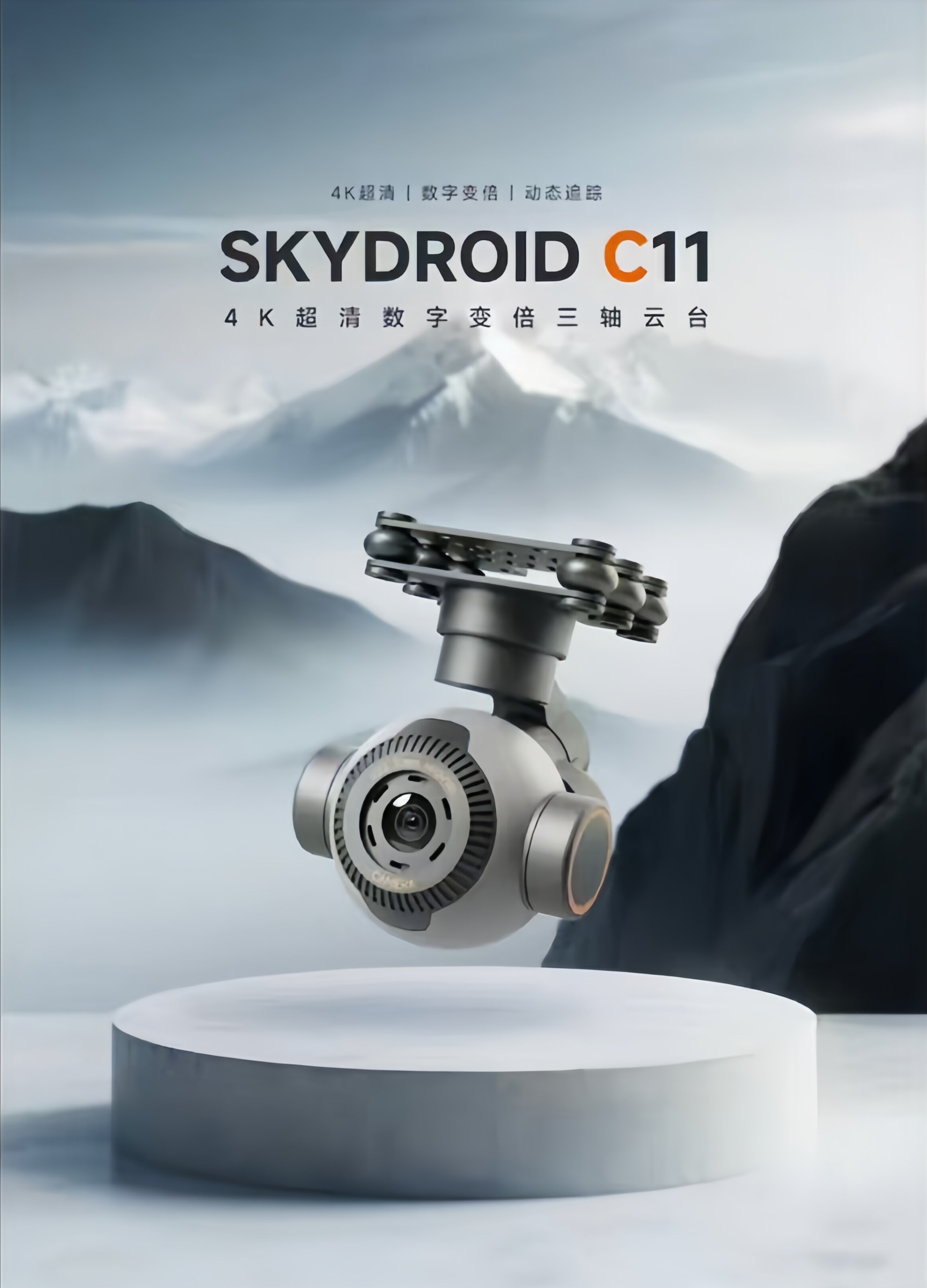
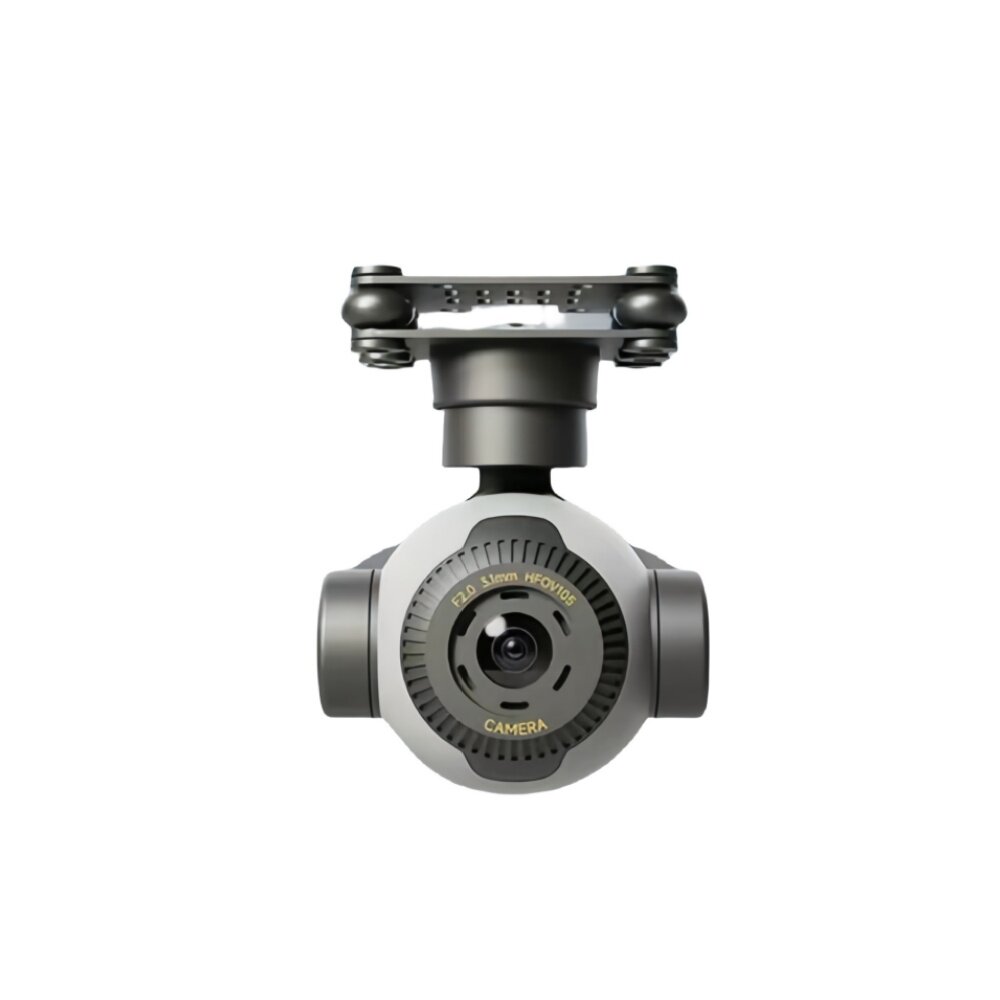
The SKYDROID C11 is an advanced panorama camera designed for integration with various smart devices, particularly drones and remote-controlled vehicles. It boasts 4K ultra-high definition video capabilities, a robust three-axis mechanical stabilization system, 30x electronic zoom, and intelligent tracking features. Its lightweight design and flexible installation options, including an inverted mode, make it suitable for a wide range of applications requiring high-quality aerial or mobile imaging.
2. Nøglefunktioner
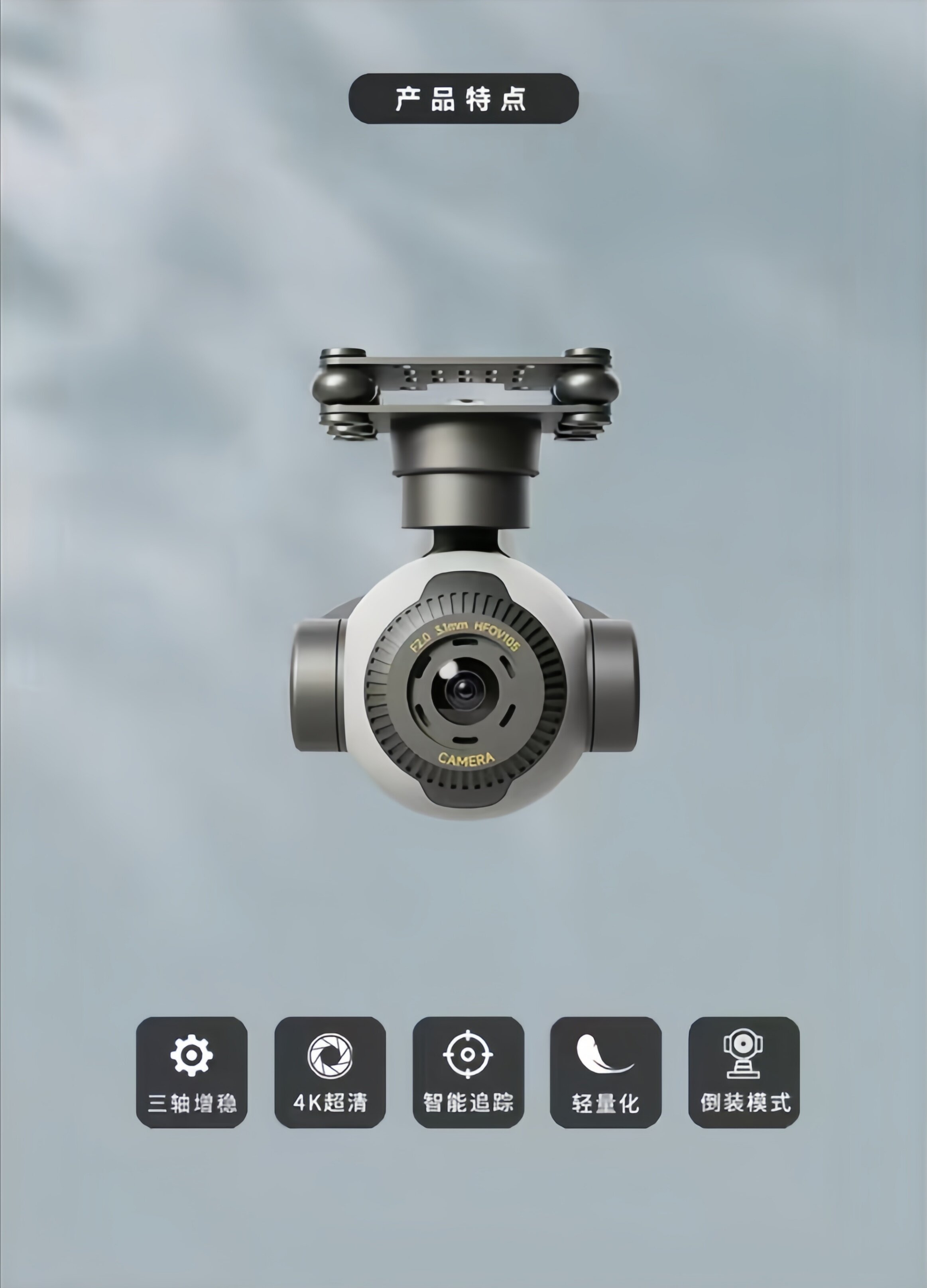
- 4K Ultra-High Definition Camera: Equipped with a 4K ultra-clear, distortion-free camera capable of capturing extremely delicate screen details and providing clear, accurate image information in various operating environments.
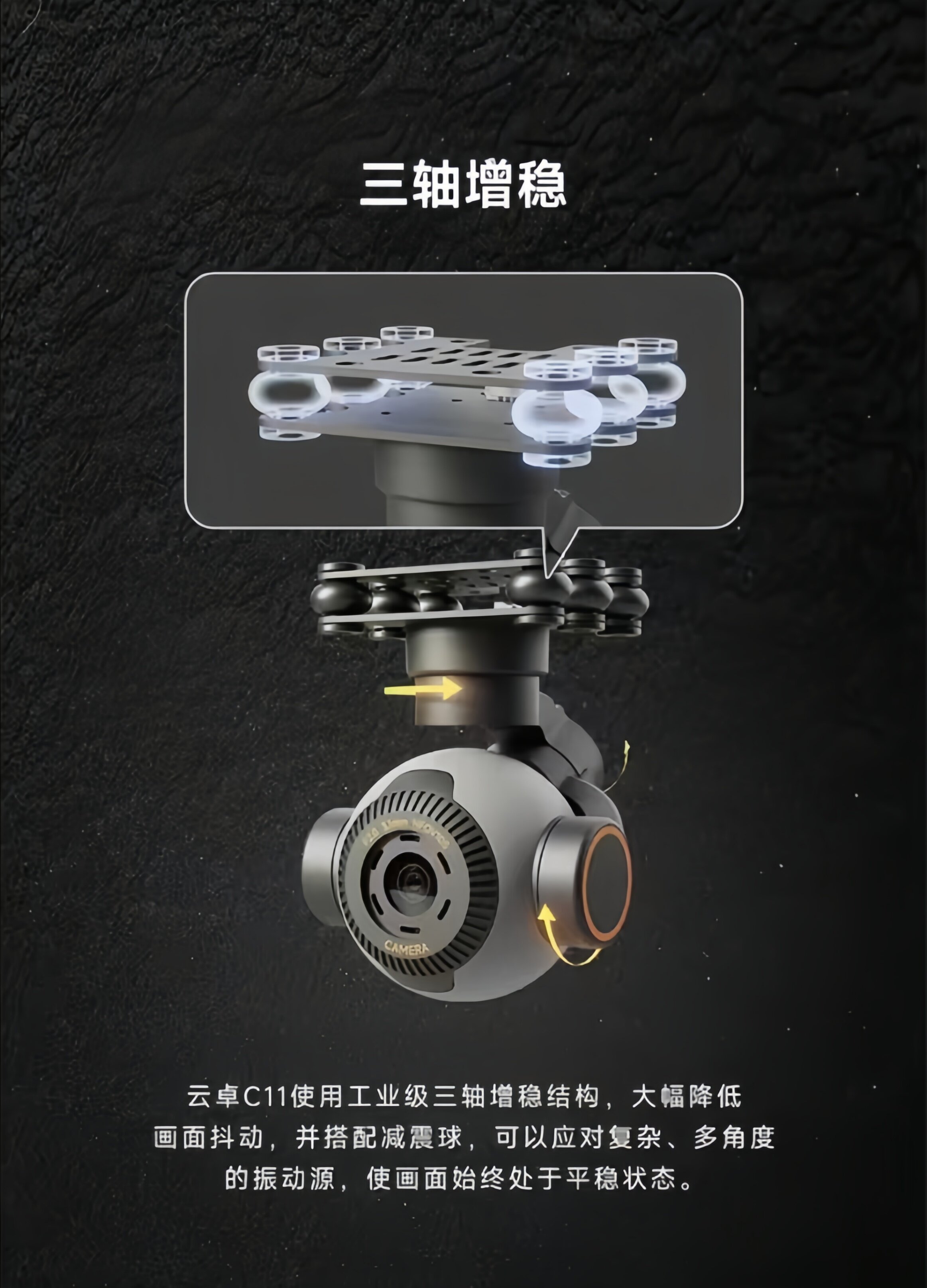
- Three-Axis Stabilization: Utilizes an industrial-grade three-axis stabilization structure with shock-absorbing balls to significantly reduce screen shake, ensuring stable footage even with complex, multi-angle vibration sources.
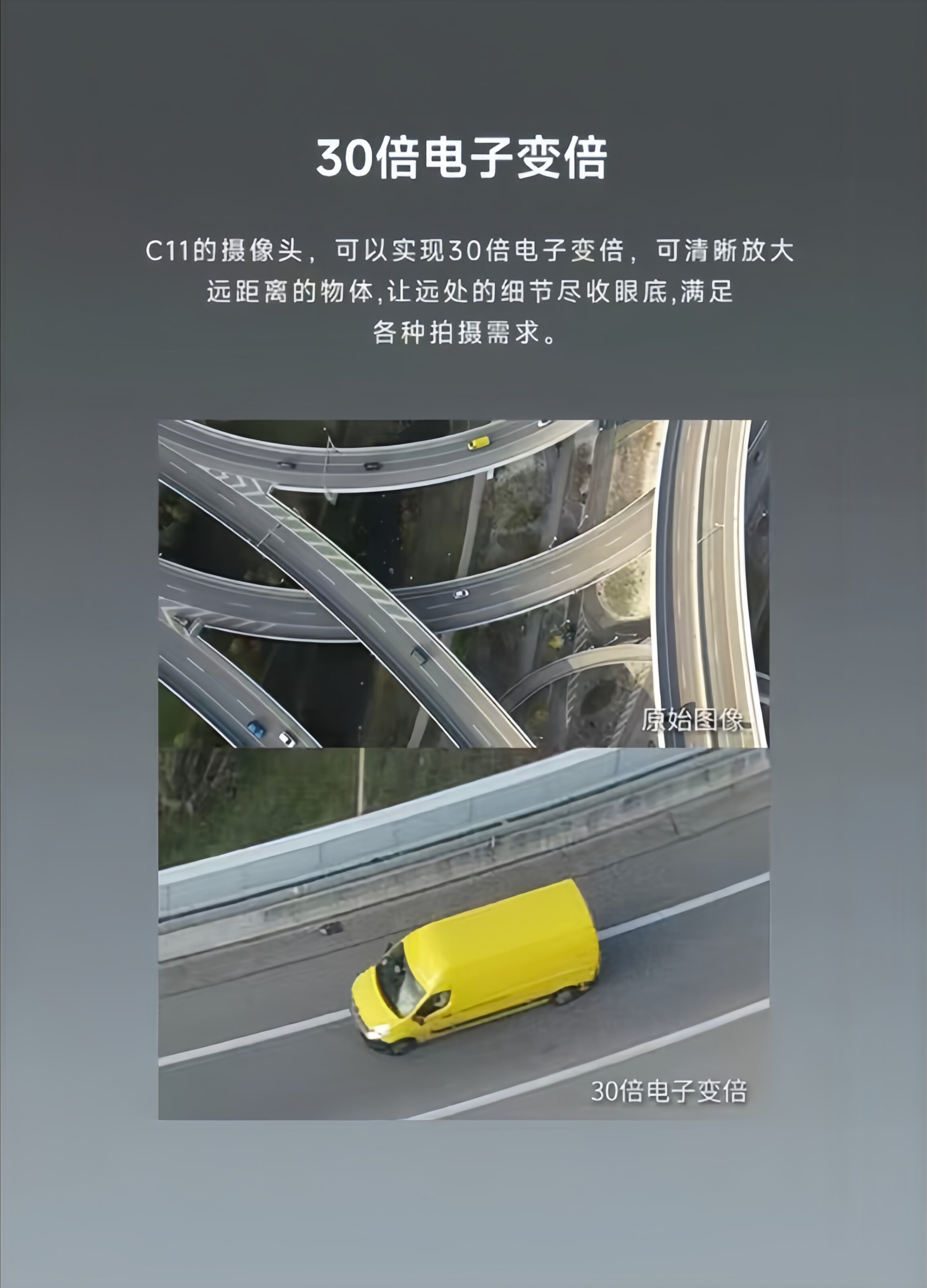
- 30x elektronisk zoom: Allows for clear magnification of distant objects, bringing remote details into full view and meeting diverse shooting requirements.
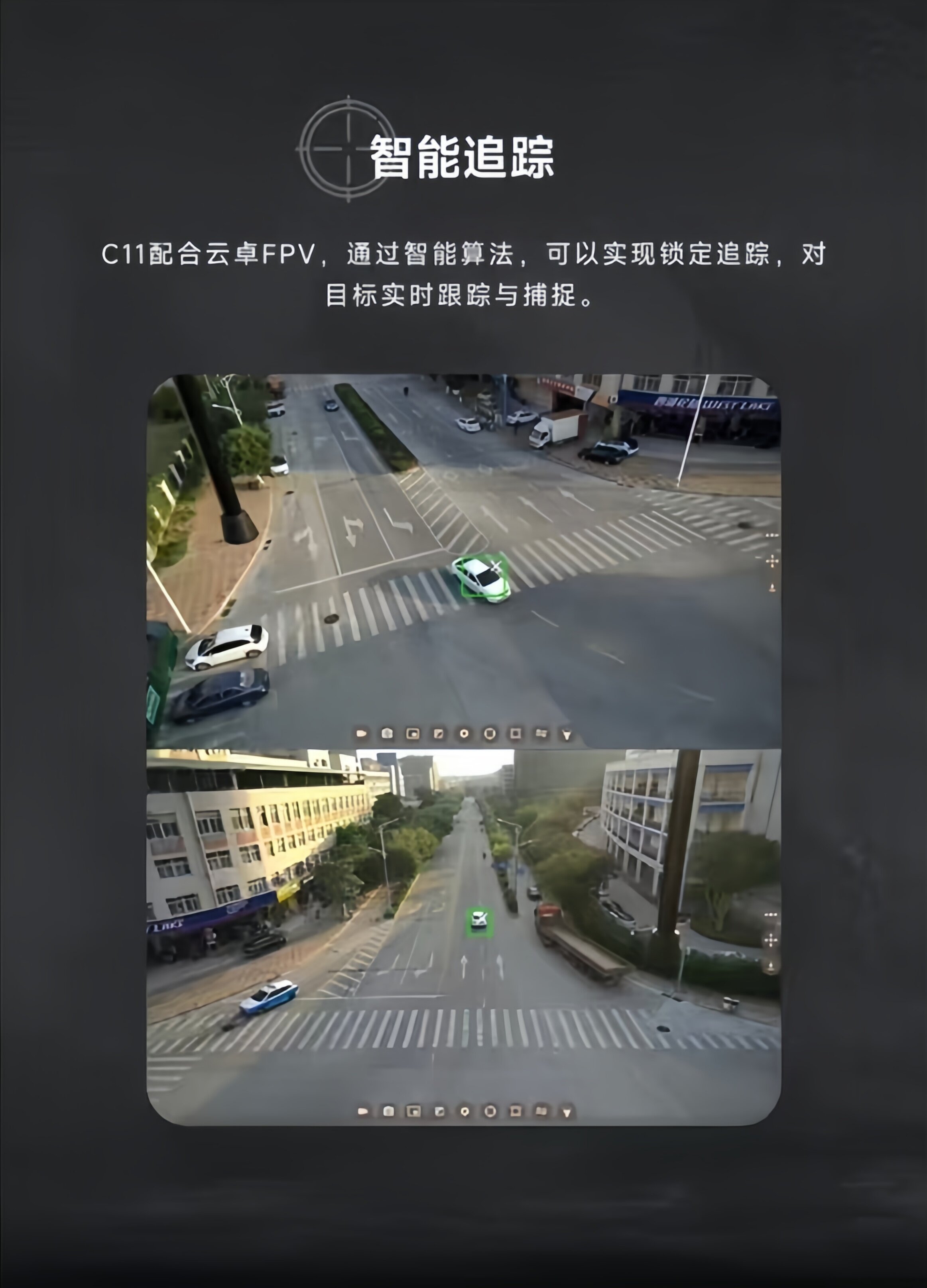
- Intelligent sporing: When paired with Yunzhuo FPV, intelligent algorithms enable locked tracking, real-time tracking, and capture of targets.
- Letvægtsdesign: Weighing only 101g, the C11 can be mounted on smaller devices, reducing equipment load and expanding application scenarios.
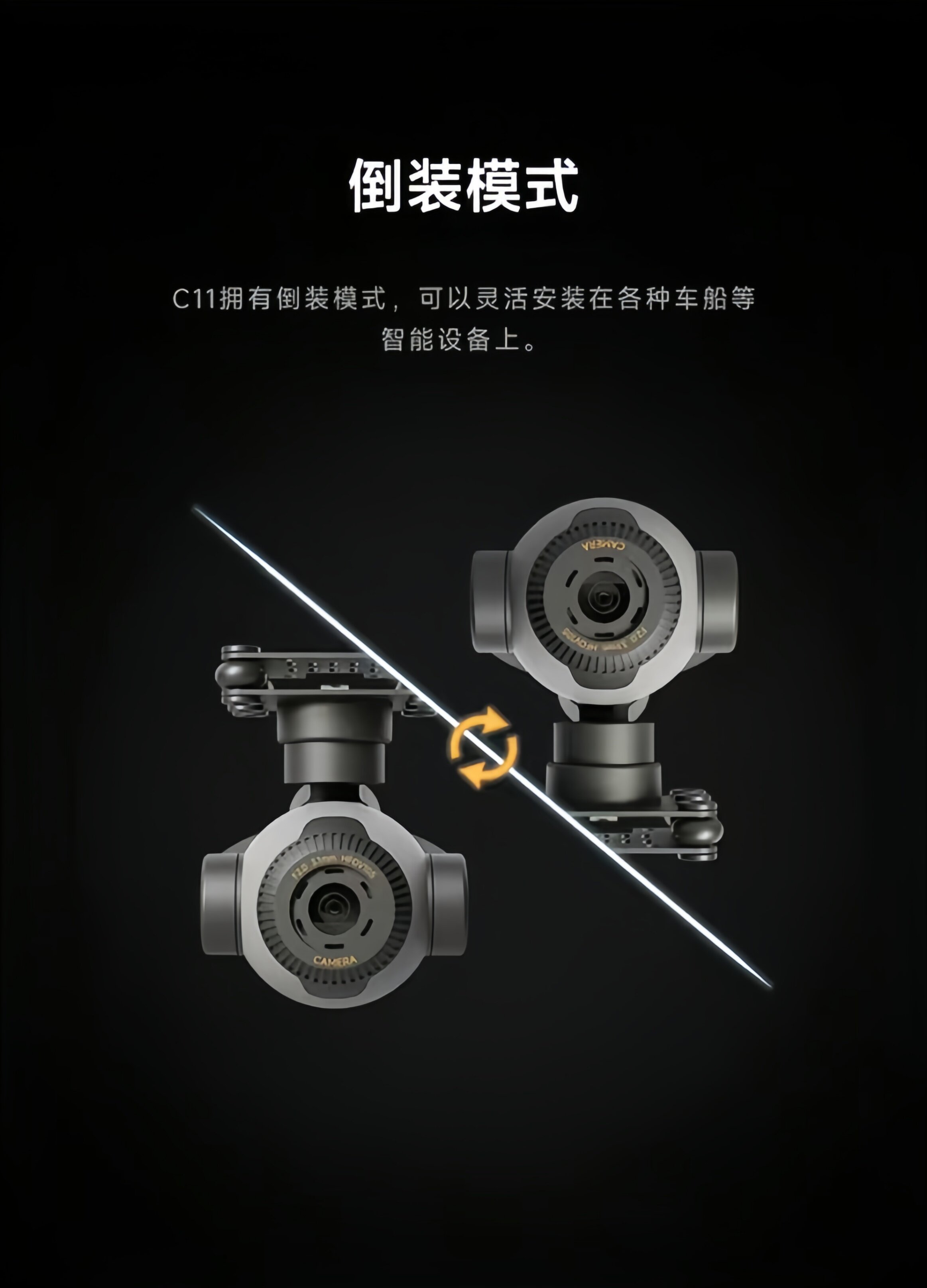
- Inverteret tilstand: Supports flexible installation on various smart devices such as vehicles and boats.
3. Opsætning
3.1 Montering af kameraet
The C11 camera is designed for flexible mounting on various platforms, including drones, vehicles, and boats. The gimbal features a mounting plate with attachment points. Ensure the camera is securely fastened to your device to prevent movement during operation.

3.2 Inverted Mode Installation
For specific applications or mounting requirements, the C11 supports an inverted installation mode. This allows for greater versatility in positioning the camera to achieve desired viewing angles or to fit into constrained spaces. When installing in inverted mode, ensure all connections and stabilization mechanisms function correctly.
3.3 Strømtilslutning
Connect the camera to a power source providing 12V-72V DC. Ensure the polarity is correct to avoid damage. Refer to your drone or vehicle's power distribution system for compatible connections.
4. Betjeningsvejledning
4.1 Indledende tænding
Once mounted and powered, the C11 camera will perform an initial self-calibration. Ensure the camera has a clear range of motion during this process. The three-axis gimbal will stabilize automatically.
4.2 Video Recording and Streaming
The C11 supports 4K video recording to a memory card (3840x2160@30fps) and real-time streaming at 1280x720@30fps. Connect the camera to your FPV system or ground station to access live video feeds and control recording functions. The camera is designed to capture clear and accurate image information.
4.3 Electronic Zoom Function
Utilize the 30x electronic zoom feature to magnify distant subjects. This function is controlled via your connected FPV system or remote controller. Adjust the zoom level as needed to capture fine details from a distance.
4.4 Intelligent sporing
When integrated with a compatible Yunzhuo FPV system, the C11 can perform intelligent tracking. Select a target within the camera's view, and the system will use intelligent algorithms to lock onto and track the target in real-time. Refer to your FPV system's manual for specific instructions on activating and managing intelligent tracking.
5. Vedligeholdelse
- Rensning: Rengør kameralinsen regelmæssigt med en blød, fnugfri klud. Undgå slibende materialer eller barske kemikalier.
- Opbevaring: Opbevar kameraet et tørt, køligt sted væk fra direkte sollys og ekstreme temperaturer.
- Håndtering: Handle the camera and gimbal assembly with care. Avoid sudden impacts or excessive force on the gimbal motors.
- Firmwareopdateringer: Tjek producentens webwebstedet regelmæssigt for firmwareopdateringer for at sikre optimal ydeevne og adgang til nye funktioner.
6. Fejlfinding
- Ingen strøm: Ensure the power connection is secure and within the specified voltage range (12V-72V). Check for any loose wires or damaged connectors.
- Ustabil Footage: Verify that the camera is securely mounted and that the gimbal has a full range of motion. Check for any obstructions or debris affecting the gimbal's movement.
- Intet videofeed: Confirm that the video transmission cables are correctly connected to both the camera and your FPV receiver/ground station. Ensure your FPV system is properly configured to receive the video signal.
- Zoom/Tracking Issues: Ensure your FPV system or remote controller is correctly paired and configured to send commands to the C11. Check for any software or firmware issues on both the camera and the control system.
- Overophedning: Ensure adequate airflow around the camera, especially during prolonged operation in warm environments.
7. Specifikationer
| Attribut | Værdi |
|---|---|
| Modelnummer | C11 |
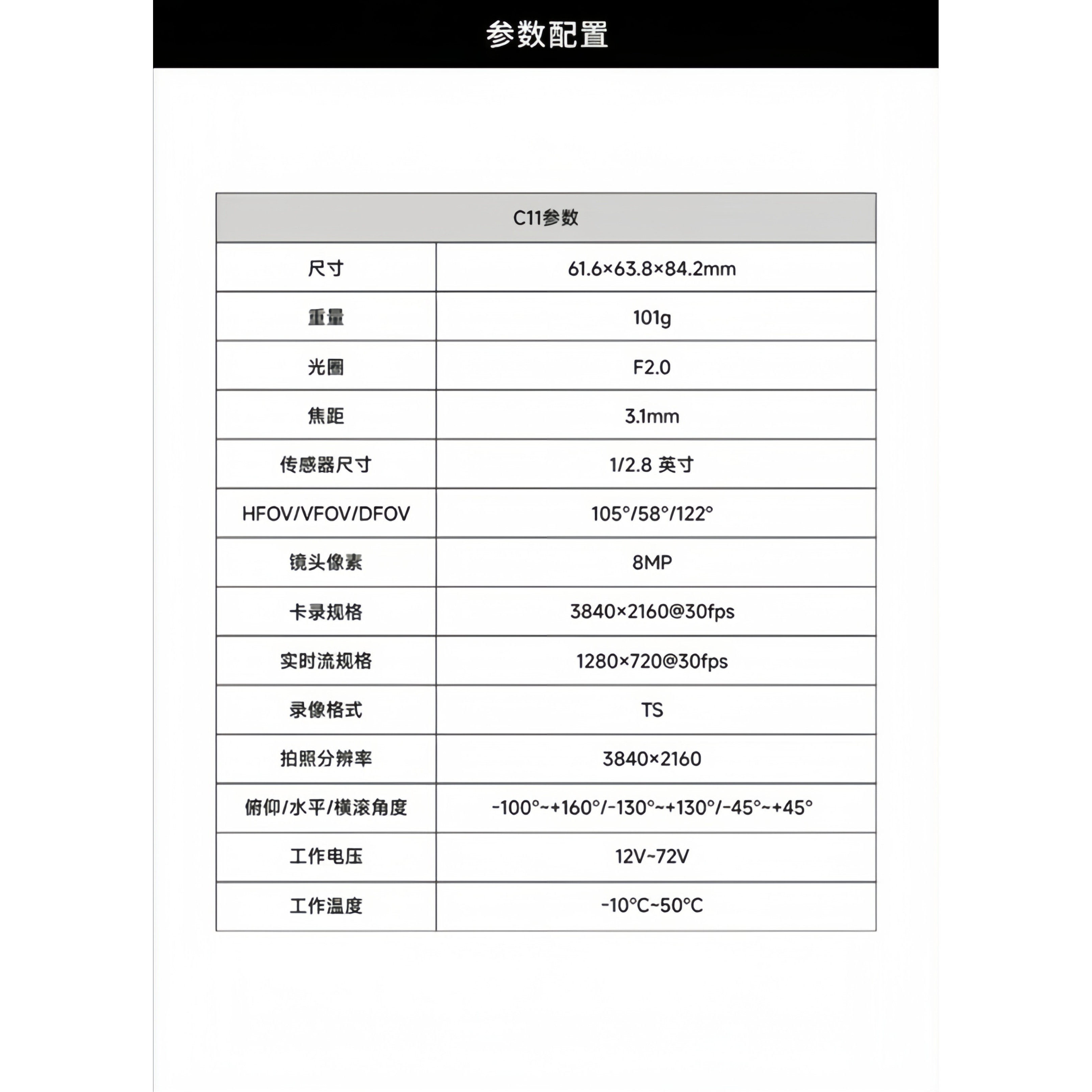
| Dimensioner | 61.6 × 63.8 × 84.2 mm |
| Vægt | 101 g |
| Blænde | F2.0 |
| Brændvidde | 3.1 mm |
| Sensor størrelse | 1/2.8 tomme |
| HFOV/VFOV/DFOV | 105°/58°/122° |
| Linsepixels | 8 MP |
| Card Recording Resolution | 3840 × 2160 @ 30fps |
| Real-time Stream Resolution | 1280 × 720 @ 30fps |
| Videooptagelsesformat | TS |
| Foto opløsning | 3840 × 2160 |
| Pitch/Roll/Yaw Angle | -100°~+160° / -130°~+130° / -45°~+45° |
| Operation Voltage | 12V-72V |
| Driftstemperatur | -10°C-50°C |
| Mængde | 1 stk |
| Materiale | Kompositmateriale |
| For køretøjstype | Flyvemaskiner |
| Fjernbetjeningsudstyr/enheder | MODTAGERE |
| RC-dele og -tilbehør | Hovedakse |
| Bruge | Køretøjer og fjernbetjent legetøj |
| Anbefalet alder | 14+ år |
| er elektrisk | Intet batteri |
| Er batterier inkluderet | Ingen |
| Er det batteri/strømforsyning | N |
| Er det en oplader/adapter | N |
| Meget bekymret kemikalie | Ingen |
| Oprindelse | Fastlandet Kina |
8. Brugertips
- Tjek før flyvning: Always perform a visual inspection of the camera and gimbal before each use to ensure all components are secure and free from damage.
- Miljøbevisthed: While the camera operates in a wide temperature range, avoid exposing it to extreme conditions or direct moisture for prolonged periods.
- Softwarekompatibilitet: Ensure your FPV system or control software is compatible with the C11 for full functionality, including intelligent tracking and zoom control.
- Hukommelseskort: Use a high-speed memory card for 4K recording to ensure smooth video capture and prevent data loss.
9. Garanti og support
For warranty information and technical support, please contact the seller or manufacturer directly. Keep your purchase records for any warranty claims. Ensure you register your product if required to activate any extended warranty benefits.


