
Indledning
Thank you for choosing the OLIXIS Tower Fan. This manual provides essential information for the safe operation, installation, and maintenance of your new fan. Please read it thoroughly before use and retain it for future reference.
Sikkerhedsinstruktioner
- Always ensure the fan is placed on a stable, level surface to prevent tipping.
- Do not insert fingers or objects into the fan grille. The fan features a finger-pinch resistant grille for safety.
- Keep the power cord away from heated surfaces and do not run it under carpets.
- Unplug the fan from the power outlet when not in use, before cleaning, or when moving it.
- Dette apparat har et polariseret stik (det ene blad er bredere end det andet). For at reducere risikoen for elektrisk stød er dette stik beregnet til kun at passe i en polariseret stikkontakt på én måde. Hvis stikket ikke passer helt i stikkontakten, skal du vende stikket om. Hvis det stadig ikke passer, skal du kontakte en kvalificeret elektriker. Forsøg ikke at omgå denne sikkerhedsfunktion.
- The fan includes built-in circuit protection and a fuse plug for enhanced safety. Do not operate the fan with a damaged cord or plug.
- Brug ikke blæseren i vådt eller damp steder, såsom badeværelser.
- The child lock feature helps prevent unintended operation by children.

Billede: Overview of OLIXIS Tower Fan safety features.
Pakkens indhold
Når du åbner pakken, skal du kontrollere, at alle komponenter er til stede og ubeskadigede:
- OLIXIS Tower Fan Unit
- Fjernbetjening
- Bund (to halvdele)
- Screws for Base Assembly
- Brugervejledning (dette dokument)
Produktdiagram
Familiarize yourself with the main parts of your OLIXIS Tower Fan:
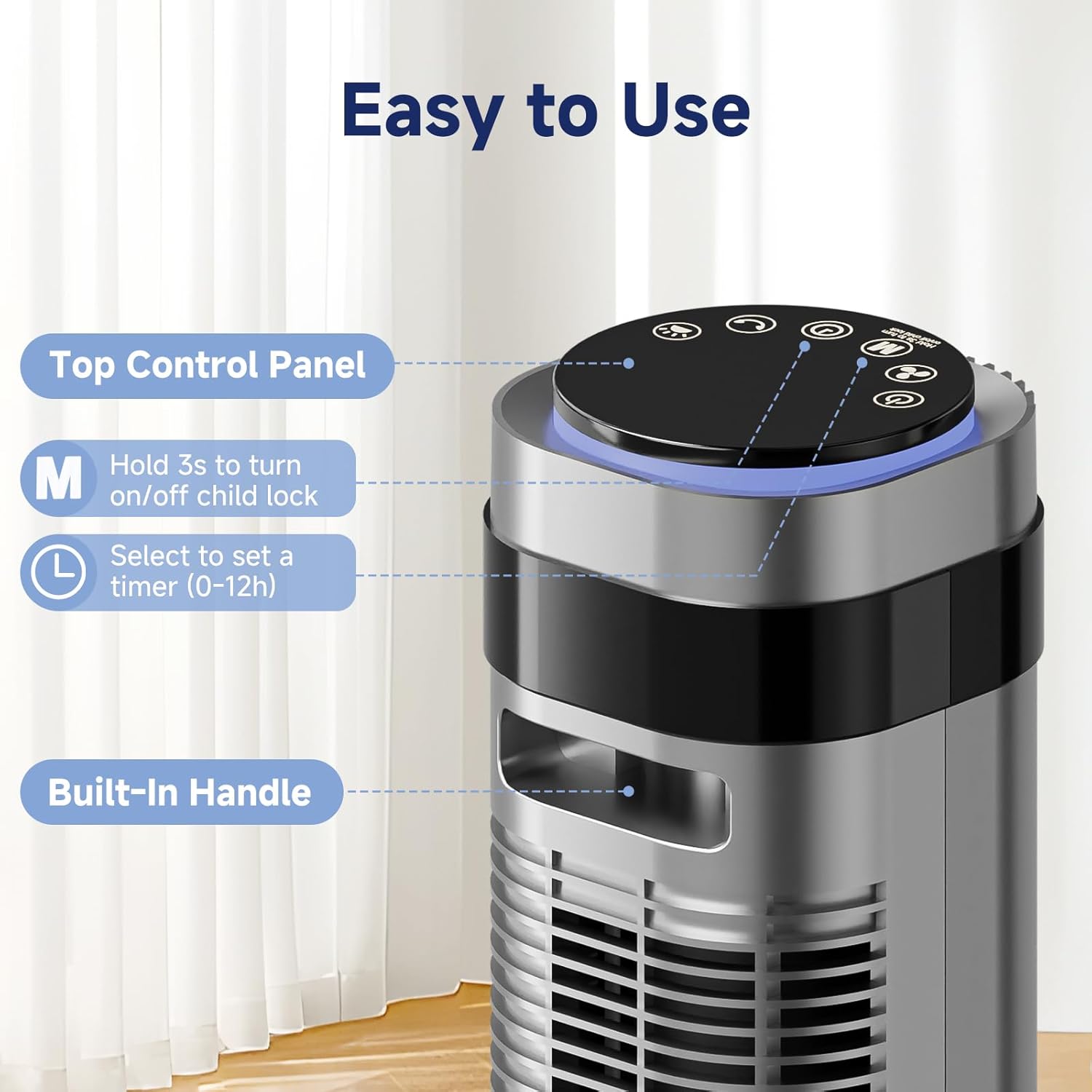
Image: Key features of the OLIXIS Tower Fan, including the top control panel and built-in handle.
- Øverste kontrolpanel: Til manuel betjening og justering af indstillinger.
- LED display: Shows current settings such as speed, mode, and timer.
- Luftudtag: Where the cooled air is expelled.
- Indbygget håndtag: For nem transport.
- Grundlag: Provides stability for the fan unit.
Opsætning og montering
Follow these steps to assemble your OLIXIS Tower Fan:
- Take the two base halves and position them in a crossed manner.
- Insert the pegs on one half into the corresponding slots on the other half.
- Press down on the edges to securely click the two base halves together.
- Attach the assembled base to the main fan unit.
- Secure the base to the fan unit using the provided screws.
- Thread the power cord through all cord keepers before placing the fan upright.

Image: Visual guide for assembling the fan base.
Videovejledning til montering
Video: This video demonstrates the step-by-step process for installing the OLIXIS Tower Fan, including base assembly and initial setup.
Betjeningsvejledning
Kontrolpanel og fjernbetjening
The fan can be operated using the touch control panel on top of the unit or the included remote control. The remote control offers convenient operation from a distance.

Image: Control panel and remote control layout with various mode options.
Funktioner:
- Power knap: Tænder eller slukker ventilatoren.
- Hastighedstilpasning: Cycle through 5 fan speeds (Lv.1 to Lv.5).
- Valg af tilstand: Choose from 4 operating modes: Normal, Natural, Auto, and Sleep.
- oscillation: Aktiverer eller deaktiverer funktionen for 64° bred oscillation.
- Timer: Set the fan to automatically turn off after 1 to 12 hours.
- Børnelås: Press and hold the 'M' button for 3 seconds on the control panel to activate/deactivate.
Driftstilstande
- Normal tilstand: Giver en konstant luftstrøm ved den valgte hastighed.
- Naturlig tilstand: Simulerer naturlig brise ved at variere ventilatorhastigheden periodisk.
- Automatisk tilstand: Adjusts fan speed automatically based on the room's ambient temperature. Higher temperatures result in higher fan speeds.
- Sove mode: Gradually reduces fan speed every 30 minutes and dims the LED display for a quieter and less disruptive environment, ideal for sleeping.

Image: Auto Mode functionality, showing fan speed adjustment based on room temperature.
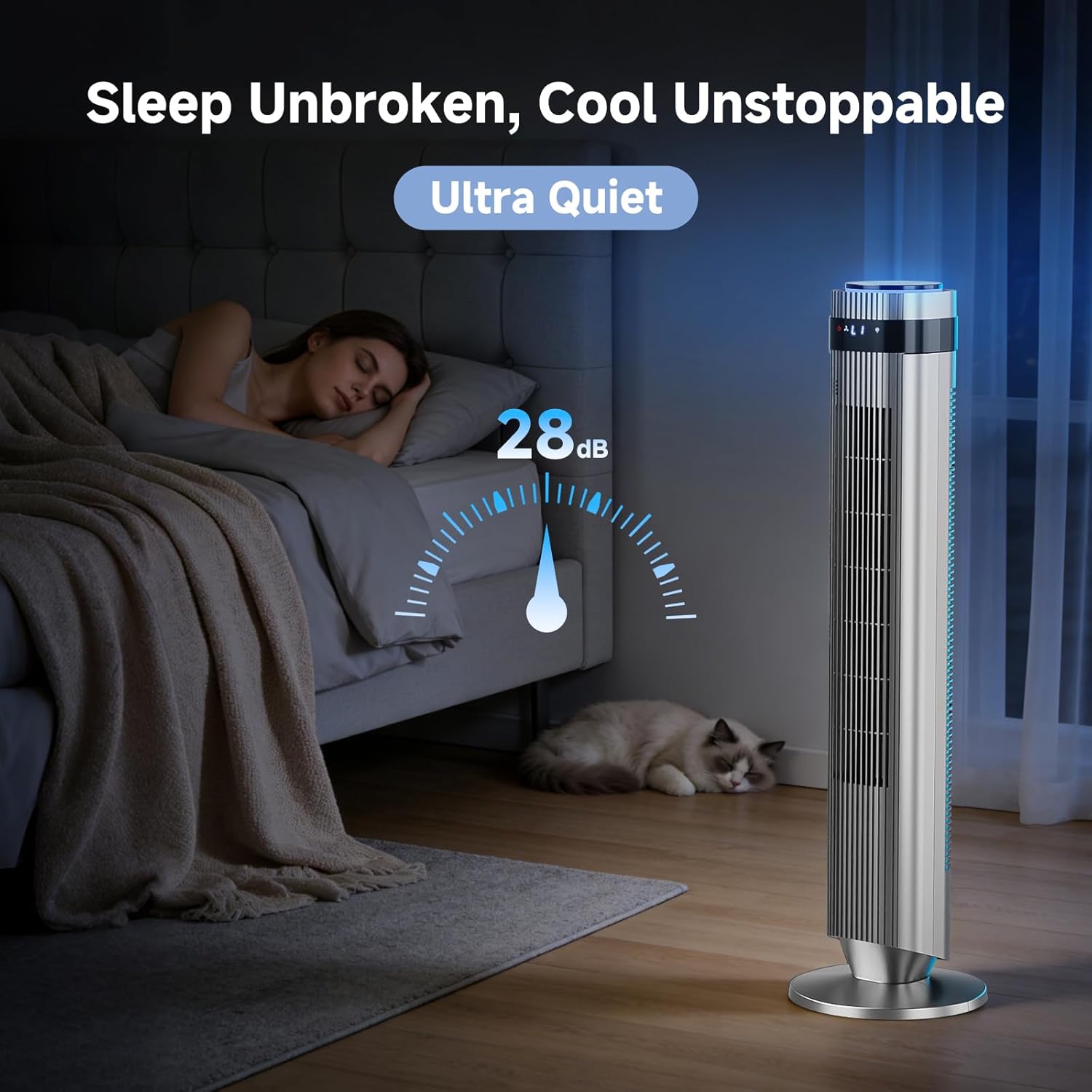
Image: Fan operating in Sleep Mode, highlighting its ultra-quiet 28dB operation.
oscillation
Activate the oscillation function to distribute airflow across a wider area (64°). This helps cool the room more efficiently.

Image: Fan demonstrating 64° oscillation for broad air distribution.
Produkt overview Video
Video: This video provides a brief overview of the OLIXIS Tower Fan's features and operation.
Opretholdelse
Regelmæssig rengøring sikrer optimal ydeevne og forlænger din ventilators levetid.
- Rengøring af ydersiden: Tør de udvendige overflader af med en blød, damp klæde. Brug ikke slibende rengøringsmidler eller opløsningsmidler.
- Rengøring af luftindtag/-udtag: Brug en støvsuger med børstetilbehør til forsigtigt at fjerne støv fra luftindtags- og udløbsgitrene.
- Opbevaring: Når ventilatoren ikke er i brug i længere perioder, skal den tages ud af stikket, rengøres og opbevares et køligt og tørt sted.
- Ensure the fan is completely dry before plugging it back in or storing.
Fejlfinding
If you encounter issues with your OLIXIS Tower Fan, refer to the following common problems and solutions:
| Problem | Mulig årsag | Løsning |
|---|---|---|
| Ventilatoren tænder ikke. | No power, power cord not fully plugged in, fuse blown. | Check power outlet, ensure plug is fully inserted, check household circuit breaker, inspect fuse in the plug (if applicable). |
| Svag luftstrøm. | Fan speed too low, air inlets/outlets blocked by dust. | Increase fan speed, clean air inlets and outlets as per maintenance instructions. |
| Ventilatoren laver usædvanlig lyd. | Obstruction, fan not on a level surface. | Check for any foreign objects near the fan grilles, ensure fan is on a stable, level surface. |
| Fjernbetjening virker ikke. | Batteries depleted, remote not aimed at sensor. | Replace remote control batteries, ensure clear line of sight to the fan's sensor. |
If the problem persists after attempting these solutions, please contact OLIXIS customer support.
Specifikationer
| Feature | Detalje |
|---|---|
| Modelnavn | AC-DSV25TS-35D5 |
| Mål (D x B x H) | 9.84" D x 9.84" B x 35.43" H |
| Varens vægt | 7.4 pund |
| Strømkilde | AC |
| Wattage | 50 watt |
| Voltage | 120 volt |
| Antal hastigheder | 5 |
| Antal tilstande | 4 (Normal, Natural, Auto, Sleep) |
| Støjniveau | 28 decibel |
| Svingningsvinkel | 64° |
| Timer | 1-12 timer |
| Luftmængde kapacitet | Op til 22.3 m/s |
| Luftleveringsafstand | Op til 26.52 fod |
| Kontrolmetode | Fjernbetjening, berør |
| Materiale | Acrylonitrile Butadiene Styrene, Plastic, Polycarbonate |
| Certificeringer | ETL, FCC, UL |
| Indendørs/Udendørs brug | Indendørs |
Garanti og support
Producentens garanti
The OLIXIS Tower Fan (Model: AC-DSV25TS-35D5) is covered by a 1 års producentgaranti fra købsdatoen. Denne garanti dækker fejl i materialer og udførelse ved normal brug.
Garantien dækker ikke skader som følge af:
- Uheld, misbrug, misbrug eller ændring.
- Uautoriseret reparation eller ændring.
- Manglende overholdelse af betjeningsvejledningen.
- Almindelig slitage.
Kundesupport
For warranty claims, technical assistance, or any questions regarding your OLIXIS Tower Fan, please contact OLIXIS customer support through the retailer's platform or the official OLIXIS website. Please have your model number (AC-DSV25TS-35D5) and proof of purchase ready when contacting support.