
1. Introduktion
Thank you for choosing the Intempo Alto Primo Wireless Noise-Cancelling Headphones. These headphones are designed to provide a superior audio experience with active noise cancellation, transparency mode, and Bluetooth connectivity. Please read this manual carefully before using the product to ensure proper operation and to maximize your listening enjoyment.
2. Sikkerhedsoplysninger
- Udsæt ikke hovedtelefonerne for ekstreme temperaturer, fugtighed eller ætsende stoffer.
- Undgå at tabe hovedtelefonerne eller udsætte dem for kraftige stød.
- Forsøg ikke selv at skille hovedtelefonerne ad eller reparere dem. Dette vil ugyldiggøre garantien.
- Rengør hovedtelefonerne med en blød, tør klud. Brug ikke slibende rengøringsmidler.
- Langvarig lytning ved høj lydstyrke kan forårsage høreskader. Juster lydstyrken til et sikkert niveau.
- Opbevares utilgængeligt for børn.
3. Pakkens indhold
Sørg for, at alle varer er til stede i kassen:
- 1 x Intempo Alto Primo Noise-Cancelling Headphones
- 1 x USB-C opladningskabel
- 1 x bæretaske
- 1 x Brugermanual (dette dokument)
4. Produktet er slutview
Familiarize yourself with the components and controls of your Intempo Alto Primo headphones.

Figure 4.1: Right Earcup Controls and Ports
This image displays a close-up of the right earcup, highlighting the USB-C charging port, 3.5mm audio input, power/pairing button, and the button for switching between noise-cancelling, transparency, and normal modes.
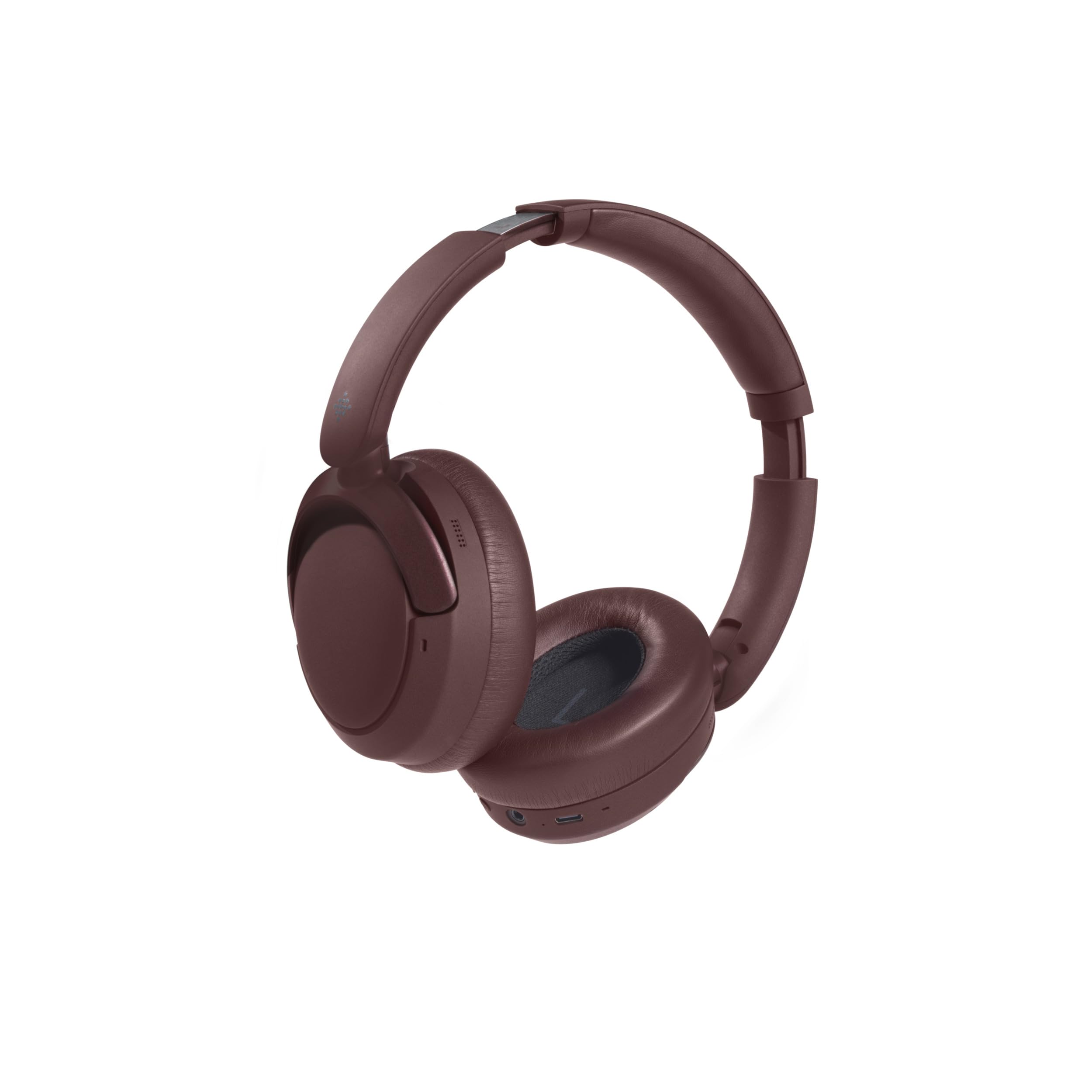
Figur 4.2: Sammenklappeligt design
The headphones are shown in their folded position, demonstrating their compact design for easy storage and portability in the included carry case.
Kontroller og indikatorer:
- Power knap: Press and hold to power on/off. Short press for play/pause, answer/end calls.
- Lydstyrke op/Næste nummer: Kort tryk for at skrue op for lydstyrken. Langt tryk for at åbne næste nummer.
- Lydstyrke ned/Forrige nummer: Kort tryk for at sænke lydstyrken. Langt tryk for at sænke forrige nummer.
- Mode knap: Press to cycle through Active Noise Cancellation (ANC), Transparency Mode, and Normal Mode.
- USB-C opladningsport: Til opladning af høretelefoner.
- 3.5 mm lydstik: For wired connection (cable not included, but common for headphones).
- LED-indikator: Viser strømstatus, opladningsstatus og Bluetooth-parringsstatus.
5. Opladning af hovedtelefonerne
- Connect the USB-C charging cable to the charging port on the right earcup.
- Tilslut den anden ende af kablet til en USB-strømadapter (5V/1A anbefales) eller en computers USB-port.
- LED-indikatoren lyser under opladning.
- Opladning tager typisk cirka 1.5 timer for en fuld opladning.
- Once fully charged, the LED indicator will typically turn off or change color to indicate completion.
- En fuld opladning giver op til 55 timers spilletid.
6. Setup: Bluetooth Pairing
Sådan tilslutter du dine hovedtelefoner til en Bluetooth-aktiveret enhed:
- Sørg for, at hovedtelefonerne er fuldt opladede.
- Power on the headphones by pressing and holding the Power Button until the LED indicator flashes (e.g., blue and red alternately), indicating pairing mode.
- On your device (e.g., smartphone, tablet, computer), enable Bluetooth and search for available devices.
- Select "Intempo Alto Primo" from the list of found devices.
- Once paired, the LED indicator will typically show a steady blue light or flash slowly.
- Hovedtelefonerne vil automatisk forsøge at genoprette forbindelsen til den sidst parrede enhed, når de tændes.
7. Betjeningsvejledning
7.1. Tænd/sluk
- Tænd: Tryk på tænd/sluk-knappen og hold den nede i cirka 3 sekunder, indtil LED-indikatoren lyser.
- Sluk: Tryk på tænd/sluk-knappen og hold den nede i cirka 3 sekunder, indtil LED-indikatoren slukker.
7.2. Afspilning af lyd
- Afspil/pause: Tryk kort på tænd/sluk-knappen.
- Lydstyrke op: Tryk kort på lydstyrke op-knappen.
- Skrue ned for lyden: Tryk kort på lydstyrke ned-knappen.
- Næste nummer: Tryk længe på lydstyrke op-knappen.
- Forrige nummer: Tryk længe på lydstyrke ned-knappen.
7.3. Opkaldsstyring
- Besvar/afslut opkald: Tryk kort på tænd/sluk-knappen.
- Afvis opkald: Tryk længe på Power-knappen.
7.4. Støjkontroltilstande
The headphones offer three distinct noise control modes:
- Aktiv støjreduktion (ANC): Reduces ambient noise for an immersive listening experience. Press the Mode Button to activate.
- Gennemsigtighedstilstand: Allows you to hear your surroundings while still enjoying your audio. Press the Mode Button again to switch to this mode.
- Normal tilstand: Standard audio playback without noise cancellation or transparency. Press the Mode Button a third time to return to this mode.
8. Vedligeholdelse og pleje
- Rensning: Tør hovedtelefonerne af med en blød, let tør kludamp klæde. Brug ikke skrappe kemikalier eller opløsningsmidler.
- Opbevaring: When not in use, store the headphones in their carry case to protect them from dust and damage. Store in a cool, dry place.
- Batteripleje: For at forlænge batterilevetiden bør du undgå at aflade hovedtelefonerne helt ofte. Oplad dem regelmæssigt, selvom de ikke bruges i længere perioder.
9. Fejlfinding
| Problem | Mulig løsning |
|---|---|
| Hovedtelefonerne tændes ikke. | Sørg for, at hovedtelefonerne er fuldt opladet. Tilslut dem til en strømkilde, og prøv igen. |
| Kan ikke parres med en Bluetooth-enhed. |
|
| Ingen lyd eller lav lydstyrke. |
|
| Støjreduktion er ikke effektiv. |
|
10. Specifikationer
| Modelnavn: | Alto Primo |
| Modelnummer: | EE8031 |
| Mærke: | INTEMPO |
| Forbindelse teknologi: | Bluetooth |
| Formfaktor: | Circum-Aural (Over-Ear) |
| Farve: | Brun |
| Materiale: | ABS, PP, METAL |
| Opladningstid: | 1.5 timer |
| Afspilningstid: | Op til 55 timer |
| Kompatible enheder: | Android (and generally other Bluetooth-enabled devices) |
11. Garanti og support
This product is stated to have "No Guarantee" according to the provided information. For any product-related issues, technical support, or inquiries, please contact the retailer from whom you purchased the product. Please retain your proof of purchase for any potential support claims.