
1. Introduktion
The EUQQ AI Translation Earbuds are designed to facilitate seamless communication across language barriers, offering real-time two-way translation in up to 198 languages. These earbuds integrate translation, music playback, and calling functionalities into a single device, making them suitable for travel, business, and language learning. Featuring an open-ear design for comfort and situational awareness, a multifunctional smart touchscreen on the charging case, and extended battery life, these earbuds provide a comprehensive audio and translation experience.
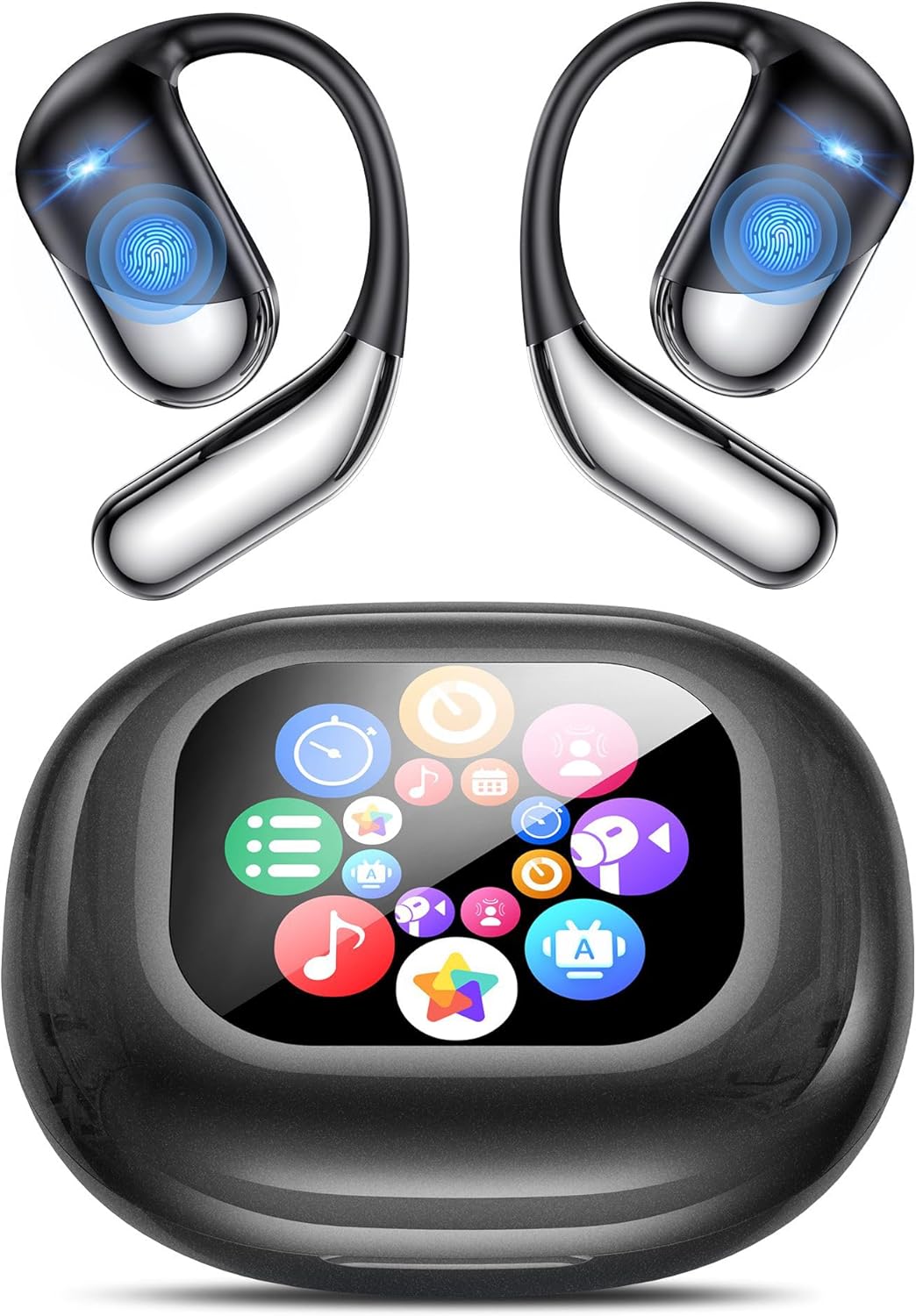
Image: EUQQ AI Translation Earbuds and their charging case.

Image: Visual representation of the earbuds breaking language barriers with real-time translation.
2. Hvad er der i æsken
Upon opening your EUQQ AI Translation Earbuds package, you will find the following items:
- 2 x AI-sprogoversættelsesøretelefoner
- 1 x trådløs opladningsetui
- 1 x ladekabel
- 1 x Brugermanual (dette dokument)
- 1 x produktæske
3. Nøglefunktioner
The EUQQ AI Translation Earbuds offer a range of advanced features:
- Tovejsoversættelse i realtid: Supports 198 languages for instant, accurate communication.
- 4-i-1 funktionalitet: Combines translation, music playback, calling, and smart app features.
- Open-Ear Comfort Design: Crafted from lightweight PC material (8g per earbud) with soft silicone ear hooks for a secure and comfortable fit, allowing awareness of surroundings.
- IPX7 vandtæthed: Protects against sweat and splashes, suitable for workouts and daily use.
- Multifunctional Smart Touchscreen: The charging case features a vibrant color touchscreen for controlling music, calls, settings, and more.
- Forlænget batterilevetid: Provides 8 hours of playback per charge, with the charging case extending total usage to 60 hours. Fast-charging enabled.
- 5 EQ-tilstande: Customize your audio experience with Standard, Classic, Jazz, Rock, and Pop sound profiles.
- Avanceret lyd: Equipped with 14.2mm bio-carbon fiber dynamic drivers for robust bass and clear mid-high frequencies.
- Bluetooth 6.1-forbindelse: Sikrer en stabil og effektiv trådløs forbindelse.

Billede: Overview of key features including sound quality, air conduction, battery life, water protection, and open-ear design.
4. Opsætning
Follow these steps to set up your EUQQ AI Translation Earbuds:
- Download appen: Scan the QR code provided in the packaging or search for the "BitDynamic" app in your device's app store (iOS/Android) and install it.
- App-registrering/login: Open the "BitDynamic" app. Register for a new account using your email or phone number, or log in if you already have an account.
- Aktiver Bluetooth: Sørg for, at Bluetooth er aktiveret på din smartphone eller tablet.
- Par øretelefoner: Open the charging case. The earbuds will automatically enter pairing mode. Select "YYK-Q16 Pro" from the list of available Bluetooth devices on your phone to connect.
- Bekræft forbindelse: Reopen the "BitDynamic" app. The earbuds should automatically connect within the app, indicating successful setup.

Image: Visual guide for connecting the earbuds to the "BitDynamic" application via Bluetooth.
5. Betjeningsvejledning
5.1. Oversættelsesmetoder
The earbuds offer various translation modes to suit different communication scenarios:
- Tovejsoversættelse i realtid: Engage in natural conversations with instant translation in 198 languages.
- Simultantolkningstilstand: Ideal for meetings or lectures, providing continuous interpretation.
- Face-to-Face Chat Mode: Use with one earbud shared or both earbuds with your mobile phone for direct, two-way translation.
- Video Calls & Voice Calls: Conduct online calls with real-time translation by sharing an invitation link through the app.
- Fotooversættelse: Translate text from images by snapping a photo or uploading one via the app.
- Fleksible tilstande: Choose between silent, headset, speakerphone, or binaural modes depending on your environment and preference.

Image: Depiction of Live Recording, Simultaneous Interpretation, and Face-to-Face Translation in action.

Billede: Overview of the four primary translation modes available.

Image: App interface demonstrating real-time translation between two languages.

Image: App interface for simultaneous interpretation, displaying translated text.

Image: App interface for face-to-face translation, utilizing both earphones and a mobile phone.

Image: App interface for audio and video calls with integrated real-time translation.

Image: App interface demonstrating the photo translation function.
5.2. Music Playback & Calls
The earbuds function as standard Bluetooth headphones for music and calls:
- Musik kontrol: Play, pause, skip tracks directly from the earbuds or the charging case touchscreen.
- Opkaldshåndtering: Answer, end, or reject calls using the touch controls on the earbuds or the charging case.
- EQ-tilstande: Select from 5 preset equalizer modes (Standard, Classic, Jazz, Rock, Pop) to optimize your listening experience.
5.3. Smart Touchscreen Controls (on Charging Case)
The charging case features a full-color touchscreen for enhanced control:
- Grundlæggende kontroller: Manage music playback, skip tracks, answer/end calls, and activate environmental noise cancellation.
- Avancerede indstillinger: Adjust volume, control camera functions, switch between 7 interface languages, customize wallpaper, adjust screen brightness, use the earphone search function, and access a built-in timer.

Image: The LCD full-color touchscreen on the charging case displaying various multi-function options.
5.4. App Functions (BitDynamic App)
The companion app extends the functionality of your earbuds:
- AI Voice Smart Dialog: Engage in real-time voice interaction to ask AI questions.
- AI Meeting Assistant: Record meetings, transcribe audio to text, summarize content, and generate mind maps for efficient note-taking.
- Søvnhjælp: Access built-in white noise features, such as rain or ocean waves, to assist with sleep.
- Find Earphones: If you misplace your earbuds, use this feature to make them emit a sound or display their last known location on a map.

Image: App interface for AI Voice Smart Dialogue, showing interactive AI conversations.

Image: App interface for the AI Meeting Assistant, showcasing recording, transcription, and mind map generation.

Image: App interface for the Sleep Aid feature, offering various white noise options.

Image: App interface for the "Find Earphones" feature, displaying the earbuds' location on a map.
6. Vedligeholdelse
For at sikre dine EUQQ AI Translation-øreproppers lange levetid og optimale ydeevne, skal du følge disse vedligeholdelsesretningslinjer:
- Rensning: Tør regelmæssigt ørepropperne og opladningsetuiet af med en blød, tør og fnugfri klud. Undgå at bruge slibende materialer eller barske kemikalier.
- Opladning: Always use the provided charging cable and a compatible power adapter. Avoid overcharging or completely draining the battery frequently.
- Opbevaring: Store the earbuds in their charging case when not in use to protect them from dust, moisture, and physical damage. Keep them in a cool, dry place away from direct sunlight and extreme temperatures.
- Vandeksponering: While the earbuds are IPX7 water-resistant, avoid prolonged submersion in water. Dry them thoroughly if they get wet.
7. Fejlfinding
Hvis du støder på problemer med dine ørepropper, kan du bruge følgende almindelige løsninger:
| Problem | Løsning |
|---|---|
| Øretelefoner parrer/forbinder ikke | Ensure Bluetooth is enabled on your device. Make sure the earbuds are charged and in pairing mode (open the case). Try forgetting the device in your phone's Bluetooth settings and re-pairing. Restart your phone and the earbuds. |
| Ingen lyd eller dårlig lydkvalitet | Check the volume levels on both your earbuds and your connected device. Ensure the earbuds are properly seated in your ears. Try disconnecting and reconnecting the Bluetooth connection. Test with different audio sources. |
| Translation is inaccurate or delayed | Ensure a stable internet connection (Wi-Fi or mobile data) as translation relies on cloud services. Speak clearly and at a moderate pace. Check that the correct source and target languages are selected in the app. Update the app to the latest version. |
| Opladningsetuiets berøringsskærm reagerer ikke | Ensure the charging case has sufficient battery. Try restarting the case by closing and reopening it, or by connecting it to a power source. |
| Øretelefoner oplader ikke | Ensure the charging cable is securely connected to both the case and the power source. Check for any debris in the charging ports or on the earbud charging contacts. Try a different charging cable or power adapter. |
8. Specifikationer
Detailed technical specifications for the EUQQ AI Translation Earbuds (Model 0326-YYK-Q16 PRO AI):
| Feature | Detalje |
|---|---|
| Mærke | EUQQ |
| Modelnummer | 0326-YYK-Q16 PRO AI |
| Farve | Solid sort |
| Øreplacering | Åbent øre |
| Formfaktor | Åbent øre |
| Forbindelsesteknologi | Wireless (Bluetooth 6.1, Wi-Fi) |
| Bluetooth version | 6.1 |
| Bluetooth rækkevidde | 15 meter |
| Audio driver type | Dynamisk Driver |
| Audio driver størrelse | 16.2 millimeter |
| Impedans | 16 Ohm |
| Frekvensrespons | 60 KHz |
| Følsomhed | 58 dB |
| Lydforsinkelse | 500 millisekunder |
| Støjkontrol | Miljøstøjreduktion |
| Kontrolmetode | Røre |
| Vandmodstandsniveau | Vandtæt (IPX7) |
| Batteriets gennemsnitlige levetid (ørepropper) | 8 timer |
| Batteriopladningstid | 1.5 timer |
| Samlet spilletid (med etui) | 60 timer |
| Varens vægt | 195 gram |
| Bæretaskemateriale | Plast |
| Carrying Case Dimensions (LWH) | 8 x 3 x 3 centimeter |
| Bæretaske Vægt | 85 gram |
| Specifikke anvendelser | Business, Translation, Travel, Language Learning, Meetings |

Billede: Intern view of an earbud highlighting the 15mm dynamic driver and precision sound design.

Billede: Eksploderet view of an earbud showing the integrated Bluetooth 6.1 technology for stable connection.
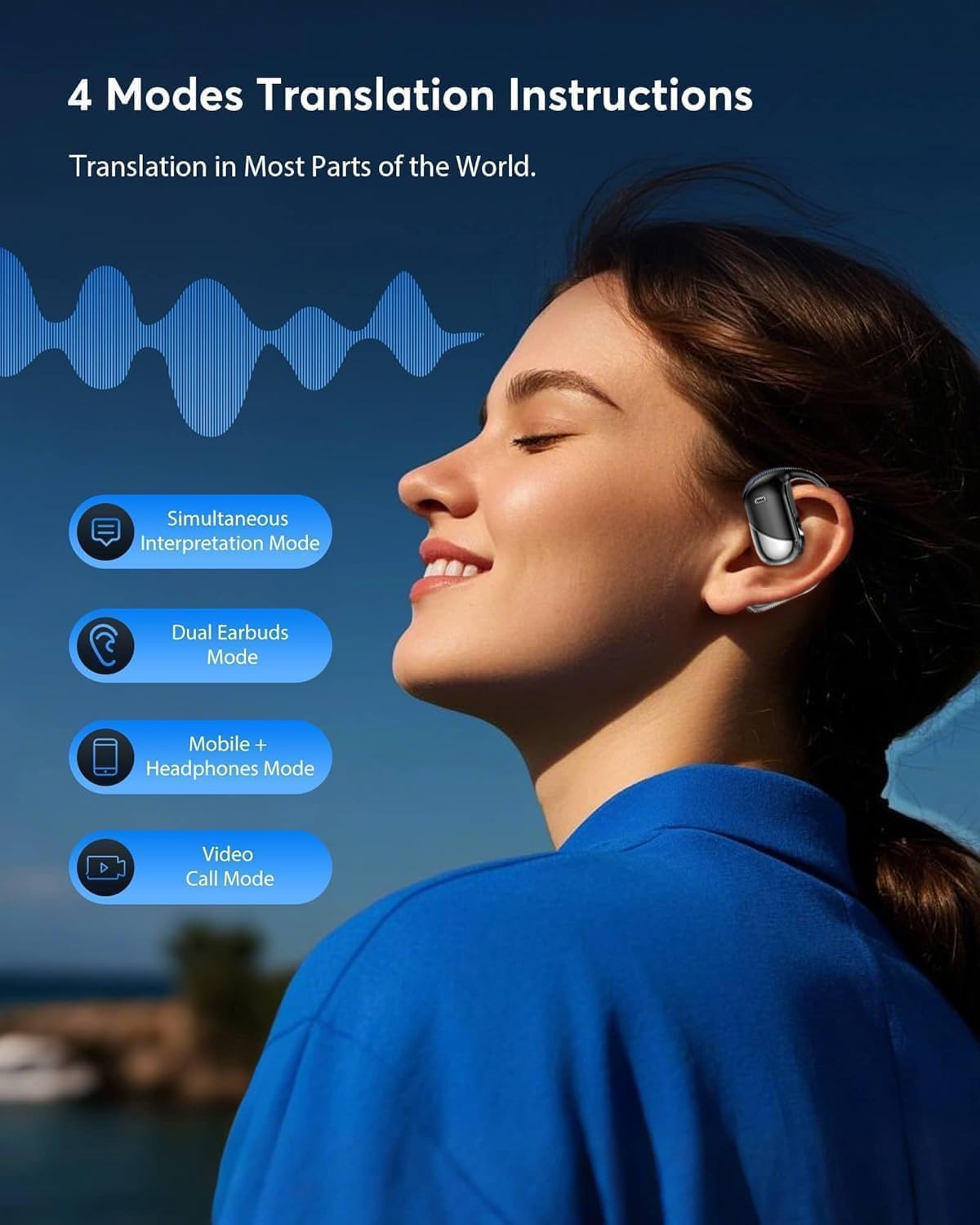
Image: The charging case screen indicating battery levels for both the case and the earbuds.
9. Garanti og support
Your EUQQ AI Translation Earbuds come with a comprehensive warranty and support:
- Garanti: The headphones support 365 days of no-reason return and warranty service. Please refer to the specific terms and conditions provided with your purchase for full details.
- Kundesupport: For any questions, technical assistance, or warranty claims, please contact EUQQ customer support through the contact information provided in your product packaging or on the official EUQQ webwebsted.
10. Produktvideo
Video: An official product video demonstrating the features and usage of the EUQQ AI Translation Earbuds, including their design, AI chip, and translation capabilities.