
1.Overview
This manual provides essential information for setting up, operating, maintaining, and troubleshooting your INSIGNIA 85-inch Class QF Series QLED 4K UHD Smart Fire TV. This television offers a high-quality viewing experience with 4K UltraHD resolution, Quantum Dot Technology for enhanced color, and Direct LED Backlight for uniform brightness. It integrates the Fire TV Smart OS, providing access to various streaming services and features like the Voice Remote with Alexa. The design features a metal bezel-less display for a modern aesthetic.
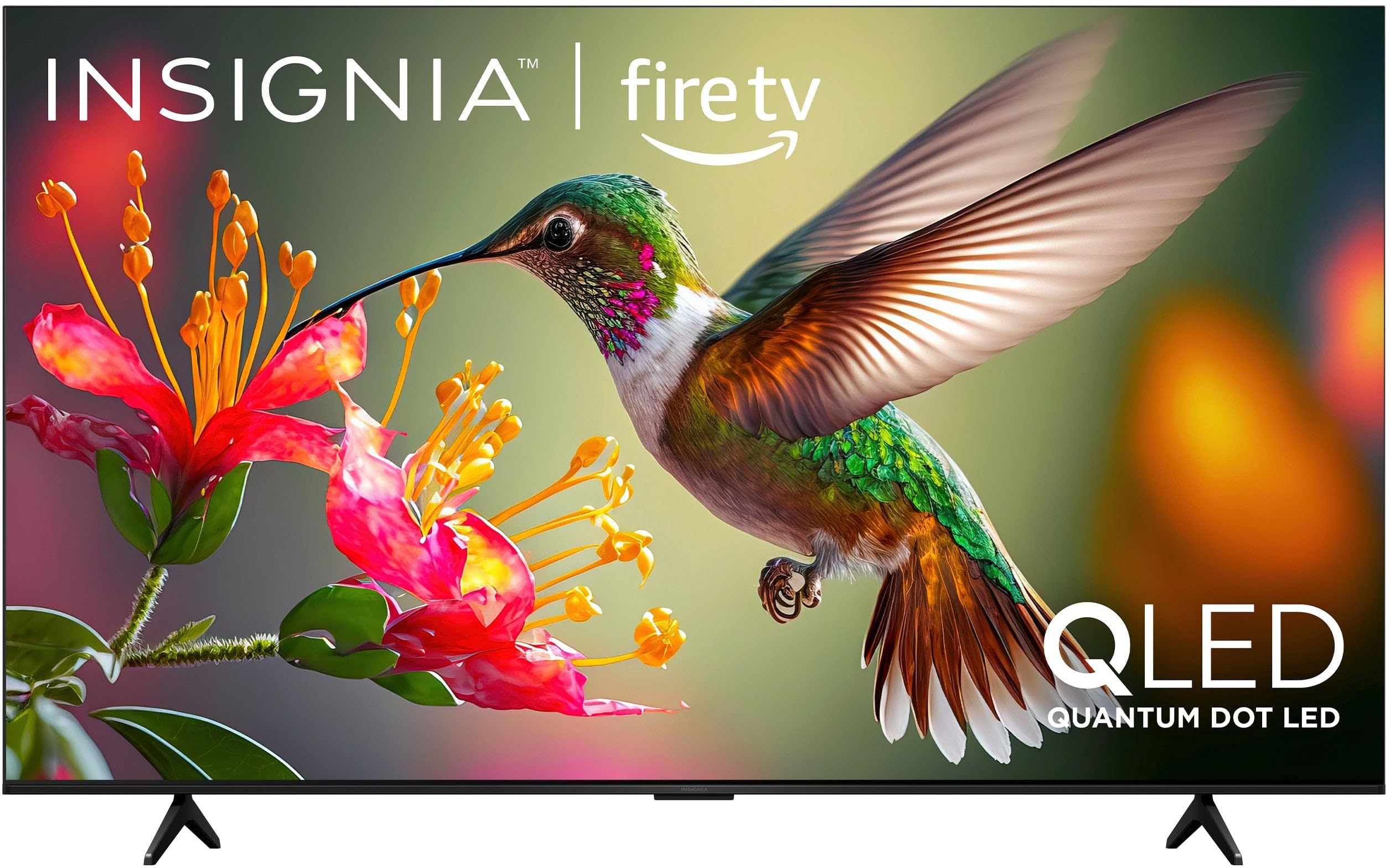
Billede 1.1: Forside view of the INSIGNIA 85-inch QF Series QLED 4K UHD Smart Fire TV.
2. Hvad er der i æsken
Bekræft at alle komponenter er til stede, før du fortsætter med opsætningen:
- INSIGNIA 85-inch QF Series QLED 4K UHD Smart Fire TV
- Stemmefjernbetjening med Alexa
- Fjernbetjeningsbatterier (2 AAA)
- TV Stand
- Skruer til montering af stativ
- Hurtig installationsvejledning (dette dokument)
3. Opsætning
3.1. Montering af TV-stativet
If you are not wall-mounting your TV, attach the included stand:
- Placer forsigtigt tv'et med forsiden nedad på en blød, ren overflade for at forhindre, at skærmen beskadiges.
- Juster stativets ben med skruehullerne i bunden af tv'et.
- Fastgør stativets ben med de medfølgende skruer. Sørg for, at de er spændt godt fast.
3.2. Første opstart og netværksforbindelse
- Tilslut netledningen til tv'et og derefter til en stikkontakt.
- Tryk på tænd/sluk-knappen på tv'et eller fjernbetjeningen for at tænde tv'et.
- Følg instruktionerne på skærmen for at vælge dit sprog, oprette forbindelse til dit Wi-Fi-netværk, og log ind på din Amazon-konto.
3.3. Fjernparring
Your Voice Remote with Alexa should pair automatically. If it does not, press and hold the Hjem button on the remote for 10 seconds until the LED indicator flashes blue, then release. The remote will attempt to pair.

Image 3.1: The Voice Remote with Alexa, used for controlling the TV and accessing smart features.
4. Betjeningsvejledning
4.1. Fire TV Smart OS Navigation
The Fire TV Smart OS provides a centralized hub for all your entertainment. Use the navigation buttons on your remote to browse:
- Startskærm: Access recommended content, recently used apps, and various streaming services.
- Apps: Download and manage your favorite streaming applications.
- Live tv: Integrate live TV channels from supported services or an antenna.
- Indstillinger: Adjust picture, sound, network, and device preferences.

Image 4.1: The Fire TV interface displaying a selection of streaming services and content.
4.2. Stemmefjernbetjening med Alexa
Utilize the built-in Alexa voice assistant for hands-free control:
- Tryk og hold på mikrofonknap på din fjernbetjening.
- Speak commands such as "Find action movies," "Launch Netflix," "Switch to HDMI 2," or "Show me the weather."
- Alexa can also control compatible smart home devices.
4.3. Tilslutning af eksterne enheder
Your TV is equipped with four HDMI inputs for connecting external devices:
- Connect gaming consoles, Blu-ray players, soundbars, or cable/satellite boxes to the HDMI ports.
- One HDMI port supports eARC for enhanced audio return channel functionality with compatible sound systems.
- For at skifte indgang skal du trykke på Input button on your remote and select the desired source.

Image 4.2: Illustration of the TV's connectivity options, including HDMI ports.
4.4. Billed- og lydforbedringer
This TV features advanced technologies for an immersive experience:
- QLED (Quantum Dot LED): Delivers vibrant, lifelike colors and improved brightness.
- 4K UltraHD-opløsning: Provides four times the detail of Full HD TVs.
- Dolby Vision & Dolby Atmos: Supports advanced HDR for enhanced contrast and accurate colors, along with immersive spatial audio.

Image 4.3: Visual representation of Dolby Vision and Dolby Atmos features, highlighting cinematic picture and immersive sound.
5. Vedligeholdelse
5.1. Rengøring af dit tv
For at bevare TV'ets udseende og ydeevne:
- Tag altid stikket ud af tv'et inden rengøring.
- Brug en blød, tør og fnugfri klud til forsigtigt at tørre skærmen og kabinettet af.
- For genstridige mærker på skærmen, dræn letampRengør kluden med vand eller en specialiseret skærmrens. Sprøjt aldrig væske direkte på skærmen.
- Undgå at bruge slibende rengøringsmidler, voks eller opløsningsmidler.
5.2. Softwareopdateringer
Your Fire TV automatically receives software updates to improve performance and add new features. Ensure your TV is connected to the internet to receive these updates. You can manually check for updates in the Settings menu.
6. Fejlfinding
Hvis du støder på problemer med dit tv, kan du bruge følgende almindelige løsninger:
| Problem | Løsning |
|---|---|
| Ingen strøm | Sørg for, at netledningen er korrekt tilsluttet både tv'et og en fungerende stikkontakt. Prøv en anden stikkontakt. |
| Intet billede, men der er lyd | Kontroller inputkilden. Tryk på Input button on the remote to cycle through inputs. Verify external devices are powered on and connected correctly. |
| Fjernbetjeningen svarer ikke | Replace the AAA batteries in the remote. If the issue persists, re-pair the remote by holding the Hjem knappen i 10 sekunder. |
| Kan ikke oprette forbindelse til Wi-Fi | Ensure your Wi-Fi router is on and within range. Restart your router and TV. Check Wi-Fi settings in the TV's menu to ensure the correct network and password are entered. |
| Dårlig billedkvalitet | Adjust picture settings (brightness, contrast, color) in the TV's menu. Ensure the content source is high-quality (e.g., 4K content for 4K resolution). |
| Ingen lyd | Check the volume level and ensure the TV is not muted. Verify external audio devices (soundbar, receiver) are connected and configured correctly. |
7. Specifikationer
| Feature | Detalje |
|---|---|
| Modelnavn | NS85-UQFL27 |
| Skærmstørrelse | 84.6 tommer (85-tommer klasse) |
| Displayteknologi | QLED (Quantum Dot LED) |
| Opløsning | 4K Ultra HD (3840 x 2160) |
| Opdateringshastighed | 60 Hz |
| Operativsystem | FireOS |
| HDR-understøttelse | Dolby Vision |
| Lydteknologi | Dolby Atmos |
| Forbindelse | Wi-Fi |
| HDMI -indgange | 4 (inklusive 1 eARC) |
| Særlige funktioner | Voice Remote with Alexa, Apple Airplay |
| Produktmål (D x B x H) | 2.5" D x 74.4" B x 42.8" H |
| Item Weight Without Stand | 64.6 pund |
| Inkluderede komponenter | Remote Control, Remote Control Battery, Screws, Stand |
| UPC | 600603325472 |
8. Garanti og support
8.1. Garantioplysninger
This INSIGNIA TV comes with a 1-års garanti. For specific terms and conditions, please refer to the warranty card included with your product or visit the official INSIGNIA support webwebsted.
8.2. Kundesupport
If you require further assistance or encounter issues not covered in this manual, please contact INSIGNIA customer support. Contact information can typically be found on the manufacturer's webwebstedet eller i din produktemballage.