
1. Introduktion
Welcome to the OPPO K14 5G Smartphone user manual. This guide provides comprehensive instructions to help you set up, operate, and maintain your new device. Please read this manual thoroughly to ensure optimal performance and longevity of your smartphone.
2. Produktet er slutview
The OPPO K14 5G is a high-performance smartphone designed for daily use, gaming, and content creation. It features a durable design, a powerful 7000 mAh battery, 6GB RAM, 128GB internal storage, and a SuperCool VC System for efficient thermal management.
2.1 Enhedskomponenter
- Vise: Large, vibrant screen for immersive viewing.
- Bagkameraer: Dual AI camera system for high-quality photography.
- Forreste kamera: Til selfies og videoopkald.
- Power knap: Located on the side, used for power on/off and screen lock.
- Lydstyrkeknapper: Located on the side, used to adjust audio levels.
- USB-C-port: Til opladning og dataoverførsel.
- SIM-/SD-kortslot: Til isætning af SIM-kort og udvidelig lagerplads.
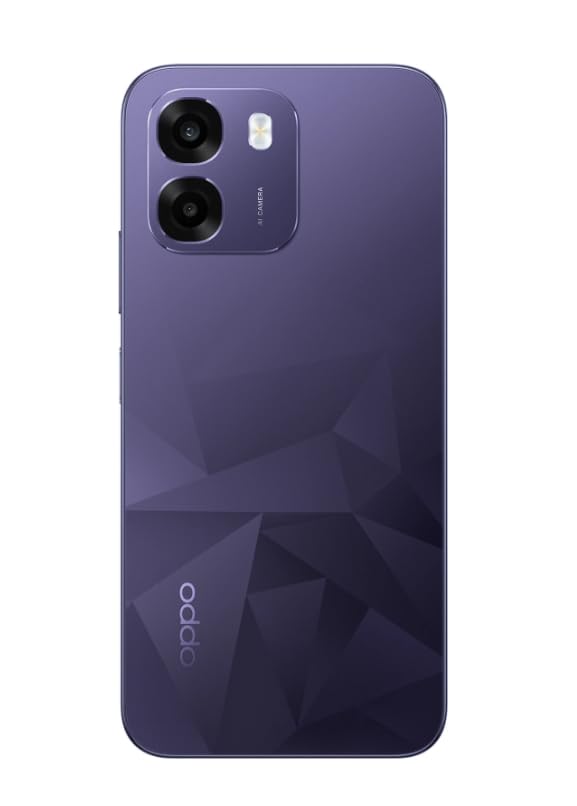
Billede: Bagside view of the OPPO K14 5G Smartphone, showcasing the dual camera setup and geometric pattern in Prism Violet.
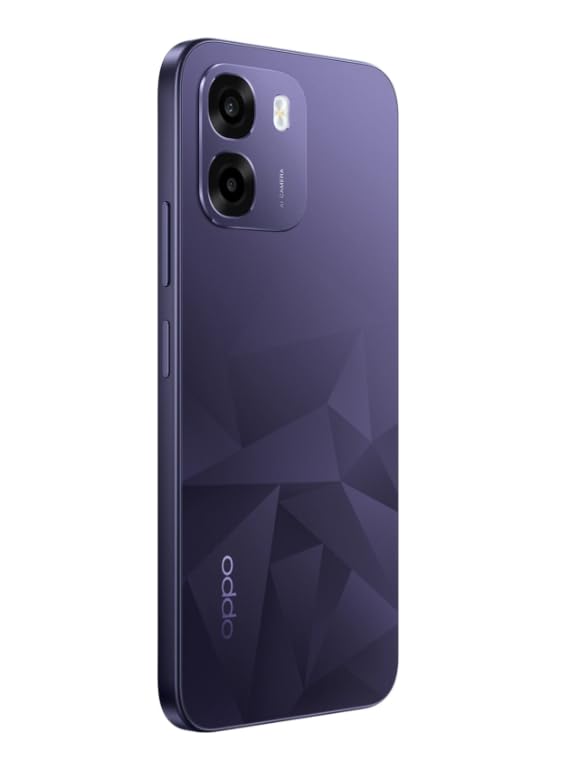
Billede: Side view of the OPPO K14 5G Smartphone, highlighting the slim profile og knapplacering.
3. Opsætning
3.1 Isætning af SIM-/SD-kort
- Find SIM-/SD-kortbakken på siden af din enhed.
- Sæt SIM-kortudkastningsværktøjet i det lille hul ved siden af bakken, og skub forsigtigt, indtil bakken springer ud.
- Placer dit/dine Nano-SIM-kort og/eller microSD-kort i bakken med de gyldne kontakter nedad. Sørg for, at de sidder korrekt.
- Sæt forsigtigt bakken tilbage i telefonen.
3.2 Første opstart og opsætning
- Tryk og hold tænd/sluk-knappen nede, indtil OPPO-logoet vises.
- Følg instruktionerne på skærmen for at vælge dit sprog og din region, oprette forbindelse til Wi-Fi og konfigurere din Google-konto.
- You can transfer data from an old device during this process or skip it for later.
3.3 Opladning af enheden
Before first use, it is recommended to fully charge your OPPO K14 5G. Connect the USB-C cable to the phone's charging port and the other end to a compatible power adapter. The device supports 45W fast charging.
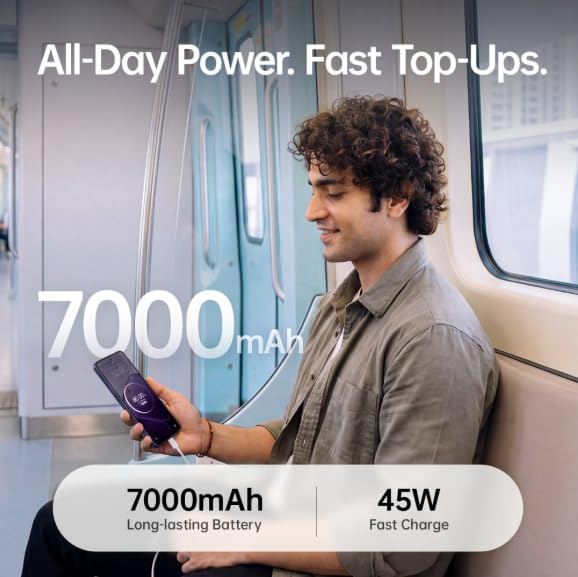
Image: The OPPO K14 5G highlighting its 7000mAh long-lasting battery and 45W fast charge capability.
4. Betjeningsvejledning
4.1 Grundlæggende navigation
- Røre: Tryk for at vælge elementer, åbne apps eller bekræfte handlinger.
- Stryg: Move your finger across the screen to scroll, switch between home screens, or navigate within apps.
- At klemme: Brug to fingre til at zoome ind eller ud på billeder og web sider.
- Gestik: Customize navigation gestures in Settings for a fluid experience. The 120Hz display ensures smooth motion.
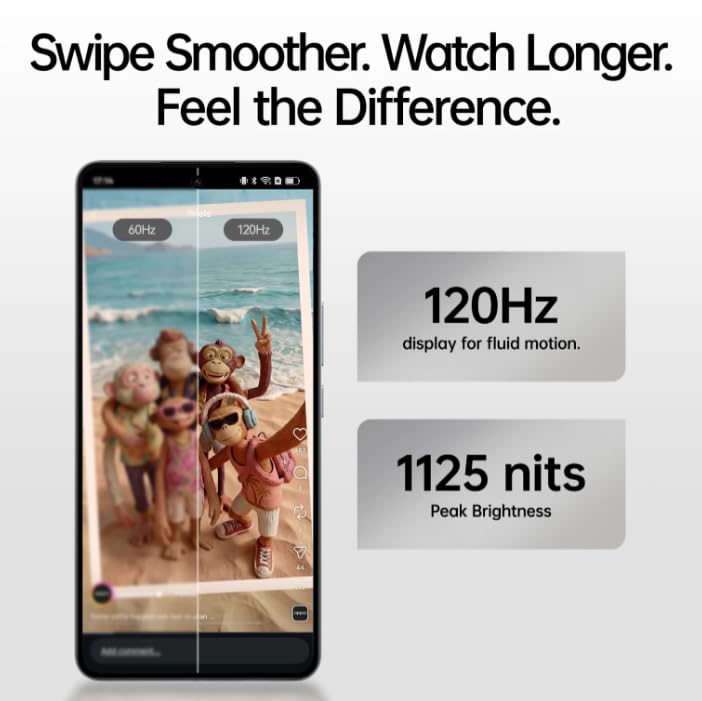
Image: The OPPO K14 5G display showcasing 120Hz for fluid motion and 1125 nits peak brightness.
4.2 Opkald og beskeder
- Foretage opkald: Åbn Telefon-appen, indtast nummeret, og tryk på opkaldsikonet.
- Afsendelse af beskeder: Åbn Beskeder-appen, tryk for at starte en ny samtale, indtast modtageren og din besked.
4.3 Netværksforbindelse
The OPPO K14 5G supports 5G connectivity for fast internet speeds. Ensure your SIM card supports 5G and that you are in a 5G coverage area. You can manage Wi-Fi and mobile data settings in the Settings app.
5. Kamerabrug
Your OPPO K14 5G is equipped with a dual AI camera system designed to capture sharp and detailed photos in various conditions. The main camera is 50MP.
5.1 Optagelse af billeder og videoer
- Åbn kamera-appen.
- Vælg den ønskede tilstand (Foto, Video, Portræt, Nat osv.).
- Tryk på udløserknappen for at tage et billede eller starte/stoppe videooptagelse.
- Use the zoom controls or switch between lenses as needed.
6. Batteristyring
The OPPO K14 5G features a large 7000 mAh battery, providing extended usage time. To maximize battery life:
- Juster skærmens lysstyrke.
- Luk ubrugte apps, der kører i baggrunden.
- Aktiver strømbesparende tilstande, når batteriet er lavt.
- Undgå ekstreme temperaturer.
7. Ydeevne og køling
The device is engineered for smooth performance with 6GB RAM and is equipped with a SuperCool VC System. This system includes a 3900 mm² vapour chamber cooling area, which effectively dissipates heat during intensive tasks like gaming, ensuring sustained performance without overheating.
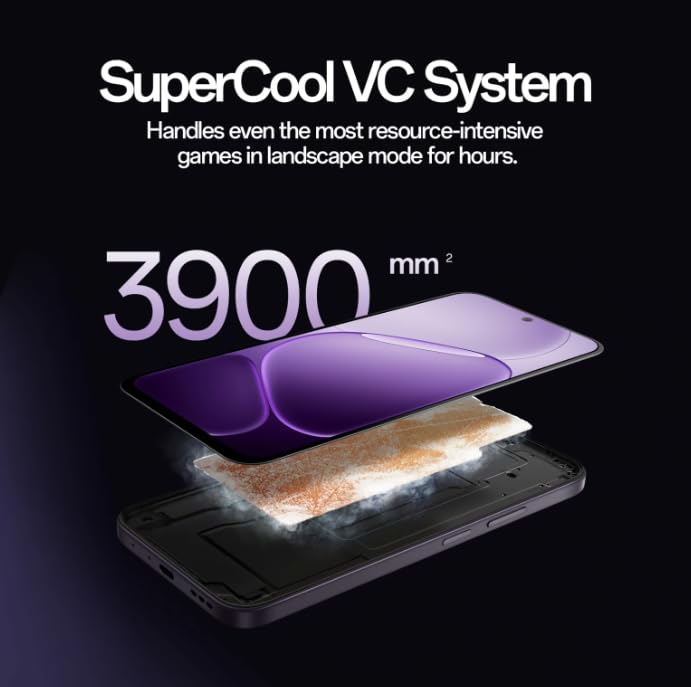
Image: Diagram illustrating the SuperCool VC System with its 3900 mm² vapour chamber, designed to prevent overheating during extended use.
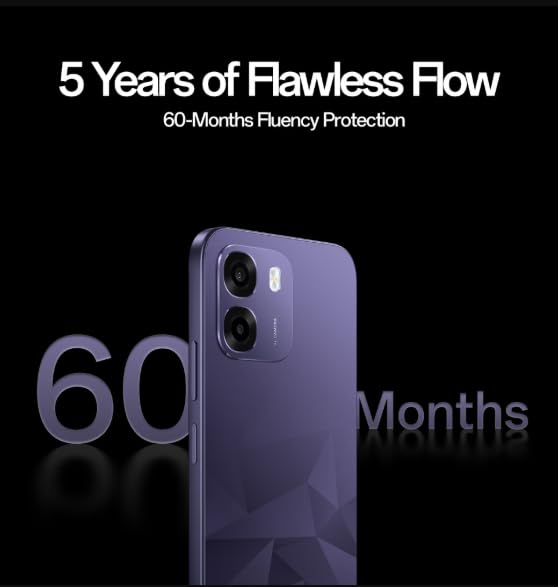
Image: The OPPO K14 5G promoting 60-Months Fluency Protection for long-term smooth performance.
8. Vedligeholdelse
8.1 Rengøring af din enhed
Use a soft, lint-free cloth to clean the screen and body of your phone. Avoid using harsh chemicals or abrasive materials. The device offers IP69 all-weather protection.
8.2 Softwareopdateringer
Regularly check for and install software updates to ensure your device has the latest features, security patches, and performance improvements. Go to Settings > About device > Software update.
8.3 Datasikkerhedskopiering
Sikkerhedskopier regelmæssigt dine vigtige data (fotos, kontakter, dokumenter) til en cloud-tjeneste eller en computer for at forhindre datatab.
9. Fejlfinding
If you encounter issues with your OPPO K14 5G, try the following steps:
- Enheden tænder ikke: Sørg for, at batteriet er opladet. Tilslut den til en oplader i mindst 15 minutter, før du forsøger at tænde den.
- Apps der går ned/fryser: Luk appen, og åbn den igen. Hvis problemet fortsætter, skal du rydde appens cache (Indstillinger > Apps > [Appnavn] > Lager > Ryd cache).
- Network Issues (5G/Wi-Fi): Check if Airplane Mode is off. Restart your phone. For Wi-Fi, try forgetting the network and reconnecting. For 5G, ensure you have coverage and your SIM is active.
- Langsom ydeevne: Close background apps, clear cache, or restart the device.
- Gendan fabriksindstillinger: As a last resort, if problems persist, you can perform a factory reset (Settings > System settings > Back up and reset > Reset phone). Advarsel: Dette vil slette alle data på din telefon. Sikkerhedskopier dine data, før du fortsætter.
10. Specifikationer
| Feature | Specifikation |
|---|---|
| Mærke | OPPO |
| Model | K14 5G |
| Installeret RAM-hukommelsesstørrelse | 6 GB |
| Hukommelseslagringskapacitet | 128 GB |
| Cellulær teknologi | 5G |
| Forbindelsesteknologi | 5G |
| Farve | Prism Violet |
| Number of Rear Facing Cameras | 2 |
| Batterikapacitet | 7000 mioamp Timer |
| Specifikke anvendelser af produktet | Gaming, Content Creation |
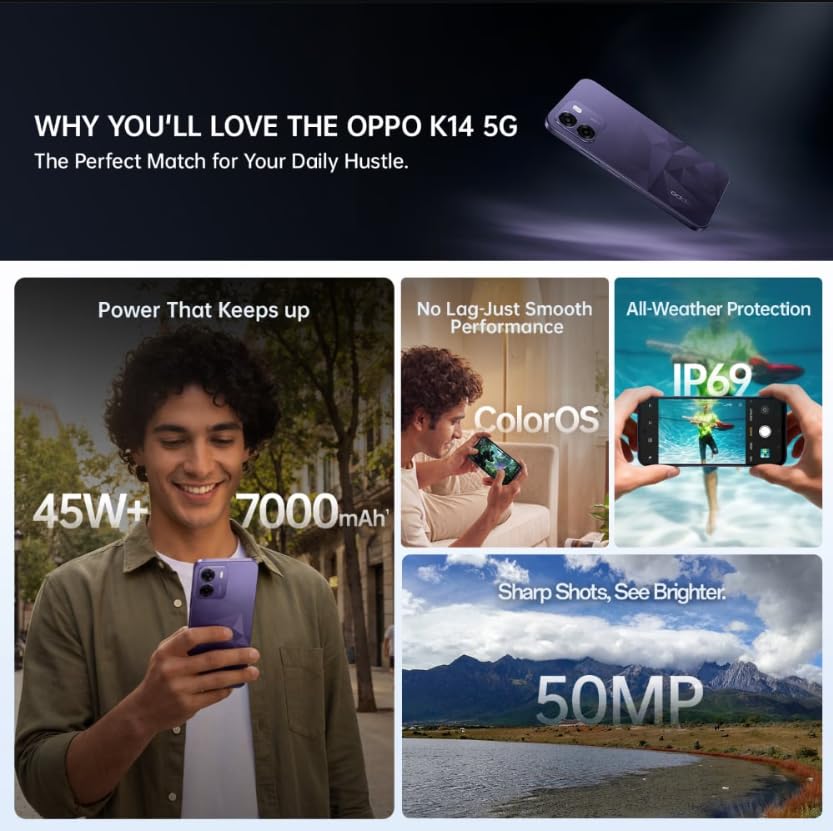
Image: A collage of key features for the OPPO K14 5G, including 7000mAh battery, smooth performance with ColorOS, IP69 all-weather protection, and a 50MP camera.
11. Garanti og support
Your OPPO K14 5G Smartphone comes with a standard manufacturer's warranty. Please refer to the warranty card included in your product packaging for specific terms and conditions, including coverage duration and service procedures. For technical assistance, troubleshooting beyond this manual, or warranty claims, please contact OPPO customer support through their official webstedet eller udpegede servicecentre.
Keep your purchase receipt and product packaging for warranty purposes.


