
Indledning
The Ipega PG-9218 Gold Soldier BT Gamepad is a versatile wireless controller designed to enhance your gaming experience across multiple platforms. It offers dual connectivity via Bluetooth and a 2.4G receiver, ensuring compatibility with Android, iOS, smartphones, tablets, Smart TVs, PS3, Nintendo Switch, and Windows PCs. This manual provides essential instructions for setup, operation, and maintenance of your gamepad.
Nøglefunktioner
- Universal kompatibilitet: Supports Android, iOS, smartphones, tablets, Smart TV, PS3, Nintendo Switch, and Windows PC.
- Dobbelte forbindelsestilstande: Features Bluetooth and an included 2.4G USB receiver for stable wireless connectivity up to 10 meters.
- Ergonomisk design: Anti-slip textured grips provide comfort during extended gaming sessions, complemented by colored buttons and a high-precision golden D-pad.
- Omfattende kontrol: Equipped with two analog joysticks, triggers, ABXY action buttons, SELECT, START, and a Home button for full in-game navigation.
- Genopladeligt batteri: Built-in long-lasting battery with USB charging, offering hours of continuous gameplay.
Pakkens indhold
Tjek venligst pakken for følgende varer:
- Ipega PG-9218 Wireless Gamepad
- 2.4G USB-modtager
- USB opladningskabel
- Brugervejledning (dette dokument)

Image: The Ipega PG-9218 Gamepad shown in its retail packaging, highlighting the product and its features.
Produkt overview
Familiarize yourself with the layout of your Ipega PG-9218 Gamepad:
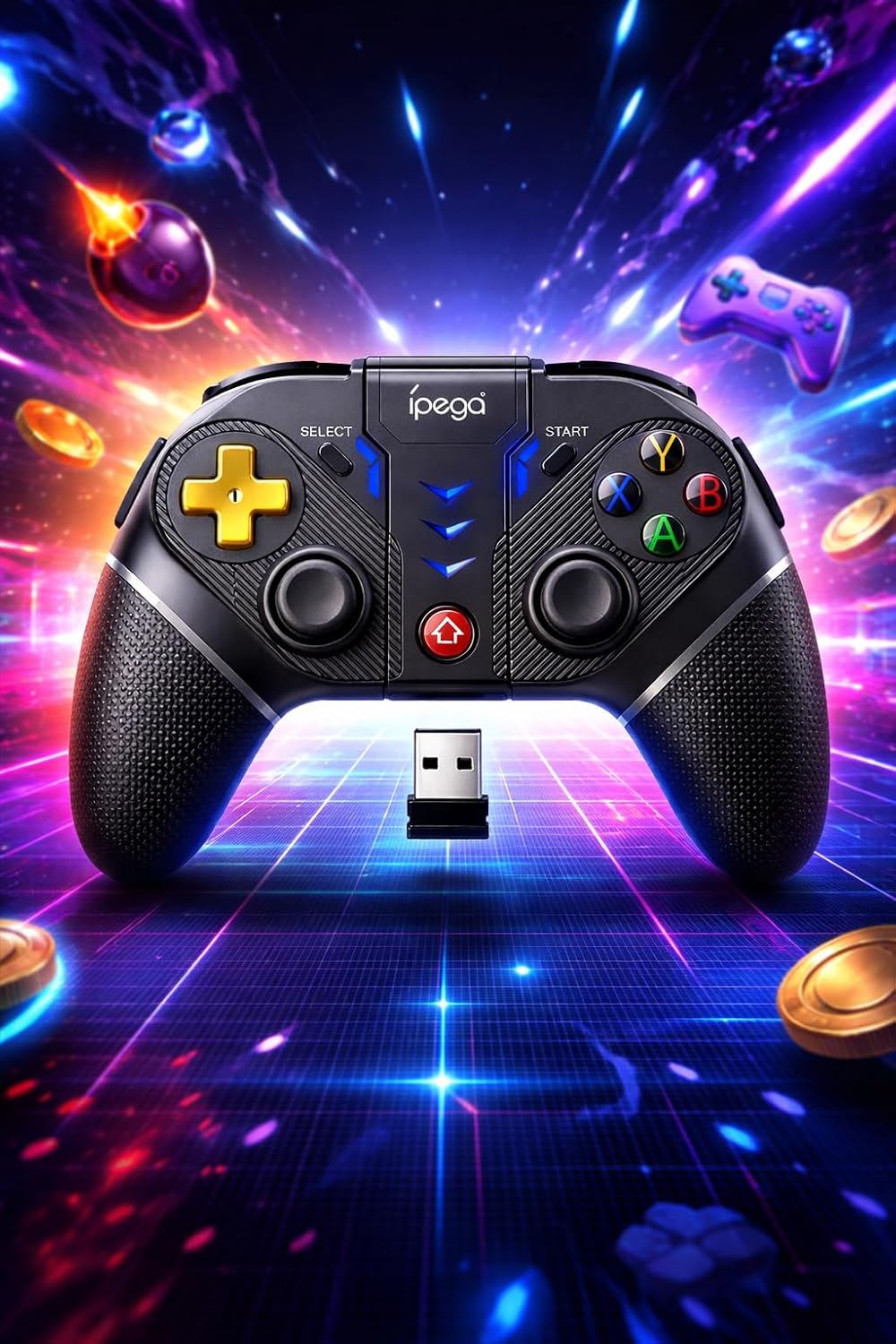
Billede: En detaljeret view of the Ipega PG-9218 Gamepad, displaying its dual analog joysticks, D-pad, ABXY buttons, SELECT, START, and Home buttons, along with the 2.4G USB receiver.
- Left Analog Joystick: Til bevægelse og kamerastyring.
- Right Analog Joystick: Til kamerastyring eller specifikke handlinger i spillet.
- D-Pad (retningspad): Til præcis retningsbestemt input.
- ABXY knapper: Standard handlingsknapper.
- L1/L2, R1/R2 udløsere/skulderknapper: Til forskellige handlinger i spillet.
- SELECT -knap: Typically for menu navigation or specific functions.
- START-knap: Typically for pausing or starting games.
- HJEM knap: To return to the system's home screen or activate pairing mode.
- Opladningsport: USB port for charging the gamepad.
- 2.4G USB Receiver Slot: Storage for the USB receiver.
Opsætning og tilslutning
1. Opladning af gamepad'en
- Connect the supplied USB charging cable to the gamepad's charging port.
- Tilslut den anden ende af USB-kablet til en USB-strømkilde (f.eks. en computers USB-port eller en USB-vægadapter).
- Indikatorlampen viser opladningsstatus og slukker eller skifter farve, når den er fuldt opladet.
2. Connecting via Bluetooth (Android, iOS, PS3, Nintendo Switch, Smart TV)
- Sørg for, at gamepad'en er tilstrækkeligt opladet.
- Tryk og hold på HJEM button (or a specific combination, refer to device-specific instructions if provided by Ipega) until the indicator light starts flashing rapidly, indicating pairing mode.
- On your device (smartphone, tablet, Smart TV, Nintendo Switch, PS3), go to Bluetooth settings.
- Søg efter new devices and select "PG-9218" or a similar name from the list.
- Når parringen er afsluttet, lyser indikatorlampen på gamepad'en konstant.
Note: Specific pairing instructions may vary slightly depending on the operating system or device. For Nintendo Switch, ensure "Pro Controller Wired Communication" is enabled in system settings if connecting via USB, or follow standard Bluetooth pairing for wireless.
3. Connecting via 2.4G USB Receiver (PC, Smart TV)
- Sørg for, at gamepad'en er tilstrækkeligt opladet.
- Insert the 2.4G USB receiver into an available USB port on your PC or Smart TV.
- Tænd gamepad'en. Den burde automatisk oprette forbindelse til modtageren.
- Indikatorlampen på gamepad'en lyser konstant, når den er tilsluttet.
- Your system should automatically recognize the gamepad as a standard input device.
Operation
After successful connection, your Ipega PG-9218 Gamepad is ready for use. The gamepad functions as a standard controller for compatible games and applications.
- Tænd/sluk: Tryk og hold på HJEM button for a few seconds to power on or off the gamepad.
- Automatisk dvaletilstand: The gamepad will enter sleep mode if inactive for a certain period to conserve battery. Press the HJEM knappen for at vække den.
- Modeskift: The gamepad automatically detects the connection type (Bluetooth or 2.4G). If you need to switch between modes, you may need to disconnect from one and initiate pairing for the other.
- Spilkompatibilitet: Ensure the game you are playing supports gamepad input. Some games may require specific controller configurations within their settings.
Opretholdelse
- Rensning: Use a soft, dry cloth to clean the surface of the gamepad. Do not use harsh chemicals or abrasive cleaners.
- Opbevaring: Opbevar gamepad'en et køligt, tørt sted væk fra direkte sollys og ekstreme temperaturer.
- Batteripleje: For at forlænge batteriets levetid bør du undgå at aflade batteriet helt ofte. Oplad gamepad'en regelmæssigt, selvom den ikke er i brug i længere perioder.
- Undgå dråber: Beskyt gamepad'en mod fald og stød, som kan beskadige de interne komponenter.
Fejlfinding
- Gamepad tænder ikke:
- Ensure the gamepad is fully charged. Connect it to a power source using the USB cable and try again.
- Gamepad does not connect via Bluetooth:
- Ensure the gamepad is in pairing mode (indicator light flashing rapidly).
- Sørg for, at Bluetooth er aktiveret på din enhed.
- Delete any previous pairings of the gamepad from your device's Bluetooth list and try pairing again.
- Ensure the gamepad is within the 10-meter range of your device.
- Genstart både gamepad'en og din enhed.
- Gamepad does not connect via 2.4G USB receiver:
- Sørg for, at USB-modtageren er korrekt tilsluttet en fungerende USB-port.
- Prøv en anden USB-port.
- Ensure the gamepad is turned on.
- Restart your PC or Smart TV.
- Input lag or unresponsive controls:
- Sørg for, at gamepad'en er fuldt opladet. Lavt batteri kan påvirke ydeevnen.
- Reduce the distance between the gamepad and your device/receiver.
- Minimér interferens fra andre trådløse enheder (Wi-Fi-routere, andre Bluetooth-enheder).
- Ensure your device's operating system and game drivers are up to date.
Specifikationer
| Model: | PG-9218 |
| Forbindelse: | Bluetooth, 2.4G trådløs (med USB-modtager) |
| Kompatibilitet: | Android, iOS, Smartphones, Tablets, Smart TV, PS3, Nintendo Switch, Windows PC |
| Trådløs rækkevidde: | Op til 10 meter |
| Batteri: | Built-in Rechargeable (USB charging) |
| Produktdimensioner: | 10.5 x 16.5 x 10.5 cm |
| Produktvægt: | 250 g |
| ASIN: | B0GRC8TWY5 |