
1. Introduktion
Tak for købetasing the coioc S18 Portable Bluetooth Speaker. This manual provides essential information for setting up, operating, and maintaining your speaker. Please read it thoroughly before use to ensure optimal performance and longevity of the device.
2. Hvad er der i æsken
- coioc S18 Portable Bluetooth Speaker (x1)
- Type-C opladningskabel (x1)
- AUX-kabel (x1)
- Brugervejledning (x1)

Image: The coioc S18 speaker and its accessories, including the Type-C charging cable, AUX cable, and user manual.
3. Produktet er slutview
Kontroller og indikatorer
The coioc S18 speaker features intuitive controls and indicators for easy operation:
- Power knap: Tryk og hold i 2 sekunder for at tænde/slukke.
- Lys knap: Press once to change RGB light mode. Press three times to turn off lights.
- Skrue ned for lyden: Tryk én gang for at sænke lydstyrken.
- Forrige nummer: Tryk og hold nede i 2 sekunder for at gå til det forrige nummer.
- Lydstyrke op: Tryk én gang for at øge lydstyrken.
- Næste nummer: Press and hold for 2 seconds to go to the next track.
- Afspil/pause knap: Tryk én gang for at afspille eller sætte musik på pause.
- Opkaldsknap: Press once to answer/end a call. Press and hold for 2 seconds to reject a call.
- EQ knap: Press once to switch between Normal and Vocal EQ modes.
- TWS knap: Press twice to activate TWS pairing mode.
- Batteriindikator: LED display shows battery level from 1% to 100%.
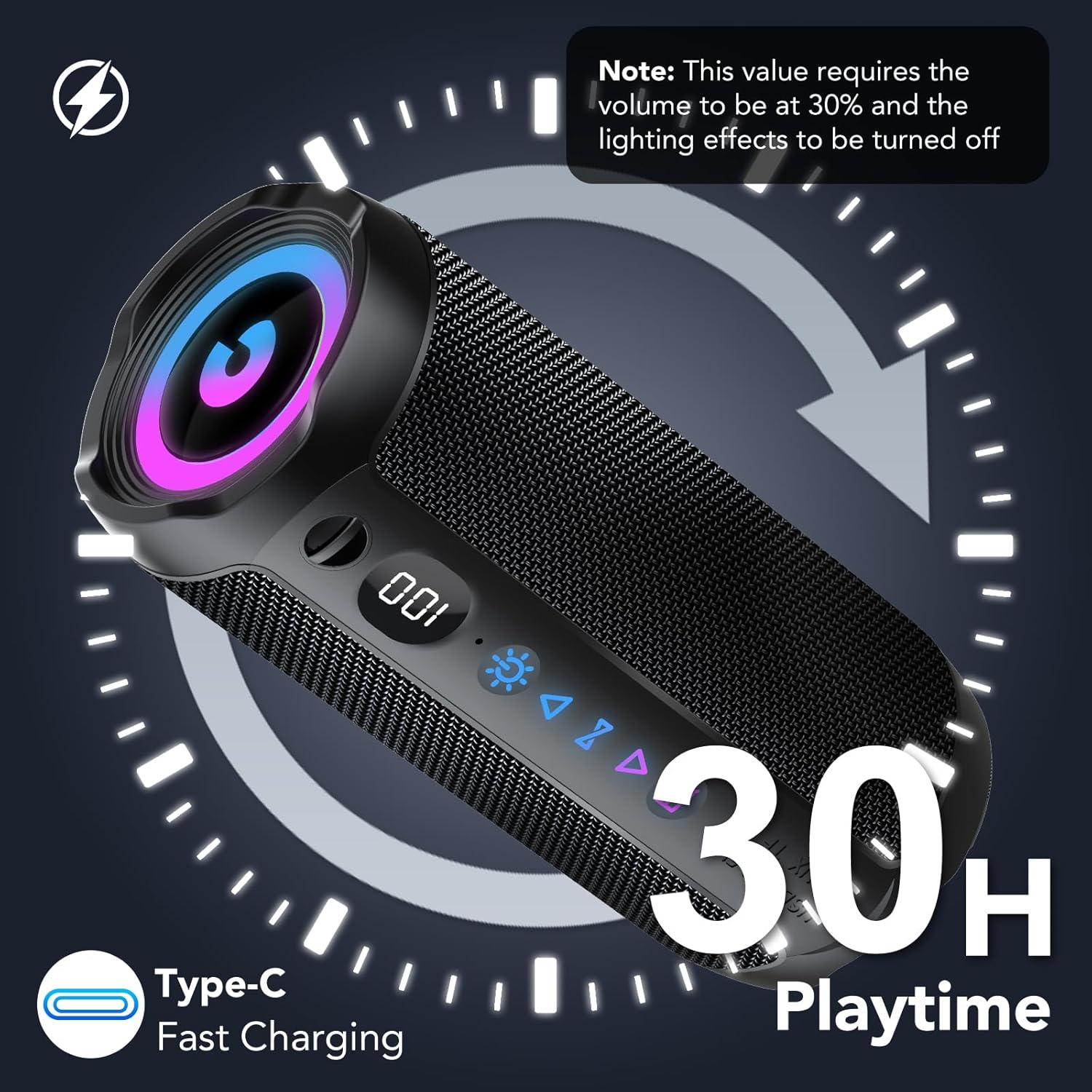
Image: The control panel of the coioc S18 speaker, highlighting the various buttons and the battery level display.
Havne
The speaker includes the following ports, typically located under a protective cover:
- USB-port: Til afspilning fra USB-drev.
- TF-kortslot: Til afspilning fra TF-kort (MicroSD).
- AUX-indgang: Til kablet lydtilslutning ved brug af det medfølgende AUX-kabel.
- Type-C opladningsport: Til opladning af højttaleren.

Image: The coioc S18 speaker demonstrating its multiple connectivity options, including Bluetooth, AUX, TF card, and USB.
4. Opsætning
4.1 Opladning af højttaleren
- Locate the Type-C charging port on your speaker.
- Tilslut det medfølgende Type-C-opladerkabel til højttalerens opladningsport.
- Tilslut den anden ende af kablet til en USB-strømadapter (medfølger ikke) eller en computers USB-port.
- The LED battery indicator will show the charging progress. A full charge provides up to 30 hours of playtime (at 30% volume with lights off).

Image: The coioc S18 speaker connected for charging, illustrating its 30-hour playtime capability.
4.2 Tænd/sluk
- For at tænde: Press and hold the Power button for 2 seconds. You will hear an audible prompt, and the LED lights will activate.
- For at slukke: Press and hold the Power button for 2 seconds. You will hear an audible prompt, and the LED lights will turn off.
5. Betjeningsvejledning
5.1 Bluetooth -parring
- Ensure the speaker is powered on and in Bluetooth pairing mode (indicated by a flashing Bluetooth icon).
- Aktiver Bluetooth på din enhed (smartphone, tablet, computer) og søg efter tilgængelige enheder.
- Select "coioc S18" from the list of devices.
- Once connected, you will hear a confirmation sound, and the Bluetooth icon on the speaker will stop flashing.
- The speaker utilizes Bluetooth 5.4 technology for a stable connection up to 100 feet (30 meters).
5.2 TWS (ægte trådløs stereo) parring
To achieve a more immersive stereo sound experience, you can pair two coioc S18 speakers together:
- Ensure both coioc S18 speakers are powered on and not connected to any other Bluetooth device.
- På en af højttalerne (dette vil være den primære højttaler) skal du dobbelttrykke på TWS knapHøjttaleren vil gå i TWS-parringstilstand.
- The primary speaker will automatically search for and connect to the secondary speaker. Once connected, you will hear a confirmation sound.
- Tilslut nu din enhed til den primære højttaler via Bluetooth som beskrevet i afsnit 5.1. Lyden afspilles i stereo gennem begge højttalere.

Image: Two coioc S18 speakers connected wirelessly for a stereo audio experience.
5.3 Connecting via AUX, TF Card, or USB
- AUX-tilstand: Insert the 3.5mm AUX cable into the speaker's AUX port and the other end into your audio device's headphone jack. The speaker will automatically switch to AUX mode.
- TF-korttilstand: Indsæt et TF-kort (MicroSD) med lyd files into the TF card slot. The speaker will automatically detect the card and begin playback.
- USB-tilstand: Indsæt et USB-flashdrev med lyd files into the USB port. The speaker will automatically detect the drive and begin playback.
5.4 Controlling Playback and Volume
- Afspil/pause: Tryk én gang på knappen Afspil/Pause.
- Lydstyrke op: Tryk én gang på lydstyrke op-knappen.
- Skrue ned for lyden: Tryk én gang på knappen Lydstyrke ned.
- Næste nummer: Press and hold the Next Track button for 2 seconds.
- Forrige nummer: Press and hold the Previous Track button for 2 seconds.
5.5 RGB-lystilstande
The speaker features dynamic RGB lighting that can be customized:
- Press the Light button once to cycle through different RGB lighting modes.
- Press the Light button three times to turn off the RGB lights.
5.6 EQ-tilstande
The speaker offers two Equalizer (EQ) modes to optimize your listening experience:
- Press the EQ button once to switch between Normal og Vokal tilstande.
- Normal tilstand: Giver en afbalanceret lydprofffile egnet til de fleste musikgenrer.
- Vokal tilstand: Enhances vocal clarity, ideal for podcasts or vocal-centric music.
5.7 Håndfri opkald
When connected via Bluetooth to a smartphone, the speaker's built-in microphone allows for hands-free calls:
- Besvar/afslut opkald: Tryk én gang på opkaldsknappen.
- Afvis opkald: Tryk og hold opkaldsknappen nede i 2 sekunder.
Video: A short demonstration of the coioc S18 Portable Bluetooth Speaker's features, including its 30W volume, enhanced bass, Bluetooth 5.4 connectivity, IPX7 waterproofing, and various connection options. This video highlights the speaker's key functionalities and design.
6. Vedligeholdelse
6.1 Vandtæthed (IPX7)
The coioc S18 speaker is rated IPX7 waterproof, meaning it can be submerged in water up to 1 meter for 30 minutes. This makes it suitable for outdoor activities and use near water. However, please observe the following:
- Sørg for, at opladningsporten og andre indgangsdæksler er forsvarligt lukket, før højttaleren udsættes for vand.
- Udsæt ikke højttaleren for saltvand eller andre kemikalier, da dette kan beskadige tætningerne.
- After exposure to water, wipe the speaker dry with a soft cloth before charging or opening any ports.

Image: The coioc S18 speaker submerged in water, highlighting its IPX7 waterproof feature.
6.2 Rengøring
- Brug en blød, damp cloth to clean the speaker's exterior.
- Brug ikke slibende rengøringsmidler, alkohol eller kemiske opløsningsmidler, da disse kan beskadige overfladen.
6.3 Opbevaring
- Opbevar højttaleren et køligt, tørt sted væk fra direkte sollys og ekstreme temperaturer.
- Hvis batteriet opbevares i en længere periode, skal det oplades til cirka 50% hver par måneder for at opretholde batteriets tilstand.
7. Fejlfinding
| Problem | Mulig årsag | Løsning |
|---|---|---|
| Højttaleren tændes ikke | Lavt batteri; Tænd/sluk-knappen er ikke trykket længe nok ned | Oplad højttaleren; Tryk på tænd/sluk-knappen og hold den nede i 2 sekunder |
| Kan ikke parres via Bluetooth | Højttaler ikke i parringstilstand; Enhedens Bluetooth er slået fra; Højttaleren er allerede forbundet til en anden enhed | Ensure speaker is flashing Bluetooth icon; Enable Bluetooth on your device; Disconnect from other devices |
| Ingen lyd | Lydstyrken er for lav; Forkert inputtilstand; Enheden afspiller ikke lyd | Increase speaker and device volume; Switch to correct input mode (Bluetooth, AUX, TF, USB); Ensure audio is playing on your device |
| TWS-parring mislykkes | Speakers too far apart; One speaker already paired to a device | Ensure speakers are within close proximity; Disconnect both speakers from any other Bluetooth devices before TWS pairing |
| Dårlig lydkvalitet | Bluetooth interference; Low battery; Source audio quality | Move closer to the connected device; Charge the speaker; Use high-quality audio files |
8. Specifikationer
| Feature | Specifikation |
|---|---|
| Modelnummer | S18 |
| Mærke | coioc |
| Maksimal udgangseffekt | 30 watt |
| Forbindelsesteknologi | Bluetooth, AUX, TF, USB |
| Bluetooth version | 5.4 |
| Bluetooth rækkevidde | Op til 100 fod (30 meter) |
| Lydudgangstilstand | Stereoanlæg |
| Særlige funktioner | IPX7 Waterproof, Bass Boost, RGB Lighting, TWS Pairing, Built-in Microphone, LED Battery Indicator |
| Batterikapacitet | 4000 mAh |
| Gennemsnitlig batterilevetid | 30 timer |
| Signal-støjforhold | 90 dB |
| Audio driver størrelse | 55 mm |
| Produktdimensioner | 5 x 5 x 5 cm; 630 g |
| Farve | Sort |
9. Garanti og support
The coioc S18 Portable Bluetooth Speaker comes with a limited warranty. Please refer to the warranty information provided with your purchase for specific terms and conditions. For technical support or customer service inquiries, please contact coioc customer support through the retailer's platform or the official brand webwebsted.