
Indledning
Thank you for choosing the Cillso Smartwatch. This manual provides detailed instructions on how to set up, operate, and maintain your device. This smartwatch features a 1.95-inch HD display, Bluetooth calling capabilities, IP68 water resistance, comprehensive health monitoring including SpO2 and sleep tracking, over 100 sports modes, and integrated Alexa for voice control. Please read this manual carefully to ensure optimal performance and longevity of your smartwatch.
Opsætning
1. Opladning af smartwatchet
Before initial use, fully charge your smartwatch. Connect the provided charging cable to the charging port on the back of the watch and to a standard USB power adapter (not included). A full charge typically takes approximately 2 timer. The watch has a 300 mAh batteri, giver 5-7 days of normal use og op til 30 days of standby time.

Image: The smartwatch display indicating a 1.95-inch screen, 2 hours charging time, 5-7 days normal use, 30 days standby time, and a 300mAh battery capacity.
2. Appinstallation og parring
- Download appen: Scan the QR code in the quick start guide or search for the companion app (e.g., 'GloryFit' as suggested by watch dial image) in your smartphone's app store (Android or iOS).
- Registrer/Log ind: Følg instruktionerne på skærmen for at oprette en konto eller logge ind.
- Par smartwatchet: Ensure Bluetooth is enabled on your smartphone. Open the app, navigate to the device section, and select 'Add Device'. Choose your Cillso Smartwatch from the list of available devices. Confirm the pairing request on both your phone and the smartwatch.
Betjeningsvejledning
1. Grundlæggende navigation
- Touchskærm: Stryg op, ned, til venstre eller højre for at navigere gennem menuer og notifikationer. Tryk for at vælge elementer.
- Side knap: Press the side button to return to the home screen or to wake up the display.
2. Bluetooth-opkald
Smartwatchet understøtter Bluetooth 5.3 calling, allowing you to make and receive calls directly from your wrist when connected to your smartphone. It features a indbygget mikrofon og støtter opkaldsposter og op til 100 kontakter.
- Besvarelse af opkald: When an incoming call notification appears, tap the green phone icon to answer.
- Afvisning af opkald: Tryk på det røde telefonikon for at afvise et indgående opkald.
- Foretage opkald: Få adgang til tastaturet eller kontaktlisten på dit smartwatch for at starte et opkald.
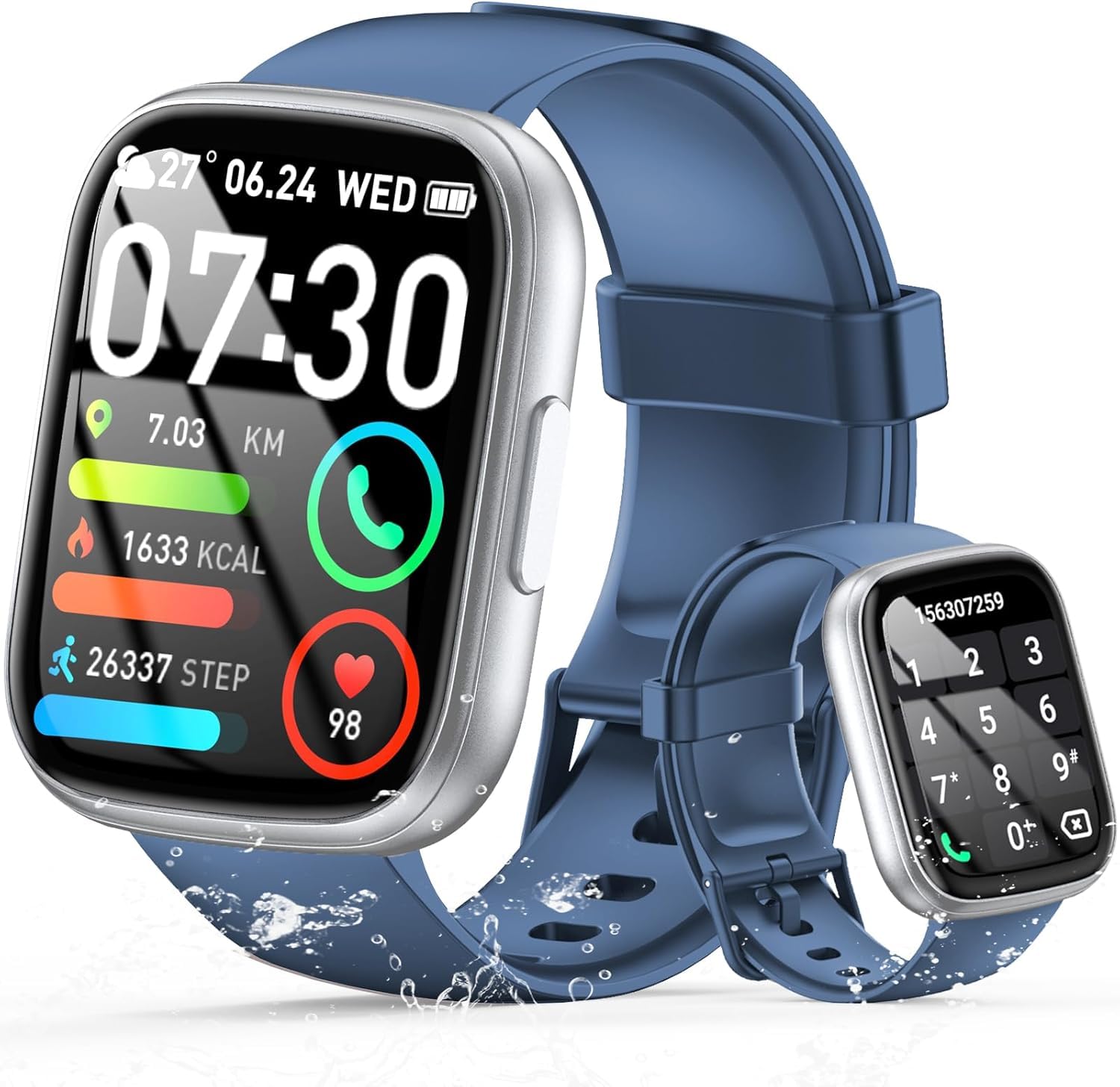
Image: The smartwatch displaying an incoming call, along with icons for built-in mic, Hi-Fi Spectra, call records, and 100 contacts. Examples of dial pad and contact list are also shown.
3. Sundhedsovervågning
The smartwatch provides continuous health monitoring features to help you track your well-being.
- Heart Rate Monitoring: Uret overvåger kontinuerligt din puls hele dagen. View your heart rate data on the watch or in the app.
- Overvågning af blodilt (SpO2): Mål dine iltmætningsniveauer i blodet.
- Søvnovervågning: Tracks your sleep patterns, including deep sleep, light sleep, and wake times, to provide insights into your sleep quality.

Image: Visual representation of heart rate, blood oxygen (SpO2), and sleep monitoring graphs and data on the smartwatch and a person sleeping while wearing the watch.
4. Sportstilstande
Smartwatchet understøtter over 100 sports modes to accurately track your workouts. Common modes include running, basketball, climbing, skipping, swimming, and badminton. It tracks metrics such as steps, distance, calories burned, and exercise duration.

Image: A person cycling with the smartwatch, illustrating various sports modes like running, basketball, climbing, skipping, swimming, and badminton. Also shows tracking for steps, distance, and calories.
5. Alexa-integration
Med Alexa integrated, you can use voice commands to control music playback, check weather, set alarms, and more directly from your smartwatch.
6. Personalized Watch Dials
Customize your smartwatch with over 200 stylish watch faces available through the companion app. You can also upload your favorite photos to create personalized watch dials. The display features wide color gamut, AM LED technology, and color accuracy.

Billede: Smartwatch-showetasing multiple personalized watch dial options, highlighting wide color gamut, AM LED, and color accuracy features.
7. Multifunctional Features
- Musik kontrol: Afspil, sæt på pause, spring numre over og juster lydstyrken for musik, der afspilles på din tilsluttede smartphone.
- Kamerastyring: Remotely control your smartphone's camera to frame, focus, and snap photos or start/stop video recording.
- Vækkeur: Indstil alarmer for at vække dig eller minde dig om vigtige begivenheder.
- Andre funktioner: Includes weather forecasts, stopwatch, timer, and more.

Image: The smartwatch displaying interfaces for music control, remote camera control, and alarm clock settings, along with icons for other features like temperature, weather, and microphone.
Opretholdelse
1. Rensning
Wipe the smartwatch regularly with a soft, dry cloth. For stubborn dirt, use a slightly damp kluden og tør den derefter grundigt. Undgå at bruge skrappe kemikalier eller slibende materialer.
2. Vandtæthed (IP68)
The Cillso Smartwatch is IP68 vandafvisende, meaning it is protected against dust ingress and can withstand immersion in water up to 1.5 meters for up to 30 minutes. It is suitable for daily use, hand washing, and light rain. However, it is not recommended for hot showers, saunas, or diving, as steam and high water pressure can compromise the seal.
3. Batteripleje
- Undgå ekstreme temperaturer, da disse kan forringe batteriets levetid.
- Oplad enheden helt, inden den ikke bruges i længere tid.
- Brug kun det medfølgende ladekabel.
Fejlfinding
- Uret tænder ikke: Sørg for, at uret er fuldt opladet. Tilslut det til opladeren i mindst 30 minutter.
- Kan ikke parres med telefon: Make sure Bluetooth is enabled on your phone and the watch is within range. Restart both devices and try pairing again through the app.
- Unøjagtige sundhedsdata: Sørg for, at uret sidder tæt på dit håndled, ikke for stramt eller for løst. Rengør sensorerne regelmæssigt.
- Ikke modtaget meddelelse: Check app permissions on your phone to ensure the companion app has access to notifications. Verify that notifications are enabled within the app settings.
- Alexa svarer ikke: Ensure the watch is connected to your phone and has an active internet connection. Check Alexa settings within the companion app.
Specifikationer
| Modelnummer | B0GQGYDJS7 |
| Mærke | Cillso |
| Skærmstørrelse | 1.95 tommer |
| Forbindelsesteknologi | Bluetooth 5.3 |
| Vandmodstandsvurdering | IP68 |
| Batterikapacitet | 300 mAh (lithium-polymer) |
| Opladningstid | Ca. 2 timer |
| Normal batterilevetid | 7-10 dage |
| Standby tid | Op til 30 dage |
| Hukommelseslagringskapacitet | 1 GB |
| Human Interface Input | Mikrofon, berøringsskærm |
| Inkluderede komponenter | Ladekabel |
Garanti og support
Warranty information for your Cillso Smartwatch is typically provided with your purchase documentation. Please refer to those materials for details regarding warranty coverage and terms. For technical support, product inquiries, or assistance with troubleshooting beyond this manual, please contact Cillso customer service through the contact information provided with your product or on the official Cillso webwebsted.