
Indledning
The Roku Hiro 32-inch 720p HD Smart TV offers an integrated Roku streaming experience. This television features an HD display for clear picture quality and speakers with enhanced audio. It supports Bluetooth for private listening with headphones and includes Wi-Fi for internet connectivity. The Roku operating system provides a customizable home screen, access to numerous streaming channels, and automatic updates, making it suitable for various living spaces.
Hvad er der i æsken
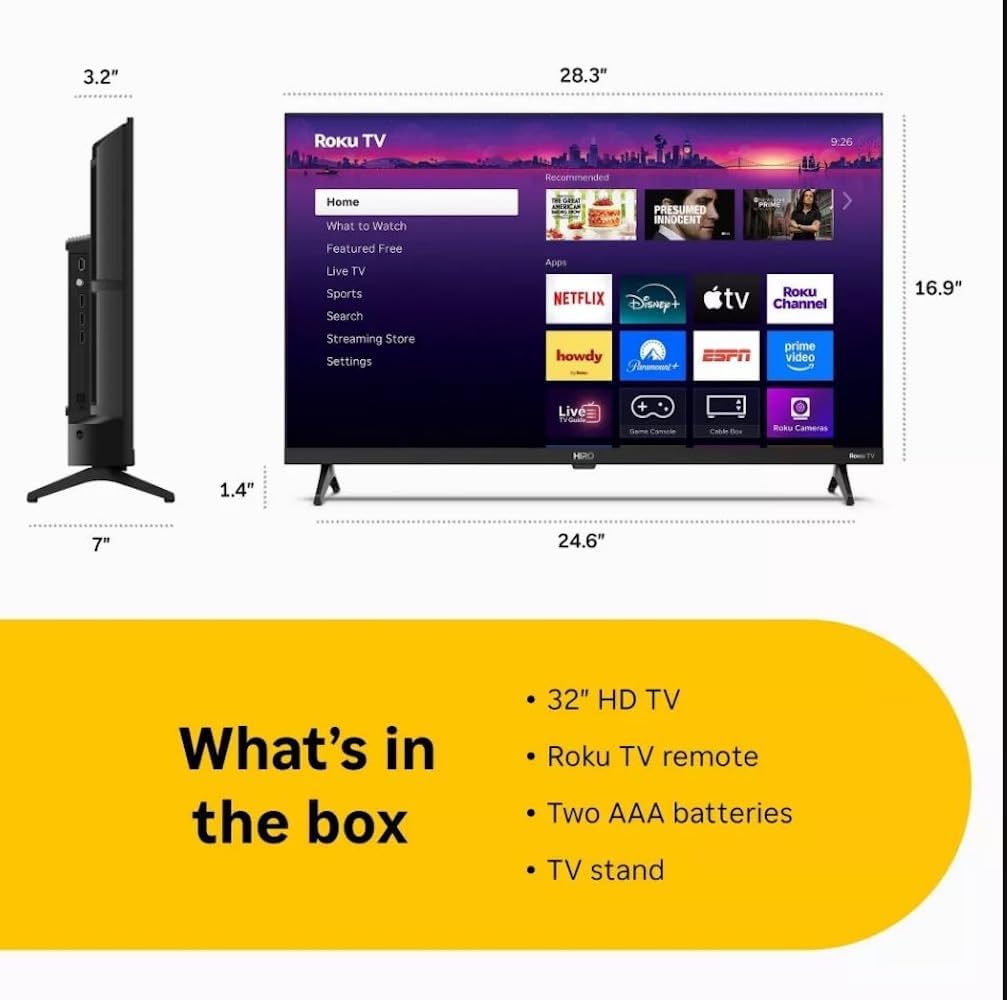
Diagram showing the dimensions of the Roku Hiro 32-inch TV and a list of included accessories: 32-inch HD TV, Roku TV remote, two AAA batteries, and TV stand.
- Hiro 32" 720p HD Smart TV Flat Screen LED Television with Roku TV
- Fjernbetjening
- TV Stand
- Strømkabel
- Brugervejledning
Opsætning
1. Montering af stativ
Carefully place the TV screen-down on a soft, clean surface to prevent damage. Align the TV stand with the designated slots on the bottom of the TV. Secure the stand using the provided screws. Ensure the stand is firmly attached before proceeding.
2. Tilslutning af enheder

Bag view of the Roku Hiro TV, showing the input/output ports including USB, HDMI, and antenna connections.
- Magt: Tilslut strømkablet til tv'ets strømindgang og derefter til en stikkontakt.
- HDMI: Connect external devices such as Blu-ray players, game consoles, or cable boxes to the HDMI ports. This TV features 3 HDMI ports.
- USB: Use the USB port for media playback from a USB drive.
- Optisk lyd: Connect an external sound system using an optical audio cable for enhanced sound.
- Antenne/kabel: Tilslut en antenne eller kabel-tv-strømforsyning til RF-indgangen for trådløs modtagelse eller kabelkanaler.
3. Indledende opsætning
After connecting all necessary cables, power on the TV. Follow the on-screen instructions to:
- Vælg dit sprog.
- Opret forbindelse til dit Wi-Fi-netværk.
- Aktiver din Roku-konto (eller opret en ny).
- Scan for available channels if an antenna is connected.
Betjeningsvejledning
Fjernbetjeningsfunktioner

Close-up of the Roku TV remote control, highlighting buttons for TV power, volume, mute, sleep timer, instant replay, options, and app shortcuts.
- Power knap: Tænder eller slukker for tv'et.
- Retningstastatur (D-pad): Navigerer i menuer og vælger elementer.
- OK knap: Bekræfter valg.
- Hjemknappen: Vender tilbage til Roku-startskærmen.
- Tilbage knap: Vender tilbage til den forrige skærm.
- Lydstyrke op/ned: Justerer tv-lydstyrken.
- Mute-knap: Slår lyden fra eller til på tv'et.
- App-genvejsknapper: Direct access to popular streaming services (e.g., Netflix, Disney+, Apple TV+, Prime Video).
- Sleep timer: Indstiller en timer, så fjernsynet slukker automatisk.
- Øjeblikkelig genafspilning: Jumps back a few seconds in supported content.
- Valgmuligheder: Accesses additional settings or information for the current content.
Navigating the Roku OS

The Roku TV home screen interface, showing recommended content and various streaming applications.
The Roku home screen provides access to all your streaming channels, inputs, and settings. Use the D-Pad on your remote to navigate through the menu options on the left and the app grid on the right. You can customize the order of your channels by highlighting an app, pressing the * (Options) button, and selecting 'Move channel'.
Streaming af indhold
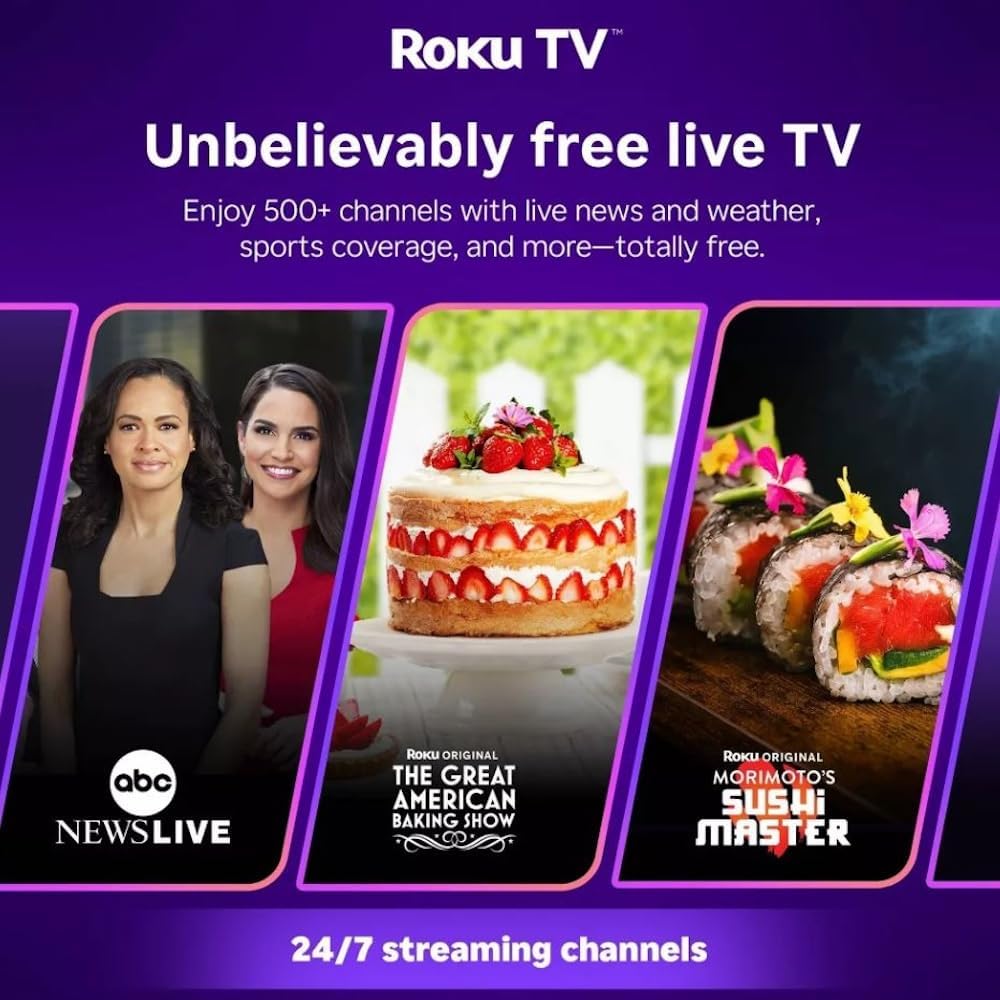
Roku TV interface promoting free live TV channels, featuring examples like ABC News Live, The Great American Baking Show, and Morimoto's Sushi Master.
Access a wide range of streaming services and free content through the Roku Channel Store. The Roku platform offers over 500 free channels, including live television, movies, and news. Use the 'Search' function on the home screen to find specific titles or channels.
Lydfunktioner

Roku Hiro TV displaying the home screen with various streaming apps, emphasizing enhanced audio quality.
The TV features enhanced audio quality. For private listening, you can pair Bluetooth headphones directly with the TV. Navigate to Settings > Remotes & devices > Bluetooth devices > Pair new device to connect your headphones.
Opretholdelse
Rengøring af TV
- Tag altid stikket ud af tv'et inden rengøring.
- Brug en blød, fnugfri klud til forsigtigt at tørre skærmen og kabinettet af.
- For genstridige mærker, gnid letampRengør kluden med vand eller et mildt, ikke-slibende skærmrensemiddel. Spray ikke rengøringsmiddel direkte på skærmen.
- Undgå at bruge skrappe kemikalier, slibende svampe eller opløsningsmidler.
Softwareopdateringer
The Roku TV automatically checks for and installs software updates when connected to the internet. To manually check for updates, go to Indstillinger > System > Softwareopdatering.
Fejlfinding
| Problem | Løsning |
|---|---|
| Ingen strøm | Sørg for, at strømkablet er korrekt tilsluttet både tv'et og en fungerende stikkontakt. Prøv en anden stikkontakt. |
| Intet billede, men der er lyd | Kontroller inputkilden. Tryk på Hjem button on the remote and select the correct input. Ensure all HDMI cables are securely connected. |
| Ingen lyd, men der er billede | Check the volume level and ensure the TV is not muted. If using external audio, verify connections and settings. |
| Kan ikke oprette forbindelse til Wi-Fi | Verify your Wi-Fi password. Restart your router and modem. Go to Indstillinger > Netværk > Opret forbindelse to reconfigure. |
| Fjernbetjening virker ikke | Udskift batterierne i fjernbetjeningen. Sørg for, at der ikke er nogen forhindringer mellem fjernbetjeningen og tv'ets IR-sensor. |
Specifikationer
| Modelnavn | H32C2C4 |
| Skærmstørrelse | 32 tommer |
| Displayteknologi | LED |
| Opløsning | 720p |
| Opdateringshastighed | 60 Hz |
| Operativsystem | Roku OS |
| Forbindelsesteknologi | Bluetooth, HDMI, Optical Audio, USB, Wi-Fi |
| Total Number of HDMI Ports | 3 |
| Samlet USB-porte | 1 |
| Produktmål (D x B x H) | 3.2" D x 28.3" B x 16.9" H |
| Varens vægt | 7.5 pund |
| Voltage | 120 volt (AC) |
| Monteringstype | Bordmontering |
| Farve | Sort |
Garantioplysninger
This Roku Hiro TV is covered by a 90-day Replacement Warranty. Please retain your proof of purchase for any warranty claims. For detailed terms and conditions, refer to the warranty documentation included with your product or visit the official Roku support webwebsted.
Støtte
For further assistance, troubleshooting guides, or to contact customer support, please visit the official Roku support website. You can find comprehensive FAQs and contact information there.