
Indledning
This manual provides detailed instructions for the setup, operation, and maintenance of your Tera 9200 Omnidirectional Barcode Scanner. Designed for efficiency and versatility, this scanner supports both 1D and 2D QR codes, including those displayed on LCD screens, and features automatic detection for hands-free operation. Please read this manual thoroughly before using the device to ensure optimal performance and longevity.

En overview of the Tera 9200 Omnidirectional Barcode Scanner, highlighting its wired USB connectivity and desktop design.
Opsætning
- Udpakning: Tag forsigtigt scanneren og alt tilbehør ud af emballagen.
- Fjernelse af beskyttelsesfilm: The scanner lens comes with a protective film. Gently peel off this film before initial use to ensure clear scanning.
- Opret forbindelse til værtsenhed: Connect the scanner to your computer or POS system using the provided USB cable. The scanner is plug-and-play, requiring no additional driver installation.
- Placering: Place the scanner on a stable, flat surface in a location that allows for easy presentation of barcodes.

This image shows the high-transparency acrylic screen and the process of removing the protective film from the scanner lens before use.

The scanner connects via USB and is compatible with various operating systems (Windows, Android, Linux, iOS) and devices (Laptop, PC, POS) without needing drivers.
Betjeningsvejledning
Scanningstilstande
The Tera 9200 scanner offers three distinct scanning modes to suit various operational needs:
- Enkelt læsetilstand: For scanning individual barcodes one at a time. The scanner will read a barcode only once per presentation.
- Kontinuerlig scanningstilstand: The scanner remains in an active scanning state, continuously reading barcodes as they are presented. Ideal for high-volume scanning.
- Automatisk detektionstilstand: The scanner automatically activates and reads a barcode when it detects an object (barcode) within its scanning field. This hands-free mode enhances efficiency in busy environments.

This image illustrates the three scanning modes: Single Read, Continuous Scan, and Automatic Detection, showing how each mode operates.
Understøttede stregkoder
The Tera 9200 is capable of reading a wide array of 1D and 2D barcode symbologies, including:
- 1D stregkoder: UPC, EAN8, EAN13, Code128, Code39, Codabar (NW-7), Interleaved 2 of 5, etc.
- 2D stregkoder: QR-kode, datamatrix, PDF417 osv.
It can efficiently read barcodes from both printed labels and digital displays such as smartphone screens or computer monitors.
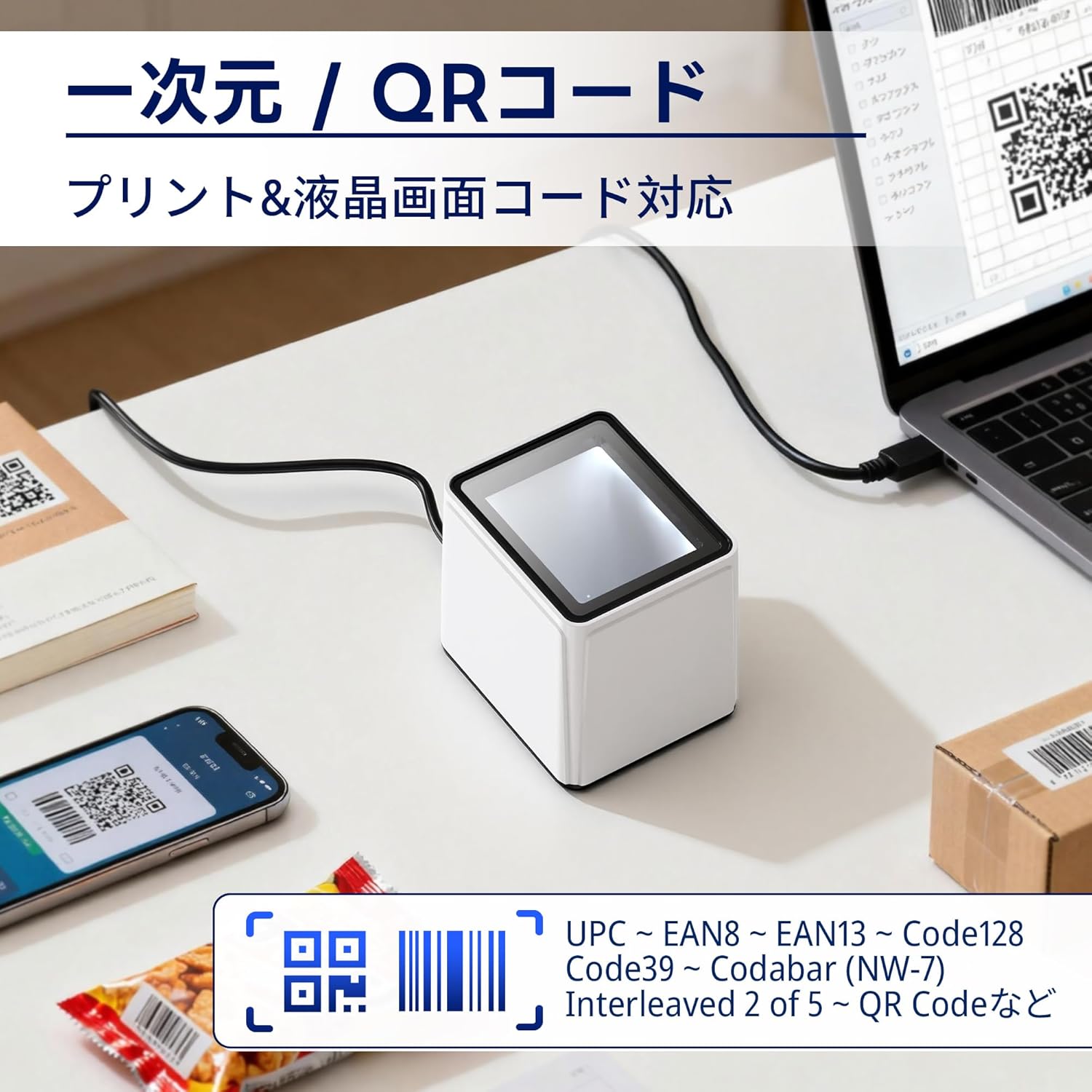
The image demonstrates the scanner's capability to read both printed 1D/2D codes and those displayed on LCD screens, such as on a smartphone or laptop.
Lydstyrkejustering
The scanner's beep volume can be adjusted to suit your environment. Refer to the programming barcodes in the full user guide (if provided separately) or scan the appropriate configuration barcodes for volume levels (Off, Level 1-5).

This image illustrates the different volume levels available for the scanner's feedback beep, from off to level 5.
Terminator indstillinger
You can configure the data terminator to append specific characters after each successful scan, which is useful for data entry into various applications. Common options include:
- Add Carriage Return (CR) + Line Feed (LF): Simulates pressing Enter after scanning.
- Add Carriage Return (CR): Simulates pressing Enter.
- Add Tab: Simulates pressing the Tab key.
- Ingen terminator: No additional characters are appended.
To change these settings, scan the corresponding programming barcode provided in the scanner's configuration guide.
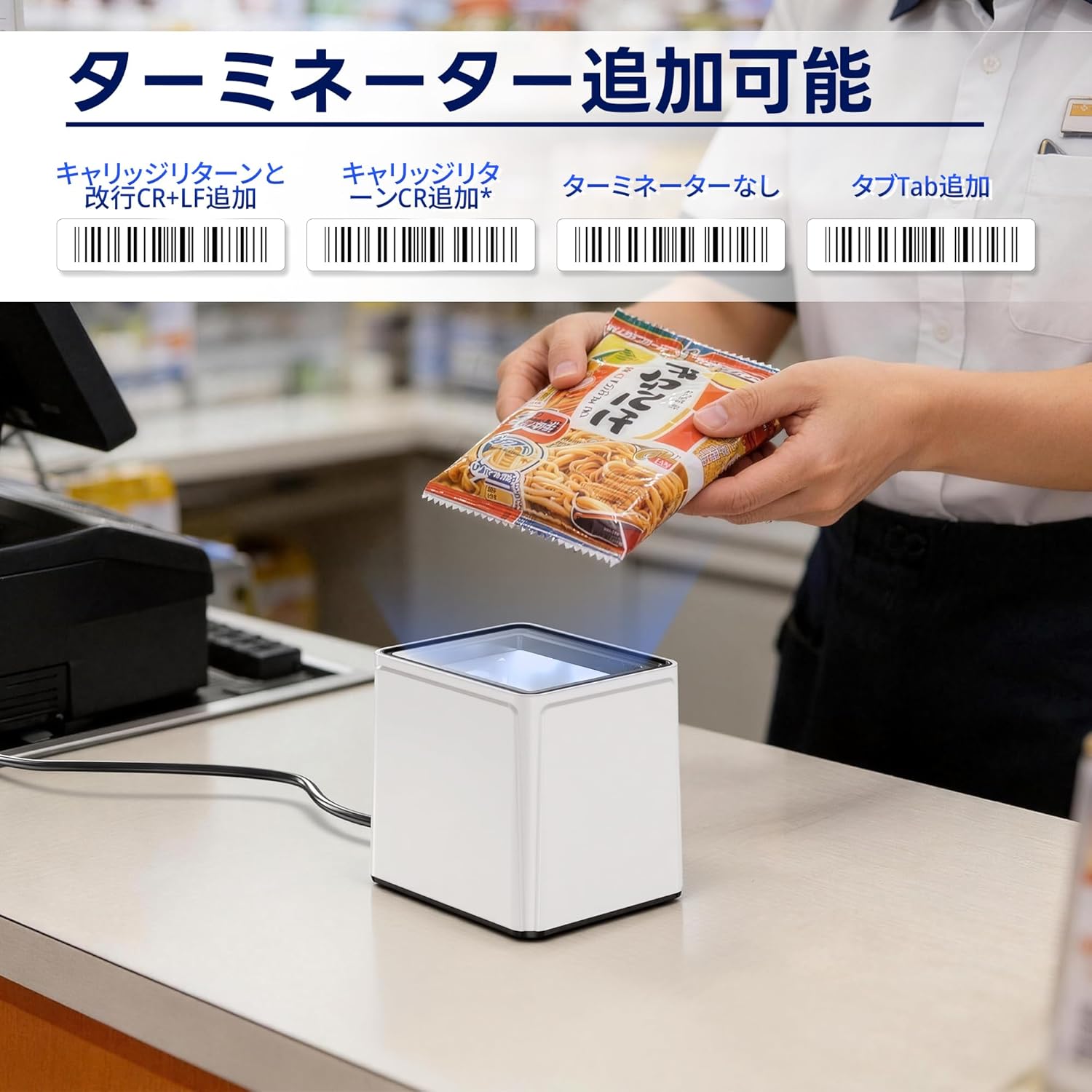
This image displays various barcode options for configuring the data terminator, such as adding CR+LF, CR, Tab, or no terminator.
Opretholdelse
- Rengøring af scannervinduet: Brug en blød, fnugfri klud lidt dampened with water or a mild glass cleaner to wipe the scanning window. Avoid abrasive materials or harsh chemicals that could scratch the acrylic surface.
- Generel rengøring: Keep the exterior of the scanner clean by wiping it with a dry, soft cloth.
- Kabelinspektion: Periodically check the USB cable for any signs of damage or wear. Replace if necessary.
- Opbevaring: Når scanneren ikke er i brug, skal den opbevares et rent og tørt sted, væk fra direkte sollys og ekstreme temperaturer.
Fejlfinding
| Problem | Mulig årsag | Løsning |
|---|---|---|
| Scanneren tænder ikke. | USB-kablet er ikke korrekt tilsluttet eller beskadiget. | Sørg for, at USB-kablet er korrekt tilsluttet til både scanneren og værtsenheden. Prøv en anden USB-port eller et andet kabel. |
| Scanneren læser ikke stregkoder. | Protective film still on lens; incorrect scanning mode; barcode damaged or poorly printed; scanner window dirty. | Remove protective film. Verify the scanner is in the correct operating mode. Ensure the barcode is clear and undamaged. Clean the scanner window. |
| Data is not transmitted correctly. | Incorrect terminator settings; software compatibility issue. | Adjust terminator settings using programming barcodes. Ensure your application is compatible with the scanner's output. |
| Scanner beeps but no data is output. | Host device not recognizing input; application not in focus. | Ensure the cursor is in the correct input field of your application. Restart the host device. |
Specifikationer
- Model: 9200
- Mærke: Tera
- Forbindelse: USB kabel
- Scan rate: Høj hastighed
- Scanningsvinkel: 360 degrees (Omnidirectional)
- Understøttede stregkoder: 1D (UPC, EAN, Code128, Code39, Codabar, Interleaved 2 of 5, etc.), 2D (QR Code, Data Matrix, PDF417, etc.)
- Kompatibilitet: Windows, Android, Linux, iOS (via USB)
- Materiale: High-transparency acrylic screen
- Oprindelse: Kina
Garanti og support
The Tera 9200 Omnidirectional Barcode Scanner comes with a 1 års producentgaranti fra købsdatoen. Denne garanti dækker fejl i materialer og udførelse ved normal brug.
For technical support, warranty claims, or any questions regarding your product, please contact Tera customer service through the retailer where you purchased the device or visit the official Tera webwebsted for kontaktoplysninger.
Gem venligst din købsbevis til garantiservice.