
1. Vigtige sikkerhedsinstruktioner
Please read all instructions carefully before operating the Gevi V2.0 Nugget Ice Maker. Retain this manual for future reference. Improper use may result in serious injury or damage to the appliance.
- Sørg for, at ismaskinen er placeret på en stabil, plan overflade væk fra direkte sollys og varmekilder.
- Apparatet, netledningen eller stikket må ikke nedsænkes i vand eller andre væsker.
- Hold øje med børn, når apparatet er i brug.
- Tag stikket ud af ismaskinen før rengøring eller når den ikke er i brug i længere perioder.
- Brug ikke apparatet med en beskadiget ledning eller stik. Kontakt kundeservice for reparation.
- Brug kun drikkevand i ismaskinen.
- Bloker ikke ventilationsåbninger.
- Dette apparat er kun til husholdningsbrug.
2. Produktet er slutview
The Gevi V2.0 Nugget Ice Maker produces chewable, pellet-style ice, ideal for various beverages. It features a self-cleaning function and efficient insulation.
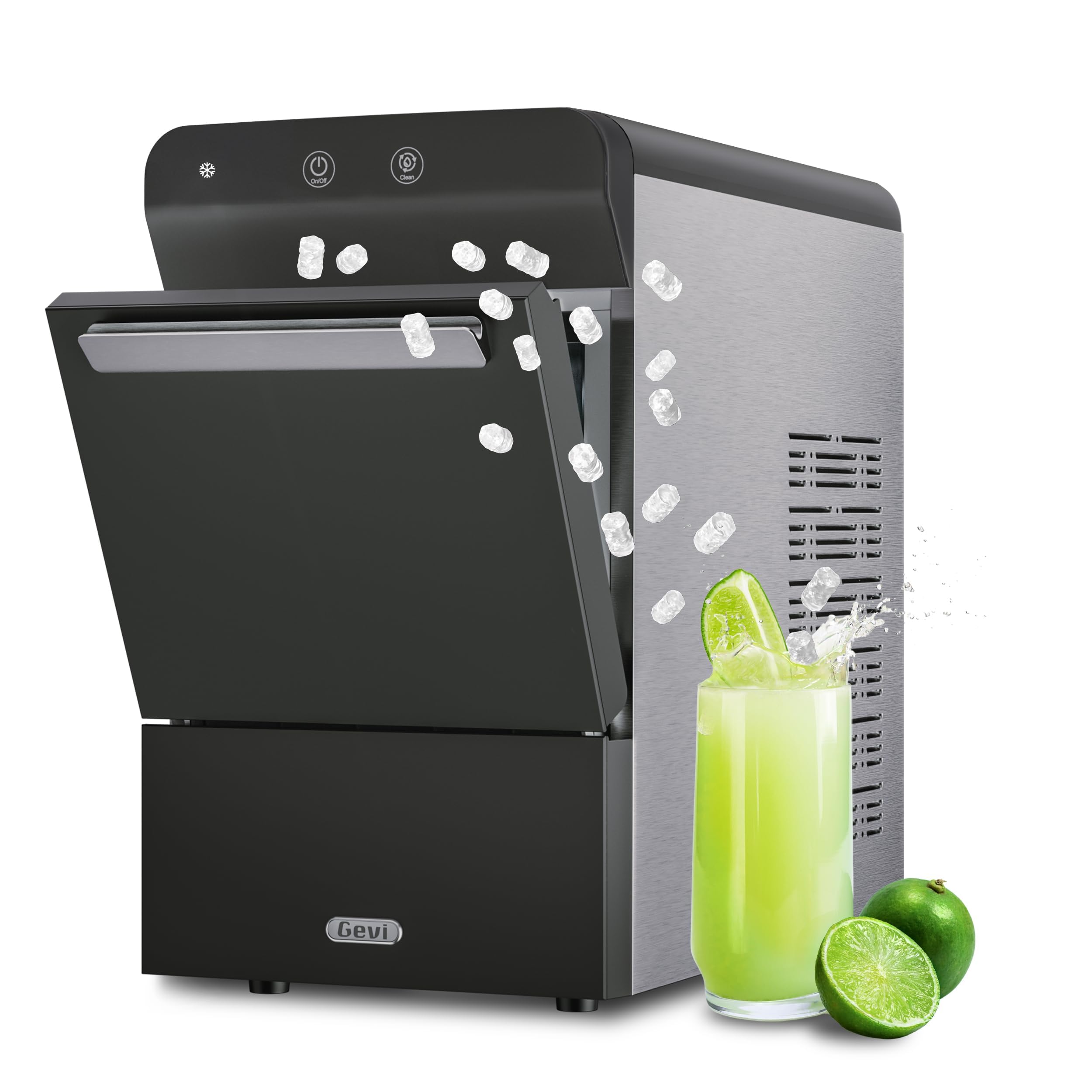
Figure 1: Gevi V2.0 Nugget Ice Maker. This image shows the sleek black and stainless steel design of the ice maker on a kitchen countertop.
Nøglefunktioner:
- Produktion af Nugget Ice: Produces chewable, crunchable nugget ice.
- Høj kapacitet: Produces up to 38 lbs of ice per 24 hours with a 2.8L water reservoir.
- Selvrensende system: Built-in descaling system automatically cleans internally, reducing mineral buildup.
- Energieffektiv: Designed for efficient operation.
- Stille drift: Operates at approximately 50dB, quieter than a normal conversation.
- Dual Water Filling Options: Supports both manual and automatic water refilling.
- Avanceret isolering: 2-layer material insulation retains ice for up to 12 hours.
Hvad er der i æsken:
- Is Scoop
- Iskurv
- Ismaskine-enhed
- 10ft 1/4” Hose (for auto-refill)
- Brugermanual

Figure 2: Comparison of Gevi Gemi Ice. This image illustrates the perfect tubular shape of Gevi nugget ice, its slower melt rate, and hygienic quality compared to irregular, faster-melting, and impurity-prone ice from other machines.

Figure 3: Gevi Nugget Ice Maker Dimensions and Included Accessories. This image displays the ice maker with its dimensions (17.3"D x 9.7"W x 16.7"H) and shows the ice scoop, ice basket, and 10ft 1/4" hose. A water scale inhibitor is also shown as an optional accessory.
3. Opsætning
Placering:
Place the ice maker on a flat, stable countertop. Ensure adequate space around the unit for proper ventilation. The dimensions are 17.3"D x 9.7"W x 16.7"H.
Water Filling Options:
The Gevi V2.0 Nugget Ice Maker offers two methods for water filling:
- Manual Refill: Open the top lid and pour clean, potable water directly into the water reservoir up to the MAX fill line. The anti-drip design helps prevent spills.
- Automatisk genopfyldning: Connect the included 10ft 1/4” hose to a water source for continuous operation. Follow the detailed instructions in the full user manual for proper installation of the automatic water line.

Figure 4: Manual and Auto Water Refill Options. This image shows a person manually pouring water into the ice maker and a diagram illustrating the automatic water line connection at the back of the unit.
Video 1: Gevi Household Countertop Nugget Ice Maker GIMN-1000B. This video provides a general overview of the Gevi GIMN-1000B ice maker, demonstrating its features and ease of use in a home setting.
4. Betjeningsvejledning
At lave is:
After filling the water reservoir, press the 'On/Off' button to start ice production. The first batch of ice is typically ready within 5-10 minutes. The ice full infrared sensor will automatically stop production when the ice basket is full, and an indicator light will illuminate.
Stille drift:
The ice maker is designed to operate quietly, at approximately 50dB, which is below the volume of a normal conversation. This allows for use in various environments without significant noise disruption.

Figure 5: Normal Operating Sound Level. This image illustrates the quiet operation of the Gevi ice maker, indicating a sound level of approximately 50dB, which is quieter than a normal conversation.
Ice Retention:
The ice maker features advanced 2-layer material insulation, which helps retain ice for up to 12 hours, maintaining up to 85% of its original temperature. This ensures ice stays colder for longer periods.

Figure 6: 2-Layer Material Insulation. This image highlights the advanced insulation of the Gevi ice maker, showing its ability to retain ice temperature for extended periods compared to other models.
5. Vedligeholdelse
Selvrensende funktion:
The ice maker includes a built-in descaling system for automatic internal cleaning. This feature helps prevent mineral buildup and ensures fresh-tasting ice. Refer to the full user manual for detailed instructions on activating the self-cleaning cycle.

Figure 7: One-Button Self-Cleaning. This image shows the internal mechanism of the ice maker during a self-cleaning cycle, emphasizing its ease of use for maintaining hygiene.
Video 2: How to Clean the Ice Maker 2.0. This video demonstrates the step-by-step process of cleaning the Gevi 2.0 ice maker, including using cleaning solutions and draining water.
Water Scale Inhibitor:
To further minimize limescale buildup, a complimentary Water Scale Inhibitor sample can be requested from customer service after purchase. This helps maintain the ice maker's performance and extends its lifespan.
Video 3: How to Use the Water Scale Inhibitor? This video provides instructions on how to properly use the water scale inhibitor to prevent mineral buildup in the ice maker.
Afkalkningsfrekvens:
The frequency of descaling depends on your local water hardness. Descale monthly in moderately hard water areas. In very hard water areas, descale every two to three weeks to ensure optimal performance and ice quality.

Figure 8: Descaling Frequency Based on Water Hardness. This image shows a map indicating water hardness levels across different regions, with recommendations for how often to descale the ice maker.
6. Fejlfinding
False Low-Water Alarm:
If the ice maker displays a low-water alarm even when the water tank is full, this may be a false alarm. This can sometimes be caused by a clogged filter or a temporary sensor issue.
Sådan fejlfinder du:
- Turn off the ice maker and unplug it for 30 minutes.
- Open the door, remove the ice bin, and pull out the tube bracket from the back to drain all water from the tank.
- Remove and thoroughly clean the filter located in the water tank. Use a toothpick to check the water inlet area for any blockages.
- Reinstall the cleaned filter.
- Fyld vandtanken op med rent vand.
- Restart the ice maker. If the alarm persists, contact customer support.
Video 4: Gevi 2.0 Nugget Ice Maker Solution to False Alarm of Water Shortage. This video guides users through steps to resolve a false low-water alarm on the Gevi 2.0 ice maker, including cleaning the filter and resetting the unit.
7. Specifikationer
| Mærke | gevi |
| Modelnavn | GIMN-1000B |
| Produktdimensioner | 17.3" D x 9.7" B x 16.7" H |
| Kapacitet | 35 pund (isopbevaring) |
| Wattage | 170 watt |
| Voltage | 120 volt (AC) |
| Kølemiddel | R600a |
| Isproduktion pr. dag | 38 pund |
| Materiale | Rustfrit stål |
| Varens vægt | 41.4 pund |
| UPC | 767791887721 |
8. Garanti og support
Every Gevi product purchased via an official or authorized channel is entitled to a 12-month warranty and lifetime technical support. If you encounter any issues with your Gevi ice maker, please feel free to contact Gevi customer service for assistance.
For yderligere support, besøg Gevi Store on Amazon.