
1. Introduktion
This manual provides essential information for the safe and efficient operation, setup, and maintenance of your SUNTEK SRM2025 KI Pure Vision Robot Lawnmower. Please read this manual thoroughly before using the product and retain it for future reference.
2. Sikkerhedsoplysninger
Always observe basic safety precautions to reduce the risk of fire, electric shock, and personal injury. This robot lawnmower is designed for outdoor use on lawns only. Keep hands and feet away from moving parts. Do not operate the mower in wet conditions or when children or pets are in the vicinity. Ensure the charging station is placed on a level surface and connected to a suitable power outlet.
3. Pakkens indhold
Bekræft at alle komponenter er til stede i pakken:
- SUNTEK SRM2025 Robot Lawnmower
- Opladning Station
- Strømadapter
- Brugermanual
- Udskiftningsblade (antallet kan variere)
4. Produktet er slutview
The SUNTEK SRM2025 is an advanced robot lawnmower featuring KI Pure Vision technology for boundary wire-free operation. It uses AI to detect and avoid over 200 types of obstacles, ensuring efficient and safe mowing.
Nøglefunktioner:
- KI Pure Vision Technology: Advanced AI visual system for obstacle detection and navigation without boundary wires.
- Boundary Wire-Free Operation: No perimeter wires or RTK base stations required.
- Automatisk kortlægning: The robot maps and mows lawns up to 250 m² autonomously.
- Smart App Control: Manage mowing schedules and settings via Bluetooth and Wi-Fi.
- High Slope Capability: Handles inclines up to 35%.
- IPX5 Vandtæt: Resistant to daily rain and allows for easy cleaning.
- Regnsensor: Automatically returns to the charging station during rain.
5. Opsætning
5.1 Placering af ladestation
Select a location for the charging station on a flat, level surface with access to a power outlet. Ensure there is clear space around the station for the robot to dock easily. Avoid direct sunlight or areas prone to heavy rain.
5.2 Indledende opladning
Connect the power adapter to the charging station and plug it into a power outlet. Place the robot lawnmower onto the charging station. The robot will begin charging automatically. Allow for a full charge before the first operation.
5.3 Appinstallation og -forbindelse
- Download the official SUNTEK app from your device's app store.
- Opret en konto eller log ind.
- Follow the in-app instructions to connect your SRM2025 via Bluetooth and then Wi-Fi. This enables remote control and scheduling.
The robot lawnmower operates without boundary wires, simplifying installation. It uses its KI Pure Vision technology to map your lawn automatically during its first few operations.

Image: The SUNTEK SRM2025 robot lawnmower operating on a lawn, illustrating its boundary wire-free functionality. No manual wire installation is required.
6. Betjeningsvejledning
6.1 Start og stop
To start the robot, press the 'Start' button on the device or initiate a mowing session via the mobile app. To stop, press the 'Stop' button on the robot or use the app. The robot will return to its charging station.
6.2 Mowing Schedule and Area Management
Utilize the SUNTEK app to create customized mowing schedules. You can define specific mowing times and days. The robot will automatically map your lawn up to 250 m² and optimize its mowing path.
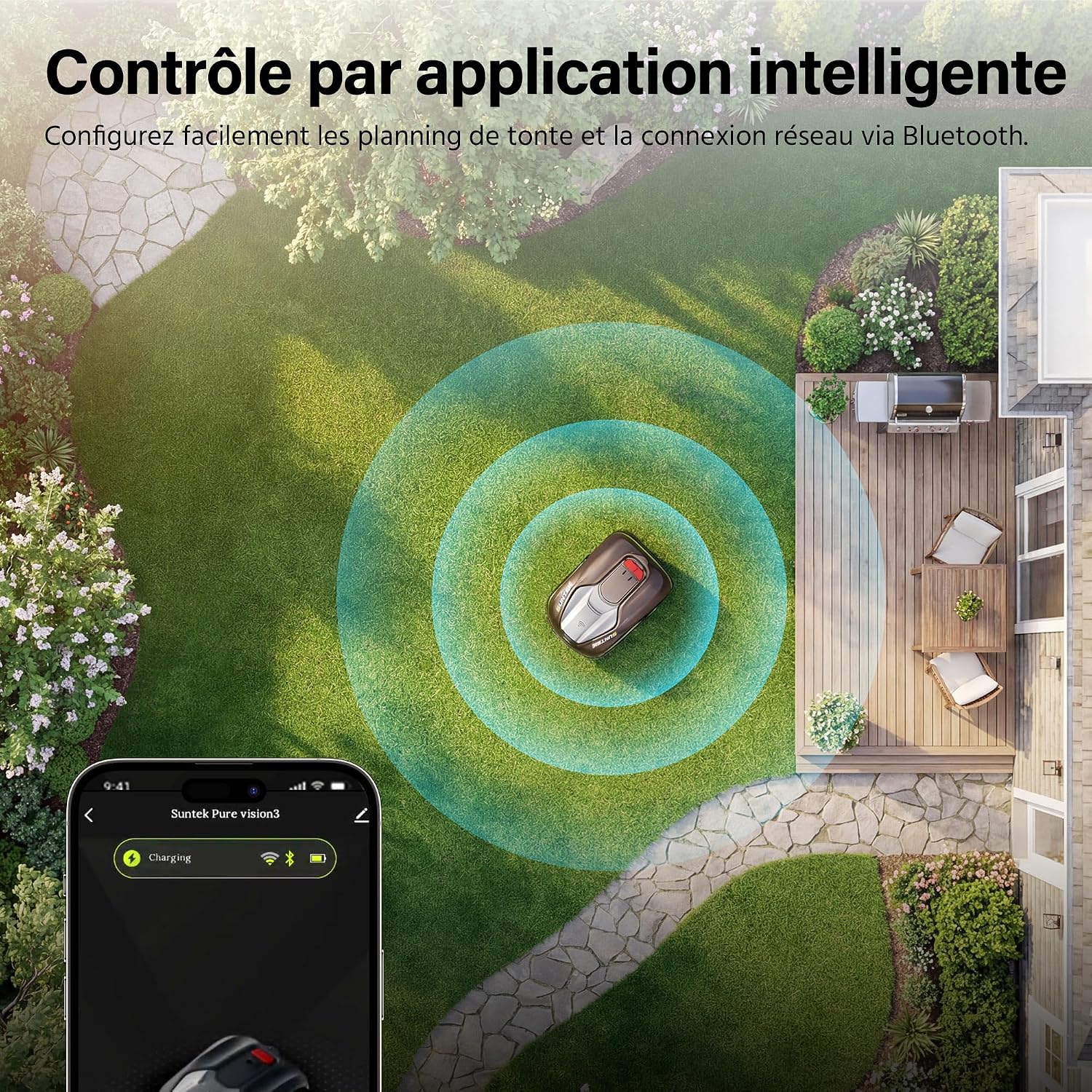
Billede: En luftfoto view of the SUNTEK SRM2025 robot lawnmower on a lawn, with a smartphone displaying the control app interface, demonstrating intelligent app control.

Image: The SUNTEK SRM2025 robot lawnmower on a well-maintained lawn, with large glowing '250m²' text, indicating its effective working surface area.
6.3 Justering af klippehøjde
The cutting height can be adjusted between 3 cm and 6 cm to suit different grass types and desired lawn appearance. Refer to the robot's physical adjustment mechanism or the app for specific instructions.

Image: The SUNTEK SRM2025 robot lawnmower navigating an incline, with insets showing adjustable cutting heights of 3cm and 6cm, highlighting its ability to handle slopes up to 35%.
6.4 Undgåelse af forhindringer
The KI Pure Vision technology allows the robot to detect and avoid over 200 types of obstacles, including garden furniture, plants, and pets. This ensures a smooth and uninterrupted mowing process.

Image: The SUNTEK SRM2025 robot lawnmower on a lawn, illustrating its AI Pure Vision technology detecting and avoiding various obstacles like potted plants and balls.
6.5 Automatisk tilbagevenden til ladestationen
The robot will automatically return to its charging station when the battery is low or when its integrated rain sensor detects precipitation. This protects the device and ensures continuous operation.

Image: The SUNTEK SRM2025 robot lawnmower automatically navigating back to its charging station, indicated by blue arrows, for recharging or during rain.
7. Vedligeholdelse
7.1 Rengøring
Thanks to its IPX5 waterproof rating, the robot can be easily cleaned by rinsing. Ensure the robot is turned off and disconnected from the charging station before cleaning. Remove grass clippings and debris from the cutting deck and wheels.

Image: A person cleaning the underside of the SUNTEK SRM2025 robot lawnmower with a hose, demonstrating its IPX5 waterproof rating and ease of maintenance.
7.2 Udskiftning af knive
Regularly inspect the blades for wear and damage. Replace dull or damaged blades to maintain optimal cutting performance. Always wear protective gloves when handling blades. Refer to the specific instructions for blade replacement provided in the full manual.
7.3 Batteripleje og -opbevaring
For long-term storage, ensure the battery is fully charged and store the robot in a dry, frost-free environment. Periodically charge the battery during extended storage to prolong its lifespan.
8. Fejlfinding
This section addresses common issues you might encounter with your SUNTEK SRM2025 robot lawnmower.
- Robotten starter ikke: Ensure the battery is charged and the robot is correctly placed on the charging station. Check for any error messages on the robot or in the app.
- Poor mowing performance: Inspect blades for sharpness and replace if necessary. Ensure the cutting height is set appropriately for your lawn.
- Robot sidder fast: Clear the mowing area of excessive obstacles. The AI Pure Vision system is designed to avoid most obstacles, but extreme conditions or very small, hard-to-detect items can cause issues.
- Connection issues with app: Verify your Wi-Fi and Bluetooth connections. Ensure the robot is within range of your Wi-Fi network.
- Robotten vender ikke tilbage til ladestationen: Check if the charging station is powered on and clear of obstructions. Ensure the rain sensor is clean and not falsely triggered.
For more complex issues, consult the full user manual or contact SUNTEK customer support.
9. Specifikationer
| Feature | Specifikation |
|---|---|
| Modelnummer | SRM2025 |
| Mærke | SUNTEK |
| Dimensioner (L x B x H) | 56 x 40 x 25 cm |
| Vægt | 17.72 kg |
| Strømkilde | Battery Powered (20V 2.5Ah) |
| Materiale | Legeret stål, plast |
| Farve | Sort |
| Skærebredde | 200 mm |
| Justering af klippehøjde | 30 mm - 60 mm (4 positions) |
| Driftstilstand | Automatisk |
| Maks. hældningskapacitet | 35 % |
| Anbefalet klippeområde | Op til 250 m² |
| Vandtæt vurdering | IPX5 |
10. Garanti og support
Your SUNTEK SRM2025 Robot Lawnmower comes with a standard manufacturer's warranty. Please refer to the warranty card included in your package for specific terms and conditions. For technical support, spare parts, or warranty claims, please contact SUNTEK customer service through their official webwebstedet eller kontaktoplysningerne i din købsdokumentation.