
Indledning
Welcome to your new Yamaha YDP105 Digital Piano. This manual provides essential information for setting up, operating, maintaining, and troubleshooting your instrument. Please read it thoroughly to ensure proper use and to maximize your playing experience.
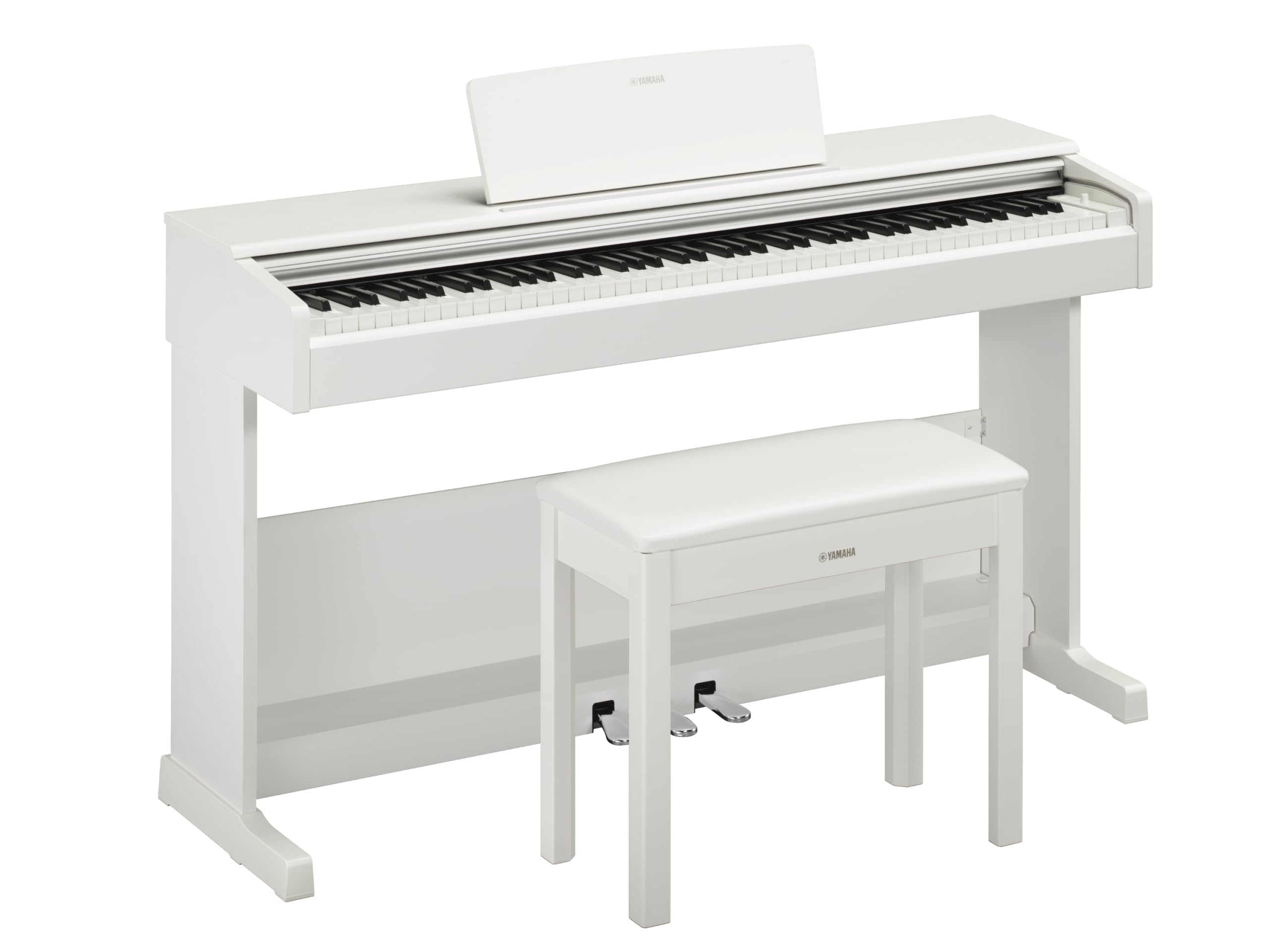
This image shows the Yamaha YDP105 digital piano in a white finish, positioned in a modern living room environment, highlighting its elegant design.
Vigtige sikkerhedsinstruktioner
- Strømforsyning: Brug kun den angivne strømadapter. Sørg for, at lydstyrkentage matcher din lokale strømforsyning.
- Vand og fugt: Udsæt ikke instrumentet for regn, fugt eller for høj luftfugtighed. Hold væsker væk fra klaveret.
- Ventilation: Sørg for tilstrækkelig ventilation omkring instrumentet. Bloker ikke ventilationsåbningerne.
- Beliggenhed: Place the piano on a stable, level surface. Avoid direct sunlight, heat sources, and areas with excessive dust or vibrations.
- Håndtering: Håndter instrumentet forsigtigt. Undgå at tabe det eller udsætte det for hårde stød.
- Service: Forsøg ikke selv at udføre service på instrumentet. Overlad al service til kvalificeret personale.
Opsætning
Udpakning
Carefully remove all components from the packaging. Ensure all included items are present: the piano unit, bench, 3-pedal unit, power adapter, and music rest.
Forsamling
The Yamaha YDP105 requires some assembly. Follow these steps:
- Attach the side panels to the main keyboard unit using the provided screws.
- Secure the pedal unit to the assembled frame.
- Attach the backboard.
- Place the music rest into its slot on the keyboard unit.
- Assemble the bench according to its separate instructions.

This image shows the fully assembled Yamaha YDP105 digital piano in white, complete with its matching bench and music rest.
Strømtilslutning
Connect the supplied power adapter to the DC IN jack on the rear of the piano and then to a standard AC outlet.
Pedal Unit Connection
Ensure the 3-pedal unit cable is securely connected to the corresponding jack on the piano.

This image displays a close-up of the three-pedal unit, showing the sustain, sostenuto, and soft pedals.
Betjeningsvejledning
Tænd/sluk
Tryk på MAGT button to turn the instrument on or off.
Lydstyrkekontrol
Brug MASTER VOLUME knappen til at justere det samlede lydniveau.
Valg af lyde (instrumentlyde)
The YDP105 features 10 instrument voices. To select a voice:
- Tryk på STEMME knap.
- Use the keyboard keys to select the desired voice as indicated in the manual's voice list.

This image shows a close-up of the control panel on the left side of the keyboard, highlighting the "GRAND PIANO" and "FUNCTION" buttons.
Brug af hovedtelefoner
The piano includes dual headphone jacks for private practice or duets. Connect standard 3.5mm headphones to either jack.

This image shows a pair of headphones resting on the top surface of the digital piano, near the keys.
Smart Pianist App Integration
Enhance your experience by connecting the YDP105 to the Yamaha Smart Pianist app. This app allows for intuitive control of piano functions, access to scores, and learning tools. Refer to the Smart Pianist app's documentation for detailed connection and usage instructions.

This image displays the icon for the Yamaha Smart Pianist App, featuring a stylized piano keyboard and musical notes.
Opretholdelse
Rensning
Tør instrumentet af med en blød, tør klud. Brug en let tør klud til genstridigt snavs.amp cloth and then wipe dry. Avoid abrasive cleaners, solvents, or polishes.
Opbevaring
Opbevar klaveret et stabilt sted, væk fra direkte sollys, ekstreme temperaturer og høj luftfugtighed.
Moving the Instrument
Når du flytter klaveret, skal du sørge for, at det er slukket og frakoblet strømkilden. Håndter det forsigtigt for at undgå skader.
Fejlfinding
Ingen lyd
- Tjek om strømmen er tændt.
- Sørg for, at lydstyrken er skruet op.
- Hvis der er tilsluttet hovedtelefoner, skal du frakoble dem for at kontrollere højttalerudgangen.
- Kontroller, at alle kabler er korrekt tilsluttet.
Taster reagerer ikke
- Tænd og sluk instrumentet igen (sluk det, og tænd det derefter igen).
- Sørg for, at ingen genstande blokerer tasterne.
Pedals Not Working
- Check the pedal unit cable connection.
- Ensure the pedal unit is correctly assembled and positioned.
Specifikationer
| Feature | Detalje |
|---|---|
| Modelnavn | YDP-105 |
| Antal nøgler | 88 |
| Nøgletype | Graded Hammer Standard (GHS) keyboard with matte black keytops |
| Tryk på Svar | Hard/Medium/Soft/Fixed |
| Stemmer | 10 (including Grand Piano) |
| Polyfoni | 64 sedler |
| Pedaler | 3 (Damper with half pedal effect, Sostenuto, Soft) |
| Forbindelse | USB to Host, Headphone Jacks (2 x Standard Stereo Phone Jack) |
| Højttalere | 12 cm x 2 |
| Amplivligere | 8 B x 2 |
| Dimensioner (B x D x H) | 1357 mm x 422 mm x 815 mm (53.44" x 16.63" x 32.09") |
| Vægt | 37.5 kg (82.7 lbs) |
| Strømforsyning | PA-150B or an equivalent recommended by Yamaha |
Garantioplysninger
The Yamaha YDP105 Digital Piano comes with a 1-year manufacturer warranty. Yamaha Corporation of America is committed to the quality and craftsmanship of its products. This limited warranty applies only to products purchased from an authorized Yamaha retailer in the fifty United States (including the District of Columbia) and used within this area. For complete warranty details and terms, please refer to the official Yamaha webwebstedet eller kontakt Yamahas kundesupport.
Kundesupport
For yderligere assistance, teknisk support eller serviceforespørgsler, besøg venligst den officielle Yamaha-side. webwebsted eller kontakt deres kundeserviceafdeling.