
Indledning
Thank you for choosing the OneOdio Studio Max 1 Wireless DJ Headphone and USB-C to 3.5 mm Adapter. This manual provides essential information for the proper setup, operation, and maintenance of your device. Please read it thoroughly before use and retain it for future reference.
Pakkens indhold
Bekræft, at alle nedenstående varer er til stede i din pakke:
- OneOdio Studio Max 1 Wireless DJ Headphone
- USB-C to 3.5 mm Audio Adapter
- USB-C ladekabel
- 3.5 mm lydkabel
- Brugervejledning (dette dokument)
- Carrying Pouch (if included)
Produkt overview
Familiarize yourself with the components of your OneOdio Studio Max 1 headphones and the USB-C adapter.
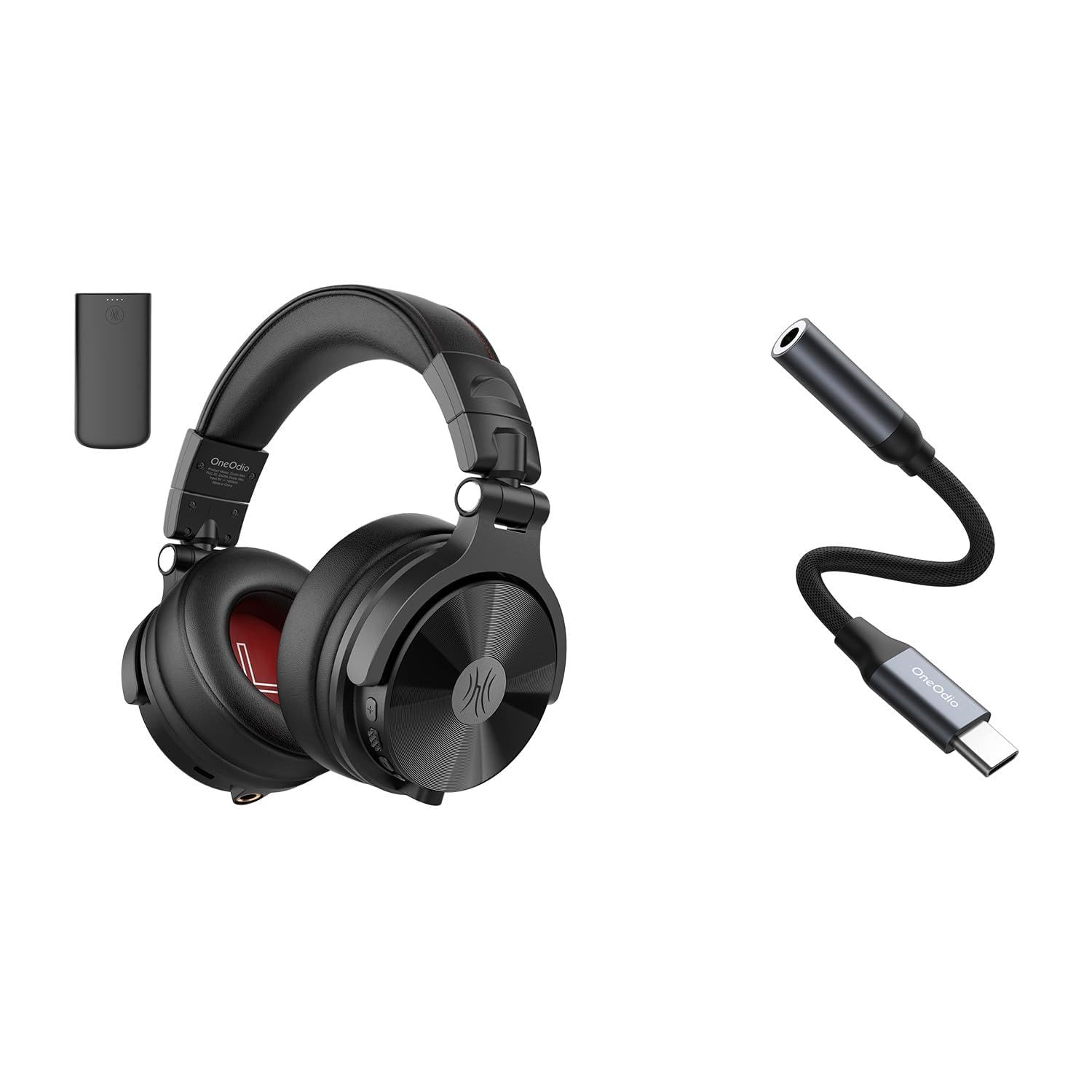
Figur 1: OneOdio Studio Max 1 Wireless DJ Headphone and USB-C to 3.5 mm Adapter. This image displays the headphones in their folded state alongside the USB-C to 3.5 mm adapter and included cables, providing a general view of the product and its accessories.
Hovedtelefonkomponenter
- Power knap: On/Off, Play/Pause, Call Answer/End
- Lydstyrke op-knap: Increase volume, Next track (long press)
- Lydstyrke ned-knap: Decrease volume, Previous track (long press)
- USB-C opladningsport: For charging the headphones
- 3.5 mm lydindgang: Til kablet tilslutning
- Mikrofon: Til håndfri opkald
- LED-indikator: Displays power, pairing, and charging status
USB-C to 3.5 mm Adapter Components
- USB-C-stik: Connects to your device
- 3.5 mm lydstik: Connects to headphones or other audio devices
- DAC-chip: Provides high-resolution audio conversion
Opsætning
Opladning af hovedtelefoner
Oplad hovedtelefonerne helt før første brug.
- Tilslut USB-C-opladningskablet til USB-C-opladningsporten på hovedtelefonerne.
- Tilslut den anden ende af kablet til en USB-strømkilde (f.eks. en computers USB-port eller en vægadapter).
- LED-indikatoren lyser rødt under opladning og slukker, når den er fuldt opladet.
Figur 2: Illustrates the USB-C charging port on the headphones. For charging, locate this port, typically on one of the earcups, and connect the provided USB-C cable.
Bluetooth Pairing (Wireless Mode)
- Sørg for, at hovedtelefonerne er slukket.
- Press and hold the Power Button for approximately 5-7 seconds until the LED indicator flashes blue and red alternately. This indicates pairing mode.
- Aktiver Bluetooth på din lydenhed (smartphone, tablet, computer) og søg efter tilgængelige enheder.
- Select "OneOdio Studio Max 1" from the list of found devices.
- Når parringen er afsluttet, blinker LED-indikatoren langsomt blåt.
Wired Connection (3.5 mm Audio Cable)
For a wired connection, you can use the included 3.5 mm audio cable.
- Connect one end of the 3.5 mm audio cable to the 3.5 mm audio input on the headphones.
- Connect the other end of the 3.5 mm audio cable to the 3.5 mm audio output on your device.
- Hovedtelefonerne skifter automatisk til kablet tilstand.
Using the USB-C to 3.5 mm Adapter
This adapter allows you to connect 3.5 mm audio devices to USB-C ports that lack a dedicated audio jack.
- Connect the USB-C end of the adapter to the USB-C port on your audio source device (e.g., smartphone, laptop).
- Connect your 3.5 mm headphones or other audio device to the 3.5 mm audio jack on the adapter.
- Ensure your device's audio output is set to the USB-C audio accessory if prompted.
Figur 3: Depicts the USB-C to 3.5 mm adapter. To use, insert the USB-C connector into your device and plug your 3.5 mm audio cable into the adapter's audio jack.
Betjeningsvejledning
Tænd/sluk
- Tænd: Press and hold the Power Button for 2-3 seconds until the LED indicator flashes blue.
- Sluk: Press and hold the Power Button for 3-4 seconds until the LED indicator flashes red and then turns off.
Musikafspilning (trådløs tilstand)
- Afspil/pause: Tryk kort på tænd/sluk-knappen.
- Lydstyrke op: Tryk kort på knappen Lydstyrke op (+).
- Skrue ned for lyden: Tryk kort på lydstyrke ned-knappen (-).
- Næste nummer: Tryk længe på knappen Lydstyrke op (+).
- Forrige nummer: Tryk længe på lydstyrke ned-knappen (-).
Opkaldshåndtering (trådløs tilstand)
- Besvar/afslut opkald: Tryk kort på tænd/sluk-knappen.
- Afvis opkald: Tryk længe på Power-knappen.
- Genopkald sidste nummer: Double-press the Power Button.
LDAC/LC3 Codec Support
The OneOdio Studio Max 1 supports LDAC and LC3 codecs for high-resolution wireless audio transmission. Ensure your source device also supports these codecs and that they are enabled in your device's Bluetooth settings for optimal audio quality.
Vedligeholdelse og pleje
- Clean the headphones and adapter with a soft, dry cloth. Do not use abrasive cleaners or solvents.
- Undgå at udsætte enhederne for ekstreme temperaturer, fugtighed eller direkte sollys.
- Store the headphones in the included carrying pouch when not in use to protect them from dust and scratches.
- Do not attempt to disassemble or modify the headphones or adapter, as this will void the warranty.
- Keep away from water and liquids. If exposed, power off immediately and allow to dry completely before use.
Fejlfinding
| Problem | Mulig årsag | Løsning |
|---|---|---|
| Hovedtelefonerne tændes ikke. | Lavt batteri. | Oplad hovedtelefonerne helt. |
| Kan ikke parres via Bluetooth. | Hovedtelefoner er ikke i parringstilstand; Bluetooth deaktiveret på enheden; for langt fra enheden. | Ensure headphones are in pairing mode (flashing red/blue). Enable Bluetooth on your device. Move headphones closer to the device (within 10 meters). |
| Ingen lyd i trådløs tilstand. | Volume too low; headphones not connected; incorrect audio output selected. | Skru op for lydstyrken på hovedtelefoner og enhed. Genpar hovedtelefonerne. Kontroller enhedens lydudgangsindstillinger. |
| Ingen lyd i kablet tilstand. | Cable not fully inserted; faulty cable; incorrect audio output selected. | Ensure 3.5 mm cable is fully inserted into both devices. Try a different 3.5 mm cable. Check device's audio output settings. |
| USB-C adapter not working. | Adapter not fully inserted; device incompatible; incorrect audio output selected. | Ensure adapter is fully inserted into the USB-C port. Verify your device supports USB-C audio output. Check device's audio output settings. |
Specifikationer
- Model: OneOdio Studio Max 1
- Driver diameter: 50 mm
- Frekvensrespons: 20 Hz - 40 kHz (Hi-Res Audio certified)
- Impedans: 32 Ohm
- Følsomhed: 110 dB ± 3 dB
- Bluetooth version: 5.2
- Bluetooth Range: Op til 10 meter (33 fod)
- Understøttede codecs: LDAC, LC3, SBC, AAC
- USB-C Adapter Sampling sats: 24-bit/96kHz HiFi audio
Garanti og support
OneOdio products come with a standard manufacturer's warranty. For detailed warranty information, please refer to the warranty card included in your package or visit the official OneOdio website. For technical support, troubleshooting assistance, or warranty claims, please contact OneOdio customer service through their official channels.
Officiel Webwebsted: www.oneodio.com
E-mail support: support@oneodio.com