
Indledning
The Retekess TR642 is a versatile CD player boombox designed for various audio playback options. It features CD, cassette, AM/FM radio, USB, TF card, AUX input, and wireless connectivity. This manual provides detailed instructions for setup, operation, maintenance, and troubleshooting to ensure optimal performance and user experience.

Image: The Retekess TR642 CD Player Boombox, showcasing its compact design with a top-loading CD player, front-loading cassette deck, and an extendable antenna.
Pakkens indhold
Markér venligst feltet for følgende elementer:
- 1 x Retekess TR642 CD Boombox
- 1 x fjernbetjening (kræver 2 AAA-batterier, medfølger ikke)
- 1 x strømkabel
- 1 x Aux -kabel
- 1 x Produktmanual
Produkt overview
Kontrolpaneler på øverste panel

Image: Detailed diagram of the Retekess TR642's top panel, highlighting the function buttons, display screen, and media controls.
- Tænd/sluk: Tryk for at tænde eller slukke for enheden.
- Wireless Connection (B): Short press to activate wireless pairing mode.
- Volumen +/-: Øg eller sænk lydstyrken.
- Repeat/Setting Button (FUNC): Cycles through repeat modes or settings.
- Previous/Next Track, Fast Rewind/Forward: Navigate tracks or fast forward/rewind media.
- Pause/Play/Auto Scan: Play/pause media or initiate auto-scan in radio mode.
- Stop/EQ: Stop playback or cycle through equalizer settings.
- FM/AM: Switch between FM and AM radio bands.
- LED Ambient Light / BASS: Short press to toggle ambient light, long press for bass boost.
Side and Rear Panel Ports

Image: Diagram illustrating the side and rear ports of the Retekess TR642, including the Type-C IN, AUX Interface, and 3.5mm Earphone Jack.
- TYPE-C IN: Power input for charging or continuous operation.
- AUX-grænseflade: 3.5 mm indgang til tilslutning af eksterne lydenheder.
- 3.5 mm hovedtelefonstik: Til privat lytning med hovedtelefoner.
- USB-port: Til afspilning fra USB-drev.
- TF-kortslot: Til afspilning fra TF-kort (Micro SD).
Opsætning
Tænd for enheden
- Batteristrøm: The TR642 is equipped with two 5000mAh rechargeable lithium-ion batteries, providing up to 15 hours of continuous playtime. Ensure the batteries are charged before portable use.
- AC strøm: Connect the provided power cable to the TYPE-C IN port on the device and plug it into a standard wall outlet for continuous power and battery charging.
Antennejustering
For optimal FM/AM radio reception, extend the telescopic antenna fully and adjust its position until the clearest signal is achieved.
Betjeningsvejledning
Generel drift
- Tænd/sluk: Long press the Power On/Off button on the top panel to turn the unit on or off.
- Valg af tilstand: Short press the FUNC button to cycle through available modes: CD, USB, TF, AUX, TAPE, FM/AM.
- Lydstyrkejustering: Use the Volume +/- buttons to adjust the playback volume.
CD-afspilning

Image: A hand carefully placing a compact disc into the top-loading CD compartment of the boombox.
- Åbn dækslet til cd-rummet.
- Place a CD (CD, CD-R, CD-RW, MP3, WMA formats supported) onto the spindle with the label side facing up.
- Luk dækslet til cd-rummet.
- Select CD mode using the FUNC button. The display will show 'CD'.
- Tryk på knappen Afspil for at starte afspilningen.
- Use Previous/Next Track buttons to skip tracks.
- Press the Repeat button (FUNC) during CD playback to cycle through repeat modes: repeat current track, repeat entire CD, random playback, normal playback.
Afspilning af kassette
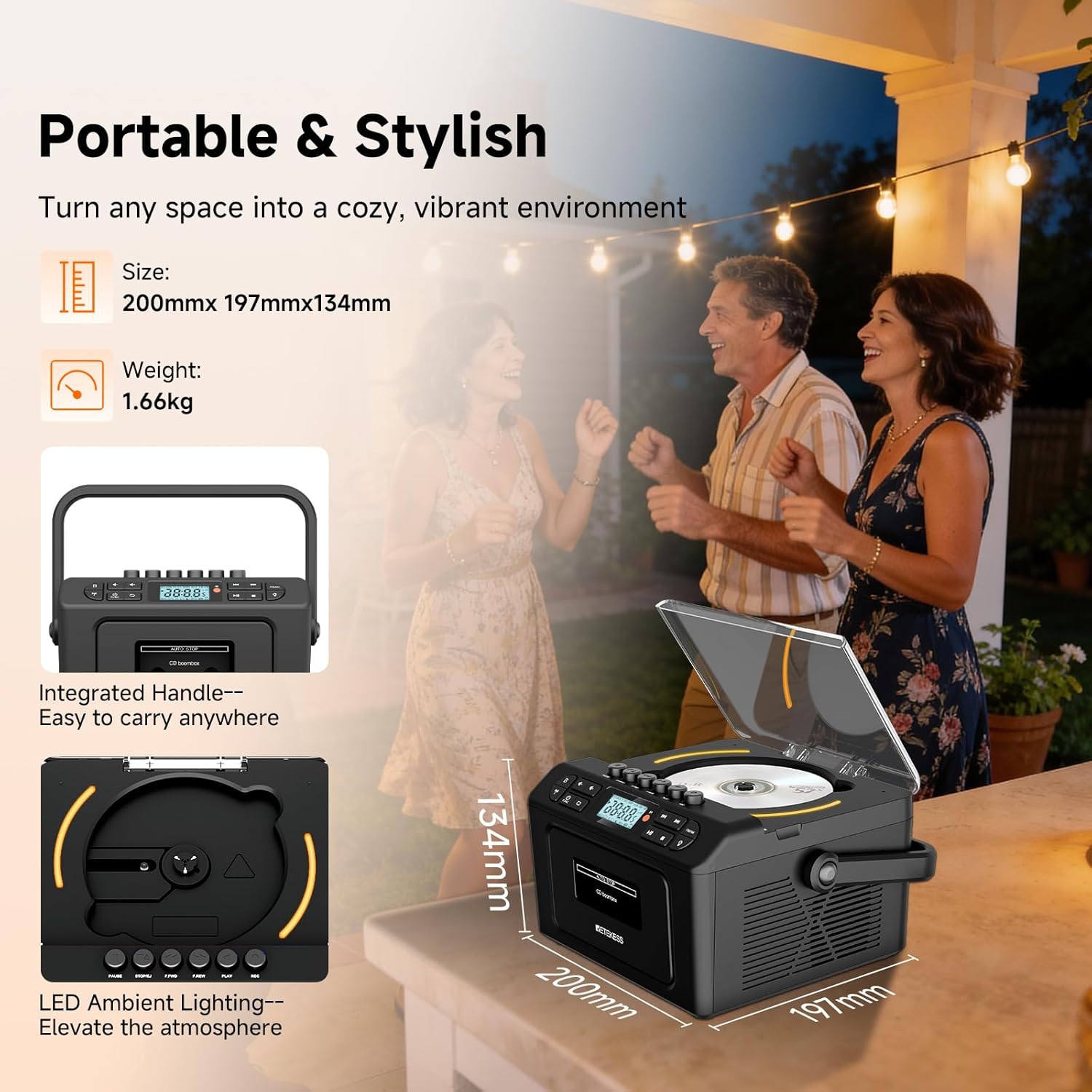
Image: A hand inserting a cassette tape into the front-loading cassette deck of the Retekess TR642 boombox.
- Åbn døren til kassetterummet.
- Indsæt et kassettebånd.
- Luk døren til kassetterummet.
- Select TAPE mode using the FUNC button. The display will show 'TAPE'.
- Tryk på knappen Afspil for at starte afspilningen.
- Use F.FWD (Fast Forward) or F.REW (Fast Rewind) buttons to quickly navigate the tape.
- Tryk på knappen Stop for at stoppe afspilningen.
- Press the Eject button (usually the Stop button pressed again or a dedicated button) to remove the cassette.
AM/FM-radiodrift
- Select FM/AM mode using the FUNC button. The display will show 'FM' or 'AM'. Press the FM/AM button to switch between bands.
- Manuel indstilling: Short press the Previous/Next Track buttons to fine-tune the frequency.
- Automatisk scanning: Long press the Play/Auto Scan button to automatically search for and save available stations. Up to 30 stations can be saved.
- Stop Auto Scan: Press the Stop button to halt the auto-scan process.
- Listen to Saved Stations: Use the Previous/Next Track buttons to cycle through saved stations.
Wireless (Bluetooth) Connectivity
The TR642 features dual wireless modes for both transmission and reception.
- Wireless Reception (Pairing with Phone/Tablet):
a. Short press the Wireless Connection (B) button. The LED screen will show 'BLUE' flashing, indicating pairing mode.
b. On your external device (e.g., smartphone), enable Bluetooth and search for 'RETEKESS-TR642'.
c. Select 'RETEKESS-TR642' to pair. Once paired, the 'BLUE' indicator will become solid.
d. To disconnect, short press the Wireless Connection (B) button again. - Wireless Transmission (Connecting to Wireless Headphones/Speakers):
a. After powering on, short press the BTL AUNCH key (Wireless Connection button) to automatically switch to wireless transmission mode. The wireless transmission icon will flash.
b. The boombox will automatically connect to nearby wireless devices in pairing mode (Bluetooth mode is unconnected).
c. Once connected successfully, the icon will remain solid. You can now listen to the audio on the receiver.
d. To cancel transmission, short press the BTL AUNCH key again.
USB/TF-kortafspilning
- Indsæt et USB-drev i USB-porten eller et TF-kort i TF-kortstikket.
- Select USB or TF mode using the FUNC button. The display will show 'USB' or 'TF'.
- Playback will begin automatically. Use the Previous/Next Track, Play/Pause, and Stop buttons to control playback.
AUX-indgang
Connect external audio devices (e.g., MP3 players, smartphones) to the AUX IN port using the provided 3.5mm AUX cable. Select AUX mode using the FUNC button. Audio from the external device will play through the boombox speakers.
Brug af hovedtelefoner
Plug 3.5mm headphones into the headphone jack. The speakers will automatically mute for private listening.
LED ambient belysning
Short press the LED Ambient Light / BASS button to turn the ambient lighting on or off. The lights gradually shift through colors (red, blue, green).
Equalizer (EQ)-indstillinger
Short press the Stop/EQ button to cycle through different EQ settings: Normal, Classical, Jazz, Pop, Rock. EQ effects apply to all audio sources, not just FM/AM mode.
Sleep Timer
Press the SLEEP button on the remote control to enter sleep mode. Use the Previous/Next Track buttons to set the shutdown timer (e.g., 10, 20, 30 minutes). The device will automatically power off once the set time is reached. To cancel, select 'OFF'.
Fjernbetjening

Image: The remote control for the Retekess TR642, showing buttons for power, volume, mode selection, track navigation, EQ, bass, and sleep timer.
The remote control allows for convenient operation from a distance (up to 10 meters). Functions include power on/off, mode selection, volume adjustment, track navigation, EQ settings, bass control, and sleep timer. Refer to the remote control diagram in the manual for specific button functions.
Video: This video demonstrates how to use the Retekess TR642 remote control, including powering on/off, switching between modes (CD, USB, TF, AUX, TAPE, FM/AM), adjusting volume, and setting repeat functions.
Opretholdelse
- Rensning: Brug en blød, tør klud til at rengøre ydersiden af giggtaleren. Brug ikke slibende rengøringsmidler eller opløsningsmidler.
- CD-pleje: Handle CDs by the edges. Wipe discs from the center outwards with a soft, lint-free cloth. Store CDs in their cases to prevent scratches.
- Kassettepleje: Rengør båndhovederne og trykkrullerne let med en vatpind med jævne mellemrum.ampafsluttet med isopropylalkohol.
- Batteripleje: For long-term storage, charge the batteries to about 50% and store the unit in a cool, dry place. Recharge periodically to maintain battery health.
Fejlfinding
| Problem | Mulig årsag | Løsning |
|---|---|---|
| Ingen strøm | Power cable not connected; batteries drained. | Ensure power cable is securely connected; charge batteries. |
| Ingen lyd | Lydstyrken er for lav; forkert tilstand valgt; hovedtelefoner er tilsluttet. | Skru op for lydstyrken; vælg den korrekte tilstand; frakobl hovedtelefonerne. |
| CD-spring | CD scratched/dirty; unit vibrated. | Clean CD; place unit on a stable surface. |
| Dårlig radiomodtagelse | Antennen ikke trukket ud/justeret; svagt signal. | Træk antennen ud og juster den; prøv at flytte enheden til en anden placering. |
| Wireless pairing fails | Enheden er ikke i parringstilstand; for langt fra kilden. | Ensure boombox is in pairing mode; move devices closer. |
| Operational glitches/display errors | Midlertidigt softwareproblem. | Press the RESET button on the back of the boombox to restore normal function. |
Specifikationer
| Feature | Detalje |
|---|---|
| Mærke | Retekess |
| Modelnummer | TR642 |
| Forbindelsesteknologi | Auxiliary, USB, Wireless |
| Farve | Sort |
| Højttaler type | Stereoanlæg |
| Varedimensioner (L x B x H) | 10.67 x 10.31 x 7.09 tommer |
| Strømkilde | Batteridrevet |
| Kompatible enheder | MP3 Player, Personal Computer, Smartphone, Tablet, Television |
| Bluetooth support | Ja (version 5.3) |
| Understøttet lydformat | CD, CD-R, CD-RW, MP3, WMA |
| Antal højttalere | 2 |
| Lydudgangstilstand | Stereoanlæg |
| Surround Sound Kanalkonfiguration | 2.0 |
| Batterikapacitet | 2 x 5000mAh litium-ion-batteri |
| Kontinuerlig spilletid | Op til 15 timer |
Garanti og support
Retekess provides a 1-year warranty and a 30-day no-reason return policy. Beyond the warranty period, maintenance services are still offered, with buyers responsible for associated costs. For support, contact Retekess on Amazon; they aim to reply within 12 hours.