
1. Introduktion
Tak for købetasing the McGrey MCD-60 Vertical Stereo System. This compact Hi-Fi system offers versatile audio playback options including CD, MP3, USB, Bluetooth streaming, and FM/AM radio. Designed for space-saving, it can be used with its stand or mounted on a wall. Please read this manual carefully before using the device to ensure proper operation and to maximize its lifespan.
2. Vigtige sikkerhedsinstruktioner
- Læs alle instruktioner før brug.
- Gem denne vejledning til fremtidig reference.
- Udsæt ikke enheden for regn eller fugt for at forhindre brand eller elektrisk stød.
- Bloker ikke ventilationsåbninger. Installer i overensstemmelse med producentens anvisninger.
- Må ikke installeres i nærheden af varmekilder såsom radiatorer, varmeapparater, komfurer eller andre apparater (inklusive ampløftere), der producerer varme.
- Beskyt netledningen mod at blive trådt på eller klemt, især ved stik, stikkontakter og det sted, hvor de kommer ud af apparatet.
- Brug kun tilbehør/tilbehør specificeret af producenten.
- Træk stikket ud af dette apparat under tordenvejr, eller når det ikke skal bruges i længere perioder.
- Overlad al service til kvalificeret servicepersonale. Service er påkrævet, når apparatet er blevet beskadiget på nogen måde.
3. Pakkens indhold
Sørg for, at alle genstande er til stede ved udpakning:
- McGrey MCD-60 Stereo System
- Fjernbetjening (batterier medfølger ikke)
- Strømadapter
- Brugervejledning (dette dokument)
4. Produktet er slutview
4.1 Forside og side View

Billede: Forside view of the McGrey MCD-60 Stereo System, highlighting the USB port, headphone jack, and power button locations.

Billede: Side views of the McGrey MCD-60 Stereo System, illustrating its compact and slim design.
4.2 bag View og forbindelser

Billede: Bagside view of the McGrey MCD-60 Stereo System, indicating the power input and FM antenna connection points. Wall mounting holes are also visible.
4.3 Fjernbetjening

Image: The remote control for the McGrey MCD-60, showing buttons for power, EQ, repeat, volume, mode, and track navigation.
The remote control allows convenient operation of all functions from a distance. Please insert 2x AAA batteries (not included) into the remote control before first use.
5. Opsætning
5.1 Placering
The MCD-60 can be placed on a flat surface using its integrated stand or mounted on a wall.
- Standplads placering: Sørg for, at enheden er placeret på en stabil, plan overflade for at forhindre, at den vælter.
- Vægmontering: Use appropriate screws and wall plugs for your wall type. Ensure the mounting location is secure and can support the unit's weight (approx. 1.1 kg). Refer to the rear view image for mounting points.

Image: The McGrey MCD-60 Stereo System shown wall-mounted above a cabinet, demonstrating its space-saving design.
5.2 Strømtilslutning
- Connect the power adapter to the DC IN port on the back of the stereo system.
- Sæt strømadapteren i en passende stikkontakt.
5.3 Antenneforbindelse
For optimal FM/AM radio reception, extend the integrated wire antenna on the back of the unit. Adjust its position for the best signal.
6. Betjeningsvejledning
6.1 Tænd/sluk
Tryk på STÅ VED knappen på enheden eller Magt knappen på fjernbetjeningen for at tænde eller slukke for systemet.
6.2 Valg af tilstande
Tryk på MODE button on the unit or remote control to cycle through available modes: CD, USB, Bluetooth, FM/AM Radio, AUX.
6.3 CD-afspilning
- Vælge CD mode.
- Tryk på ÅBN/LUK button (if available, or gently open the CD cover) to open the CD compartment.
- Insert a CD (audio CD, CD-R, CD-RW with MP3) with the label side facing you.
- Close the CD compartment. The system will automatically start playing.
- Bruge AFSPIL/PAUSE, STOP, SPRINGE (forward/backward) buttons on the unit or remote control to manage playback.

Image: The McGrey MCD-60 Stereo System with its vertical CD compartment open, ready for disc insertion.
6.4 USB-afspilning
- Insert a USB flash drive into the USB port on the side of the unit.
- Vælge USB mode. The system will automatically detect and play compatible audio files (MP3, WMA, FLAC, AAC, WAV).
- Bruge AFSPIL/PAUSE, STOP, SPRINGE (forward/backward) buttons on the unit or remote control to manage playback.
6.5 Bluetooth-streaming
- Vælge Bluetooth mode. The display will show "BLU" and the unit will enter pairing mode.
- Aktiver Bluetooth på din smartphone, tablet eller anden Bluetooth-aktiveret enhed, og søg efter tilgængelige enheder.
- Select "MCD-60" from the list of devices to pair.
- Once paired, you can stream audio wirelessly from your device to the stereo system.

Image: The McGrey MCD-60 display indicating "BLU" for Bluetooth mode, alongside icons representing compatible devices like laptops, smartphones, and tablets.
6.6 FM/AM radio
- Vælge FM or AM mode.
- Tryk på AUTO button on the remote control to perform an automatic station scan and save up to 50 presets.
- Brug CH +/- buttons on the remote or SPRINGE buttons on the unit to navigate through saved stations.
- For manuel tuning skal du bruge TUN+/- knapper på fjernbetjeningen.
6.7 AUX-indgang
- Tilslut en ekstern lydenhed (f.eks. MP3-afspiller) til AUX IN port using a 3.5mm audio cable (not included).
- Vælge AUX mode.
- Styr afspilning fra din tilsluttede eksterne enhed.
6.8 Hovedtelefonudgang
Connect headphones to the 3.5mm headphone jack for private listening. The main speakers will be muted automatically.
6.9 Lydstyrkekontrol
Brug VOL +/- buttons on the unit or remote control to adjust the volume.
6.10 Equalizer (EQ)
Tryk på EQ button on the remote control to cycle through different equalizer presets (e.g., Pop, Rock, Classic, Jazz, Flat) to optimize sound for various music genres.
7. Vedligeholdelse
- Rensning: Tør enheden af med en blød, tør klud. Brug ikke slibende rengøringsmidler eller opløsningsmidler.
- CD-pleje: Hold cd'er i kanterne. Hold dem rene og fri for ridser.
- Opbevaring: If storing the unit for an extended period, unplug it from the power outlet and remove batteries from the remote control. Store in a cool, dry place.
8. Fejlfinding
| Problem | Mulig årsag | Løsning |
|---|---|---|
| Ingen strøm | Netledningen er ikke tilsluttet; stikkontakten er ikke aktiv. | Sørg for, at netledningen er korrekt tilsluttet; prøv en anden stikkontakt. |
| Ingen lyd | Lydstyrken er for lav; Lydløs aktiveret; Forkert tilstand valgt; Hovedtelefoner tilsluttet. | Increase volume; Press MUTE on remote; Select correct mode; Disconnect headphones. |
| CD'en afspiller ikke | CD'en er isat forkert; CD'en er snavset eller ridset; Forkert tilstand. | Reinsert CD correctly; Clean or replace CD; Select CD mode. |
| USB afspilles ikke | USB-drev er ikke isat korrekt; Inkompatibelt file format; Incorrect mode. | Sæt USB-drevet i igen; Sørg for files are MP3, WMA, FLAC, AAC, WAV; Select USB mode. |
| Bluetooth-parring mislykkes | Bluetooth mode not selected; Device too far; Device already paired with another unit. | Select Bluetooth mode; Move device closer (within 10m); Disconnect from other devices. |
| Dårlig radiomodtagelse | Antenna not extended or positioned poorly; Interference. | Extend and adjust the antenna; Move unit away from other electronic devices. |
| Fjernbetjening virker ikke | Batteries depleted or inserted incorrectly; Obstruction between remote and unit. | Replace batteries (2x AAA); Ensure correct polarity; Remove obstructions. |
9. Specifikationer
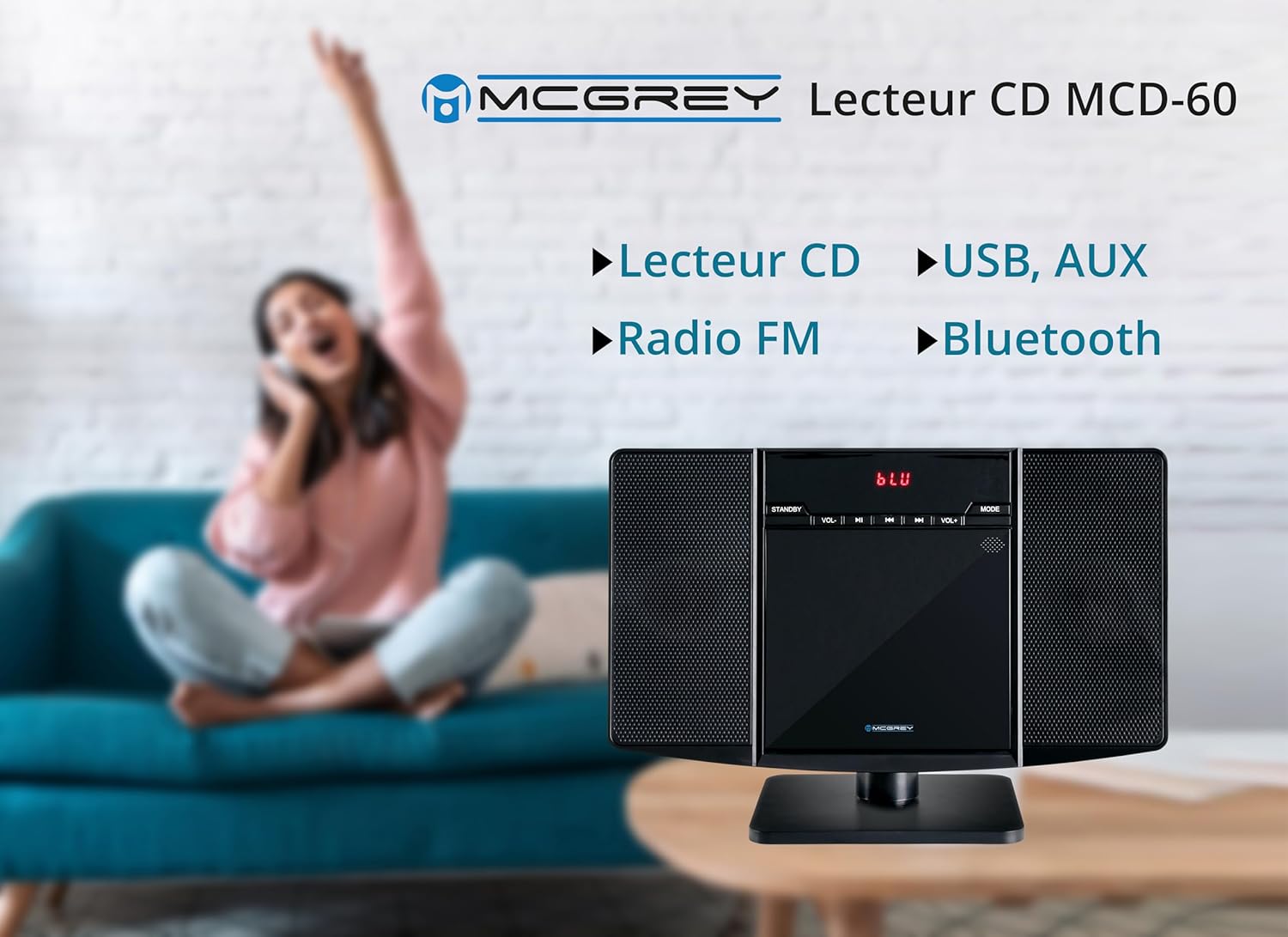
Image: Dimensions of the McGrey MCD-60 Stereo System, showing approximate measurements for height, width, and depth.
- Model: MCD-60
- Strømudgang: 2 x 3 Watt RMS
- Forbindelse: Bluetooth, USB, AUX (3.5mm jack), Headphone Out (3.5mm jack)
- Spilbare formater: CD, MP3, CD-R, CD-RW, WMA, FLAC, AAC, WAV (via USB)
- Radio: FM/AM with PLL tuner, 50 station presets
- Bluetooth Range: Op til 10 meter (ca. 33 fod)
- Vise: Red backlit LCD
- Dimensioner (H x B x D):
- With stand: approx. 23.8 x 34.9 x 13.9 cm (9.37 x 13.74 x 5.47 inches)
- Without stand: approx. 20.4 x 34.9 x 6 cm (8.03 x 13.74 x 2.36 inches)
- Vægt: ca. 1.1 kg (2.4 lbs)
- Farve: Blank sort
- Strømkilde: Kabel elektrisk
- Inkluderet tilbehør: Fjernbetjening (batterier medfølger ikke)
10. Garanti og support
For garantioplysninger og teknisk support henvises til den dokumentation, der blev leveret ved køb, eller kontakt din forhandler. Gem din købsbevis i tilfælde af garantikrav.
Returpolitik: The product typically comes with a 30-day refund/replacement policy. Please check with your retailer for specific terms.