
Indledning
This manual provides detailed instructions for the AGPTEK U6PL 32GB MP3 Player. Please read this manual thoroughly before using the device to ensure proper operation and to maximize its features. Keep this manual for future reference.
Produkt overview
The AGPTEK U6PL is a versatile 32GB MP3 player featuring a 2.8-inch sensitive touchscreen, Bluetooth 5.3, and a built-in speaker. It supports various audio formats, FM radio, recording, e-book reading, and includes a pedometer function.
Nøglefunktioner
- Opbevaring: 32 GB intern hukommelse.
- Vise: 2.8-inch sensitive color touchscreen.
- Forbindelse: Bluetooth 5.3 with auto-reconnection.
- Lydkvalitet: Hi-Fi Lossless sound support (MP3, FLAC, APE).
- Integreret højttaler: Til lydafspilning uden hovedtelefoner.
- Multifunktionel: FM Radio, Voice Recording, E-book reader, Pedometer, Video Playback.
- Batterilevetid: 500mAh battery, providing up to 60 hours of earphone playback or 23 hours of Bluetooth playback.

Image: The AGPTEK U6PL MP3 Player displaying its 2.8-inch sensitive touchscreen interface, shown alongside a pair of over-ear headphones. This highlights the device's display and audio capabilities.

Image: The AGPTEK U6PL MP3 Player's screen displaying a grid of application icons, including Music, FM Radio, Record, Bluetooth, Folder, E-Book, Tools, and Setting. This illustrates the device's multifunctional design for learning and leisure.
Opsætning
1. Opladning af enheden
Before first use, fully charge the MP3 player. Connect the device to a power source using the provided USB cable. The charging indicator will show the charging status. A full charge takes approximately 2.5 hours.

Image: The AGPTEK U6PL MP3 Player connected to a charging cable, with icons indicating 2.5 hours for a full charge, 60 hours of earphone play, and 23 hours of Bluetooth play. This illustrates the device's battery capacity and charging time.
2. Tænd/sluk
- For at tænde: Tryk på tænd/sluk-knappen, og hold den nede, indtil skærmen lyser.
- For at slukke: Tryk på tænd/sluk-knappen og hold den nede, indtil der vises en sluk-mulighed på skærmen, og bekræft derefter.
3. Overførsel Files
Connect the MP3 player to your computer using the USB cable. The device will appear as a removable disk. Drag and drop your music, video, or e-book files i de relevante mapper på afspilleren.
Betjeningsvejledning
1. Musikafspilning
From the main menu, tap the "Music" icon. You can browse music by artist, album, genre, or all songs. Tap a song to begin playback. Use the touchscreen controls for play/pause, skip tracks, and volume adjustment.

Image: A graphic emphasizing "Hi-Fi Lossless Sound" with music notes and icons for MP3, FLAC, and APE formats. This highlights the player's capability to deliver high-fidelity audio.

Image: Three individuals sitting outdoors under a canopy, smiling and listening to music, with the AGPTEK U6PL MP3 Player visible. This illustrates the device's built-in speaker feature for shared listening experiences.
2. Bluetooth-forbindelse
Sådan tilslutter du Bluetooth-hovedtelefoner eller -højttalere:
- Gå til "Indstillinger" og vælg "Bluetooth".
- Slå Bluetooth til.
- The player will search for available devices. Select your device from the list to pair.
- The AGPTEK U6PL supports Bluetooth 5.3 with auto-reconnection, meaning it will automatically connect to previously paired devices when in range.
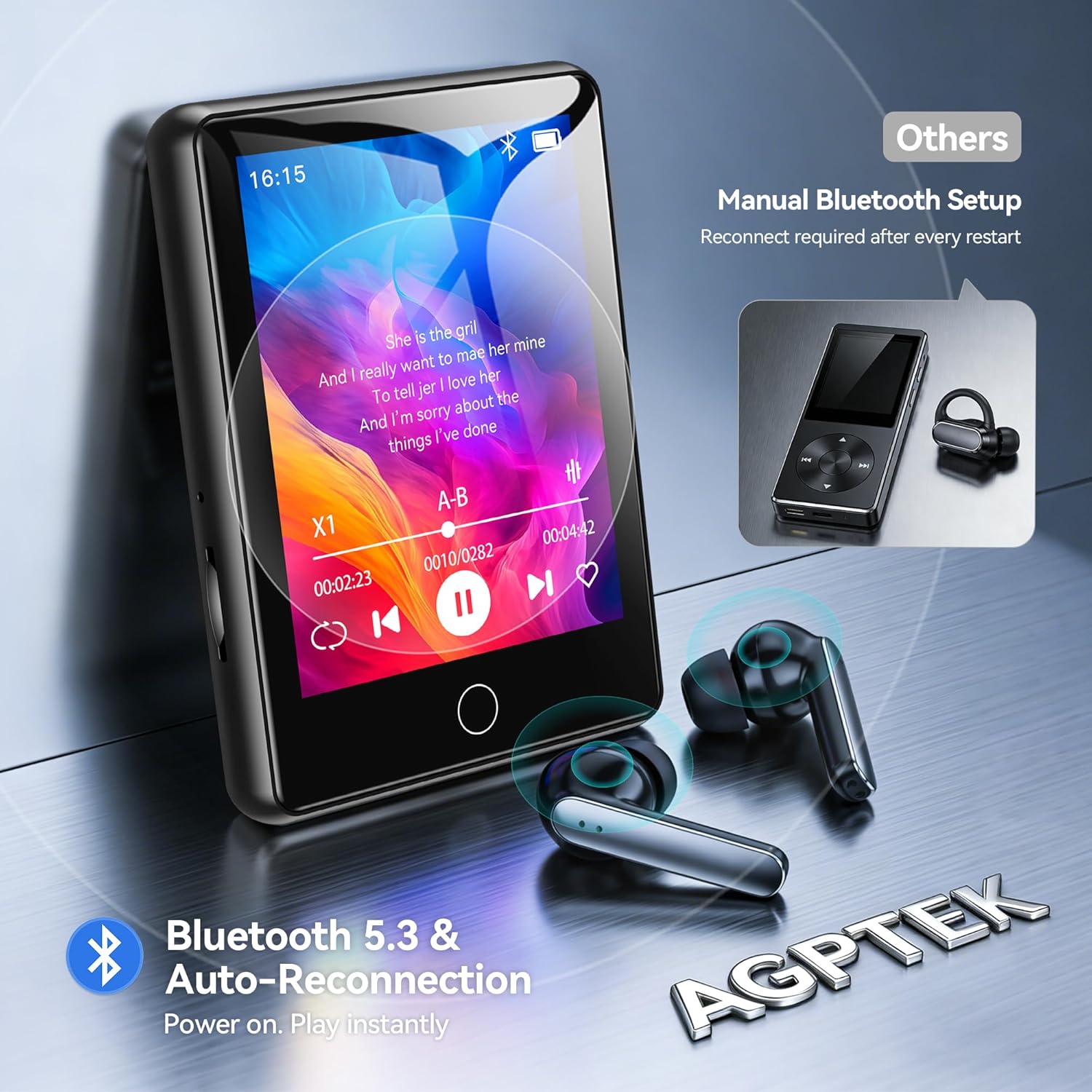
Image: The AGPTEK U6PL MP3 Player displaying a music playback screen, with Bluetooth earbuds shown wirelessly connected. The image highlights Bluetooth 5.3 and auto-reconnection capabilities.
3. FM Radio
Plug in wired headphones (they act as an antenna). From the main menu, tap "FM Radio". You can auto-scan for stations or manually tune. Save your favorite stations for quick access.
4. Optagelse
Tap the "Record" icon to access the voice recorder. Tap the record button to start and stop recording. Recordings are saved in the device's memory.
5. E-bogslæser
Overførbar e-bog files (e.g., TXT format) to the "E-Book" folder on the player. Tap the "E-Book" icon to open and read your files.
6. Skridttæller
Activate the pedometer function from the main menu. The device will track your steps. Ensure the player is carried securely for accurate readings.
7. Videoafspilning
Overfør kompatibel video files to the "Video" folder. Tap the "Video" icon to browse and play your videos on the 2.8-inch screen.
8. Quick Song Search
To quickly find a song, navigate to your music list and use the search function. Enter keywords from the song filename (letters and numbers only) to filter the list.

Image: The AGPTEK U6PL MP3 Player showing its quick song search interface with an on-screen keyboard and a list of filtered songs. A note indicates that only letters and numbers are supported for search keywords.

Image: A collage of four images demonstrating the AGPTEK U6PL's diverse functions: FM Radio, Recording, E-book reading, and Pedometer. This highlights its utility for study, commuting, and leisure.
Opretholdelse
- Rensning: Brug en blød, tør klud til at rengøre enheden. Brug ikke flydende rengøringsmidler eller slibende materialer.
- Opbevaring: Opbevar afspilleren et køligt, tørt sted væk fra direkte sollys og ekstreme temperaturer.
- Batteripleje: For at forlænge batteriets levetid bør du undgå at aflade batteriet helt ofte. Oplad enheden regelmæssigt, selvom den ikke er i brug i længere perioder.
- Vandtæthed: Denne enhed er ikke vandtæt. Undgå udsættelse for vand eller høj luftfugtighed.
Fejlfinding
| Problem | Løsning |
|---|---|
| Enheden tænder ikke. | Sørg for, at enheden er fuldt opladet. Hvis batteriet er helt afladet, kan det tage et par minutter at oplade den, før den kan tændes. |
| Kan ikke oprette forbindelse til Bluetooth-enhed. | Ensure Bluetooth is enabled on both the MP3 player and the target device. Make sure the target device is in pairing mode and within range. Try restarting both devices. |
| Ingen lyd fra hovedtelefoner. | Check if headphones are properly plugged in (for wired) or paired (for Bluetooth). Verify volume settings on the player. Test with different headphones if possible. |
| Filevises ikke på afspilleren. | Sikre files are transferred to the correct folders and are in compatible formats. Disconnect and reconnect the player to the computer. |
Specifikationer
| Mærke | AGPTEK |
| Modelnummer | U6PL |
| Hukommelseslagringskapacitet | 32 GB |
| Skærmstørrelse | 2.8 tommer |
| Forbindelse | Bluetooth 5.3 |
| Batterikapacitet | 500 mAh |
| Inkluderede komponenter | 1 x 32GB MP3 Bluetooth 5.3 Player, USB Cable |
Garanti og support
For garantioplysninger og teknisk support henvises til den dokumentation, der fulgte med dit køb, eller besøg den officielle AGPTEK webwebsted. Gem din købsbevis til garantikrav.