
1. Introduktion
Thank you for choosing the DAYTECH Wireless Caregiver Pager Nurse Call System. This system is designed to provide reliable and convenient assistance for the elderly, patients, pregnant women, and individuals with disabilities. It features a pre-set, easy-to-use design, IP55 waterproof emergency button, adjustable alarm melodies, and a long wireless range for various home and care facility environments.

Figure 1: Scenarios where the DAYTECH Caregiver Pager is beneficial.
2. Pakkens indhold
Kontroller venligst pakkens indhold for at sikre, at alle varer er til stede:
- Modtager ×1
- Caregiver Call Button ×1 (12V23A battery included)
- Instruktionsmanual × 1
- Double-sided Adhesive Tape ×1
- Bracket Opener ×1

Figure 2: Call button installation options.
3. Opsætningsvejledning
3.1 Indledende opsætning
- Modtagerplacering: Plug the receiver into a standard electrical outlet in a central location where the alert can be easily heard. The receiver is battery-free.
- Opkaldsknap: The call button comes with a 12V23A battery pre-installed. No initial battery installation is required.
- Pre-paired System: The call button and receiver are pre-paired at the factory. The system is ready for immediate use upon plugging in the receiver.
3.2 Installation af opkaldsknap
The call button offers multiple installation options:
- Wearing as a Pendant: Attach the included strap to the call button to wear it around the neck.
- Vægmontering: Use the provided double-sided adhesive tape to mount the call button on a wall. For optimal safety, consider mounting it in areas prone to falls, such as bathrooms or near beds. The IP55 waterproof rating ensures safe use in humid environments.

Figure 3: Call button placement and waterproof feature.
4. Betjeningsvejledning
4.1 Foretage et opkald
To request assistance, simply press the red 'CALL' button on the transmitter. The receiver will sound an alert and flash its LED light.
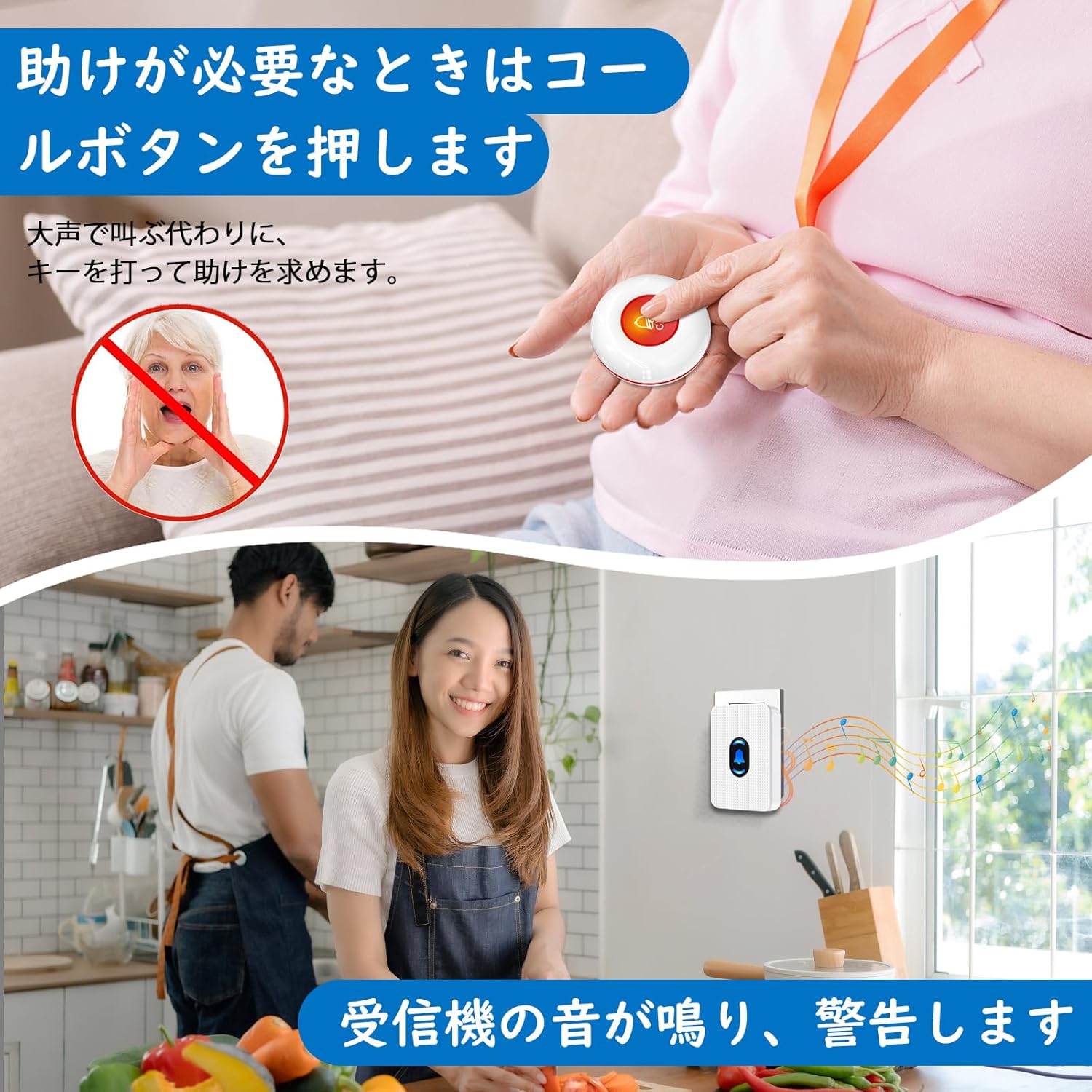
Figure 4: Pressing the call button to activate the alert.
4.2 Melody Selection and Volume Adjustment
The receiver offers 55 selectable melodies and 5 volume levels (0-110dB), including a mute mode (0dB). You can switch between alarm mode (continuous ringing until pressed) for emergencies and melody mode (automatic stop) for daily use.
- Change Melody: Press the 'Forward' or 'Back' button on the receiver to cycle through the 55 melodies.
- Juster lydstyrken: Press the 'Volume' button on the receiver to cycle through the 5 volume levels.
- Indstil alarmtilstand: To set the alarm mode (continuous ringing), long-press the 'Volume' button until the desired alarm sound is selected. The receiver will continue to ring until the button on the receiver is pressed.

Figure 5: Steps to change melody and adjust volume.
4.3 Wireless Range and Expandability
The system provides a wireless communication range of up to 100 meters indoors and 150 meters outdoors. It supports multi-story homes and can be expanded with additional units. One receiver can pair with up to 55 transmitters, and each transmitter can pair with multiple receivers.
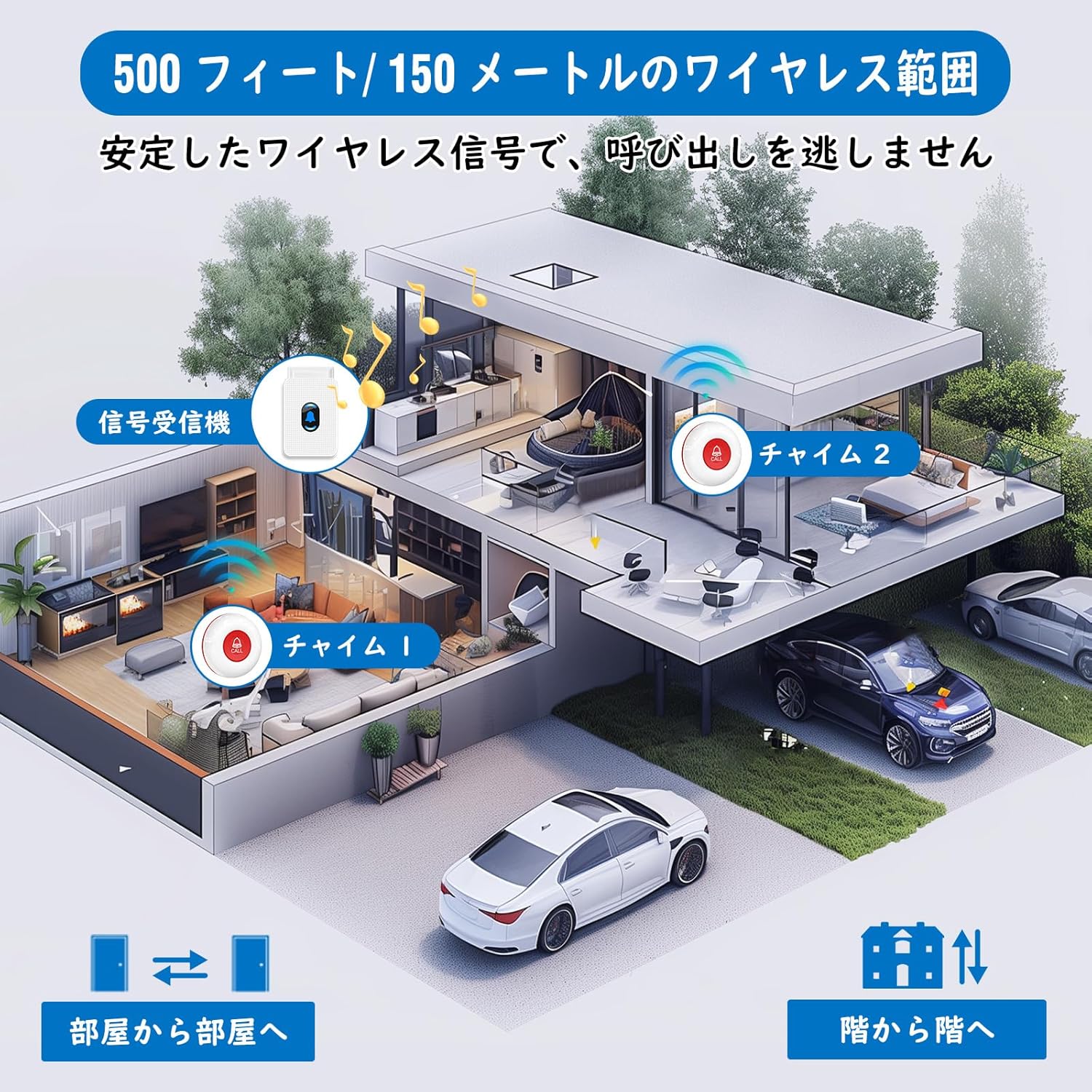
Figur 6: Illustration af trådløs rækkevidde.
4.4 Videodemonstration
Video 1: Demonstrating the features and usage of the DAYTECH Wireless Caregiver Pager system.
5. Vedligeholdelse
5.1 Rengøring
Wipe the receiver and call button with a soft, dry cloth. Do not use abrasive cleaners or solvents. Ensure the call button is dry after exposure to water to maintain its IP55 rating.
5.2 Udskiftning af batteri i opkaldsknappen
The call button features a low battery reminder function. When the battery is low, the system will alert you. To replace the 12V23A battery:
- Use the included bracket opener or a small screwdriver to carefully open the back cover of the call button.
- Remove the old 12V23A battery.
- Insert a new 12V23A alkaline battery, ensuring correct polarity.
- Luk bagdækslet forsvarligt.
6. Fejlfinding
- Intet signal/Modtager advarer ikke:
- Sørg for, at modtageren er korrekt tilsluttet en fungerende stikkontakt.
- Check the call button battery. Replace if the low battery indicator was active.
- Verify the call button and receiver are within the effective wireless range (100m indoors, 150m outdoors). Thick walls or metal objects can reduce range.
- Although pre-paired, if issues persist, try re-pairing the units (refer to the full instruction manual for specific re-pairing steps if needed).
- Receiver Sound Too Low/High:
- Adjust the volume using the 'Volume' button on the receiver (5 levels, 0-110dB).
- Receiver Rings Continuously:
- The system might be in alarm mode. Press any button on the receiver to stop the continuous ringing. To switch to melody mode (auto-stop), refer to section 4.2.
7. Specifikationer
| Feature | Detalje |
|---|---|
| Mærke | DAYTECH |
| Modelnummer | LC01US-01A 1-1 JP |
| Varens vægt | 160 g |
| Pakkedimensioner | 11.1 x 7.6 x 7.4 cm |
| Vandtæthedsklassificering (opkaldsknap) | IP55 |
| Trådløs rækkevidde (indendørs) | Op til 100 meter |
| Trådløs rækkevidde (udendørs) | Op til 150 meter |
| Melodier | 55 typer |
| Lydstyrkeniveauer | 5 niveauer (0-110dB) |
| Modtagerens strøm | AC Powered (Battery-free) |
| Batteri til opkaldsknappen | 12V23A Alkaline (included) |
| Udvidelsesmuligheder | 1 receiver supports up to 55 transmitters |
8. Garanti og support
8.1 Lifetime Quality Warranty
This DAYTECH product comes with a lifetime quality warranty. We are committed to providing sincere support for our products.
8.2 Kundesupport
For any malfunctions, questions, or assistance, please contact us directly through your Amazon order history. Our customer service team will be happy to help you.