
1. Introduktion
Thank you for choosing the YANZEO S200 2D Barcode Scanner. This high-speed, plug-and-play USB scanner is designed for efficient and accurate decoding of 1D and 2D barcodes from various surfaces, including paper, labels, and digital screens. Its robust design makes it suitable for diverse applications such as point-of-sale (POS), inventory management, and retail operations. This manual provides essential information for setting up, operating, and maintaining your scanner.
2. Sikkerhedsoplysninger
- Udsæt ikke scanneren for ekstreme temperaturer, fugtighed eller direkte sollys.
- Avoid dropping the scanner from excessive heights, although it is designed for durability.
- Forsøg ikke at skille scanneren ad eller ændre den. Dette vil ugyldiggøre garantien.
- Hold scanningsvinduet rent for at sikre optimal ydeevne.
- Avoid direct eye exposure to the scanner's light source.
3. Pakkens indhold
Tjek venligst pakken for følgende varer:
- YANZEO S200 2D Barcode Scanner
- USB-kabel (medfølger)
- Brugervejledning (dette dokument)
4. Opsætning
The YANZEO S200 scanner is designed for simple plug-and-play operation. No drivers or additional software are required for most operating systems.
4.1 Tilslutning af scanneren
- Locate an available USB port on your computer or POS system.
- Plug the USB cable of the scanner into the USB port.
- The operating system (Windows, Mac OS, Linux) will automatically detect and install the necessary device drivers. This process usually takes a few seconds.
- Once installed, the scanner is ready for use.

Image: The YANZEO S200 Barcode Scanner connected via USB to a laptop, illustrating its plug-and-play functionality and compatibility with Mac OS, Linux, and Windows operating systems.
5. Betjeningsvejledning
5.1 Scanningstilstande
The S200 scanner supports three primary scanning modes to suit different operational needs:
- Key Trigger Mode: Tryk på udløserknappen for at aktivere scanneren og læse en stregkode.
- Automatisk registreringstilstand: Scanneren registrerer automatisk en stregkode inden for sit felt view og scanner den uden at skulle trykke på aftrækkeren.
- Kontinuerlig scanningstilstand: The scanner continuously emits a scanning beam, reading any barcode that passes through its field.
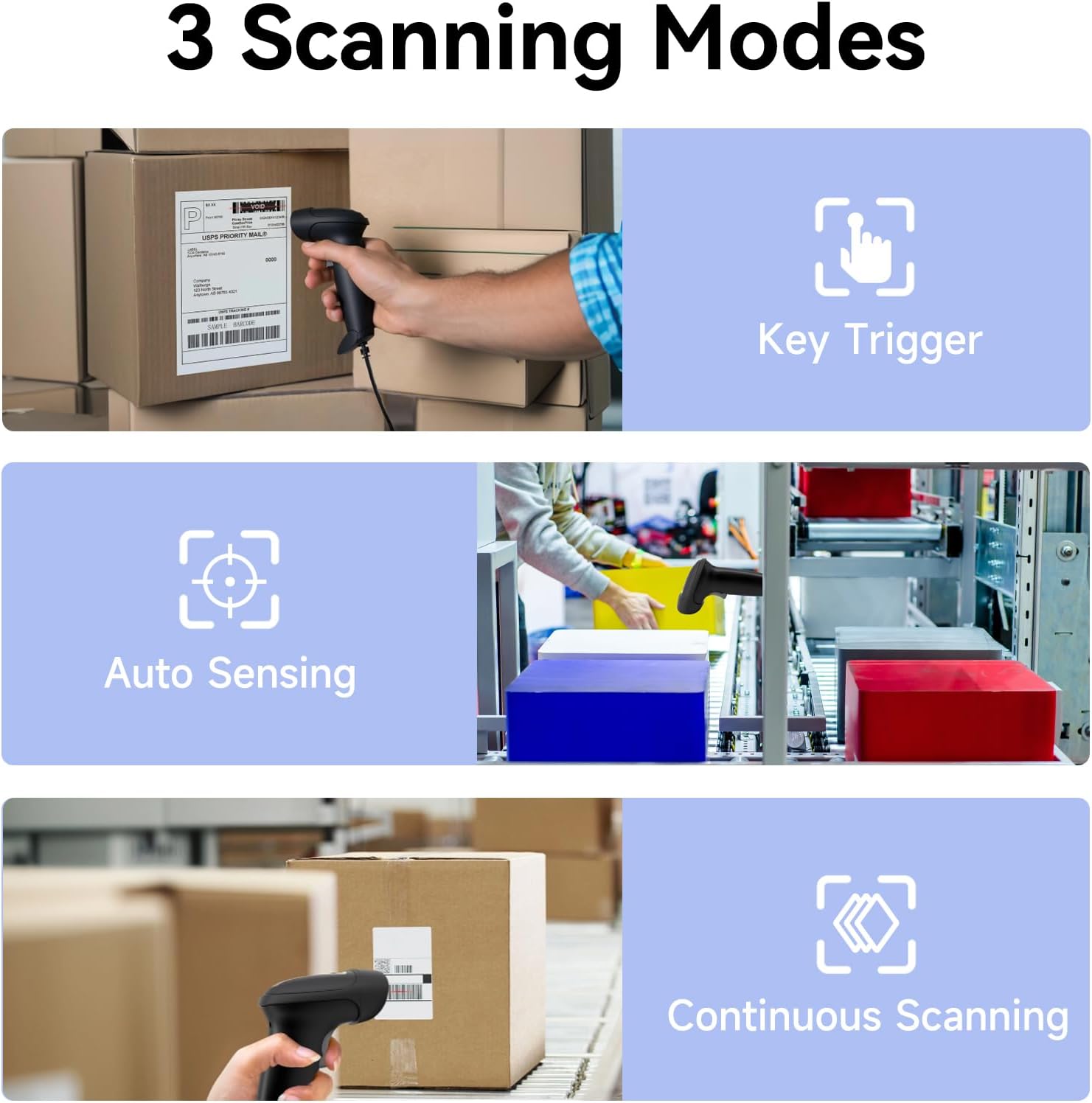
Image: Visual representation of the three scanning modes: Key Trigger (manual scan), Auto Sensing (automatic detection), and Continuous Scanning (constant beam).
5.2 Supported Barcode Types and Decoding Capabilities
The YANZEO S200 is equipped with advanced decoding capabilities to read a wide range of 1D and 2D barcodes, even those that are challenging to scan.
- 1D stregkoder: UPC/EAN, kode 128, kode 39, kode 93, kode 11, Interleaved 2 af 5, Industrial 2 af 5, Matrix 2 af 5, Standard 2 af 5, Codabar, MSI Plessey, GS1 DataBar osv.
- 2D stregkoder: QR Code, Data Matrix, PDF417, Aztec Code, Maxicode osv.
- Challenging Barcodes: The scanner can effectively decode reflective, fuzzy, long, high-density, curved, colorful, damaged, and smudged barcodes, as well as barcodes displayed on digital screens (monitors, smartphones).

Image: The scanner's ability to quickly read diverse barcode types, including those that are reflective, fuzzy QR, long, high-density, curved, and even contaminated.

Image: Demonstrates the scanner's powerful decoding capabilities, showing it can read colorful, damaged, reflective, and smudged barcodes.

Image: The YANZEO S200 scanner demonstrating its ability to read both 1D and 2D barcodes from physical labels and digital screens.
5.3 Kompatibilitet og applikationer
The S200 scanner is highly versatile and compatible with various systems and environments:
- Operativsystemer: Windows (7/8/10/11), Mac OS, Linux.
- Ansøgninger: Ideal for POS systems, warehouse management, retail stores, logistics operations, supermarkets, pharmacies, and more.
- Tastatursprog: Supports multiple keyboard languages including English, Spanish, German, Japanese, French, Italian, and Dutch.

Image: The YANZEO S200 scanner in use across different scenarios: warehouse, supermarket, and pharmacy, demonstrating its suitability for multiple business environments.

Image: The YANZEO S200 scanner highlighting its support for multiple keyboard languages, indicated by various national flags.
6. Vedligeholdelse
6.1 Rengøring af scanneren
To maintain optimal scanning performance, keep the scanning window clean. Use a soft, lint-free cloth lightly dampened with water or a mild cleaning solution. Avoid abrasive cleaners or solvents.
6.2 Holdbarhed og miljøbestandighed
The YANZEO S200 is built with an IP54-certified durable housing, making it resistant to dust and water splashes. It is also designed to withstand drops from up to 1.5 meters, ensuring reliable operation in demanding environments.

Image: The YANZEO S200 scanner's durable and industrial-grade construction, featuring IP54 protection and a 1.5-meter drop test rating for tough environments.
7. Fejlfinding
- Scanneren genkendes ikke: Sørg for, at USB-kablet er korrekt tilsluttet til både scanneren og computeren. Prøv en anden USB-port. Genstart computeren.
- Kan ikke scanne stregkoder: Check if the scanning window is clean. Ensure the barcode is within the scanner's range and properly illuminated. Verify the barcode type is supported.
- Forkert dataoutput: Ensure the correct keyboard language is selected on your computer if you are scanning non-English characters.
- No beep sound: Check the scanner's settings (if applicable, refer to advanced configuration guide) or ensure your computer's volume is not muted.
8. Specifikationer
| Model | S200 |
| Scanningsteknologi | CMOS sensor |
| Stregkode typer | 1D (UPC/EAN, Code 128, Code 39, etc.), 2D (QR Code, Data Matrix, PDF417, etc.) |
| Forbindelse | USB kablet |
| Operativsystemer | Windows, Mac OS, Linux |
| Holdbarhedsvurdering | IP54 (støv- og vandafvisende) |
| Drop modstand | 1.5 meter |
| Produktdimensioner | 6.3 x 3.2 x 2.4 tommer (16 x 8.1 x 6.1 cm) |
| Varens vægt | 9.6 ounce (272 gram) |
9. Garanti og support
The YANZEO S200 2D Barcode Scanner comes with a standard manufacturer's warranty. For specific warranty details, please refer to the product packaging or contact your retailer. For technical support, troubleshooting assistance, or any inquiries, please contact Yanzeo customer service through the official webwebsted eller din købsplatform.