
1. Produktet er slutview
The Edifier W280NB Pro are neckband wireless headphones designed for immersive audio experiences with advanced features. They offer hybrid active noise cancellation, Hi-Res Audio support with LDAC, and a durable, comfortable design suitable for various activities.

Image: Edifier W280NB Pro headphones with key features highlighted.
Nøglefunktioner:
- Deep Hybrid Active Noise Cancellation: Up to -45dB noise reduction with 4 selectable modes (High ANC, Medium ANC, Ambient Aware, Wind Reduction).
- Studio-Quality Hi-Res Audio: 10mm dynamic drivers with titanium-coated composite diaphragms, supporting LDAC codec and Hi-Res Audio Wireless certification (20Hz-40KHz frequency response).
- Langtidsholdbart batteri og hurtig opladning: Up to 23 hours of playback (ANC off), 14 hours (ANC on). 15 minutes of charging provides 5 hours of playtime. Full charge in 1.5 hours.
- Stabil Bluetooth 5.4-forbindelse: Ensures stable transmission, low power consumption, and multipoint connection for seamless device switching.
- All-Day Comfort & Secure Fit: Lightweight, flexible neckband with skin-friendly material and multiple sizes of ear wings for a secure fit. Magnetic earbuds for tangle-free storage.
- Durable & Clear Calls: IP55 dust and water resistance. Built-in AI noise-canceling microphones for clear communication in noisy environments.
2. Opsætningsvejledning
2.1 Pakkens indhold
Før brug skal du sørge for, at alle varer er til stede i pakken:
- Edifier W280NB Pro Neckband Wireless Headphones
- USB-C ladekabel
- Multiple sizes of ear tips and ear wings
- Brugervejledning (dette dokument)
2.2 Opladning af hovedtelefonerne
Charge the headphones fully before first use to ensure optimal battery performance.
- Connect the provided USB-C charging cable to the charging port on the neckband.
- Tilslut den anden ende af kablet til en USB-strømadapter (medfølger ikke) eller en computers USB-port.
- Indikatorlampen viser opladningsstatus (se afsnittet om LED-indikator for detaljer).
- A full charge takes approximately 1.5 hours. A 15-minute quick charge provides approximately 5 hours of playback.

Image: Visual representation of battery life (23 hours ANC off, 14 hours ANC on) and fast charging (15 mins = 5 hours).
2.3 Fitting the Headphones
Proper fit is crucial for comfort, sound quality, and effective noise cancellation.
- Select the ear tips and ear wings that best fit your ears. Experiment with different sizes for the most secure and comfortable seal.
- Placer halsbåndet rundt om din hals.
- Insert the earbuds into your ear canals and adjust the ear wings to sit snugly in your outer ear for stability.

Image: Diagram showing various ear tip and ear wing sizes for a secure and comfortable fit.
2.4 Bluetooth -parring
Pair your Edifier W280NB Pro headphones with your device via Bluetooth.
- Sørg for, at hovedtelefonerne er opladet og slukket.
- Press and hold the multi-function button (usually the power button) until the indicator light flashes rapidly (e.g., blue and red alternately), indicating pairing mode.
- Aktiver Bluetooth på din enhed (smartphone, tablet, bærbar computer), og søg efter tilgængelige enheder.
- Select "Edifier W280NB Pro" from the list of found devices.
- Når den er tilsluttet, vil indikatorlampen typisk lyse konstant blåt eller blinke langsomt.
Multipoint forbindelse:
The W280NB Pro supports multipoint connection, allowing you to connect to two Bluetooth devices simultaneously.
- Par hovedtelefonerne med den første enhed som beskrevet ovenfor.
- Deaktiver Bluetooth på den første enhed.
- Sæt hovedtelefonerne tilbage i parringstilstand, og par dem med den anden enhed.
- Re-enable Bluetooth on the first device. The headphones should now be connected to both devices, allowing seamless switching.

Image: Illustration of Bluetooth 5.4 technology for stable transmission and multipoint connection.
3. Betjeningsvejledning
3.1 Tænd/sluk
- Tænd: Press and hold the multi-function button for approximately 3 seconds until the indicator light illuminates.
- Sluk: Press and hold the multi-function button for approximately 5 seconds until the indicator light turns off.
3.2 Knapkontrol
The Edifier W280NB Pro features intuitive button controls on the neckband for easy management of music, calls, and noise cancellation modes.

Image: Diagram illustrating the functions of each button on the neckband for calls, music playback, and mode switching.
| Handling | Fungere |
|---|---|
| Multi-function Button (Power) | Press and hold 3s: Power On Press and hold 5s: Power Off Press and hold (pairing mode): Enter Bluetooth pairing Single press (during call): Answer/End Call Double press (during call): Reject Call |
| Lydstyrke op (+) | Single press: Increase Volume Press and hold: Next Track |
| Skrue ned (-) | Single press: Decrease Volume Press and hold: Previous Track |
| Afspil/pause knap | Single press: Play/Pause Music |
| ANC Mode -knap | Single press: Cycle through ANC modes (High ANC, Medium ANC, Ambient Aware, Wind Reduction, ANC Off) |
3.3 Aktiv støjreduktion (ANC) tilstande
The W280NB Pro offers four distinct noise cancellation modes to adapt to your environment.

Image: Visual guide to the four ANC modes and their typical use cases.
- Høj ANC: Provides maximum noise reduction, ideal for very noisy environments like airplanes or subways.
- Mellem ANC: Offers a balanced level of noise cancellation, suitable for offices or cafes.
- Omgivelsesbevidst: Allows you to hear your surroundings while still enjoying your audio, useful for urban environments or when needing to be aware of announcements.
- Vindreduktion: Specielt designet til at minimere vindstøj under udendørsaktiviteter.
3.4 Foretage og modtage opkald
The headphones feature AI noise-canceling microphones for clear call quality.
- Besvar opkald: Tryk enkelt gang på multifunktionsknappen.
- Afslut opkald: Tryk enkelt gang på multifunktionsknappen.
- Afvis opkald: Dobbelttryk på multifunktionsknappen.

Image: A person using the headphones for a call, highlighting the AI-enhanced clear call feature.
3.5 Edifier Connect App
For advanced settings and customization, download the Edifier Connect app from your device's app store. The app allows you to:
- Omdøb din enhed.
- Personalize ANC levels.
- Fine-tune audio with preset EQs or custom EQs.
- Find mistede hovedtelefoner.
4. Vedligeholdelse
4.1 Rengøring
The W280NB Pro headphones are IP55 rated for dust and water resistance, but proper cleaning helps maintain their condition.
- Tør halsremmen og ørepropperne af med en blød, tør og fnugfri klud.
- For ear tips, gently remove them and clean with a damp klud og mild sæbe om nødvendigt. Sørg for, at de er helt tørre, før de sættes på igen.
- Avoid using harsh chemicals, abrasive materials, or submerging the headphones in water.
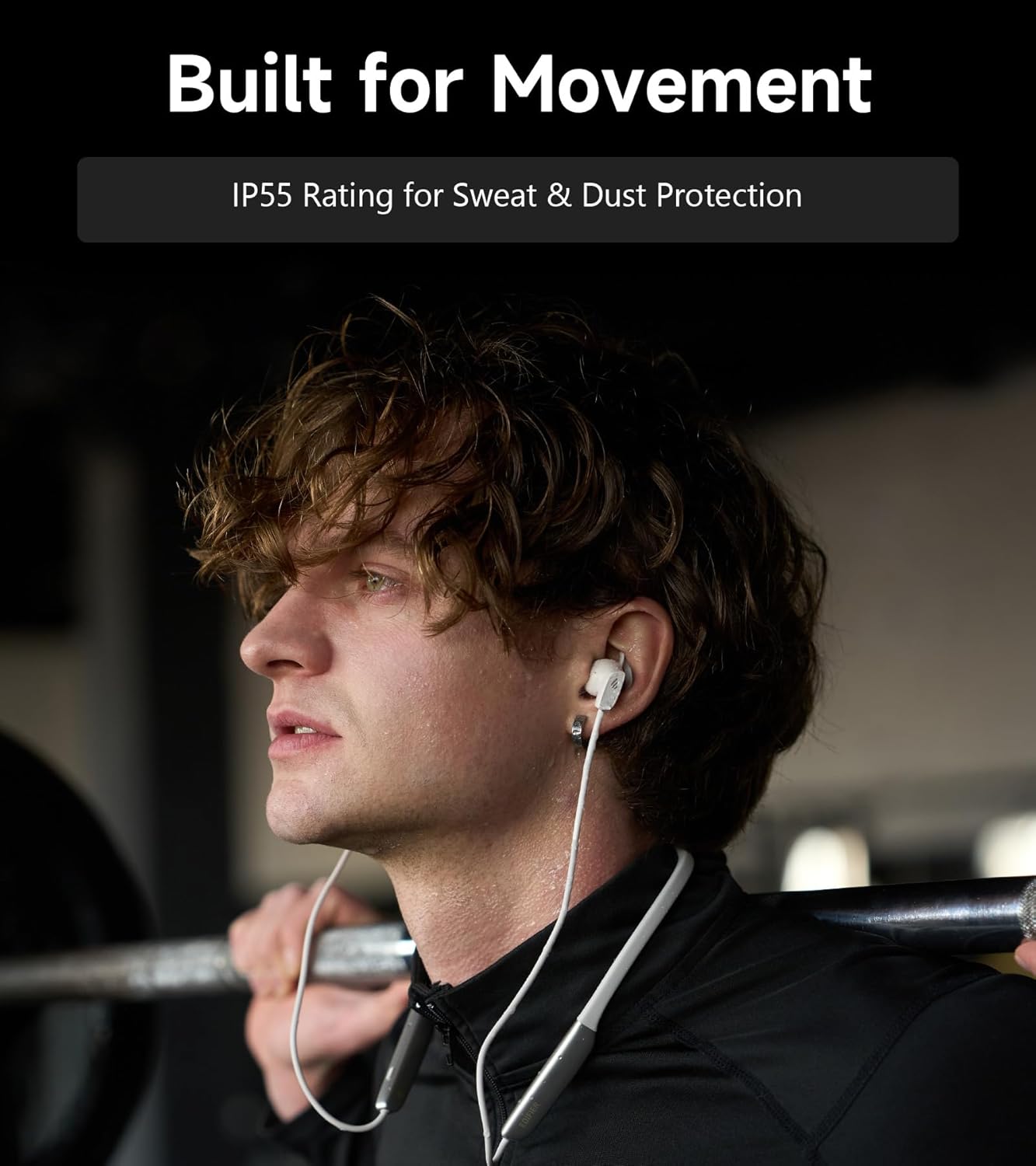
Image: A person wearing the headphones during a workout, illustrating the IP55 sweat and dust protection.
4.2 Opbevaring
When not in use, store your headphones properly to prevent damage.
- The earbuds are magnetic, allowing them to snap together for tangle-free storage around your neck or in a bag.
- Opbevares på et køligt, tørt sted væk fra direkte sollys og ekstreme temperaturer.
4.3 Pleje af batterier
- Undgå at aflade batteriet helt ofte.
- Oplad hovedtelefonerne regelmæssigt, selvom de ikke bruges i længere perioder, for at opretholde batteriets sundhedstilstand.
5. Fejlfinding
If you encounter issues with your Edifier W280NB Pro headphones, refer to the following common problems and solutions.
| Problem | Mulig årsag | Løsning |
|---|---|---|
| Hovedtelefonerne tændes ikke. | Lavt batteri. | Oplad hovedtelefonerne helt. |
| Kan ikke parres med enheden. | Hovedtelefoner er ikke i parringstilstand. Bluetooth disabled on device. Enheden er for langt fra hovedtelefonerne. | Ensure headphones are in pairing mode (flashing indicator). Aktiver Bluetooth på din enhed. Move device closer to headphones (within 10 meters). Try resetting the headphones (refer to manual for specific reset procedure if available, or power cycle). |
| Ingen lyd eller lav lydstyrke. | Lydstyrken på hovedtelefoner eller enhed er for lav. Headphones not connected. Forkert lydudgang valgt på enheden. | Increase volume on both headphones and device. Ensure headphones are successfully paired and connected. Check your device's audio settings to ensure output is set to Edifier W280NB Pro. |
| Dårlig lydkvalitet. | Dårlig Bluetooth-forbindelse. Forkert pasform på ørepropper. Lydkildekvalitet. | Flyt tættere på den tilsluttede enhed. Ensure ear tips provide a secure seal. Prøv en anden lydkilde eller file. |
| Aktiv støjreduktion er ikke effektiv. | Forkert pasform på ørepropper. Incorrect ANC mode selected. Extreme noise conditions. | Ensure ear tips provide a secure seal. Cycle through ANC modes to select the most appropriate one. ANC works best for low-frequency, constant noise. |
| Mikrofonen virker ikke under opkald. | Headphones not selected as input device. Mikrofonen er slået fra på enheden. | Check your device's call settings to ensure Edifier W280NB Pro is selected for microphone input. Ensure microphone is not muted on your device. |
6. Specifikationer
Detailed technical specifications for the Edifier W280NB Pro Neckband Wireless Headphones.
| Feature | Detalje |
|---|---|
| Mærke | Edifier |
| Modelnavn | W280NB Pro |
| Farve | Sort |
| Øreplacering | In Ear |
| Formfaktor | Nakkebånd |
| Impedans | 24 Ohm |
| Støjkontrol | Aktiv støjreduktion |
| Frekvensområde | 20Hz-40KHz |
| Audio driver type | Dynamic Driver (10mm with Titanium-Coated Diaphragm) |
| Forbindelsesteknologi | Trådløs (Bluetooth) |
| Bluetooth version | 5.4 |
| Bluetooth rækkevidde | 10 meter (33 fod) |
| Battery Average Life (Playback) | 23 timer (ANC slukket), 14 timer (ANC tændt) |
| Batteriopladningstid | 1.5 timer |
| Vandmodstandsniveau | IP55 (Dust & Waterproof) |
| Kompatible enheder | Smartphones, tablets, bærbare computere, smarthøjttalere |
| Materiale | Silicone (Enclosure) |
| UPC | 628430220005 |
7. Garantioplysninger
The Edifier W280NB Pro Neckband Wireless Headphones come with a 1 års fabriksgaranti.
This warranty covers defects in materials and workmanship under normal use. It does not cover damage caused by misuse, accidents, unauthorized modifications, or normal wear and tear. Please retain your proof of purchase for warranty claims.
8. Kundesupport
For further assistance, technical support, or warranty inquiries, please contact Edifier customer service.
- Webwebsted: Besøg den officielle Edifier webwebsted med ofte stillede spørgsmål, supportressourcer og kontaktoplysninger.
- E-mail/Telefon: Refer to the Edifier website or your product packaging for specific contact details in your region.