
Indledning
Thank you for choosing the iScooter iK1 Kids Electric Scooter. This manual provides essential information for the safe assembly, operation, and maintenance of your scooter. Please read it thoroughly before first use and retain it for future reference. Ensure all users understand the instructions and safety warnings.

Image: Two children enjoying their iScooter iK1 scooters, illustrating the product's range, battery life, and motor power.
Sikkerhedsoplysninger
Din sikkerhed er altafgørende. Følg altid disse retningslinjer:
- Brug altid hjelm og passende beskyttelsesudstyr (knæbeskyttere, albuebeskyttere) under kørsel.
- Supervise children during use. This scooter is designed for children aged 6-10 years, weighing up to 110 lbs.
- Do not ride in traffic, on wet surfaces, or near stairs.
- Sørg for, at scooteren er fuldt opladet før hver tur.
- The scooter features a non-zero-start mechanism for safer pushing-off.
- An automatic standby mode activates after 5 minutes of inactivity to conserve energy.
- A red indicator light flashes to alert you when the battery is low.

Image: Children riding the iScooter iK1, illustrating recommended rider height, maximum load, and age range for safe use.
Opsætning og montering
The iScooter iK1 requires minimal assembly. Only the handlebar and stem need to be attached.
- Fjern forsigtigt alle komponenter fra emballagen.
- Sæt styrstammen ind i scooterens hoveddel.
- Align the handlebar with the front wheel and secure it using the provided tool kit. Ensure all screws are tightened firmly.
- Check all connections and moving parts before the first ride.

Billede: En detaljeret view of the magnetic energy-replenishment charging port on the iScooter iK1.
Betjeningsvejledning
Tænd/sluk og hastighedskontrol
- Tænd/sluk: Tryk længe på tænd/sluk-knappen for at tænde eller slukke scooteren.
- Hastighedstilstande: With the scooter powered on, press the power button once to switch between the two speed settings: 6 MPH and 9 MPH.

Image: Instructions for using the power button to turn the scooter on/off, switch speeds, and identify low battery warnings.
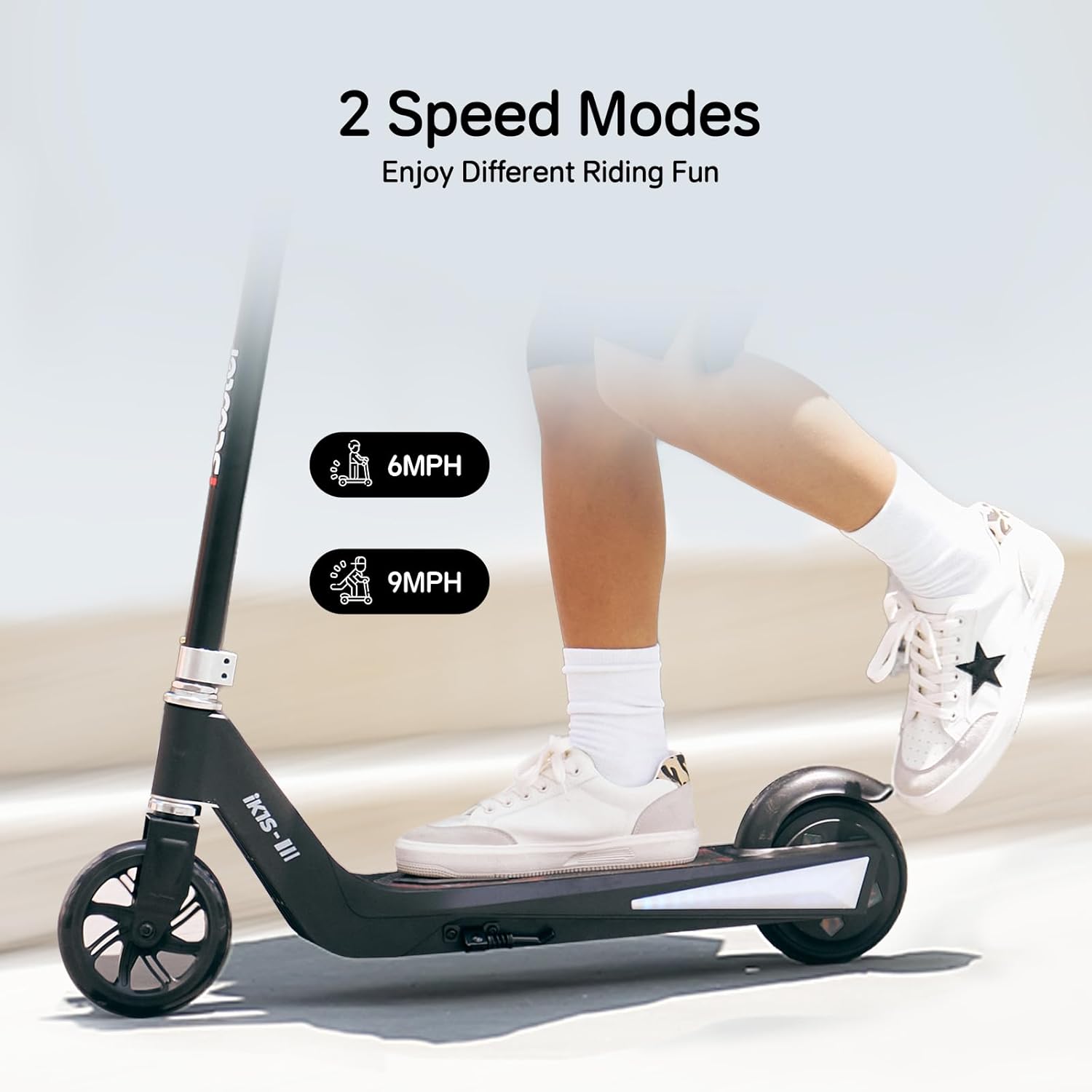
Image: Illustration of the two available speed modes, 6 MPH and 9 MPH, for varied riding experiences.
Justerbar højde
The iK1 scooter features 3-level height adjustment to accommodate growing children:
- Adjustable heights: 32 inches, 34.5 inches, and 37 inches.
- For at justere skal du finde hurtigudløserklemmenamp på frempinden, åbn den, juster styret til den ønskede højde, og luk låsen sikkert.amp. Ensure the handlebar is locked in place before riding.

Image: Demonstrates the three adjustable handlebar heights of the iScooter iK1, accommodating different child sizes.
Lys
The scooter is equipped with:
- 7-color rim lights on the front wheel.
- Side-board ambient lighting on the deck.
These lights enhance visibility and add to the riding experience, especially at night.

Image: The iScooter iK1 illuminated with its colorful rim lights and side-board ambient lighting, enhancing safety and fun.
Bremsning
The iK1 scooter utilizes a rear braking system. To slow down or stop, apply pressure to the rear fender brake with your foot.
Opretholdelse
Regular maintenance ensures the longevity and safe operation of your iScooter iK1.
- Rensning: Tør scooteren af med reklameamp klud efter brug. Undgå at bruge skrappe kemikalier eller for meget vand.
- Batteripleje: Charge the scooter fully after each use. Do not store the scooter with a completely depleted battery for extended periods.
- Dæk inspektion: Regularly check the rubber wheels for wear and tear.
- Fastgørelsesmidler: Periodically check all screws and bolts to ensure they are tight. Tighten any loose fasteners.
- Opbevaring: Opbevar scooteren et tørt, køligt sted væk fra direkte sollys og ekstreme temperaturer.
Fejlfinding
If you encounter issues with your iScooter iK1, refer to the following common solutions:
- Scooteren tænder ikke: Ensure the battery is charged. Long press the power button firmly.
- Indikator for lavt batteri: A red flashing light indicates low battery. Charge the scooter immediately.
- Scooter not moving: Ensure the scooter is powered on and you are using the non-zero-start method (pushing off with your foot first).
- Lys virker ikke: Check if the scooter is powered on. If issues persist, contact customer support.
Specifikationer
| Feature | Detalje |
|---|---|
| Mærke | iScooter |
| Modelnavn | IK1 |
| Aldersgruppe (anbefalet) | Kids (6-10 years) |
| Vægtgrænse | 110 pund |
| Antal hjul | 2 |
| Hjul materiale | Gummi |
| Hjulstørrelse | 5.5 tommer |
| Hjultype | Solid |
| Bremse stil | Bagbremsning |
| Justerbar styrhøjde | 32"/34.5"/37" |
| Hastighedsindstillinger | 6 MPH / 9 MPH |
| Motorkraft | 100W |
| Rækkevidde | 3.0-4.3 miles |
| Continuous Fun Time | 33 minutter |
| Særlige funktioner | Magnetic Energy-Replenishment, Smart Safety Management, Colorful Flashing Wheels & Deck Lights |
Garantioplysninger
The iScooter iK1 comes with a warranty covering different parts:
- A 360-day warranty on certain parts.
- A 180-day warranty on other specific parts.
Please refer to the warranty card included in your package for detailed terms and conditions, or visit the official iScooter webside for mere information.
Kundesupport
For any questions, technical assistance, or warranty claims, please contact iScooter customer support:
- Visit the official iScooter webwebsted: iScooter Store on Amazon
- Refer to the contact information provided on the brand card included with your product.