
Indledning
This manual provides comprehensive instructions for the LG Gram Book 15U50T laptop. Please read this manual thoroughly before using your device to ensure proper operation and to maximize its lifespan. Keep this manual for future reference.
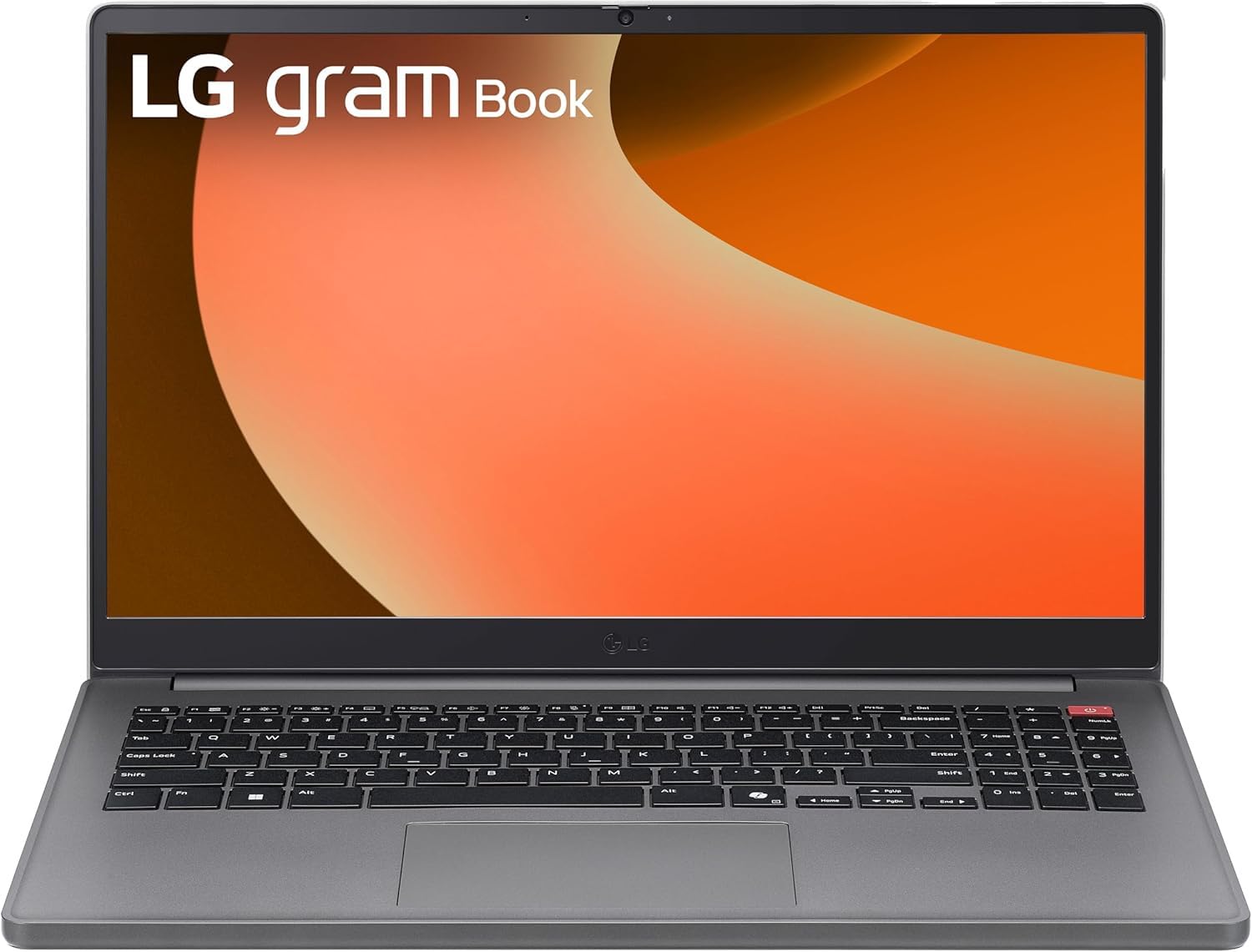
Figur 1: Forside view of the LG Gram Book 15U50T Laptop.
Opsætning
1. Udpakning og indledende inspektion
Tag forsigtigt den bærbare computer og alt tilbehør ud af emballagen. Kontroller, at alle komponenter er til stede:
- LG Gram Book 15U50T Laptop
- AC-adapter og netledning
- Dokumentation (hurtigstartguide, garantioplysninger)
Undersøg den bærbare computer for fysiske skader. Hvis der findes skader, eller hvis der mangler komponenter, skal du straks kontakte din forhandler.
2. Tilslutning af strømadapteren
Before initial use, connect the AC adapter to the laptop and a power outlet to fully charge the battery. The charging port is typically located on the side of the laptop.

Figure 2: Port layout of the LG Gram Book 15U50T. This diagram shows the location of the HDMI port (1), USB Type-A ports (2), USB Type-C ports (3), Headphone jack (4), and Kensington lock slot (5).
3. Første opstart og Windows-opsætning
Press the power button, usually located on the top-right of the keyboard, to turn on the laptop. Follow the on-screen instructions to complete the Windows 11 Pro setup process. This includes selecting your region, connecting to a Wi-Fi network, and creating a user account.

Figur 3: Nærbillede view of the keyboard, highlighting the power button on the top right.
4. Tilslutning af eksterne enheder
Brug de tilgængelige porte til at tilslutte eksterne enheder:
- USB 3.2 Gen 2 Type-C (x2): Supports Power Delivery and DisplayPort for external monitors or charging compatible devices.
- USB 3.2 Gen 1 Type-A (x1): Til standard USB-enheder som mus, tastaturer eller eksterne drev.
- USB 2.0 Type-A (x1): Til ældre USB-enheder.
- HDMI 2.0 (x1): Tilslut til en ekstern skærm eller projektor.
- Hovedtelefon/mikrofon-kombinationsstik (3.5 mm): Til lydindgang/udgang.
Betjening af din bærbare computer
1. Tastatur og touchpad
The LG Gram Book 15U50T features a full-size keyboard with a numeric keypad for efficient data entry. The integrated touchpad supports multi-touch gestures for navigation.

Figur 4: Top-down view of the full-size keyboard and touchpad.
2. Display
The 15.6-inch Full HD (1920 x 1080) IPS Anti-glare display provides clear visuals. Adjust brightness and display settings through Windows settings (Right-click on desktop > Display settings).
3. Trådløs forbindelse
- Wi-Fi 6 (Intel AX203): Connect to wireless networks for internet access. Manage Wi-Fi connections via the network icon in the Windows taskbar.
- Bluetooth 5.2: Pair with Bluetooth-enabled devices such as headphones, speakers, or mice. Access Bluetooth settings via Windows Settings > Devices > Bluetooth & devices.
4. Kamera og lyd
The laptop includes a 720p HD Camera with a privacy shutter for video calls and conferences. The 3.5mm combo jack supports both headphones and external microphones.
Opretholdelse
1. Rengøring af den bærbare computer
- Skærm: Brug let en blød, fnugfri klud dampskylles med vand eller en skærmrens. Spray ikke rengøringsmiddel direkte på skærmen.
- Tastatur og kabinet: Brug en blød, tør klud. Til genstridigt snavs, en let tør klud.amp en klud kan bruges, så det sikres, at der ikke kommer væske ind i åbningerne. Trykluft kan fjerne støv mellem tasterne.
2. Batteripleje
The 51Wh Lithium-Ion battery provides portable power. To prolong battery life:
- Undgå ekstreme temperaturer.
- Undgå at aflade batteriet helt ofte.
- Hvis du opbevarer den bærbare computer i længere tid, skal du oplade batteriet til ca. 50-60%, før du slukker den.
3. Softwareopdateringer
Regularly update your Windows 11 Pro operating system and device drivers to ensure optimal performance and security. Access updates via Windows Settings > Windows Update.
4. Lagerstyring
The 2TB NVMe M.2 SSD provides fast storage. Periodically clean up unnecessary files and applications to maintain performance. Use Windows Disk Cleanup or Storage Sense features.
Fejlfinding
Dette afsnit omhandler almindelige problemer, du kan støde på.
Ingen strøm / Laptop tænder ikke
- Sørg for, at strømadapteren er korrekt tilsluttet både den bærbare computer og en fungerende stikkontakt.
- Kontroller, at stikkontakten fungerer ved at tilslutte en anden enhed.
- Hvis batteriet er helt afladet, kan det tage et par minutter at oplade den bærbare computer, før den kan tændes.
Visningsproblemer
- Hvis skærmen er blank, kan du prøve at justere lysstyrken ved hjælp af funktionstasterne (Fn + F2/F3 eller lignende, se tastaturikonerne).
- If an external monitor is not displaying, ensure the cable is connected correctly and try pressing Windows key + P to cycle through display modes.
Wi-Fi or Bluetooth Connectivity Problems
- Sørg for, at Wi-Fi eller Bluetooth er aktiveret i Windows-indstillingerne.
- Genstart din router/modem ved Wi-Fi-problemer.
- For Bluetooth skal du prøve at ophæve parringen og parre enheden igen.
- Opdater trådløse drivere via Enhedshåndtering.
Langsom ydeevne
- Luk unødvendige programmer, der kører i baggrunden.
- Søg efter og installer eventuelle ventende Windows-opdateringer.
- Kør en diskoprydning for at frigøre lagerplads.
- Scan for malware eller virus.
Specifikationer
| Feature | Detalje |
|---|---|
| Mærke | LG |
| Modelnavn | Gram Book 15U50T |
| Skærmstørrelse | 15.6 tommer |
| Skærmopløsning | 1920 x 1080 pixels (FHD) |
| Display Type | IPS Anti-glare LED |
| Processor | 13th Generation Intel Core i5-1334U (10-Core) |
| Grafik | Intel Iris Xe-grafik (integreret) |
| RAM-hukommelse | 16GB DDR4 SDRAM 3200 MHz (Up to 64GB Max) |
| Opbevaring | 2TB NVMe M.2 SSD |
| Operativsystem | Windows 11 Pro |
| Trådløs forbindelse | Intel Wi-Fi 6 AX203 (2x2), Bluetooth 5.2 |
| Havne | 2x USB 3.2 Gen 2 Type-C (PD/DP), 1x USB 3.2 Gen 1 Type-A, 1x USB 2.0 Type-A, 1x HDMI 2.0, 1x Headphone/Mic Combo Jack |
| Kamera | 720p HD-kamera med privatlivslukkere |
| Batteri | 51Wh Lithium-Ion (Up to 12 hours battery life) |
| Dimensioner (L x B x H) | 14.16" x 9.37" x 0.76" tommer |
| Vægt | 3.74 lbs |
| Farve | Titan sølv |
Garanti og support
Garantioplysninger
Your LG Gram Book 15U50T laptop comes with a standard manufacturer's warranty. Please refer to the warranty card included in your product packaging for specific terms, conditions, and duration. Keep your proof of purchase for warranty claims.
Teknisk support
For technical assistance, troubleshooting beyond this manual, or warranty service, please contact LG customer support. You can typically find contact information on the official LG webwebstedet eller i din produktdokumentation.
- Besøg den officielle LG webwebsted for supportressourcer og kontaktoplysninger.
- Have your laptop's model number (15U50T) and serial number ready when contacting support.