
Indledning
The Hunter ZenTech 44-inch smart ceiling fan combines modern design with advanced technology to provide efficient air circulation and adjustable lighting for indoor and covered outdoor spaces. This fan features a slim DC motor for quiet operation and energy efficiency, TrueLight LED technology for customizable lighting, and HunterSMART technology for seamless integration with smart home systems like Amazon Alexa, Google Assistant, and Apple HomeKit.
This manual provides detailed instructions for the safe installation, operation, and maintenance of your ZenTech ceiling fan. Please read all instructions carefully before beginning installation or use.
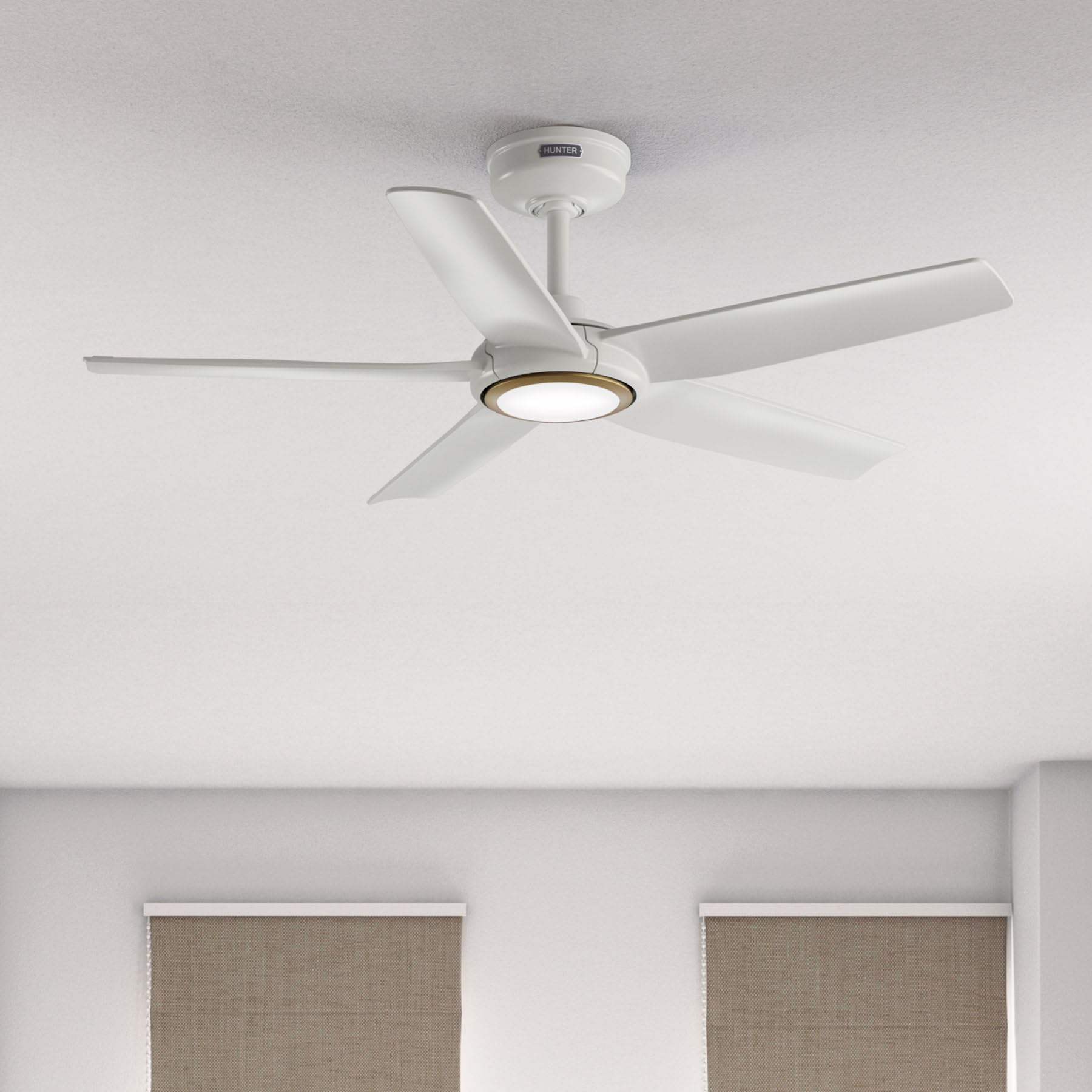
Image: Hunter ZenTech 44-inch ceiling fan in Fresh White, showcasing its sleek design and integrated LED light.
Sikkerhedsoplysninger
To reduce the risk of electric shock, fire, or injury to persons, always follow these important safety precautions:
- Read all instructions before installing or using this fan.
- Sørg for, at strømmen er afbrudt ved afbryderen før installation eller service.
- Al ledningsføring skal være i overensstemmelse med nationale og lokale el-forskrifter. Hvis du ikke er bekendt med ledningsføring, skal du kontakte en kvalificeret elektriker.
- Ventilatoren skal monteres med mindst 2.1 meters afstand fra bladenes bagkant til gulvet.
- Sørg for, at monteringsstrukturen kan bære ventilatorens vægt (ca. 13.45 pund).
- Do not operate the fan with damaged blades or any other damaged components.
- Denne ventilator er damp-rated, suitable for indoor use and covered outdoor areas where exposure to moisture may occur. Do not expose to direct water spray.
Opsætning og installation
Proper installation is crucial for the performance and safety of your ceiling fan. It is recommended to have a qualified electrician perform the installation.
Kontrol før installation
- Kontroller, at alle komponenter er til stede i henhold til pakkelisten.
- Ensure the electrical box is securely mounted and capable of supporting a ceiling fan.
- Sluk for strømmen ved hovedafbryderen.
Montering af ventilator
- Attach the mounting bracket to the ceiling electrical box using the provided screws.
- Assemble the downrod (6 inches included) to the motor housing. Factory-installed wiring and connectors are designed for downrods up to 24 inches. Do not extend or modify.
- Løft forsigtigt ventilatorenheden op, og hæng den op fra monteringsbeslaget.
Elektriske forbindelser
- Connect the fan's electrical wires to the household wiring according to the wiring diagram in the full instruction manual. Ensure all connections are secure.
- Stik alle ledninger pænt ind i el-boksen.
Attaching Blades and Light Kit
- Fastgør de fem ventilatorblade sikkert til motorhuset.
- Install the LED light kit module. The fan includes in-box accessories for a personalized finish, including an interchangeable LED module, a no-light cap, and two trim ring options (one matching the fan finish and one in Luxe Gold).

Image: Hunter ZenTech ceiling fan installed in a modern living room, demonstrating its aesthetic integration into a home environment.

Image: Hunter ZenTech ceiling fan installed on a covered outdoor patio, highlighting its damp-rated suitability for outdoor use.
Betjeningsvejledning
Your ZenTech fan offers multiple control options for convenience.
Fjernbetjening
A handheld remote control is included for basic fan and light functions:
- Blæserhastighed: Adjust between 6 speeds.
- Ventilatorretning: Reverse the fan direction for summer (downward airflow) or winter (upward airflow) operation.
- Lys til/fra: Turn the LED light on or off.
- Lysdæmpning: Juster lysstyrken på LED-lyset.
HunterSMART App Control
The HunterSMART app provides advanced control and customization options:
- Download the HunterSMART app from your device's app store.
- Follow the in-app instructions to connect your ZenTech fan to your home Wi-Fi network.
- Once connected, you can control fan speed, light brightness, and color temperature from your smartphone or tablet.
- Access additional features such as scheduling and custom settings.

Image: Diagram illustrating HunterSMART app interface and voice command examples for controlling the ceiling fan.
Stemmekontrol
The ZenTech fan is compatible with leading smart home platforms:
- Amazon Alexa: Enable the Hunter skill in the Alexa app and link your HunterSMART account.
- Google Assistant: Link your HunterSMART account through the Google Home app.
- Apple HomeKit: Follow the pairing instructions in the Apple Home app.
Use voice commands such as "Alexa, turn on the living room fan" or "Hey Google, set the bedroom light to warm white."
TrueLight LED Lighting
The integrated TrueLight LED technology allows for fully adjustable lighting:
- Choose from 10 brightness levels to suit your needs.
- Adjust the color temperature between warm and cool tones to create the desired ambiance.

Image: Graphic illustrating the 'Clearly Brighter' TrueLight features, showing 10 levels of light and 10 color temperatures for adjustable LED lighting.
Opretholdelse
Regular maintenance ensures the longevity and optimal performance of your ZenTech ceiling fan.
Rensning
- Ventilatorblade: Tør bladene af med en blød,amp cloth. Do not use abrasive cleaners as they may damage the finish.
- Motorhus: Dust the motor housing with a soft, dry cloth.
- Lyssæt: Clean the light diffuser with a soft, lint-free cloth.
Always ensure the power is off at the circuit breaker before cleaning any part of the fan.
Generel vedligeholdelse
- Periodically check all screws and connections for tightness. Retighten as necessary.
- The fan's DC motor is designed for long-term, maintenance-free operation and does not require lubrication.
Fejlfinding
If you encounter issues with your ZenTech ceiling fan, refer to the following common problems and solutions:
| Problem | Mulig årsag | Løsning |
|---|---|---|
| Ventilator starter ikke | Ingen strøm til ventilatoren; Løse ledningsforbindelser; Lavt batteriniveau i fjernbetjeningen. | Kontroller afbryderen; Verificer at alle ledningsforbindelser er sikre; Udskift batteriet i fjernbetjeningen. |
| Lys virker ikke | Loose wire connection to light kit; LED module faulty. | Check light kit wiring; Contact customer support for LED module replacement if necessary. |
| Blæseren slingrer | Løse knivskruer; Forkert afbalancerede knive; Løst monteringsbeslag. | Tighten all blade screws; Use a blade balancing kit (not included); Ensure mounting bracket is secure. |
| Fjernbetjening virker ikke | Battery low or dead; Remote not paired with fan. | Replace battery; Refer to the full manual for remote pairing instructions. |
| Problemer med Wi-Fi-forbindelse | Forkert Wi-Fi-adgangskode; Router for langt væk; Netværksforstyrrelser. | Verify Wi-Fi password; Move router closer or use a Wi-Fi extender; Reduce interference from other devices. |
For more complex issues or if troubleshooting steps do not resolve the problem, please contact Hunter customer support.
Specifikationer
| Feature | Detalje |
|---|---|
| Mærke | Jæger |
| Modelnavn | ZenTech |
| Modelnummer | 53641 |
| Størrelse | 44 tommer |
| Farve | Frisk hvid |
| Produktdimensioner | 44" D x 44" B x 11.78" H |
| Varens vægt | 13.45 pund |
| Antal blade | 5 |
| Motortype | DC Motor (43% slimmer) |
| Antal hastigheder | 6 |
| Lys type | TrueLight LED (Adjustable Brightness & Color Temperature) |
| Kontrolmetode | App Control (HunterSMART), Remote Control, Voice Control |
| Smart Home-kompatibilitet | Amazon Alexa, Google Assistant, Apple HomeKit |
| Indendørs/Udendørs brug | Indoor, Covered Outdoor (Damp Bedømt) |
| Voltage | 120 volt |
| Wattage | 14 watt |
| Luftmængde kapacitet | 4493.25 kubikfod i minuttet |
| Downrod Længde | 6 Inches (included), compatible up to 24 inches |
| Certificeringer | ETL, Energy Star, FCC |
Garanti
The Hunter ZenTech ceiling fan is backed by a limited lifetime motor warranty, reflecting Hunter's commitment to engineering and quality. This warranty covers defects in materials and workmanship of the fan motor for the lifetime of the original purchaser. Specific terms and conditions apply. Please refer to the warranty card included with your product or visit the official Hunter webwebstedet for alle detaljer.
Støtte
For technical assistance, warranty claims, or additional information regarding your Hunter ZenTech ceiling fan, please contact Hunter customer support:
- Online support: Visit the Hunter Fan Company webwebsted med ofte stillede spørgsmål, fejlfindingsvejledninger og kontaktformularer.
- Telefonsupport: Refer to your product packaging or the Hunter webhjemmeside for det seneste kundeservicetelefonnummer.
Når du kontakter support, bedes du have dit modelnummer (53641) og købsbevis klar.