
1. Introduktion
This manual provides detailed instructions for the installation, operation, and maintenance of your Rosewill VNG 650W ATX 3.1 Power Supply. Please read this manual thoroughly before installation and keep it for future reference. The Rosewill VNG 650W is an 80+ Gold Certified, non-modular power supply compatible with ATX 3.0 & 3.1 standards, featuring a 450W PCIe 5.1 12V-2x6 connector for modern graphics cards.
2. Sikkerhedsoplysninger
- Tag altid netledningen ud af stikkontakten, før du installerer, fjerner eller rengør strømforsyningen.
- Åbn ikke strømforsyningsenheden. Høj lydstyrketagDer er ingen dele indeni, og der er ingen dele, som brugeren kan servicere. Åbning af enheden vil ugyldiggøre garantien.
- Ensure the power supply is installed in a well-ventilated area, away from heat sources, direct sunlight, and moisture.
- Use only the cables provided with your power supply. Using third-party cables may cause damage to your system and void the warranty.
- Connect the power supply to a grounded power outlet.
- Do not force connectors. Ensure proper orientation before plugging in any cables.
3. Pakkens indhold
Bekræft at alle komponenter er til stede i din pakke:
- Rosewill VNG 650W Power Supply Unit
- AC strømledning
- Monteringsskruer
- Brugermanual
- Cable Ties (for cable management)

Figure 3.1: Rosewill VNG 650W Power Supply with its bundled, non-modular cables.
4. Opsætning og installation
Follow these steps to install your Rosewill VNG 650W Power Supply:
- Forbered dit system: Ensure your computer case is open and accessible. Disconnect all power from your existing power supply and remove it if necessary.
- Monter strømforsyningen: Carefully slide the Rosewill VNG 650W into the power supply bay of your computer case. Secure it with the provided mounting screws.
- Tilslut strøm til bundkortet: Connect the 24-pin ATX motherboard power cable to your motherboard.
- Tilslut CPU-strøm: Connect the 4+4 pin CPU power cable(s) to your motherboard.
- Tilslut grafikkortstrøm: For modern graphics cards, use the dedicated PCIe 5.1 12V-2x6 connector. For older or less demanding cards, use the 6+2 pin PCIe connectors. Ensure all necessary power connectors for your graphics card(s) are securely attached.
- Tilslut ydre enheder: Connect SATA power cables to your storage drives (HDDs/SSDs) and Molex connectors to any other peripherals requiring them.
- Kabelstyring: Organize the non-modular cables using the included cable ties to improve airflow and aesthetics within your case.
- Tilslut vekselstrøm: Once all internal connections are made, connect the AC power cord to the power supply and then to a grounded wall outlet.
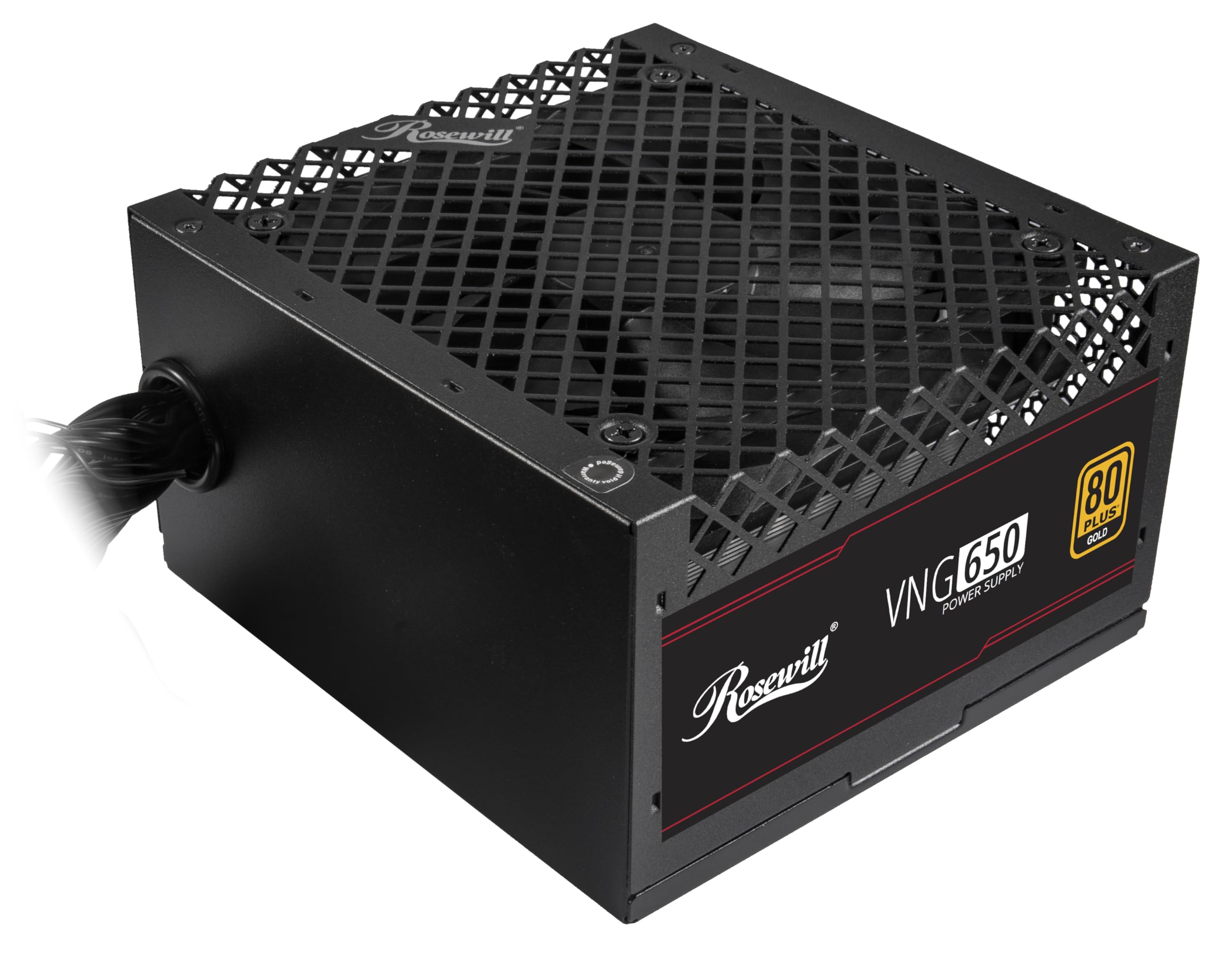
Figure 4.1: Rosewill VNG 650W Power Supply overview.

Figure 4.2: Rear panel with power switch and AC input.

Figure 4.3: Available Power Supply Connectors.
5. Betjeningsvejledning
Once installed, the Rosewill VNG 650W Power Supply operates automatically. Its 80 PLUS Gold certification ensures high efficiency, converting more AC power into usable DC power and reducing wasted heat. The low-noise design helps maintain a quiet computing environment. The power supply is designed to handle power excursions up to 235% and GPU power excursions up to 300%, providing stable power delivery for demanding components.

Figur 5.1: Øverst view showing the cooling fan.
6. Vedligeholdelse
To ensure optimal performance and longevity of your Rosewill VNG 650W Power Supply:
- Hold det rent: Periodically clean the exterior of the power supply and the fan grill with a soft, dry cloth. Use compressed air to gently remove dust from the fan and internal components, ensuring the system is powered off and unplugged before cleaning.
- Sørg for korrekt luftstrøm: Make sure there is adequate space around the power supply for proper ventilation. Avoid blocking the intake or exhaust vents.
- Tjek forbindelser: Occasionally check that all power cables are securely connected to the power supply and your components.
7. Fejlfinding
If you encounter issues with your Rosewill VNG 650W Power Supply, refer to the following common troubleshooting steps:
- Ingen strøm:
- Sørg for, at netledningen er korrekt tilsluttet både strømforsyningen og en fungerende stikkontakt.
- Kontroller, at tænd/sluk-knappen på bagsiden af strømforsyningen er i 'ON'-positionen.
- Verify all internal power connections (24-pin, CPU, PCIe) are firmly seated.
- Test stikkontakten med en anden enhed for at bekræfte, at den har strøm.
- Systemustabilitet/nedbrud:
- Sørg for, at dit systems strømkrav ikke overstiger strømforsyningens kapacitet på 650 W.
- Check for loose power connections to components.
- Overvåg systemtemperaturerne for at sikre, at komponenterne ikke overopheder.
- Usædvanlig støj:
- A slight fan noise is normal during operation. If the noise is excessive or unusual, ensure the fan is not obstructed by dust or cables.
- Hvis støjen fortsætter, skal du kontakte kundesupport.
If these steps do not resolve your issue, please refer to the Support section.
8. Specifikationer

Figure 8.1: Electrical Specifications Label.
| Feature | Beskrivelse |
|---|---|
| Modelnavn | VNG650 |
| Mærke | Rosewill |
| Kompatible enheder | Personlig computer |
| Connector Type | ATX |
| Output Wattage | 650 watt |
| Formfaktor | Mini ITX |
| Afkølingsmetode | Luft |
| Varedimensioner (L x B x H) | 5.9 x 5.51 x 3.38 tommer |
| Varens vægt | 2.8 pund |
| Design af strømforsyning | Ikke-Modular |
| Maksimal indgang Voltage | 240 volt (AC) |
| Minimum input voltage | 240 volt (AC) |
| System Bus Connector Type | ATX |
| UPC | 840951136676 |
| Mfr varenummer | VNG650 |
9. Garantioplysninger
The Rosewill VNG 650W Power Supply comes with a 5 års fabriksgaranti. Please retain your proof of purchase for warranty claims. For detailed terms and conditions, refer to the official Rosewill webwebsted eller kontakt kundesupport.
10. Support
For technical assistance, warranty claims, or further inquiries, please visit the official Rosewill webwebstedet eller kontakt deres kundesupportteam. Du kan ofte finde ofte stillede spørgsmål og yderligere ressourcer online.
Rosewill Officiel Webwebsted: www.rosewill.com