
1. Introduktion
Thank you for choosing the Fanttik C8 Nano Easyswap Cordless Electric Scissors. This device is designed for efficient and effortless cutting of various materials, including cardboard, carpets, leather, and thin plastics. Please read this manual thoroughly before use to ensure safe and optimal operation.
2. Produktet er slutview
The Fanttik C8 Nano features a high-magnet motor for powerful performance, an intuitive LED display, and EasySwap blade change technology. It is designed for comfortable and safe use, preventing wrist fatigue during extended tasks.
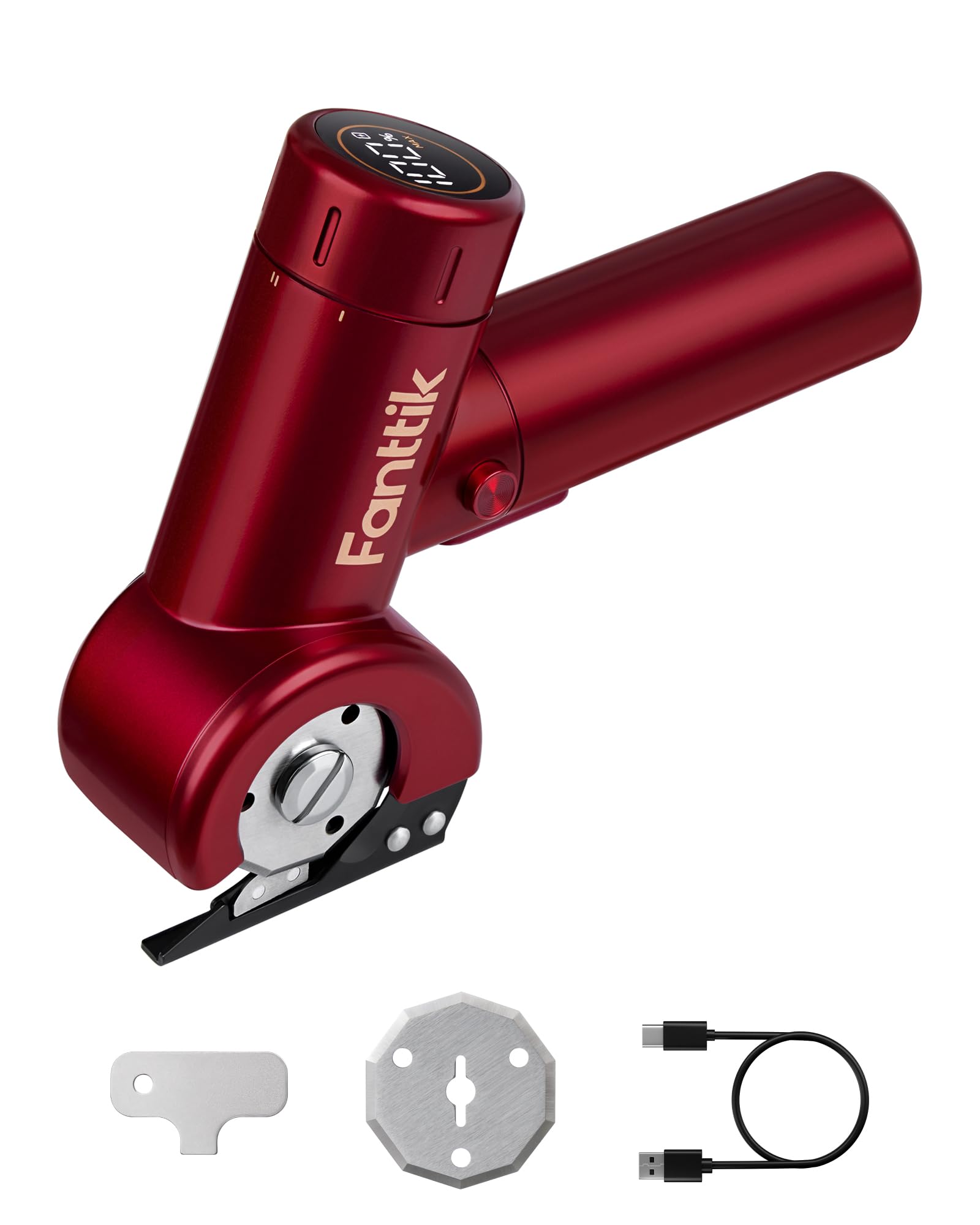
Image: Fanttik C8 Nano Cordless Electric Scissors, showcasing its compact design and cutting blade.
3. Hvad er der i æsken
Sørg for, at alle følgende komponenter er til stede ved udpakning:
- 1 x C8 Nano 3.7V Cordless Electric Scissors/Cardboard Cutter
- 2 x Blades (one pre-installed, one replacement)
- 1 x Blade Replacement Key
- 1 x Type-C ladekabel
- 1 x Brugermanual (dette dokument)
- 1 x Opbevaringspose
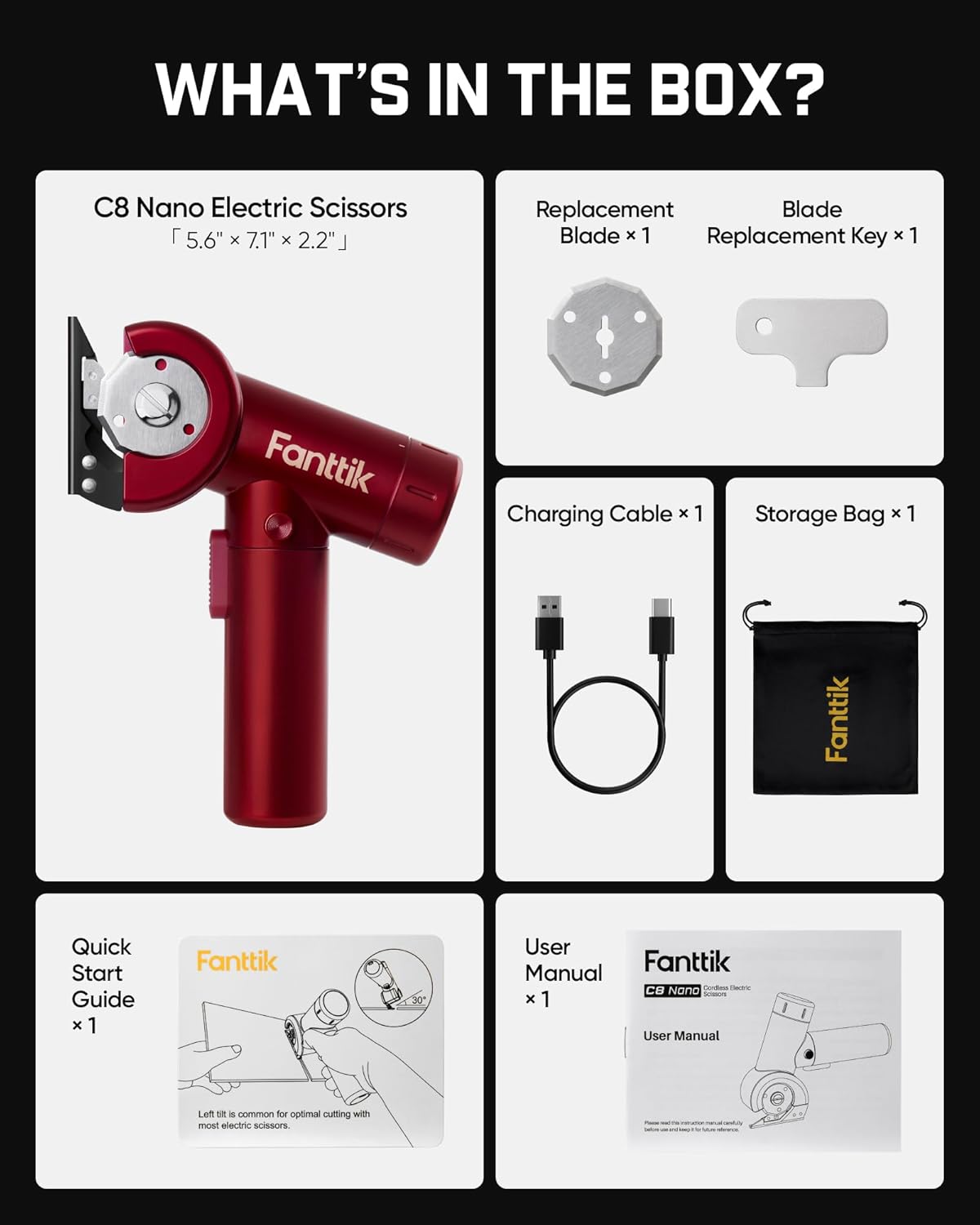
Image: A visual representation of all items included in the Fanttik C8 Nano product package.
4. Opsætning
4.1 Opladning af enheden
Before first use, fully charge the electric scissors. Connect the provided Type-C charging cable to the charging port on the device and to a compatible USB power source (5V/2A recommended). The LED display will indicate the battery life during charging.

Image: The Fanttik C8 Nano connected to a Type-C charging cable, showing the charging port location.
4.2 Blade Installation/Replacement (EasySwap Technology)
The C8 Nano features EasySwap Technology for quick and secure blade changes. Use the included blade replacement key for this process.
- Sørg for, at enheden er slukket og frakoblet.
- Locate the spindle lock mechanism on the blade assembly.
- Use the blade replacement key to unlock and remove the existing blade.
- Carefully place the new blade onto the spindle.
- Secure the new blade by locking the mechanism with the key.
Always handle blades with caution to prevent injury.

Billede: Nærbillede view of the EasySwap blade mechanism, illustrating the simple one-step process for changing blades.
5. Betjeningsvejledning
5.1 Tænd/sluk og hastighedsjustering
The C8 Nano features a 35mm LED screen that displays real-time battery life and speed settings. It offers three-speed adjustments for various cutting needs.
- For at tænde: Twist the mode selection knob to your desired speed setting (ECO, REG, MAX). Press and hold the extra lock-off button, then press the on/off switch. Once the tool is running, you can release the lock-off button.
- Hastighedstilstande:
- ØKO -tilstand: Offers optimal battery performance without compromising on power.
- REG-tilstand: Effortlessly cuts through most common materials.
- MAX-tilstand: Delivers a powerful and smooth cutting experience with up to 230 RPM.
- For at slukke: Slip tænd/sluk-knappen.

Image: The intuitive LED display of the Fanttik C8 Nano, showing battery percentage and selected speed mode (ECO, REG, MAX).
5.2 Skæreoperation
The C8 Nano is designed for quick and smooth cutting. The built-in LED lights ensure clear visibility for accurate cutting.
- Ensure the blade guard is properly positioned before cutting.
- Select the appropriate speed mode for your material.
- Gently guide the electric scissors along the cutting line. Avoid forcing the device.
- The rotating blade can cut materials up to 1/4 inch thick.

Image: The Fanttik C8 Nano effortlessly cutting through a piece of cardboard, highlighting its powerful motor and smooth operation.
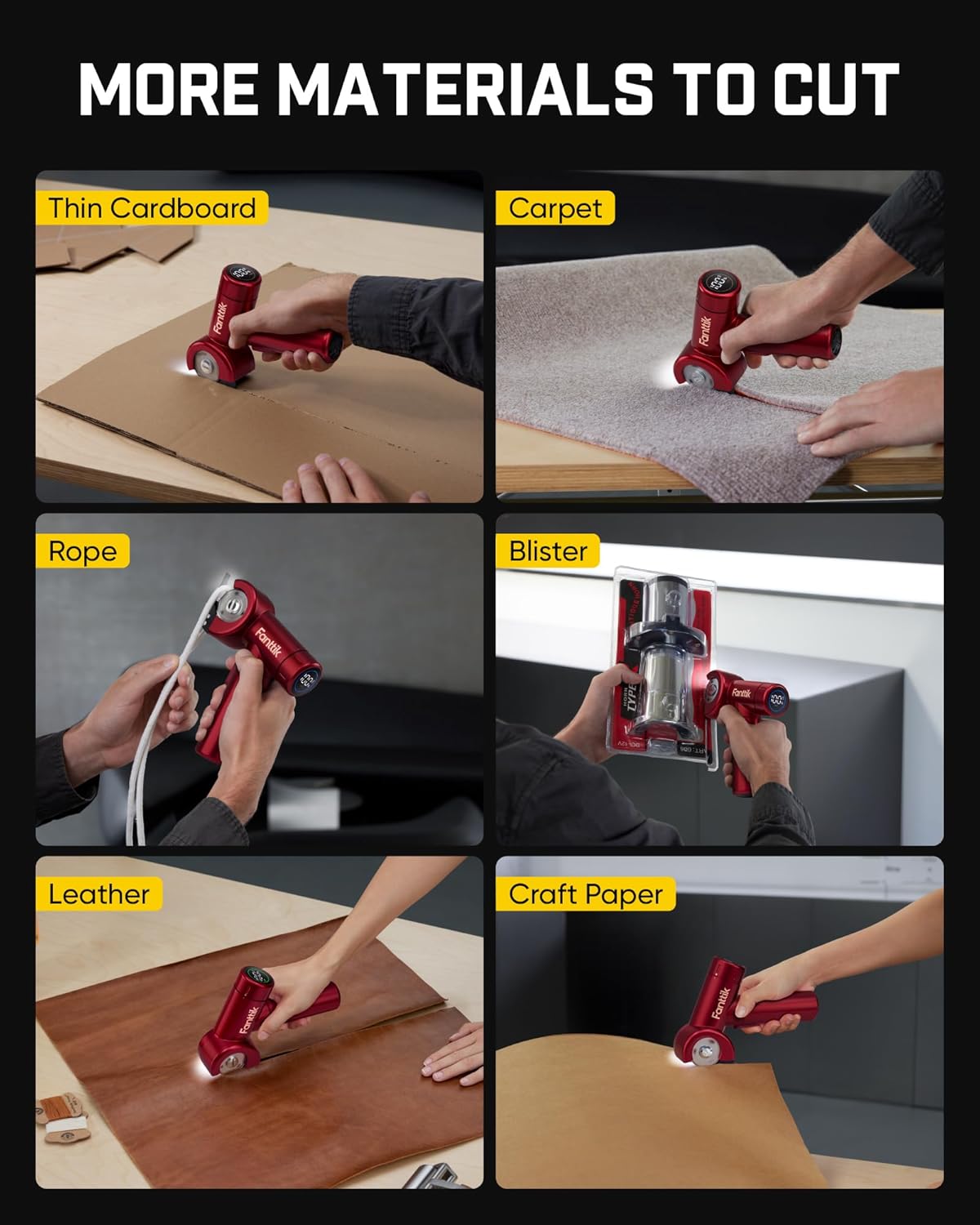
Image: Collage showing the Fanttik C8 Nano being used to cut thin cardboard, carpet, rope, blister packaging, leather, and craft paper.
5.3 Official Product Video: Cutting Cardboard
Video: An official demonstration by Fanttik Innovation Direct on how to efficiently cut cardboard using the electric scissors, highlighting its ease of use and effectiveness.
6. Vedligeholdelse
6.1 Rengøring
After each use, ensure the device is powered off and unplugged. Use a soft, dry cloth to wipe down the exterior of the scissors. Remove any debris or material fragments from around the blade area. Do not use harsh chemicals or abrasive cleaners.
6.2 Pleje af blade
Regularly inspect the blade for sharpness and damage. A dull blade can reduce cutting efficiency and potentially damage materials. Replace blades as needed using the EasySwap Technology described in Section 4.2.
7. Fejlfinding
If you encounter any issues with your Fanttik C8 Nano, please refer to the following common solutions:
| Problem | Mulig årsag | Løsning |
|---|---|---|
| Enheden tænder ikke | Low battery; Safety lock engaged; Faulty switch | Charge the device; Ensure the lock-off button is pressed before the main switch; Contact support if issue persists. |
| Dårlig skæreydelse | Dull or damaged blade; Incorrect speed setting; Material too thick | Replace the blade; Select a higher speed mode; Ensure material is within 1/4 inch thickness. |
| Enheden stopper uventet | Overload protection activated; Low battery | Reduce cutting pressure; Charge the device. |
8. Specifikationer
- Mærke: Fanttik
- Modelnummer: C8 Nano
- Strømkilde: Batteridrevet (1 lithium-ion-batteri inkluderet)
- Batterikapacitet: 2000mAh
- Opladning: Type-C, 5V/2A Fast Charging (Fully charged in 1 hour)
- Max Cutting Speed: Op til 230 RPM
- Maksimal skæretykkelse: 1/4 tomme
- Bladmateriale: Højhastighedsstål
- Særlige funktioner: EasySwap Technology, LED Display, LED Lights
- Overfladeanbefaling: Fabric, Paper, Thin Plastics
- Håndtag Materiale: Plast eller gummi
- GTIN/UPC: 850077828591
9. Garanti og support
The Fanttik C8 Nano Easyswap Cordless Electric Scissors comes with a limited warranty provided by Fanttik. For detailed warranty information, please refer to the warranty card included in your product packaging or visit the official Fanttik webwebsted.
For technical support, troubleshooting assistance, or any inquiries regarding your product, please contact Fanttik customer service. Contact information can typically be found on the product packaging or the official Fanttik webwebsted.