
1. Introduktion
Thank you for choosing the GOBOULT Tenet TWS Earbuds. This manual provides essential information for setting up, operating, and maintaining your earbuds to ensure optimal performance and longevity. The Tenet earbuds feature Bluetooth 5.4 connectivity, 13mm dynamic drivers, Quad Mic Environmental Noise Cancellation (ENC), and support for the Amp App for personalized audio.
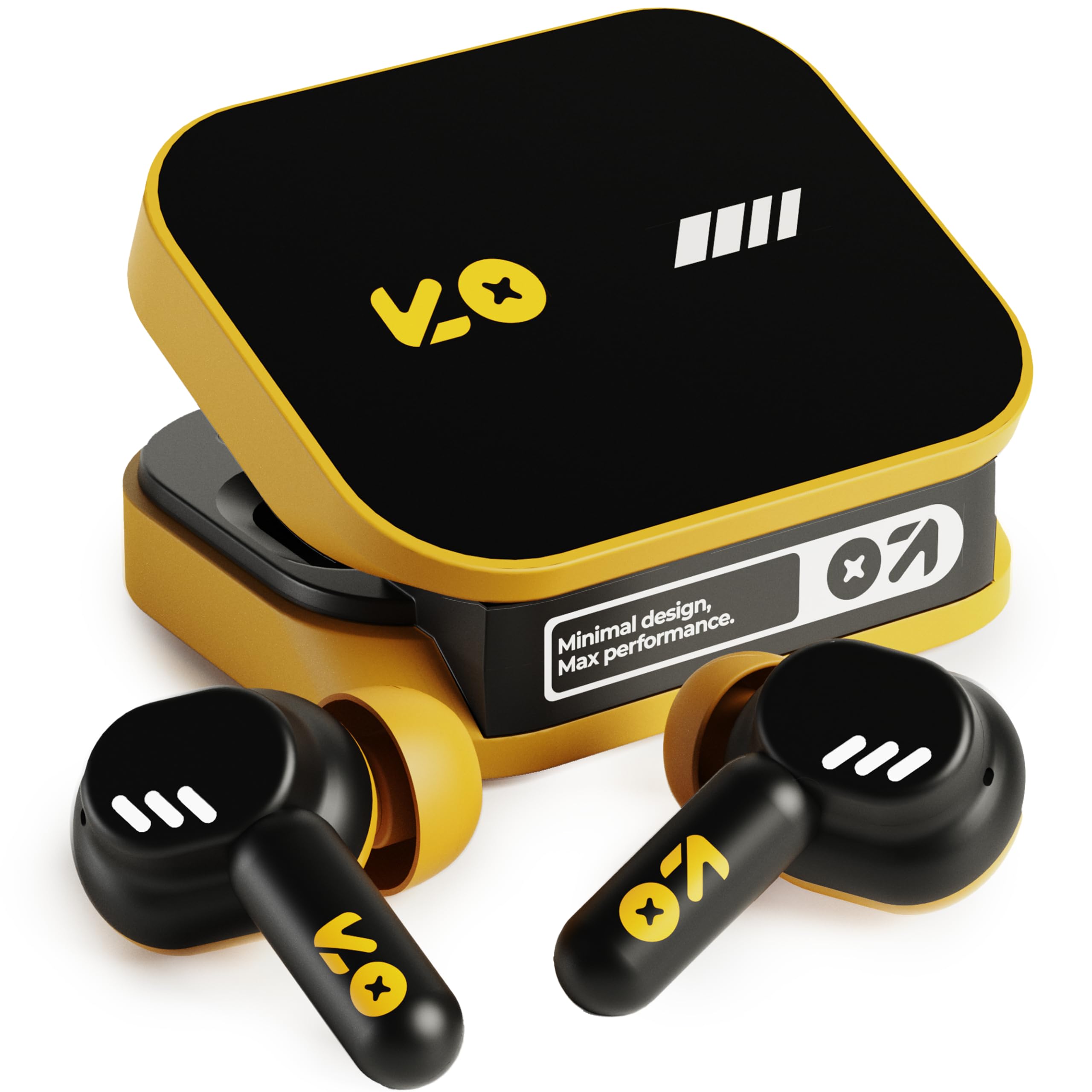
Image: The GOBOULT Tenet TWS Earbuds in Solar Yellow, shown with their charging case.
2. Pakkens indhold
Bekræft, at alle følgende varer er inkluderet i din pakke:
- GOBOULT Tenet TWS Earbuds (Left and Right)
- Opladningsetui
- USB Type-C opladerkabel
- Ørepuder (forskellige størrelser)
- Brugervejledning (dette dokument)
- Garantikort
3. Opsætning
3.1. Opladning af øretelefoner og etuiet
Before first use, fully charge the earbuds and the charging case. The case provides extended battery life for the earbuds.
- Placer begge ørepropper i opladningsetuiet, og sørg for, at de er korrekt isat.
- Connect the provided USB Type-C charging cable to the charging port on the case and to a compatible USB power source (e.g., wall adapter, computer USB port).
- The indicator light on the charging case will show the charging status. Refer to the LED indicator guide in the operating section for details.
- A full charge provides up to 75 hours of total playtime with the charging case. A quick 10-minute charge can provide up to 120 minutes of playtime.

Image: The GOBOULT Tenet earbuds in their open charging case, illustrating the USB-C charging port and battery life.
3.2. Tilpasning af ørepropperne
Proper fit is crucial for sound quality and comfort. The earbuds feature a 'Vacuum Lock Earshell' design for a secure fit.
- Select the ear cushions that best fit your ears. Different sizes are provided.
- Før forsigtigt ørepropperne ind i din øregang.
- Twist slightly to ensure a snug and comfortable seal. This helps optimize audio performance and noise isolation.

Image: A diagram illustrating the 'Vacuum Lock Earshell' design and how the earbud sits securely in the ear.
4. Betjeningsvejledning
4.1. Tænd/sluk
- Tænd: Åbn opladningsetuiet, og øretelefonerne tænder automatisk.
- Sluk: Sæt ørepropperne tilbage i opladningsetuiet, og luk låget. De slukker automatisk og begynder at oplade.
4.2. Bluetooth-parring
The GOBOULT Tenet earbuds use Bluetooth 5.4 for stable and efficient connection.
- Sørg for, at ørepropperne er opladet og i opladningsetuiet.
- Åbn opladningsetuiet. Ørepropperne går i parringstilstand, hvilket indikeres af blinkende LED-lys.
- Aktiver Bluetooth på din enhed (smartphone, tablet, bærbar computer).
- Søg efter available Bluetooth devices and select "GOBOULT Tenet" from the list.
- Når der er tilsluttet, holder indikatorlamperne på ørepuderne op med at blinke.
4.3. Dobbelt enhedsforbindelse
The earbuds support dual device pairing, allowing seamless switching between two connected devices.
- Pair the earbuds with your first device (e.g., smartphone) as described above.
- Disconnect the earbuds from the first device's Bluetooth settings (do not unpair).
- Par ørepropperne med din anden enhed (f.eks. en bærbar computer).
- Reconnect the earbuds to the first device from its Bluetooth settings. The earbuds are now connected to both devices.
- To switch between devices, simply pause audio on one device and play on the other.

Image: The GOBOULT Tenet earbuds and charging case positioned between a smartphone and a laptop, demonstrating dual device connectivity.
4.4. Tryk på Kontrolelementer
The earbuds feature intuitive touch controls for music playback, call management, and voice assistant activation.
| Fungere | Handling |
|---|---|
| Afspil/pause | Et enkelt tryk på begge øretelefoner |
| Næste spor | Dobbelttryk på den højre øreprop |
| Forrige spor | Dobbelttryk på den venstre øreprop |
| Besvar/afslut opkald | Et enkelt tryk på begge øretelefoner |
| Afvis opkald | Tryk længe på begge øretelefoner |
| Aktivér stemmeassistent (Siri/Google Assistant) | Tryk tre gange på begge øretelefoner |

Image: An illustration detailing the touch controls for music and calls, along with information on intelligent AI assistance and IPX5 water resistance.
4.5. Brug af Amp App
Personalize your listening experience with the dedicated Amp App.
- Download "Amp App" from your device's app store.
- Connect your GOBOULT Tenet earbuds to your device via Bluetooth.
- Åbn Amp App. It will automatically detect your earbuds.
- Within the app, you can customize EQ settings (e.g., Rock, Jazz, Natural, Bass), rename your earbuds, and access tailored widgets.

Image: The GOBOULT Amp App interface displayed on a smartphone, showing custom EQ modes and other personalization options for the earbuds.
4.6. Call Management (Quad Mic ENC)
The Quad Mic Environmental Noise Cancellation (ENC) ensures clear calls by reducing background noise.
- Use the touch controls (Section 4.4) to answer, end, or reject calls.
- The four integrated microphones work to isolate your voice from ambient sounds, providing clear communication even in noisy environments.
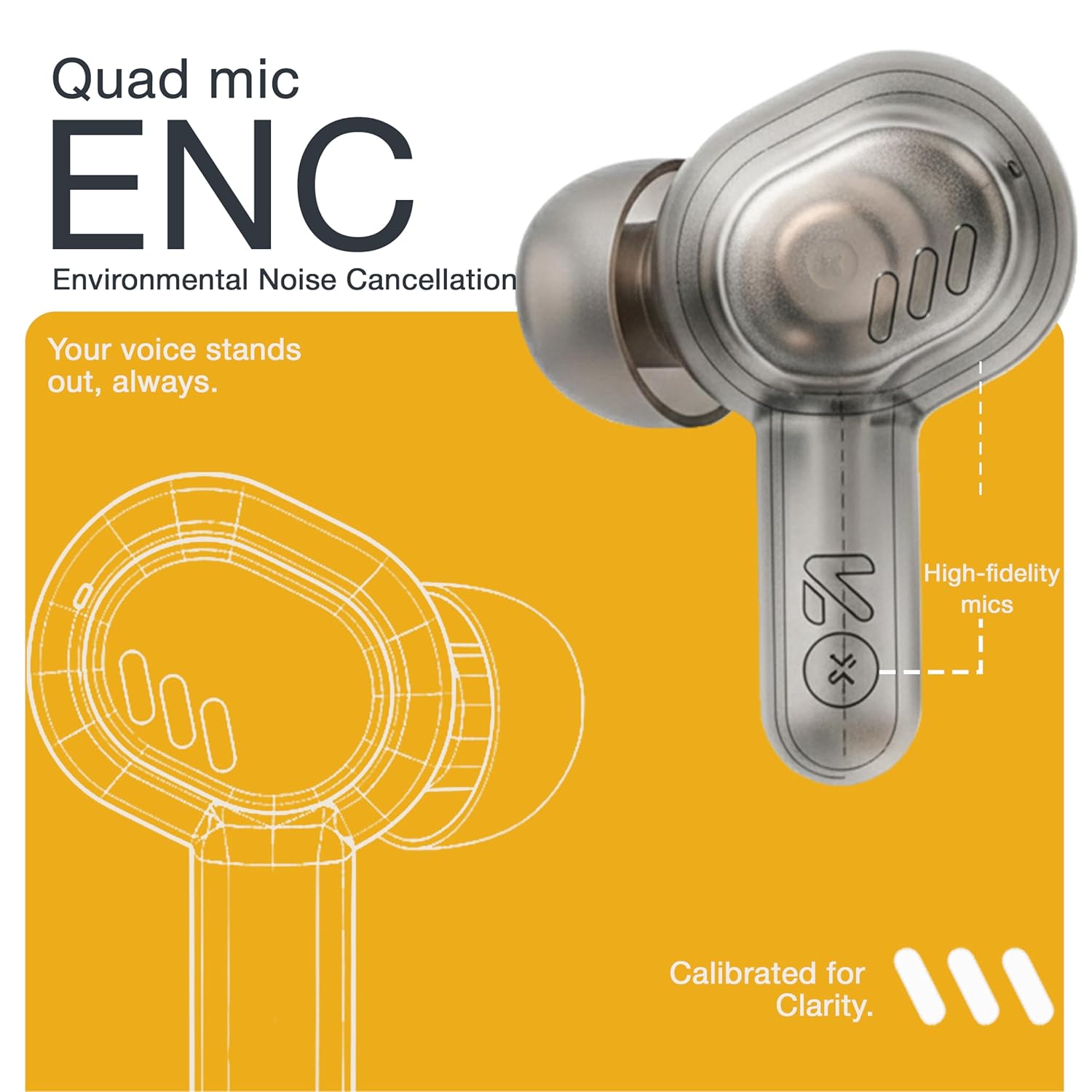
Image: A detailed diagram highlighting the Quad Mic ENC system within the earbud, designed for clear voice transmission.
4.7. Audio Performance (13mm Drivers)
The GOBOULT Tenet earbuds are equipped with 13mm dynamic drivers for a rich audio experience.
- Experience deep bass, clear vocals, and balanced audio across various music genres.
- Juster lydproffenfile further using the Amp App's equalizer settings.

Billede: En eksploderet view diagram of the earbud, showcasing the 13mm dynamic driver responsible for audio output.
4.8. Vandafvisende
The earbuds are IPX5 water resistant, making them suitable for workouts and light splashes.
- IPX5 rating means the earbuds can resist a sustained, low-pressure water jet spray.
- Do not submerge the earbuds in water or expose them to heavy rain.
- Opladningsetuiet er ikke vandtæt.
5. Vedligeholdelse
5.1. Rensning
- Rengør regelmæssigt ørepropperne og opladningsetuiet med en blød, tør og fnugfri klud.
- Remove ear cushions and clean them with mild soap and water if necessary, ensuring they are completely dry before reattaching.
- Brug ikke slibende rengøringsmidler, alkohol eller kemiske opløsningsmidler.
- Sørg for, at opladningskontakterne på både ørepropper og etuiet er rene og fri for snavs.
5.2. Opbevaring
- Når ørepropperne ikke er i brug, skal de opbevares i deres opladningsetui for at beskytte dem og holde dem opladede.
- Opbevar enheden et køligt, tørt sted, væk fra ekstreme temperaturer og direkte sollys.
5.3. Batteripleje
- For at forlænge batterilevetiden bør du undgå at aflade ørepropperne og etuiet helt ofte.
- Oplad enheden regelmæssigt, selvom den ikke bruges hyppigt, for at forhindre dyb afladning.
6. Fejlfinding
| Problem | Mulig løsning |
|---|---|
| Øretelefoner parrer ikke |
|
| Ingen lyd fra et ørepropp |
|
| Opladningsproblemer |
|
| Lav lydstyrke eller dårlig lydkvalitet |
|
| Stemmeassistenten svarer ikke |
|
7. Specifikationer
| Feature | Detalje |
|---|---|
| Mærke | GOBOULT |
| Modelnavn | Tenet (Airbass) |
| Modelnummer | Airbass-øretelefoner |
| Øreplacering | In Ear |
| Støjkontrol | Environmental Noise Cancellation (ENC), Sound Isolation |
| Bluetooth version | 5.4 |
| Bluetooth rækkevidde | Op til 10 meter |
| Audio driver størrelse | 13 millimeter |
| Frekvensområde | 20 Hz - 20,000 Hz |
| Følsomhed | 105 dB |
| Battery Average Life (with case) | Op til 75 timer |
| Hurtig opladning | 10 minutes charge for 120 minutes playtime |
| Opladningsport | USB Type-C |
| Vandmodstandsniveau | IPX5 (kun øretelefoner) |
| Controller type | Touch, Google Assistant, Siri |
| Kompatible enheder | Desktops, Gaming Consoles, Laptops, Smart Watch, Tablets |
| Varens vægt | 54.5 Grams (Case + Earbuds) |
| Oprindelsesland | Kina |
8. Garanti og support
8.1. Garantioplysninger
The GOBOULT Tenet TWS Earbuds come with a 1-Year Manufacturer's Warranty from the date of purchase. This warranty covers manufacturing defects.
- Gem venligst din købskvittering som købsbevis i tilfælde af garantikrav.
- Garantien dækker ikke skader forårsaget af misbrug, ulykker, uautoriserede ændringer eller normal slitage.
8.2. Kundesupport
For any queries, technical assistance, or warranty claims, please contact GOBOULT customer support.
- Fabrikant: Exotic Mile Private Limited, B-67 Wazirpur Industrial Area, New Delhi 110052
- Importør: Exotic Mile Pvt. Ltd., B67 Wazirpur Industrial Area, New Delhi 110052
- Refer to the contact information provided on your warranty card or the official GOBOULT webwebsted for de mest opdaterede supportkanaler.