
1. Introduktion
Thank you for choosing the GOBOULT Tenet TWS Earbuds. This manual provides essential information to help you set up, operate, and maintain your earbuds for an optimal audio experience. Please read this manual thoroughly before use and retain it for future reference.
Hvad er der i æsken
- GOBOULT Tenet TWS Earbuds (Left and Right)
- Opladningsetui
- USB Type-C opladerkabel
- Ørepuder (forskellige størrelser)
- Brugermanual
- Garantikort
2. Produktet er slutview
Familiarize yourself with the components of your GOBOULT Tenet TWS Earbuds and charging case.
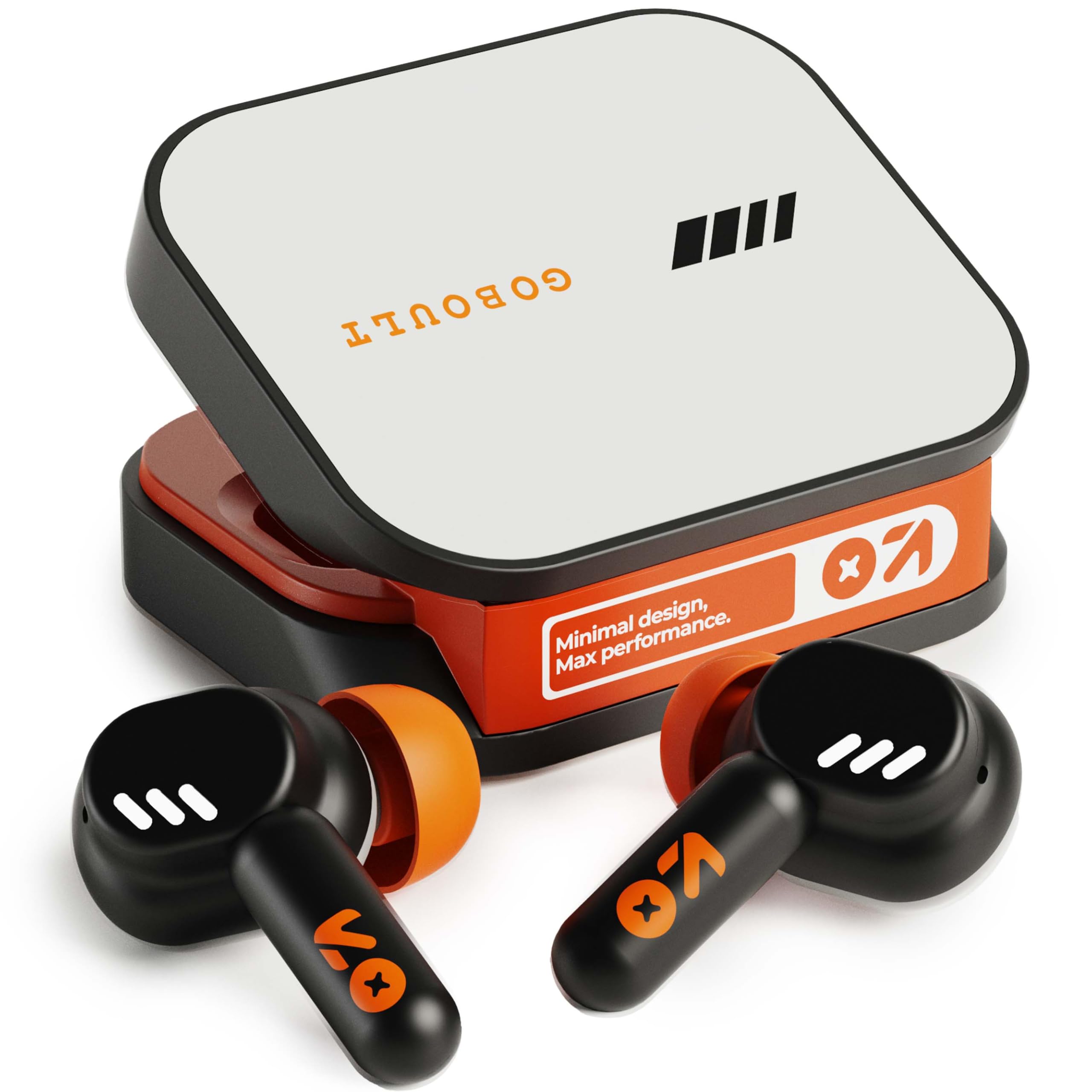
Image: GOBOULT Tenet TWS Earbuds in their charging case, showcasing the Turbo Orange color variant.

Billede: Forskellige views of the GOBOULT Tenet charging case, highlighting its minimal design and Type-C charging port.
Nøglefunktioner
- 75 timers samlet spilletid: Forlænget batterilevetid til længerevarende brug.
- Hurtig opladning: 10 minutes of charge provides up to 120 minutes of playtime.
- Amp App Support: Customize EQ settings and controls via the dedicated application.
- Firedobbelt mikrofon-encoder: Støjreduktion fra omgivelserne for klare opkald.
- 13 mm dynamiske drivere: Delivers deep bass and balanced audio.
- Dobbelt enhedsforbindelse: Skift problemfrit mellem to parrede enheder.
- Bluetooth 5.4: Stable connection with low latency.
- IPX5 vandtæt: Splash and sweat-ready design.
3. Opsætning
3.1 Opladning af øretelefoner og etuiet
Oplad ørepropperne og opladningsetuiet helt inden første brug.
- Placer ørepropperne i opladningsetuiet. Sørg for, at de er korrekt isat.
- Connect the USB Type-C charging cable to the charging port on the case and plug the other end into a power source.
- LED-indikatoren på etuiet viser opladningsstatus. Når den er fuldt opladet, vil indikatoren skifte eller slukke afhængigt af modellen.
Hurtig opladning: En 10 minutters opladning giver cirka 120 minutters spilletid.

Image: The GOBOULT Tenet earbuds in their charging case, connected via a Type-C cable, illustrating the charging process and fast charging capability.
3.2 Parring med en enhed
For first-time use, follow these steps to pair your earbuds with your device.
- Åbn opladningsetuiet. Ørepropperne tændes automatisk og går i parringstilstand.
- Aktiver Bluetooth på din enhed (smartphone, tablet, bærbar computer).
- Søg efter available Bluetooth devices and select "GOBOULT Tenet" from the list.
- Når forbindelsen er oprettet, vil en stemmemeddelelse bekræfte den gennemførte parring.
Dobbelt enhedsforbindelse: The earbuds support simultaneous connection to two devices. After pairing with the first device, disable Bluetooth on it. Pair with the second device. Then, re-enable Bluetooth on the first device. The earbuds should now be connected to both, allowing seamless switching.

Image: The GOBOULT Tenet earbuds and case positioned between a smartphone and a laptop, illustrating the dual device connectivity feature.
4. Betjeningsvejledning
4.1 Tænd/sluk
- Tænd: Åbn opladningsetuiet, eller tryk længe på berøringsområdet på begge ørepropper i 3 sekunder.
- Sluk: Placer ørepropperne tilbage i opladningsetuiet, og luk låget, eller tryk længe på berøringsområdet på begge ørepropper i 5 sekunder.
4.2 Tryk på kontrolelementer
The GOBOULT Tenet earbuds feature intuitive touch controls for various functions.

Image: A close-up of an earbud in an ear, detailing the touch control functions for music, calls, and activation of AI assistance.
| Fungere | Handling |
|---|---|
| Afspil/pause musik | Et enkelt tryk på begge øretelefoner |
| Næste spor | Dobbelttryk på den højre øreprop |
| Forrige spor | Dobbelttryk på den venstre øreprop |
| Besvar/afslut opkald | Et enkelt tryk på begge øretelefoner |
| Afvis opkald | Long press on either earbud for 2 seconds |
| Aktivér stemmeassistent (Siri/Google Assistant) | Tryk tre gange på begge øretelefoner |
| Toggle Gaming Mode (Combat Mode) | Firedobbelt tryk på begge øretelefoner |
4.3 GOBOULT Amp App support
Enhance your listening experience by downloading the GOBOULT Amp App. The app allows for personalized audio settings and controls.
- Custom EQ Modes: Juster lydfrekvenserne efter dine præferencer.
- Rename Earbuds: Personalize the Bluetooth name of your earbuds.
- Tailored Widgets: Access quick controls and information.
- Vandudstødning: Utilize this feature to clear water from the earbuds after exposure.

Image: A smartphone displaying the GOBOULT Amp App interface with equalizer settings, alongside the earbuds, demonstrating app customization.
4.4 Sådan tager du ørepropperne på
For optimal lydkvalitet og komfort skal du sørge for en korrekt pasform.
- Select the ear tips that best fit your ear canal. Experiment with different sizes for the best seal.
- Gently insert the earbud into your ear, then twist it slightly to secure a snug fit. The "Vacuum Lock Earshell" design is engineered for an air-tight seal.

Image: Diagrams and an illustration showing the proper way to wear the GOBOULT Tenet earbuds for a secure and comfortable fit, highlighting the Vacuum Lock Earshell technology.
4.5 Combat Gaming Mode (Low Latency)
Activate Combat Gaming Mode for a low-latency audio experience, ideal for gaming.
- Aktivering: Tryk fire gange på begge øretelefoner.
- This mode reduces audio delay to approximately 45ms, providing synchronized sound with on-screen action.
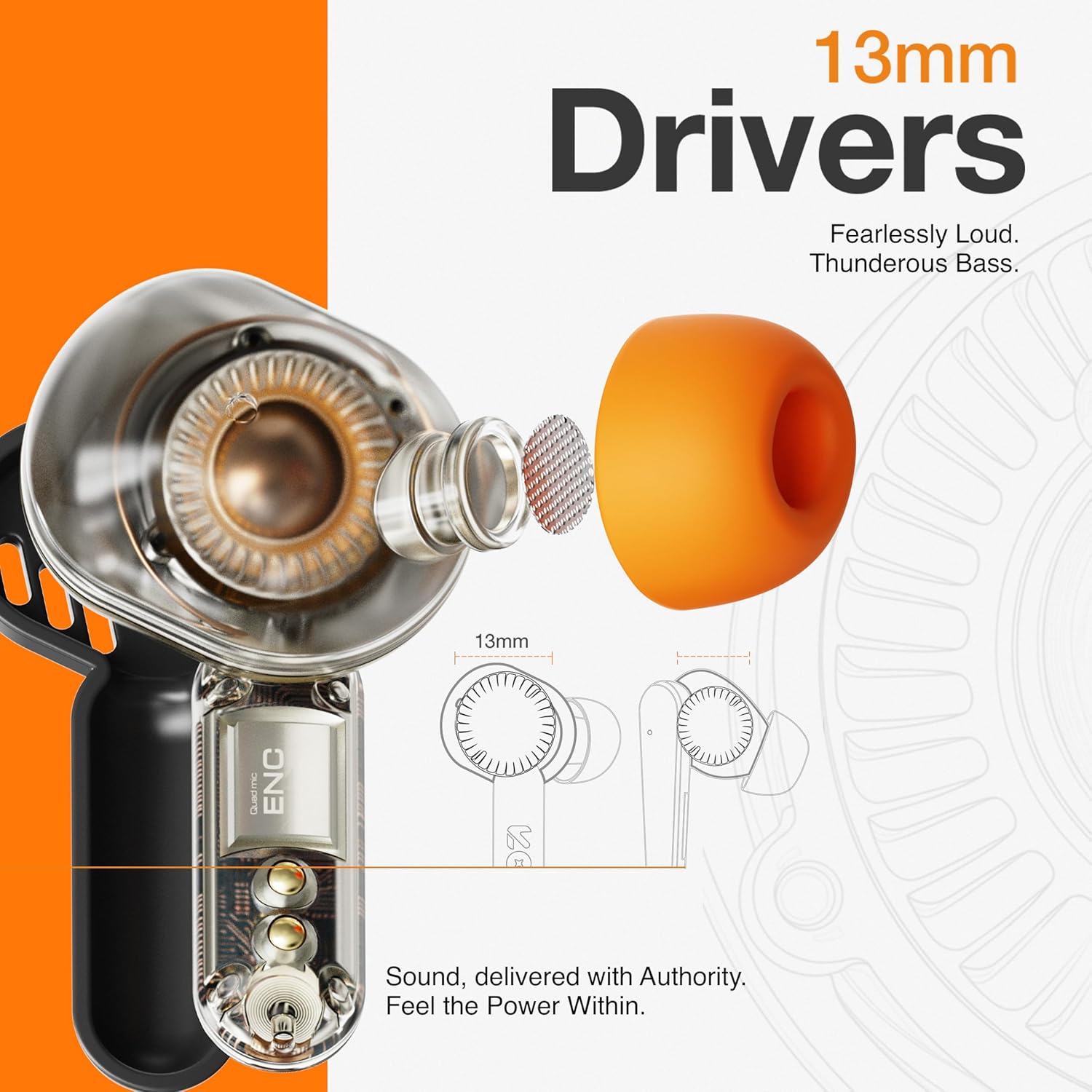
Image: The GOBOULT Tenet earbuds and charging case next to a smartphone and game controller, illustrating Bluetooth 5.4 connectivity and the 45ms ultra-low latency Combat Gaming Mode.
5. Vedligeholdelse
5.1 Rengøring
Regelmæssig rengøring hjælper med at opretholde lydkvalitet og hygiejne.
- Brug en blød, tør og fnugfri klud til at tørre ørepropperne og opladningsetuiet af.
- Fjern ørepropperne, og rengør dem med mild sæbe og vand. Tør dem derefter grundigt, inden de sættes på igen.
- Use a cotton swab or a small, soft brush to gently clean the speaker mesh and charging contacts.
- Undgå at bruge slibende materialer, alkohol eller kemiske rengøringsmidler.
5.2 Opbevaring
Når ørepropperne ikke er i brug, skal de opbevares i deres opladningsetui for at beskytte dem og holde dem opladede.
- Opbevares køligt og tørt, væk fra ekstreme temperaturer og direkte sollys.
5.3 Vandtæthed
The GOBOULT Tenet earbuds are IPX5 water resistant, meaning they are protected against low-pressure water jets from any direction. This makes them suitable for workouts and light rain.
- Dyp ikke ørepropperne i vand.
- Opladningsetuiet er ikke vandtæt.
- Hvis ørepropperne bliver våde, skal de tørres grundigt, inden de lægges tilbage i opladningsetuiet.
6. Fejlfinding
If you encounter issues with your earbuds, refer to the following common solutions.
| Problem | Løsning |
|---|---|
| Øretelefoner parrer ikke | Ensure earbuds are charged. Turn off and on Bluetooth on your device. Forget "GOBOULT Tenet" from your device's Bluetooth list and re-pair. |
| Kun én øretelefon virker | Place both earbuds back in the case, close the lid, then open again. Ensure both earbuds are charged. Perform a factory reset if the issue persists. |
| Lav lydstyrke eller dårlig lydkvalitet | Adjust volume on both earbuds and your connected device. Ensure ear tips provide a snug fit. Clean earbud speaker meshes. Check EQ settings in the Amp App. |
| Øretelefoner oplader ikke | Ensure charging cable is securely connected. Check if the charging port is clean. Verify the power source is working. Ensure earbuds are correctly seated in the case. |
| Forbindelsen falder ofte | Ensure your device is within the 10-meter Bluetooth range. Avoid obstacles between earbuds and device. Disconnect from other Bluetooth devices. |
6.1 Fabriksindstilling
If issues persist, a factory reset may resolve them. Refer to the specific reset procedure in the Amp App or contact customer support.
7. Specifikationer
Technical specifications for the GOBOULT Tenet TWS Earbuds.
| Feature | Detalje |
|---|---|
| Mærke | GOBOULT |
| Modelnavn | Tenet (Airbass Earbuds) |
| Øreplacering | In Ear |
| Støjkontrol | Environmental Noise Cancellation (ENC), Sound Isolation |
| Bluetooth version | 5.4 |
| Bluetooth rækkevidde | 10 meter |
| Audio driver størrelse | 13 millimeter |
| Frekvensrespons | 20 Hz - 20,000 Hz |
| Batteriets gennemsnitlige levetid | 75 timer (samlet spilletid) |
| Batteriopladningstid | 10 Minutes (for 120 mins playtime) |
| Kontrolmetode | Røre |
| Vandmodstandsniveau | IPX5 (vandtæt) |
| Kompatible enheder | Desktops, Gaming Consoles, Laptops, Smart Watch, Tablets |
| Varens vægt | 54.5 Grams (Carrying Case Weight) |
| Indkapslingsmateriale | Plast |
8. Garanti og support
8.1 Garantioplysninger
The GOBOULT Tenet TWS Earbuds come with a 1 års producentgaranti fra købsdatoen. Denne garanti dækker fabrikationsfejl. Gem venligst din købsbevis i tilfælde af garantikrav.
Garantien dækker ikke skader forårsaget af misbrug, ulykker, uautoriserede ændringer eller normal slitage.
8.2 Kundesupport
For any product-related queries, technical assistance, or warranty claims, please contact GOBOULT customer support through the official webwebstedet eller kontaktoplysningerne på dit garantikort.