
Redmi Note 15 Pro 5G
Redmi Note 15 Pro 5G User Manual
Model: Note 15 Pro 5G
Indledning
This manual provides essential information for setting up, operating, maintaining, and troubleshooting your Redmi Note 15 Pro 5G smartphone. Please read this guide thoroughly to ensure optimal performance and longevity of your device.
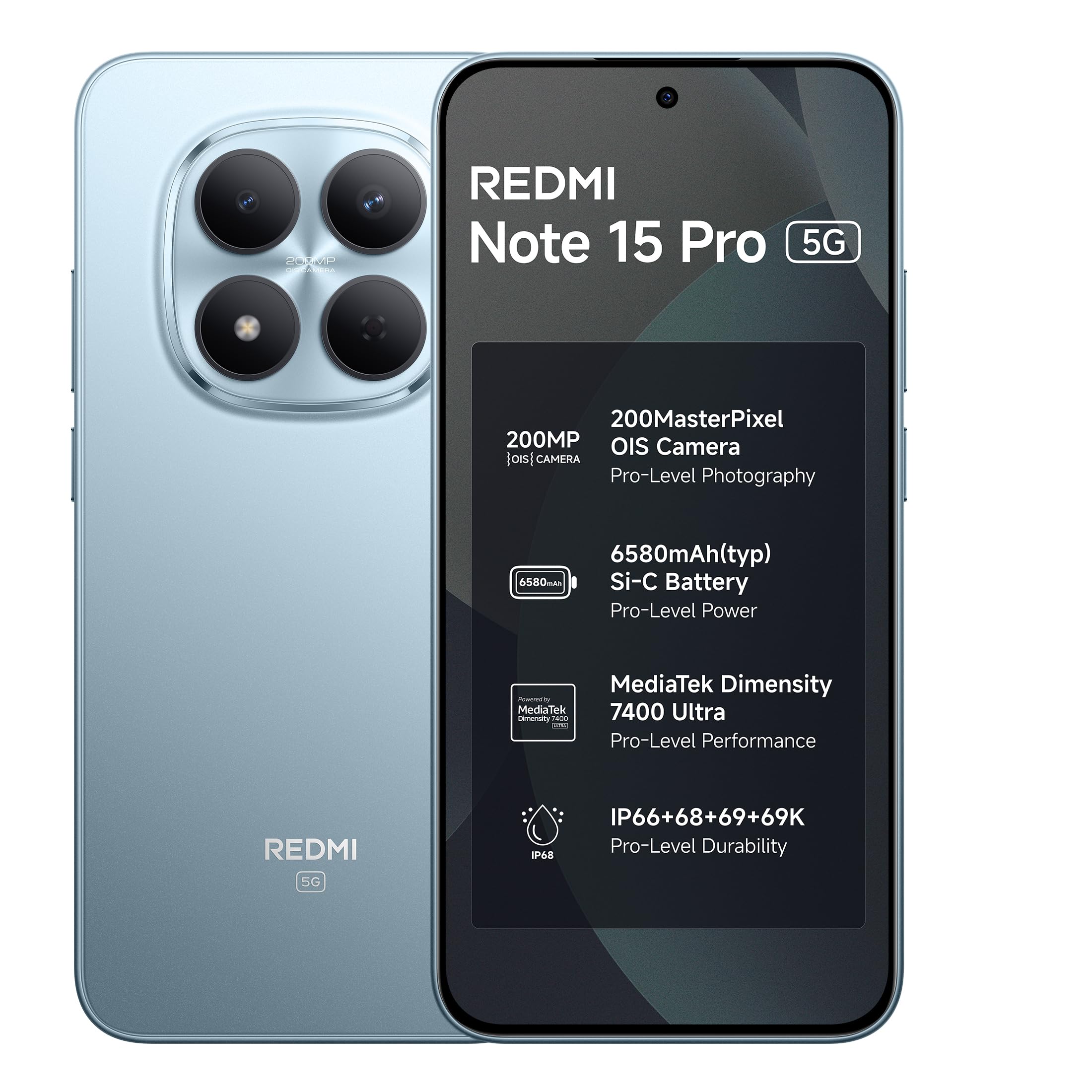
Image: Redmi Note 15 Pro 5G in Mirage Blue.
1. Opsætning
1.1 Udpakning og første inspektion
Upon opening the package, verify that all components are present and undamaged. The box contents typically include:
- Redmi Note 15 Pro 5G smartphone
- Oplader
- USB Type-C-kabel
- SIM-udskubningsværktøj
- Brugervejledning (dette dokument)
- Beskyttende etui
- Garantikort
1.2 Isætning af SIM-kortet
- Find SIM-kortbakken på siden af din enhed.
- Sæt SIM-kortudkastningsværktøjet i det lille hul ved siden af bakken, og tryk forsigtigt, indtil bakken springer ud.
- Placer dit/dine Nano-SIM-kort i bakken med guldkontakterne nedad. Sørg for, at de vender korrekt.
- Skub forsigtigt bakken tilbage i åbningen, indtil den klikker på plads.
1.3 Tænding og indledende konfiguration
- Press and hold the Power button until the Redmi logo appears.
- Følg instruktionerne på skærmen for at vælge dit sprog, oprette forbindelse til et Wi-Fi-netværk og konfigurere din Google-konto.
- Du kan blive bedt om at overføre data fra en gammel enhed eller gendanne fra en sikkerhedskopi.
2. Betjening af din enhed
2.1 Display og navigation
The Redmi Note 15 Pro 5G features a 17.3cm (6.83") CrystalRes AMOLED display with 1.5K Ultra QHD resolution and up to 3200 nits peak brightness for clear outdoor visibility. It supports a 120Hz adaptive refresh rate for smooth scrolling and interaction.

Image: The 1.5K AMOLED display of the Redmi Note 15 Pro 5G.

Image: Visual representation of the 120Hz adaptive refresh rate.
2.2 Kamerafunktioner
Your device is equipped with an advanced 200MP OIS camera featuring a 4th Gen HPE sensor. This camera supports 4K video recording and offers in-sensor 2x/4x zoom for detailed captures.
- 200MP hovedkamera: Capture ultra-sharp details and vibrant images.
- Optisk billedstabilisering (OIS): Ensures steady videos and clear photos, even in motion.
- AI Ultra Clear Engine: Enhances image processing for superior clarity.

Billede: Eksploderet view of the 200MP OIS camera system.
2.3 Ydeevne og software
The Redmi Note 15 Pro 5G is powered by the MediaTek Dimensity 7400-Ultra processor, designed for smooth multitasking and responsive performance. It runs on Xiaomi HyperOS 2, offering a seamless and intelligent cross-device experience.
- Xiaomi HyperOS 2: Provides 4 years of OS updates and 6 years of security patches.
- AI-assistance: Features like Circle to Search and Gemini AI are integrated for enhanced user interaction.

Image: The MediaTek Dimensity 7400-Ultra processor.

Billede: Overview of Xiaomi HyperOS 2 features.

Image: Demonstrating AI features like Circle to Search and Gemini AI.
2.4 Batteri og opladning
The device is equipped with a large 6580mAh Si-Carbon battery. It supports 45W Turbo charging for quick power-ups and 18W wired reverse charging to power other devices.

Image: Information on the 6580mAh battery and 45W fast charging.
2.5 Lyd
Experience enhanced audio with symmetric stereo speakers featuring Dolby Atmos support, delivering louder sound, clearer dialogue, and richer audio.

Image: Diagram illustrating the symmetric stereo speakers with Dolby Atmos.
2.6 Xiaomi Offline Communication
The device supports kilometer-level device-to-device calling that functions without cellular or Wi-Fi networks. This feature is useful in no-signal zones, during travel, outdoors, and in large gatherings where networks may be congested.

Image: Smartphone displaying an active offline communication call.
3. Vedligeholdelse
3.1 Device Durability and Protection
The Redmi Note 15 Pro 5G is built with Corning Gorilla Glass Victus 2 for enhanced drop resistance and features IP66/68/69/69K protection against water and dust ingress. It also includes a Titan Structure internal reinforcement for reliability.

Billede: Overview of the device's durability features, including Gorilla Glass Victus 2 and IP ratings.
3.2 Batterilevetid
The 6580mAh Si-Carbon battery is designed for long-term health, retaining its capacity even after extended use. It is rated for 1600 lifecycles, ensuring health retention for 4-5 years.
3.3 Softwareopdateringer
Regular software updates are provided to enhance performance, security, and introduce new features. Your device will receive 4 years of OS updates and 6 years of security patches.
3.4 Rengøring af din enhed
To clean your device, use a soft, lint-free cloth. Avoid using abrasive materials, solvents, or aerosol sprays. For stubborn smudges, slightly dampRengør kluden med vand eller en skærmrens, der er specielt designet til elektronik.
4. Fejlfinding
If you encounter issues with your Redmi Note 15 Pro 5G, consider the following common solutions before contacting support:
- Enheden reagerer ikke: Tryk og hold tænd/sluk-knappen nede i cirka 10-15 sekunder for at fremtvinge en genstart.
- Batteriet aflades hurtigt:
- Check for background apps consuming excessive power.
- Reduce screen brightness or enable power-saving modes.
- Sørg for, at softwaren er opdateret.
- Kameraproblemer:
- Clear the camera app's cache and data.
- Genstart enheden.
- Ensure there are no physical obstructions on the camera lens.
- Forbindelsesproblemer (Wi-Fi/Mobil):
- Slå Wi-Fi eller mobildata fra og til.
- Genstart din router (ved Wi-Fi-problemer).
- Ensure your SIM card is correctly inserted and your plan is active.
- Ydeevneforsinkelse:
- Luk unødvendige baggrundsapplikationer.
- Clear storage space.
- Genstart enheden regelmæssigt.
For more complex issues, refer to the official Redmi support webwebsted eller kontakt kundeservice.
5. Specifikationer
| Feature | Detalje |
|---|---|
| Mærke | Redmi |
| Model | Bemærk 15 Pro 5G |
| Operativsystem | Android 15, Xiaomi HyperOS |
| Processor | Mediatek Dimensity 7400-Ultra |
| VÆDDER | 8 GB |
| Lagerkapacitet | 128 GB (variantspecifik) |
| Vise | 6.83 Inches AMOLED, 1.5K Ultra QHD, 3200 nits peak brightness |
| Bagkamera | 200 MP (Photo Sensor Resolution) |
| Videooptagelsesopløsning | 4K |
| Batterikapacitet | 6580 mioamp Timer |
| Opladning | 45W Fast Charging, 18W Wired Reverse Charging |
| Vandmodstandsniveau | IP66/68/69/69K (Waterproof) |
| Dimensioner | 16.4 x 7.8 x 0.8 centimeter |
| Vægt | 210 gram |
| Forbindelse | 5G, USB Type C |
6. Garantioplysninger
Your Redmi Note 15 Pro 5G comes with a 1 års producentgaranti for the device itself. In-box accessories, including batteries, are covered by a 6 måneders producentgaranti fra købsdatoen. Gem venligst din købsbevis i tilfælde af garantikrav.
7. Support og kontaktoplysninger
For technical assistance, service, or further inquiries, please contact:
- Fabrikant: DBG Technology (India) Pvt Ltd, PLOT NO-2, BAWAL, SECTOR-8, Rewari, Haryana, 123501.
- Importør: Xiaomi Technology India Private Limited, Building Orchid. Block E, Embassy Tech Village, Marathahalli Outer Ring Road, Devarabisanahalli, Bengaluru 560103.
You can also visit the official Redmi support website for FAQs, software downloads, and additional resources. For more information about Redmi products, visit the Redmi-butik på Amazon.

Image: Details on repair service efficiency.
Ask a question about this manual
Ask about setup, troubleshooting, compatibility, parts, safety, or missing instructions. Manuals+ will review the question and use this page’s manual context to help answer it.