
1. Introduktion
Thank you for choosing the TOPTRO TP3 4K Google TV Portable Projector. This manual provides essential information for setting up, operating, and maintaining your projector. Please read it thoroughly before use to ensure optimal performance and safety.
The TOPTRO TP3 is designed to deliver a versatile and immersive viewing experience, featuring integrated Google TV, AI-powered image adjustments, and comprehensive connectivity options. Enjoy your content at home, outdoors, or on the go.
2. Produktet er slutview
2.1 Nøglefunktioner
- Integreret Google TV: Access over 10,000 official streaming applications, including Netflix, Prime Video, and YouTube, without additional devices.
- Google Voice Control: Use the remote control's voice assistant button to search for content, adjust settings, and control playback hands-free.
- AI-Powered Image Adjustment: Features automatic focus, automatic keystone correction, obstacle avoidance, and automatic screen adjustment for a perfectly aligned and clear image within seconds.
- Native 1080P Resolution with 4K Decoding: Delivers sharp, detailed images and natural colors, supporting 4K video decoding.
- Short Throw Ratio (0.8:1): Projects a 60-inch image from just one meter distance, ideal for small spaces.
- 90-graders roterende stativ: Giver mulighed for fleksible projektionsvinkler, inklusive loftsprojektion.
- Avanceret forbindelse: Equipped with dual-band WiFi 6, Bluetooth 5.3, HDMI ARC, USB, and a 3.5mm audio jack for wide device compatibility.
- Bærbart design: Weighing only 1.2 kg (2.6 lbs) with a hidden carry handle, making it easy to transport.
2.2 Pakkens indhold
Sørg for at alle varer er til stede i pakken:
- TOPTRO TP3 Projektor
- Fjernbetjening
- HDMI kabel
- Strømadapter
- Brugermanual
3. Opsætning
3.1 Indledende placering
Place the projector on a stable, flat surface. The 90-degree rotating stand allows for various projection angles, including wall, ceiling, or tabletop. For optimal image quality, ensure the projection surface is smooth and light-colored.

Image: The TOPTRO TP3 projector can be used in diverse environments, from living rooms to outdoor camping, showcasing dens tilpasningsevne.
3.2 Strømtilslutning
- Tilslut strømadapteren til projektorens strømindgang.
- Plug the power adapter into a suitable electrical outlet (220V).
- Tryk på tænd/sluk-knappen på projektoren eller fjernbetjeningen for at tænde den.
3.3 Netværksforbindelse
Upon first startup, follow the on-screen prompts to connect to your Wi-Fi network. The projector supports dual-band WiFi 6 for a fast and stable connection.
3.4 Opsætning af Google TV
After connecting to Wi-Fi, sign in with your Google account to access Google TV and download applications from the Google Play Store. This step is crucial for utilizing the integrated streaming services.

Image: The projector's interface showing integrated Google TV with direct access to popular streaming applications.
4. Betjeningsvejledning
4.1 Grundlæggende betjening
- Tænd/sluk: Tryk på tænd/sluk-knappen på fjernbetjeningen eller projektoren.
- Navigation: Use the directional buttons on the remote to navigate menus.
- Udvælgelse: Tryk på knappen 'OK' for at bekræfte valgene.
- Lydstyrkekontrol: Brug lydstyrkeknapperne på fjernbetjeningen.
4.2 Billedjustering
The TOPTRO TP3 features AI-powered automatic image adjustments:
- Autofokus: Projektoren justerer automatisk billedklarheden.
- Automatisk keystone-korrektion: Korrigerer automatisk forvrængede billeder til en rektangulær form.
- Undgåelse af forhindringer: Detects and adjusts the image to avoid objects on the projection surface.
- Auto Screen Adjustment: Optimizes the image to fit the screen area.
These adjustments occur automatically within seconds of powering on or repositioning the projector. Manual digital zoom (80-100%) is also available for fine-tuning image size.

Image: Visual representation of the projector's AI-powered automatic image adjustment features, ensuring a clear and aligned picture.
4.3 Google Stemmestyring
Press the dedicated voice assistant button on your remote control and speak your command. For example, say "Open YouTube" or "Play music." The projector will respond to your voice commands for quick access to functions and content.
4.4 Screen Mirroring (Google Cast)
Utilize Google Cast technology to wirelessly mirror content from your smartphone or tablet to the projector. For iPhone users, download the "AirScreen" application from the Google Play Store on the projector for wireless screen mirroring.
4.5 Rotating Stand Usage
The integrated 90-degree rotating stand allows you to easily adjust the projection angle. Simply pivot the projector to direct the image onto a wall, screen, or ceiling. This feature is particularly useful for bedroom viewing or creative setups.
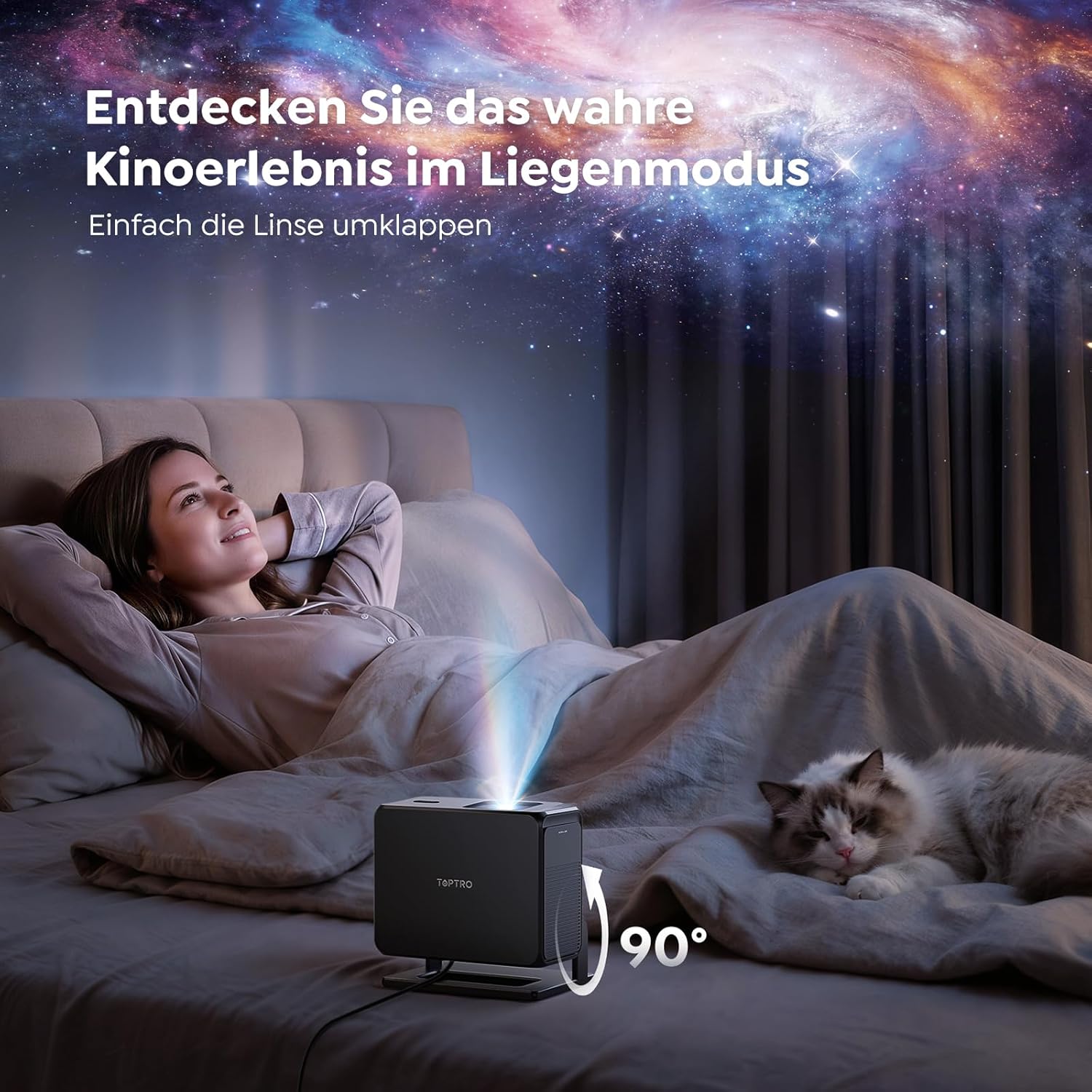
Image: The TOPTRO TP3 projector rotated 90 degrees to project content onto a bedroom ceiling, offering a unique viewoplevelse.
5. Forbindelse
5.1 Kabelbaserede forbindelser
- HDMI ARC/CEC: Connect external devices like laptops, gaming consoles (Xbox/PlayStation 5), or Blu-ray players. The ARC feature allows audio to be sent back to a compatible sound system.
- USB: Tilslut USB-drev til medieafspilning.
- 3.5 mm lydstik: Connect external wired speakers or headphones.
5.2 Trådløse forbindelser
- Wi-Fi 6: Provides faster and more stable wireless connectivity for streaming and online content.
- Bluetooth 5.3: Tilslut Bluetooth-hovedtelefoner eller -højttalere for en forbedret lydoplevelse.
6. Vedligeholdelse
6.1 Rengøring af linsen
Gently clean the projector lens with a soft, lint-free cloth designed for optical surfaces. Avoid using abrasive cleaners or excessive force, as this can scratch the lens.
6.2 Generel rengøring
Tør projektorens yderside af med en blød, tør klud. Brug ikke flydende rengøringsmidler direkte på enheden.
6.3 Opbevaring
Når projektoren ikke er i brug, skal den opbevares køligt og tørt, væk fra direkte sollys og ekstreme temperaturer. Brug den originale emballage eller et beskyttende etui for at forhindre støvophobning og beskadigelse.
7. Fejlfinding
7.1 Intet billede vist
- Sørg for, at projektoren er tændt og tilsluttet en strømkilde.
- Check all cable connections (HDMI, USB) to external devices.
- Bekræft, at den valgte inputkilde på projektoren matcher den tilsluttede enhed.
- Bekræft at linsedækslet er fjernet.
7.2 Sløret billede
- Allow the auto-focus function to complete its adjustment.
- Sørg for, at projektoroverfladen er flad, og at projektoren er stabil.
- Rengør projektorlinsen, hvis der er synlige pletter eller støv.
7.3 Ingen lyd
- Kontroller lydstyrkeniveauet på både projektoren og den tilsluttede kildeenhed.
- Ensure external speakers or headphones are properly connected (wired or Bluetooth).
- If using HDMI ARC, verify your sound system is compatible and correctly configured.
7.4 Fjernbetjening virker ikke
- Udskift batterierne i fjernbetjeningen.
- Sørg for, at der ikke er nogen forhindringer mellem fjernbetjeningen og projektorens IR-modtager.
For further assistance, refer to the detailed troubleshooting section in the full user manual or contact customer support.
8. Specifikationer
| Feature | Specifikation |
|---|---|
| Mærke | TOPTRO |
| Modelnavn | TP3 |
| Indfødt opløsning | 1920 x 1080 (1080P) |
| Video Decoding Support | 4K |
| Display Type | LED |
| Særlige funktioner | Auto Focus, Auto Keystone Correction, Obstacle Avoidance, Auto Screen Adjustment, Google TV, Google Voice Control |
| Forbindelsesteknologi | HDMI, USB, Bluetooth 5.3, Wi-Fi 6 |
| Hardware-interface | HDMI ARC/CEC, USB, 3.5mm Audio |
| Produktmål (LxBxH) | 19.4 x 15.8 x 14.1 cm |
| Varens vægt | 1.2 kg |
| Formfaktor | Transportabel |
| Monteringstype | Ceiling Mount, Tabletop, Wall |
| Minimum billedstørrelse | 40 tommer |
| Maksimal billedstørrelse | 120 tommer |
| Maksimal kasteafstand | 2.13 meter |
| Voltage | 220 volt |
| Inkluderede komponenter | HDMI kabel |
| Farve | Sort |
| Controller type | Fjernbetjening |
| Kompatible enheder | Xbox/PlayStation 5, Smartphone, Tablet, Laptop, Speaker, Notebook |
| Anbefalede anvendelser | Gaming, Business, Home Cinema, Education |
9. Garanti og support
9.1 Garantioplysninger
Please refer to the warranty card included with your product for specific warranty terms and conditions. Keep your proof of purchase for warranty claims.
9.2 Kundesupport
If you encounter any issues or have questions regarding your TOPTRO TP3 projector, please contact our customer service team. We provide prompt, professional, and effective support to ensure a smooth user experience.
Contact details can typically be found on our official webwebstedet eller på garantikortet.


